
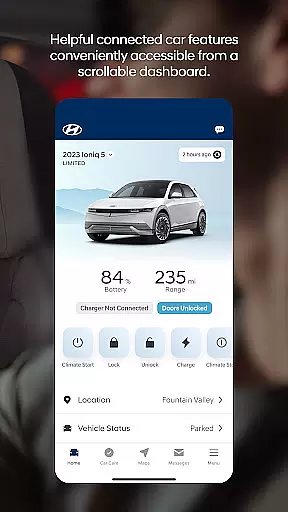
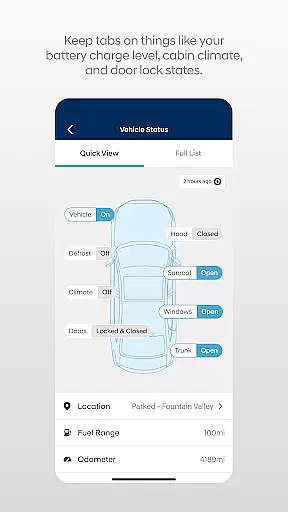

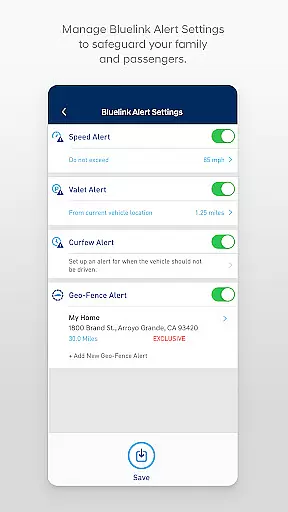
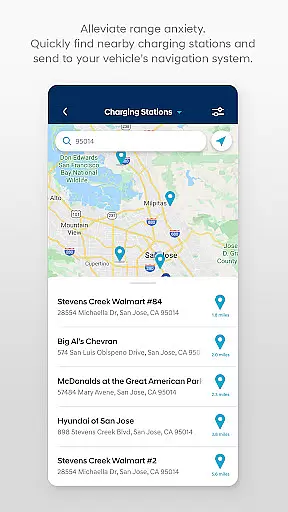
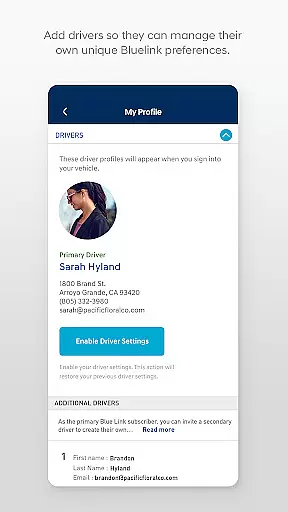
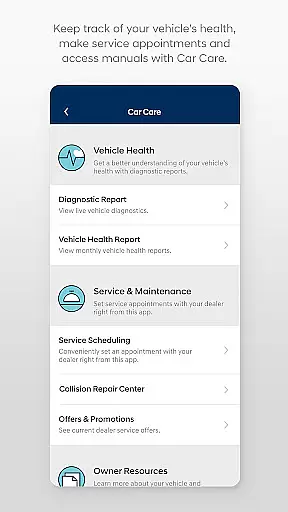
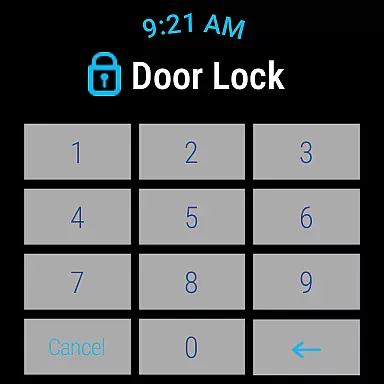
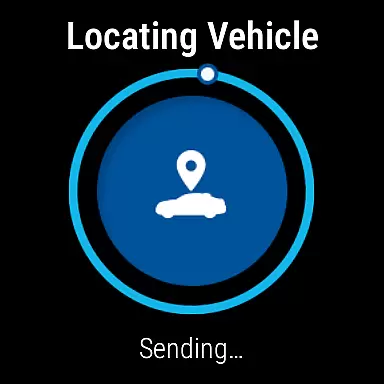
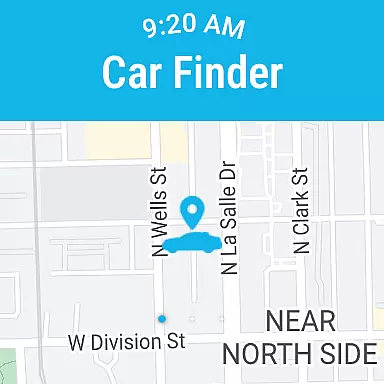
The MyHyundai app with Bluelink is a comprehensive tool designed to enhance your Hyundai vehicle ownership experience. This application allows you to remotely interact with your Bluelink-enabled Hyundai, providing features such as remote start, door lock and unlock, and horn and light activation. Additionally, it offers convenient access to maintenance information, service scheduling, and customer support.
Designed for users on the go, the app supports biometric authentication and integrates seamlessly with Wear OS smartwatches. Whether you're at home, in the office, or elsewhere, MyHyundai keeps you connected to your vehicle, ensuring you have control and access to essential features wherever you are.
MyHyundai app stands out with its extensive range of features tailored for Hyundai vehicle owners. The app enables remote vehicle management including starting the engine, locking and unlocking doors, and activating the horn and lights, all accessible from your smartphone or Wear OS smartwatch. For electric and plug-in hybrid vehicles, users can view charging status and manage charging schedules.
Beyond remote commands, the app provides valuable resources such as user tutorials, Points of Interest search, and maintenance information. It also includes four phone widgets for quick access to remote features, parking meter, POI search, and Ioniq EV vehicle functions. With an active Bluelink subscription, users can enjoy these benefits while staying informed about their vehicle's status and maintenance needs.
Companion app integration is crucial for users who want seamless connectivity between their smart devices and vehicles. The MyHyundai app excels in this area by offering a comprehensive suite of features that sync with your Bluelink-enabled Hyundai vehicle.
This application allows you to remotely start your car, lock or unlock doors, activate the horn and lights, and even locate your vehicle, all from your smartphone. For electric and plug-in hybrid models, it provides the ability to manage charging schedules and view charging status, ensuring optimal energy use.
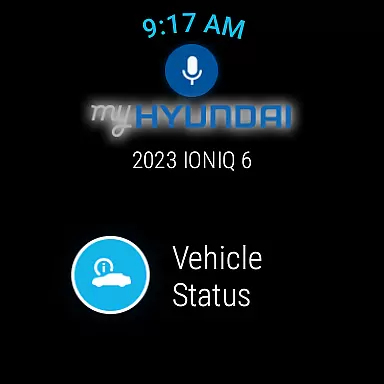
By integrating with Wear OS, the MyHyundai app extends its functionality to smartwatches. This means you can use voice commands or the smartwatch interface to control key vehicle functions, enhancing convenience and accessibility. Such extensive companion app integration empowers users to interact with their vehicles effortlessly, no matter where they are.
Wear OS and device compatibility ensures that applications function smoothly across various devices, including smartwatches. The MyHyundai app supports Wear OS, allowing users to access essential vehicle controls directly from their wrists.
With this compatibility, users can remotely start their vehicles, lock or unlock doors, activate the horn and lights, and find their cars using smartwatch interfaces. This feature significantly enhances user experience by providing quick and easy access to frequently used functions without needing to take out a smartphone.
The app also requests necessary permissions like location services, biometric authentication, and camera access to enhance functionality. These integrations ensure that whether you're using a smartphone or a Wear OS device, the MyHyundai app delivers a consistent and reliable performance, making vehicle management more convenient than ever.
User-friendly interface
Comprehensive remote control
Biometric authentication
Wear OS compatibility
Extensive feature set
Subscription required
Limited vehicle support
Feature variability
Dependent on network
Premium cost

Walking app for weight loss: walk & step tracker, pedometer, indoor treadmill
 4.60
4.60
Wear Os Watch Face - Animated Snow - Sesonal for Christmas & Winter
4.0
Rose gold watch face with festive lights & customizable features.
4.60
A heartwarming Christmas scene featuring a cute image of Santa and Rudolf
4.3
Wear Os Watch Face - Animated Snow Effect & Magic Spark - 6 Scenes
4.10
Gym & home workout plans with strength training, exercise tracking, HIIT & more.
4.60
Minimalistic design modern digital watch face.
4.2
Premium hybrid watch face with many customizations for Wear OS devices.
4.40
Fast and smart typing with Emojis, GIFs, and more
4.50
Christmas Theme Watch Face for Wear Os
5.00
Christmas - Festive - Christmas Village - Winter - Christmas lights
5.00
The Chevron App allows you to pay for fuel from the comfort of your car!
4.80
Diet tracker for weight loss - track calories, food and macros. Simple and easy!
4.70
Your second brain for organizing your life: to-do, calendar, reminder.
4.70
Hybrid watch face for Wear OS with customizable complications by Matteo Dini MD
4.70
Beautiful artistic animated digital watch face, with a customizable layout!
4.40
Calming & relaxing sounds for sleeping and stress relief. Stay focused all day!
4.20
A customizable Christmas watch face for Wear OS with a countdown.
4.20
A watch face that fuses motorsport precision with contemporary smartwatch design
4.0


User Reviews