
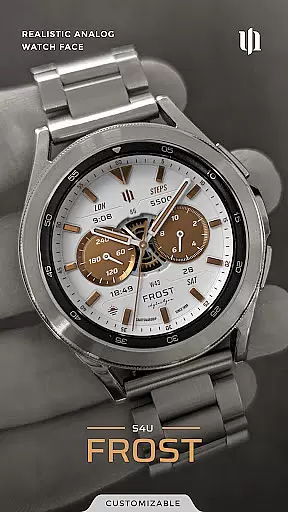
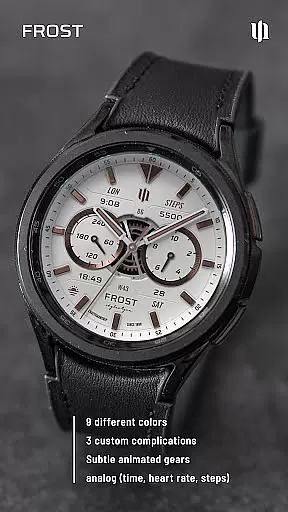
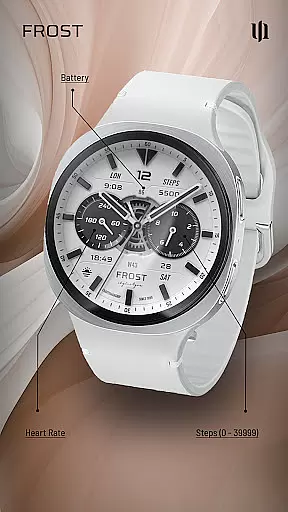
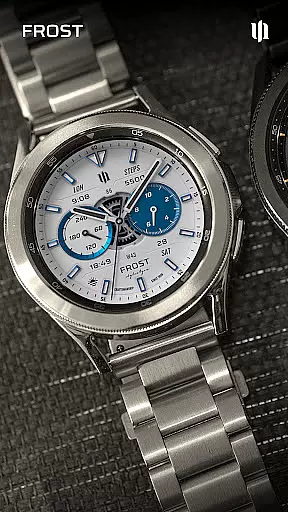
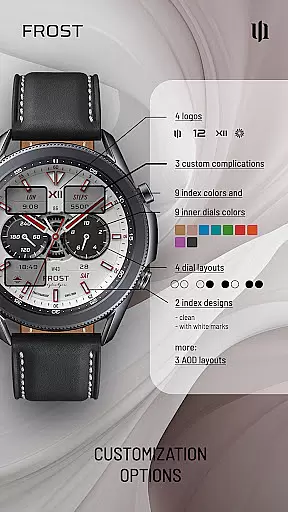
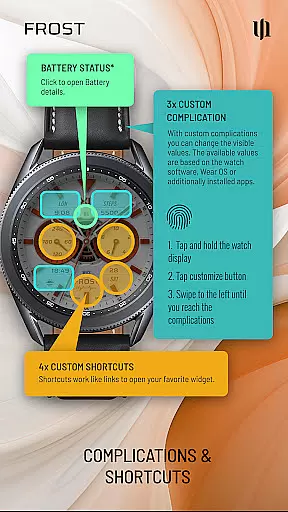
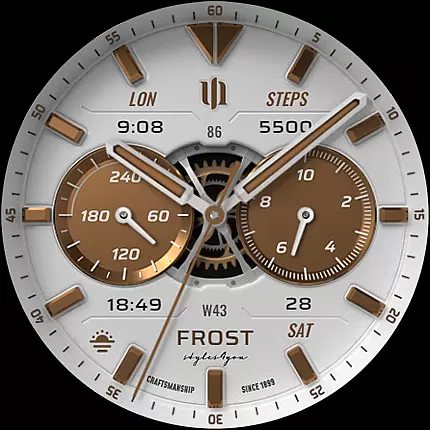
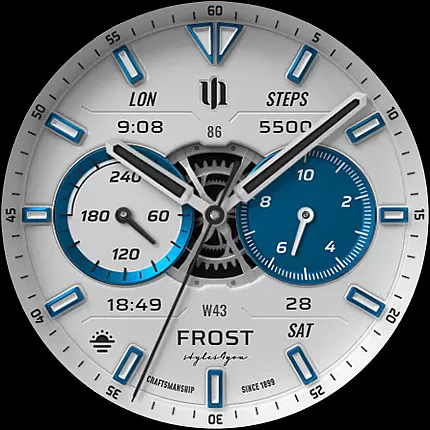
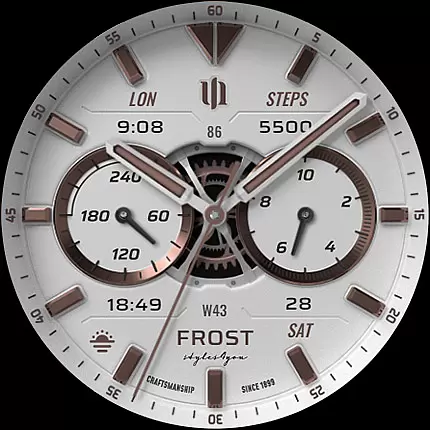
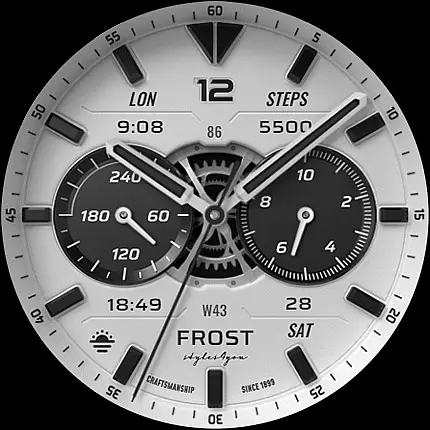
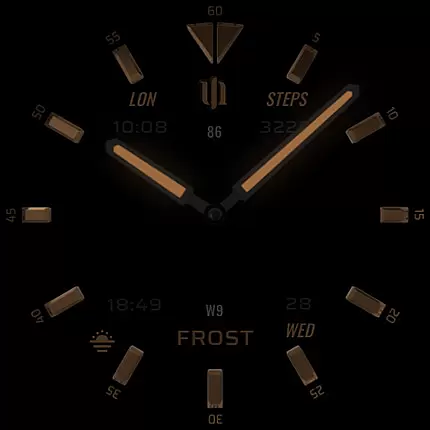
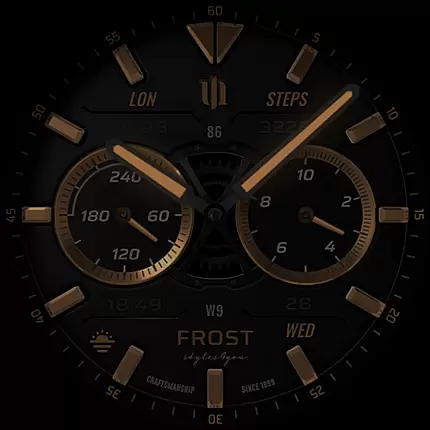
S4U Frost is a premium Wear OS watch face designed for users seeking a realistic analog experience with extensive customization options. This app offers a classic white analog dial complemented by 3 custom complications and multiple color settings, allowing users to tailor the appearance to their preferences.
With support for Always-On Display (AOD) and compatibility across Samsung Galaxy Watch series, Google Pixel Watch, and other Wear OS 4+ devices, S4U Frost ensures both functionality and style. The inclusion of 4 customizable shortcuts and various AOD layouts makes it a versatile choice for smartwatch enthusiasts who value both aesthetics and utility.
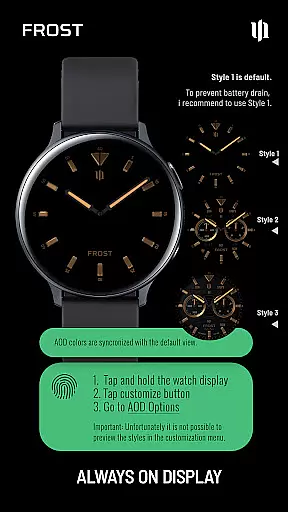
The S4U Frost watch face stands out with its advanced customization capabilities. Users can choose from 9 color options for the main hands and secondary complications, while also customizing index colors, inner dial backgrounds, and more. With 3 distinct AOD layouts and 10 background color choices, personalization reaches new heights.
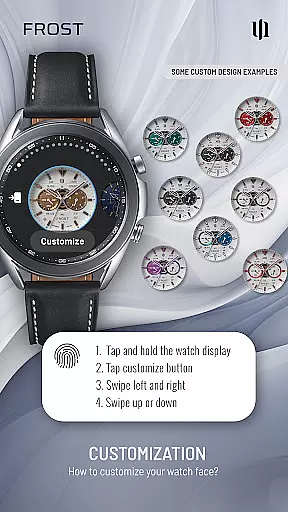
Functionality is further enhanced through 3 editable complications and 4 app shortcuts, providing quick access to favorite widgets and essential data. The intuitive customization process allows users to adjust settings directly on their watch display, ensuring a seamless and user-friendly experience tailored to individual needs.
Companion app integration is crucial for a seamless Wear OS experience. S4U Frost offers a dedicated companion app that simplifies the setup and customization process. This ensures users can effortlessly adjust settings, access tutorials, and resolve any installation issues.
The companion app provided with S4U Frost allows users to customize their watch face with ease. By following the straightforward steps in the Install/Issues section, users can quickly personalize their watch face to suit their preferences. The app provides clear guidance on setting up custom complications, shortcuts, and AOD layouts.
For troubleshooting, the companion app serves as a direct line to support. If users encounter problems, they can email wear@s4u-watches.com directly from the app. This streamlined support system enhances user satisfaction by providing timely assistance and maintaining an uninterrupted Wear OS experience.
Ensuring compatibility across various devices is essential for a versatile Wear OS application like S4U Frost. This watch face supports smartwatches running Wear OS 4 or higher (Wear OS API 33+), including popular models such as Samsung Galaxy Watch series and Google Pixel Watch series.
S4U Frost's broad device compatibility guarantees that users with different Wear OS devices can enjoy its features. Whether you own a Samsung Galaxy Watch 4, 5, 6, 7, 7 Ultra, 8, or a Google Pixel Watch 1-3, this watch face delivers a consistent and high-quality experience.
Moreover, the application's design takes into account variations in hardware capabilities. While using advanced features like Always-On Display (AOD), users are informed about potential impacts on battery life and automatic dimming based on ambient light conditions. This transparency helps users make informed decisions about their device settings.
Highly customizable design
Supports Always-On Display
Compatible with Wear OS 4+
Intuitive customization options
Includes 3 complications and 4 shortcuts
Only compatible with Wear OS
May reduce battery life with AOD
Requires companion app for setup
Limited to specific smartwatches
No white background in AOD mode

Christmas - Festive - Christmas Village - Winter - Christmas lights
 5.00
5.00
Beautiful, colorful and practical watch face. For Wear OS devices.
5.00
Authentic military-tactical design with ZULU time! Realistic and functional!
3.80
Structured watch face with seven complications and modular UI elements
3.90
Nutrition, Macro tracker: Food, fitness & healthy diet tracking for weight loss
4.60
Hybrid Vibrant Health Watch Face for Wear OS
4.2
Premium hybrid watch face with many customizations for Wear OS devices.
4.40
Simple, helpful messaging by Google
4.60
Toyota app currently supports 2010 or newer vehicles (2018 or newer for Hawaii).
4.50
Gym Log & Workout Tracker | Fitness Journal, Training & Weight Lifting Planner
4.90
The most customizable minimal watch face. For Wear OS 5.0, API 34+ and later
4.70
Gym & home workout plans with strength training, exercise tracking, HIIT & more.
4.60
Retro digital watch face with customizable colors and a unique lighting effect
4.60
A realistic hybrid watch face with many customization options.
4.60
Deck out your Wear OS Watch face with a beautifully decorated pine wreath!
4.50
Fast and smart typing with Emojis, GIFs, and more
4.50
A digital watch face that celebrates Christmas.
4.00
Viewer for Wyze/Yi/Eufy/Arlo/ONVIF/RTSP/P2P IP cams w/ adv. features & DIY DVR
4.00
Animated Watch Face and Customizable with 24 Backgrounds. Perfect for Christmas!
3.90


User Reviews