
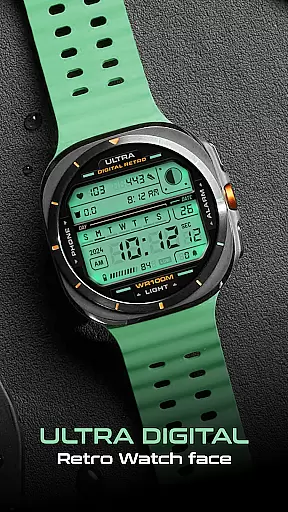
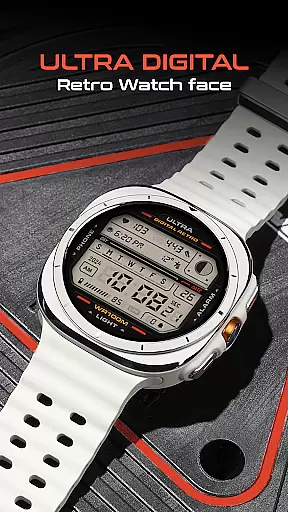
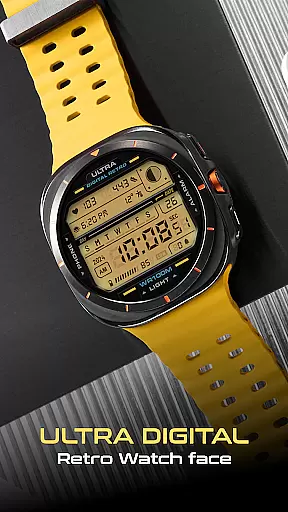
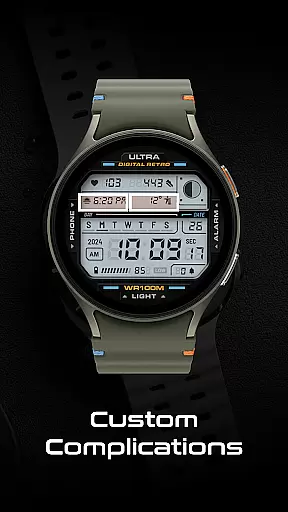
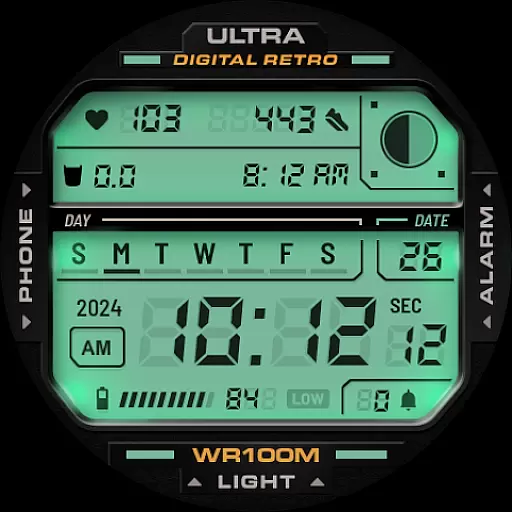
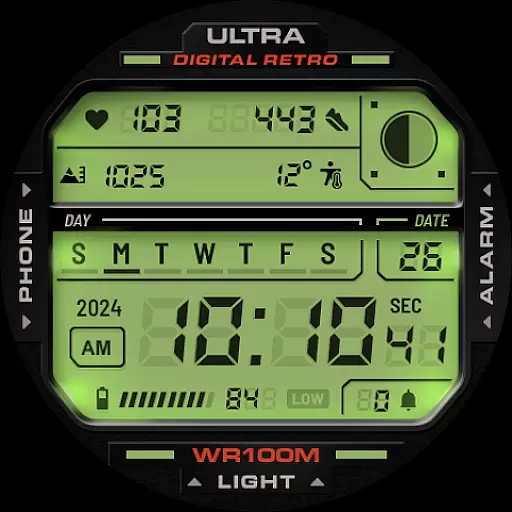
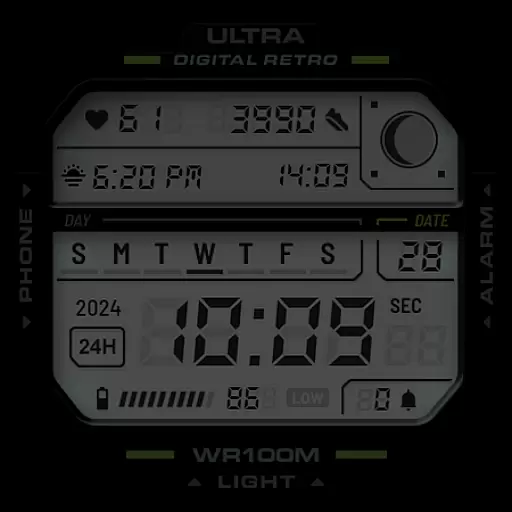
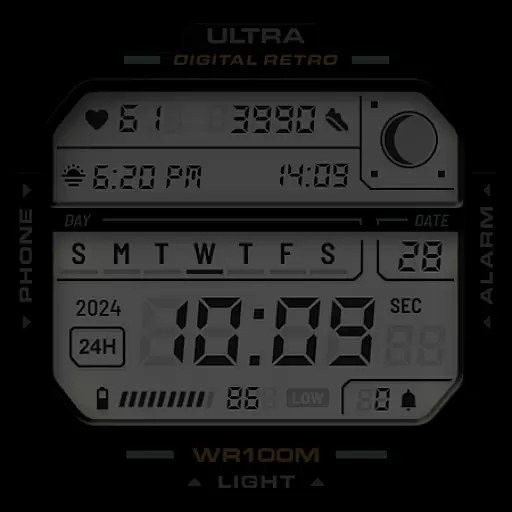
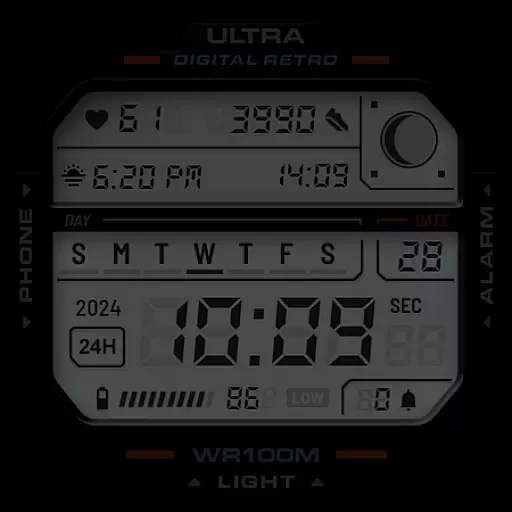
ULTRA Digital Retro watch face brings a nostalgic digital aesthetic to your Wear OS smartwatch. This versatile watch face features multiple customizable options including unique lighting effects, various LCD colors, and personalized detail colors. With support for two complications and app shortcuts, it offers both style and functionality.
The watch face displays essential information such as time in 12h/24h format, day, date, year, battery level, step counter, heart rate, moon phases, and notification counts. Compatible with Samsung Galaxy Watch7, Ultra, Pixel Watch 3, and other WearOS devices supporting Google's Watch Face Format, it ensures broad device compatibility.
Designed for users who appreciate retro design with modern functionality, this watch face is perfect for those who want a personalized and informative display on their smartwatch. The intuitive customization options allow users to tailor the appearance to their preferences while maintaining essential smartwatch capabilities.
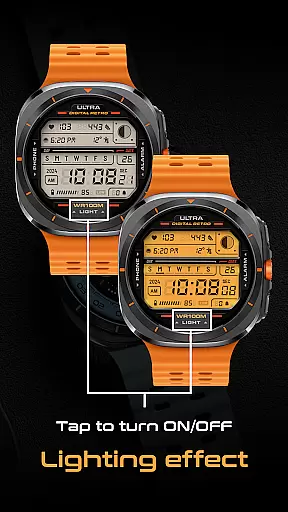
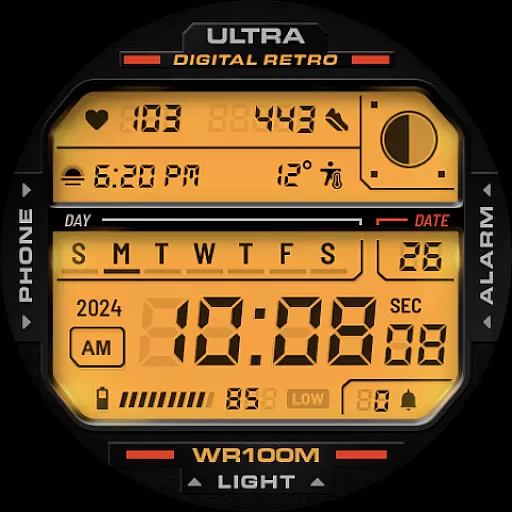
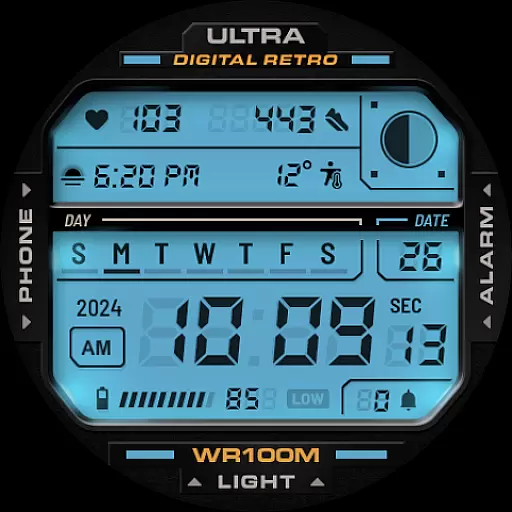
ULTRA Digital Retro watch face stands out with its diverse feature set tailored for customization enthusiasts. The unique lighting mode can be toggled on and off by tapping the bottom of the screen, offering an interactive user experience. Users can choose from multiple LCD lighting colors through the color option in the CUSTOMIZE menu, allowing for personalization of the watch face's overall look.
Beyond aesthetics, the watch face provides practical functionalities such as a 12h/24h digital clock, day and date display, year indicator, battery level, step counter, heart rate monitor, moon phases, and notification counter. Two customizable complications enable users to add preferred information widgets, enhancing usability.
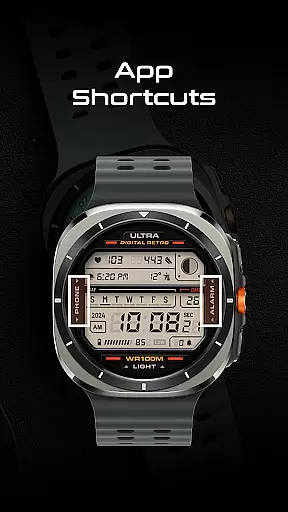
For added convenience, app shortcuts are integrated into the design. Tapping on the Phone icon opens the phone app, while tapping on the Alarm icon opens the alarm settings. These shortcuts exemplify how the watch face combines style with everyday utility, making it a valuable tool for smartwatch users seeking both form and function.
Companion app integration is essential for a seamless smartwatch experience. ULTRA Digital Retro watch face offers robust companion app support, ensuring that your Wear OS device works in harmony with your smartphone. This integration allows for real-time data synchronization, including notifications, health metrics, and more.
The app provides multiple customization options directly from your phone. Through the companion app, users can access the CUSTOMIZE menu to personalize detail colors, choose LCD lighting colors, and configure complications. This ensures that your watch face not only matches your style but also meets your functional needs.
Additionally, the companion app supports app shortcuts, enhancing usability. For instance, you can tap on the Phone icon to open the phone app or tap on Alarm to set an alarm. These shortcuts are easily accessible and provide quick actions without navigating through menus.
Overall, the companion app integration of ULTRA Digital Retro ensures that users have a versatile and personalized smartwatch experience, making daily tasks more efficient and visually appealing.
Compatibility with various devices is crucial for any Wear OS application. ULTRA Digital Retro watch face stands out by supporting a wide range of devices, including Samsung Galaxy Watch7, Ultra, Pixel Watch 3, and other WearOS watches that support Google's Watch Face Format. This broad compatibility ensures that users across different platforms can enjoy the unique features of this retro digital watch face.
The watch face leverages the capabilities of Wear OS to deliver a rich user experience. Features such as the 12h/24h digital clock, day and date, year, battery level indicator, step counter, heart rate monitor, moon phases, and notification counter are all optimized for performance on supported devices. This optimization guarantees accurate and timely information at a glance.
Moreover, the watch face includes interactive elements like the lighting effect, which can be toggled on or off by tapping the bottom of the screen. Users can also customize their experience further by choosing from multiple LCD lighting colors and setting up two customizable complications, all within the compatible devices' settings.
In summary, ULTRA Digital Retro watch face offers extensive Wear OS and device compatibility, ensuring that users benefit from a feature-rich and customizable experience regardless of their smartwatch model.
Customizable design
Versatile compatibility
Interactive features
Informative display
User-friendly interface
Limited analog appeal
Premium customization
Battery consumption
Complex setup
Fewer widgets

A heartwarming Christmas scene featuring a cute image of Santa and Rudolf
 4.3
4.3
Beautiful artistic animated digital watch face, with a customizable layout!
4.40
Wear Os Watch Face - Animated Snow Effect & Magic Spark - 6 Scenes
4.10
Digital watch face. For Wear OS devices.
4.40
Locate your family members by GPS phone location tracker everywhere and anytime
4.30
Stay in touch with your friends and family using LINE!
3.40
Funny animated watch face for Thanksgiving
4.5
Hybrid Vibrant Health Watch Face for Wear OS
4.1
Spam call blocker and caller ID for automatic call protection!
4.40
Gym Log & Workout Tracker | Fitness Journal, Training & Weight Lifting Planner
4.90
Real-time weather radar with temperatures, warnings, hurricanes, and widgets
4.80
Your second brain for organizing your life: to-do, calendar, reminder.
4.70
Real-time results, stats, schedules and player profiles for all leagues
4.60
A realistic hybrid watch face with many customization options.
4.60
Connect, create, and collaborate with Gmail, part of Google Workspace.
4.10
Watch the sharpness of the sky on your wrist..
3.70
Want to take charge of your health? Let Google Fit help you reach your goals.
3.50
Christmas and New Year - Themed Watchface
4.5
Wear Os Watch Face - Animated Snow - Sesonal for Christmas & Winter
4.4


User Reviews