
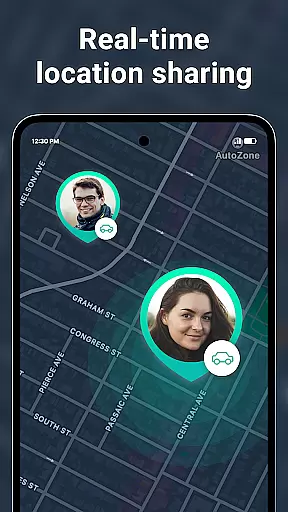
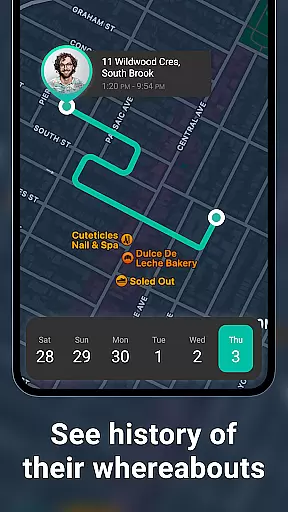
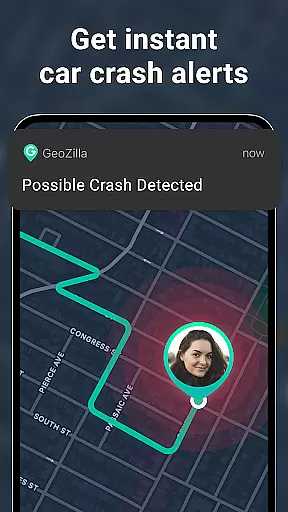
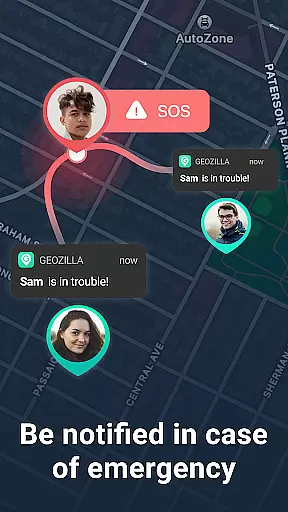
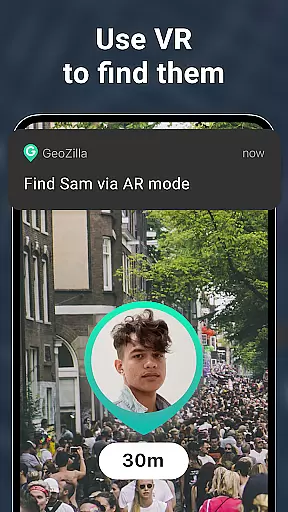

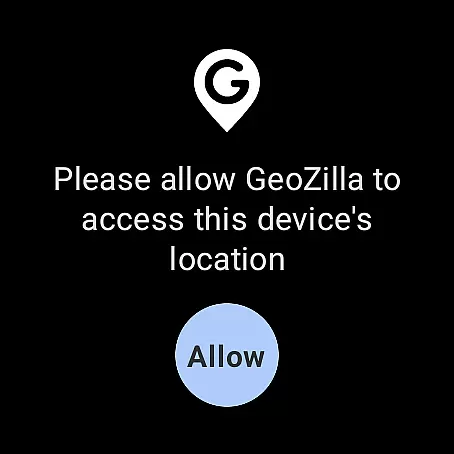
Geozilla is a comprehensive family safety app designed for Android Wear, offering real-time location tracking and emergency alerts to keep families connected and secure. The app allows users to create private circles where trusted members can share their live locations, receive arrival and departure notifications, and monitor battery levels. With features like driving reports and crash detection, Geozilla ensures peace of mind for families who prioritize safety and transparency.
In addition to its core functionalities, Geozilla supports Wear OS, enabling smartwatch users to access location sharing and other critical alerts directly from their wrists. This makes it especially useful for parents who want to stay informed about their children's whereabouts or caregivers assisting dependents. The app strictly adheres to principles of privacy, ensuring that all location sharing is mutual, informed, and transparent.
Whether you're at home or on the go, Geozilla provides an essential layer of security by keeping family members informed and supported through advanced geofencing technology and detailed movement timelines. Its user-friendly interface and robust privacy measures make it an invaluable tool for modern families seeking both safety and trust.
Geozilla stands out with its array of smart features tailored for family safety. One of its key capabilities is real-time location tracking, which allows users to see the current GPS positions of their family members instantly. This feature is complemented by location history, providing a detailed timeline of movements throughout the day, ensuring complete transparency within the family circle.
The app also includes geofencing technology, enabling users to set up specific zones such as home, school, or work. When a family member enters or leaves these predefined areas, Geozilla sends immediate alerts. Additional features like battery monitoring and safe driving insights further enhance user experience by notifying when a device is low on power and offering behavior reports to improve driving habits.
For those using Wear OS devices, Geozilla extends its functionality to smartwatches, allowing users to share locations and receive important notifications directly from their wrists. These innovative features, combined with stringent privacy controls, ensure that Geozilla remains a trusted choice for families prioritizing safety and transparency.
Companion app integration is essential for users who want a seamless experience between their mobile devices and wearables. Geozilla excels in this area by ensuring that all family safety features available on the smartphone app are fully functional on Wear OS devices.
The app allows family members to share and view real-time locations directly from their smartwatches, which is particularly useful when you're on the go and need quick access to location information without pulling out your phone.
Besides location sharing, Geozilla's Wear OS compatibility extends to receiving important notifications such as arrival and departure alerts, low battery warnings, and even SOS alerts. This ensures that you're always informed and can respond quickly to any situation, enhancing the overall safety of your family network.
By integrating with Wear OS, Geozilla provides peace of mind through constant connectivity, allowing family members to stay close and informed, regardless of the distance between them.
Device compatibility is crucial for apps designed to work across different platforms, and Geozilla ensures full functionality on Wear OS devices. This compatibility means that whether you're using an Android phone or a Wear OS smartwatch, you'll have access to Geozilla's comprehensive suite of family safety features.
Geozilla supports a wide range of Wear OS devices, ensuring that no matter which brand or model you own, you can rely on the app to deliver accurate and timely information. The app's optimization for various screen sizes and hardware capabilities guarantees a smooth user experience.
In addition to supporting multiple devices, Geozilla maintains high standards of performance. The app is designed to be resource-efficient, minimizing battery consumption while maximizing responsiveness. This balance is vital for maintaining consistent communication and location tracking throughout the day.
With its robust Wear OS/device compatibility, Geozilla offers families a reliable tool for staying connected and safe, reinforcing the importance of transparency and consent in location sharing among trusted circles.
User-friendly interface
Real-time location tracking
Emergency alerts system
Driving behavior reports
Wear OS compatibility
Limited to family use
Requires mutual consent
No covert tracking
Dependent on permissions
Premium features may cost extra

Highly customizable hybrid watch face for Wear OS, perfect for everyday use.
 4.60
4.60
Embrace the holiday spirit with this magical animated watch face!
4.40
A full-featured Amazon Alexa voice assistant that can show you things.
3.70
Stunning modern digital watch face with 7 complications and strong contrast
4.1
Digital watch face with big numbers and many customization for Wear OS devices
4.40
Stylish digital watch face for Wear OS devices with customizable features
4.1
The #1 source of faces for your smartwatch!
4.00
Control your Samsung Smart TVs, appliances, and SmartThings-compatible devices
4.60
Toyota app currently supports 2010 or newer vehicles (2018 or newer for Hawaii).
4.50
Real-time weather radar with temperatures, warnings, hurricanes, and widgets
4.80
Diet tracker for weight loss - track calories, food and macros. Simple and easy!
4.70
Retro digital watch face with customizable colors and a unique lighting effect
4.60
Stylish, Energizing and Modern Watch Face crafted by Dominus Mathias.
4.50
A white realistic classic analog watch face with many customization options.
4.40
Let's celebrate Thanksgiving - Wear Os watch face
4.20
A digital watch face that celebrates Christmas.
4.00
Get helpful reminders, take progress photos and find answers to your questions.
3.90
Watch face designed for Thanksgiving Day. 7 Background Styles included.
3.20
A Wintery Snow Globe on Your Wrist; now celebrating Christmas!
4.2


User Reviews