



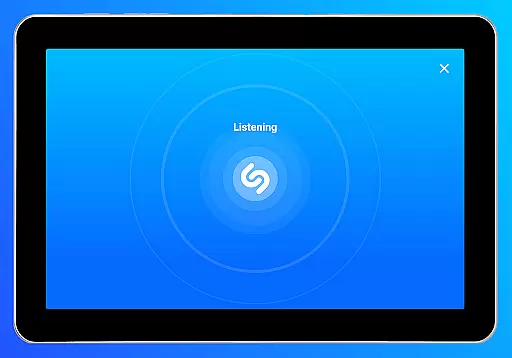


Shazam is a powerful music identification app designed for Android Wear users. It allows you to instantly recognize songs playing around you or in other apps, even with headphones on. With over 2 billion installs and 300 million users worldwide, Shazam has become an essential tool for music lovers. The app not only identifies tracks but also provides detailed information such as artist bios, song lyrics, and upcoming concerts.
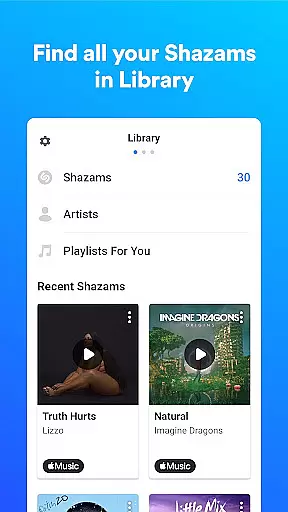
One of the standout features of Shazam is its ability to save your song history, making it easy to revisit previously identified tracks. You can open any song directly in popular music streaming services like Apple Music, Spotify, YouTube Music, and Deezer. Additionally, the app offers time-synced lyrics, music videos, and personalized recommendations, creating a comprehensive music discovery experience right on your wearable device.
Shazam stands out with its versatile feature set tailored for Android Wear. The app's core functionality lies in its instant song recognition capability, which works seamlessly across different environments—whether you're listening through speakers or headphones. The Auto Shazam feature allows continuous music detection, even when the app runs in the background, ensuring you never miss an opportunity to discover new music.
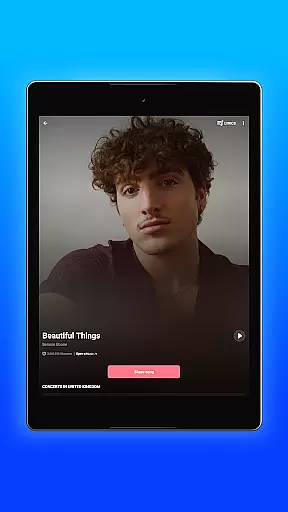
Beyond basic identification, Shazam enhances user engagement by offering time-synced lyrics, concert information, and integration with major music platforms. Users can browse charts to see what's trending locally or globally, explore similar songs, and receive personalized recommendations based on their listening history. The app also supports offline functionality, push notifications for personalized content, and a dedicated widget for quick access from the home screen.
Shazam offers seamless companion app integration, allowing users to identify songs across various platforms and devices. This feature ensures that whether you are on Instagram, YouTube, or TikTok, Shazam can recognize music playing within those apps directly from your notification bar.
The synchronization between Shazam and other applications like Apple Music, Spotify, and YouTube Music is instantaneous. Once a song is identified, users can effortlessly open it in any of these platforms, enhancing the accessibility and convenience of music discovery.
Furthermore, Shazam's Auto Shazam function continues to identify songs even when you exit the app, ensuring no tune goes unrecognized. This persistent background operation enriches the user experience by maintaining continuity in music detection.
Shazam extends its functionality to Wear OS, providing users with the ability to identify songs directly from their smartwatches. This compatibility ensures that users can enjoy the magic of Shazam without needing their phones nearby, offering true on-the-go convenience.
The application works offline as well, meaning that even without an internet connection, users can still capture song information and retrieve it later when online. This feature is particularly beneficial for users who find themselves in areas with limited connectivity.
Additionally, Shazamu2019s design for Wear OS maintains the simplicity and intuitiveness of its mobile counterpart. Users can quickly activate the app through widgets or voice commands, making song identification swift and hassle-free, regardless of the device they are using.
Instant song recognition
Offline functionality
Auto Shazam feature
Integration with streaming services
Time-synced lyrics
Limited offline features
Requires microphone access
Location permission needed
Some features region-locked
Notification permissions required

Wear Os Watch Face - Animated Snow Effect & Christmas Lights
 4.2
4.2
Wear Os Watch Face - Animated Snow - Sesonal for Christmas & Winter
4.5
A full-featured Amazon Alexa voice assistant that can show you things.
3.70
Bold, Modern Hybrid Watch Face for Wear OS. 10 Colors, Rich Info Display.
4.30
Fitness interactive virtual pet super fighter boy watch face
4.4
Animated video-game inspired “secret agent” simulation, right on your wrist!
4.20
A realistic hybrid watch face with many customization options.
4.60
Fast and smart typing with Emojis, GIFs, and more
4.50
Back up your contacts & access them anywhere
4.30
Your second brain for organizing your life: to-do, calendar, reminder.
4.70
Easy Voice Recorder is your everyday companion to record important moments.
4.70
Hybrid watch face for Wear OS with customizable complications by Matteo Dini MD
4.70
MyNISSAN® lets you remotely control your car from your phone.*
4.50
Beautiful artistic animated digital watch face, with a customizable layout!
4.40
Digital watch face. For Wear OS devices.
4.40
The ultimate destination for kids ages 3-8 to explore the Marvel Universe!
4.30
A Wintery Snow Globe on Your Wrist; now celebrating Christmas!
4.3
Analog watch face with 8 complications and expedition styling
4.5
Funny animated watch face for Thanksgiving
4.4


User Reviews