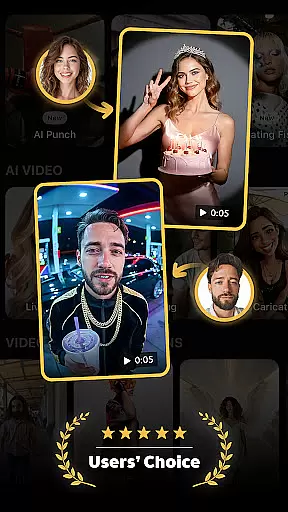
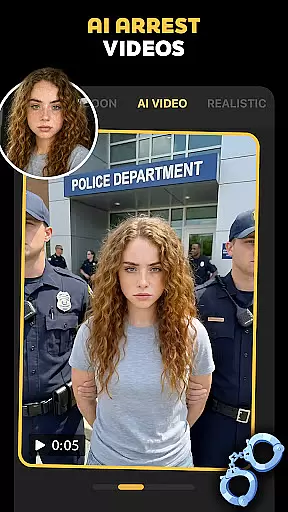
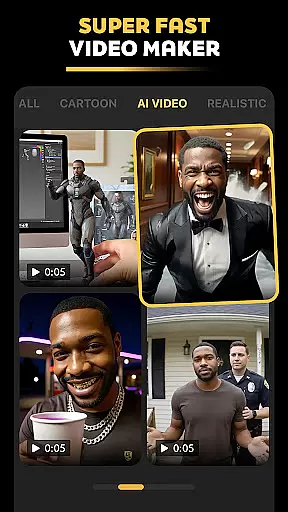
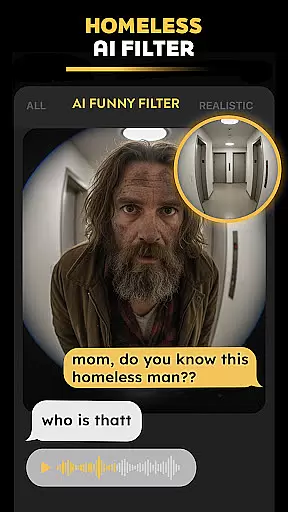
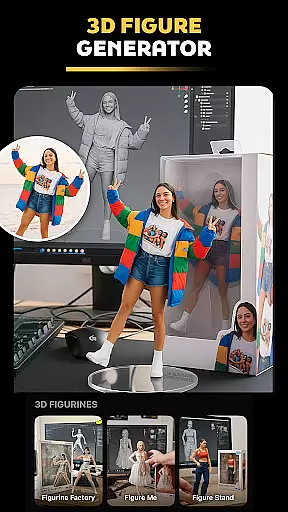
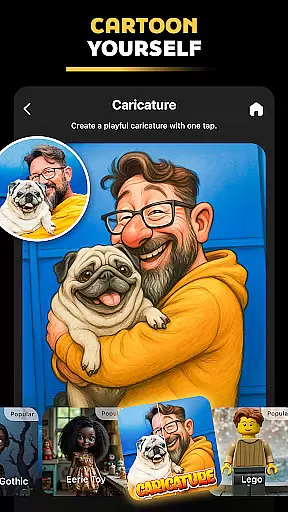

Pose is an innovative AI-powered photo and video editing application designed to help users create viral, high-quality content for social media platforms. This app offers a wide range of features including AI photo transformations, video generation, and specialized filters that cater to various creative needs. Users can transform their photos with trending effects like AI snow videos, polaroid filters, and professional-style birthday photo shoots. The app also allows the creation of hyper-realistic AI-generated characters and scenarios, making it a versatile tool for content creators looking to elevate their social media presence.
The true power of Pose lies in its ability to turn ordinary images into extraordinary visual stories. With dedicated tools for creating AI business headshots, action-figure avatars, and mermaid-themed portraits, the app serves both casual users and professionals. Whether you're aiming to create engaging TikTok videos or polished LinkedIn profile pictures, Pose provides the technological edge needed to stand out in the crowded digital space. Its intuitive interface and powerful AI capabilities ensure that even beginners can achieve impressive results.
Pose stands out through its diverse and specialized feature set tailored for modern content creators. One of the key highlights is the AI Birthday Photo Shoot feature, which transforms regular photos into elegant, themed celebrations. The app's Rain & Snow AI Photo Remake functionality adds seasonal magic to images, creating moody, cinematic effects with realistic weather overlays. These features demonstrate how Pose combines practical tools with creative flair to deliver unique image enhancements.
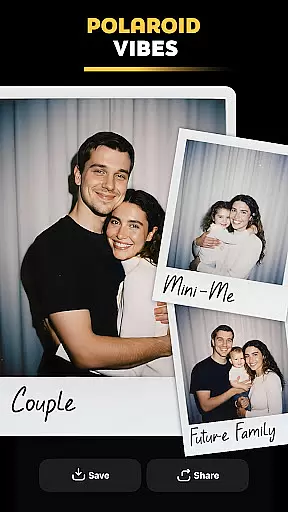
Another remarkable aspect is the Viral Polaroid AI Filter, which brings vintage aesthetics into the digital age. This filter allows users to recreate nostalgic moments with a modern twist, perfect for Instagram and Facebook posts. Additionally, the AI Video Generator converts static images into dynamic videos, complete with trendy effects like bullet time and zoom transitions. These capabilities showcase Pose's commitment to innovation while providing users with everything they need to create professional-grade multimedia content.
Real-time capture and preview functionality is essential for modern photography applications, allowing users to see exactly what the camera sees before taking a shot. Pose - AI Photo & Video Maker excels in this area by providing an intuitive interface that displays high-quality previews of photos and videos with applied effects instantly.
The app's real-time processing capabilities enable users to apply various AI-powered filters and transformations, such as the Polaroid AI filter or AI snow video effect, and see the results immediately on their screen. This ensures that users can make necessary adjustments to achieve their desired look without any guesswork.
With Pose, photographers and content creators can confidently experiment with different styles and effects, knowing that what they see in the preview is precisely what they will get in the final output. This feature significantly enhances the creative process, making it easier to produce visually stunning content that stands out on social media platforms.
Ultimately, the real-time capture and preview feature in Pose empowers users to create professional-grade photos and videos with minimal effort. By offering instant feedback and a wide range of customizable options, the app helps users elevate their content and engage their audience more effectively.
AI beauty and enhancement features have become increasingly popular in photography apps, aiming to improve the aesthetic quality of images while maintaining a natural appearance. Pose - AI Photo & Video Maker stands out by offering advanced AI algorithms that enhance facial features, skin texture, and overall image quality without making the results look artificial.
The app provides a variety of tools designed to refine portraits subtly. For instance, users can utilize the AI Business Headshots feature to create polished and professional-looking headshots suitable for LinkedIn profiles. These enhancements focus on subtle improvements like smoothing skin imperfections and enhancing eye clarity, ensuring the subject remains recognizable and authentic.
In addition to portrait enhancements, Pose includes specialized filters like the AI Mermaid Filter and Y2K Portrait Vibes, which add creative and whimsical touches to photos. These features leverage AI technology to maintain a balance between fantasy and reality, resulting in images that are both captivating and believable.
By prioritizing naturalness in its AI beauty and enhancement tools, Pose enables users to produce high-quality, visually appealing content that resonates with audiences across social media platforms. Whether creating fun, imaginative images or professional portraits, users can trust that their edits will enhance rather than overshadow the original photo.
User-friendly interface
Wide range of effects
High-quality output
Frequent updates
Creative versatility
Subscription fees apply
Some features are complex
Occasional bugs
Limited free options
Requires internet

Effortlessly organize, view and share your photos & videos with Gallery app!
 4.40
4.40
[3DSteroid Pro] is a stereoscopic application for Android.
4.30
HD Photo gallery and photo manager to edit, hide private photos, videos & albums
4.1
All-in-One Editor & AI Photo Enhancer, Collage, Cartoonify, Funny Stickers & BGS
4.10
Photo editor: AI filters, photo enhancer, pic collage maker, AI art generator.
4.80
Cartoon and artistic effects for your photos and videos
4.70
Amazing Photo Effects - The most fun you can have with your photos!
4.70
Professional camera app that brings DSLR manual photography controls to Android.
4.20
Effortlessly make high-quality GIFs from images & videos without any watermarks.
4.70
Find time and duration of different sunlight phases at any location
4.90
Cut and paste photo editor & eraser to customize photos easy and swap faces fun
4.50
Trendy TikTok time warp scan funny filter app brings you unique photos & videos.
4.40
AI portrait generator and polaroid AI selfie, fun AI generated AI photo creator!
4.30
A light meter for true photographers.
4.20
How old age camera Gender Swap App Face Shape Hairstyle App Hair Styler App fun!
4.00
Remote control of the phone camera from your Wear OS smartwatch
3.70
Pet Camera
3.70
Be your best in every shot! Fix, edit and retouch your face in selfies & photos.
3.70
GCamera allows all GCam features on all phone models! Better photos with GCamera
3.30


User Reviews