
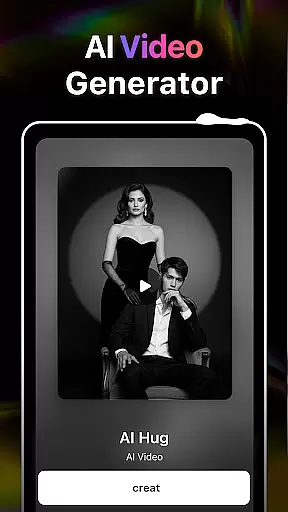
AI Video Generator-HiCut is an innovative Art & Design application that leverages advanced AI technology to transform photos into creative visual formats. The app's core functionality lies in its powerful photo editing capabilities and video creation tools, making it a complete solution for users seeking both artistic expression and professional design work.
The application offers specialized features such as anime filters, cartoon avatars, game character creation, and the unique AI Hugging Video function. These tools allow users to convert their images into anime-style visuals, create personalized avatars, or even generate realistic virtual hugs using two single-person photos. Whether you're looking to enhance your personal projects or develop engaging content for social media, HiCut provides all the necessary tools within a user-friendly interface.
HiCut is particularly useful for designers, content creators, and anyone who wants to add a creative twist to their digital content. By combining cutting-edge AI with intuitive design features, this app helps users produce high-quality visuals while saving time and effort.
One of the standout features of AI Video Generator-HiCut is its diverse range of creative tools tailored for different artistic needs. The Anime Photo Editor allows users to turn regular photos into stunning anime-style images with hundreds of customizable styles. This feature is perfect for those who want to explore the world of two-dimensional art without requiring any technical expertise.
Another key highlight is the AI Hugging Video technology, which uses advanced algorithms to create lifelike virtual hugs from uploaded photos. This innovative feature not only showcases the app's technological prowess but also adds an emotional dimension by enabling users to recreate moments with loved ones across time and space. Additionally, the Game Character Maker lets users design unique characters in various styles like cyberpunk, retro, and pixel art, offering limitless possibilities for creativity.
Each feature is designed to maximize ease of use while delivering professional-grade results. With intuitive controls and seamless integration between functions, HiCut ensures that users can focus on their creative process without being hindered by complex workflows.
In the realm of digital creativity, having a comprehensive suite of tools is paramount. AI Video Generator-HiCut rises to the occasion by offering an extensive array of features that cater to various creative needs. From anime style filters to game character creation, this application ensures that users have everything they need at their fingertips.
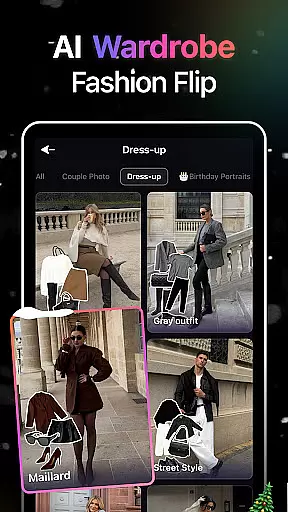
The app's toolkit includes advanced AI filters for photo editing, enabling transformation into anime, comic characters, and more. This versatility allows creators to experiment with different styles, providing endless possibilities for personal expression and content innovation.
Moreover, HiCut doesn't stop at static images; it ventures into the dynamic world of video with its unique AI hugging video technology. By uploading simple photos, users can craft videos that convey deep emotional connections, transcending traditional creative boundaries.
With these robust capabilities, AI Video Generator-HiCut empowers users to push the limits of their imagination, ensuring that whether they're crafting personalized avatars or immortalizing cherished memories, they have all the necessary instruments to bring their visions to life.
Flexibility in canvas and format options is crucial for unleashing full creative potential. AI Video Generator-HiCut understands this need and offers unparalleled adaptability in its output formats. Users can seamlessly transition between creating stunning visuals and engaging videos without being constrained by fixed dimensions or styles.
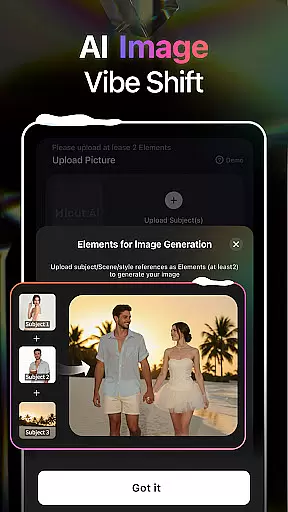
The application supports a wide range of artistic expressions, from cartoon avatars to realistic virtual hugs. This means you can customize your creations to fit specific project requirements or personal preferences, whether you're designing a character for a game or producing memorable content with loved ones.
Furthermore, HiCutu2019s support extends beyond conventional image editingu2014it delves into specialized realms like pixel art and cyberpunk aesthetics. Such diversity in format compatibility ensures that every piece of content aligns perfectly with the creator's vision.
By prioritizing canvas and format flexibility, AI Video Generator-HiCut not only meets but exceeds modern creative demands, allowing artists and designers to explore new horizons confidently while maintaining complete control over their work's final presentation.
User-friendly interface
Wide variety of styles
Advanced AI technology
Unique hugging video
Customizable options
May require paid subscription
High system requirements
Limited free features
Occasional bugs
Steep learning curve

Download now for a stylish and functional timepiece
 4.4
4.4
Create trending AI photos & videos with powerful effects and 3D styles.
3.20
Art of Combination Wear OS Watch faces
4.5
Easy 3D drawing design maker & creator. Model designing, Sculpting. Create&paint
4.00
Paint with oils and sketch with natural tools on a realistic virtual canvas.
3.80
Art of Combination Wear OS Watch Faces
4.4
Unleash Your Creativity with Draw Cartoon - AR Drawing App
4.10
2D animation studio for Android tablets - unlimited layers, infinite timeline
4.70
Inky runs Inkscape on Android devices and Chromebooks
2.90
Castle is social media for creating and playing games!
4.60
Draw, fidget, and spin glow art! Relax and express your creativity with a finger
4.60
Unleash your drawing and painting potential
4.50
Just trace a projected picture on paper and color! Draw & Paint with AR drawing
4.40
Nano Banana AI Image Generator, Anime Filter, AI Portrait, AI Photo Generator
4.30
Floor Plan Creator lets you create, edit and share floor plans.
4.00
AR Anime Drawing: How to draw anime with AR drawing & sketching apps!
4.00
Experience next-gen icons with a modern liquid glass look.
3.60
Meet the magic aı 3d photo generator and smart AI video generator app.
3.20
Pose and morph realistic male and female models! 3D poser app
3.00


User Reviews