
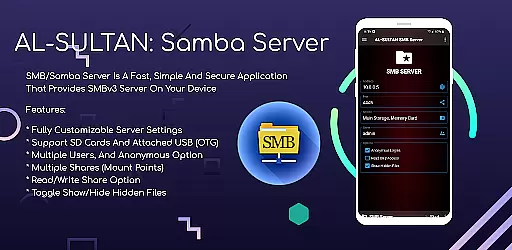
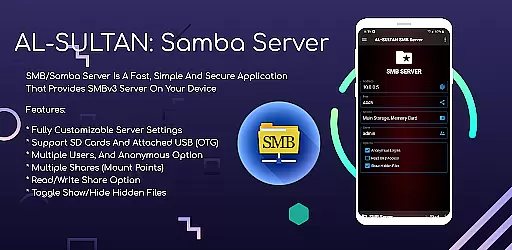
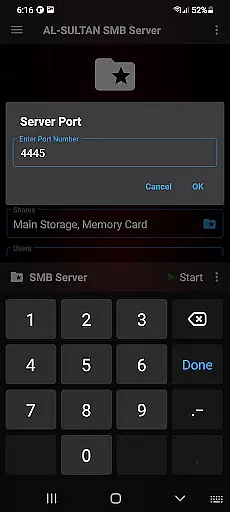
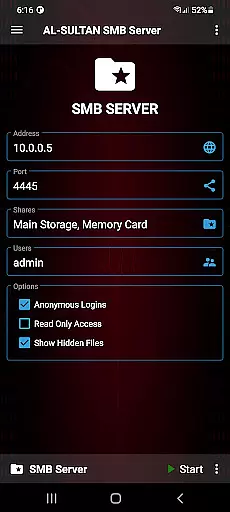
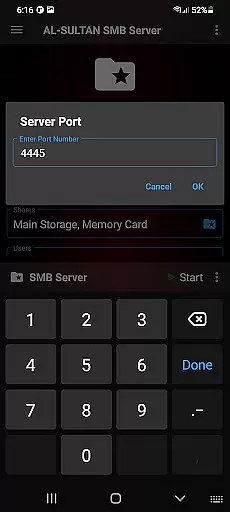
SMB/Samba Server Pro is a premium communication application that transforms your mobile device into a fully functional SMBv3 server. This powerful tool allows users to create a secure network storage solution directly from their smartphones or tablets.
The app's comprehensive feature set includes customizable server settings, support for external storage devices like SD cards and USB OTG drives, and advanced user management options. Whether you need to share files across multiple devices or establish a private file-sharing network, this application provides a reliable and efficient solution.
With its intuitive interface and robust security features, SMB/Samba Server Pro is particularly valuable for IT professionals and tech-savvy users who require seamless file sharing capabilities between different operating systems in both home and office environments.
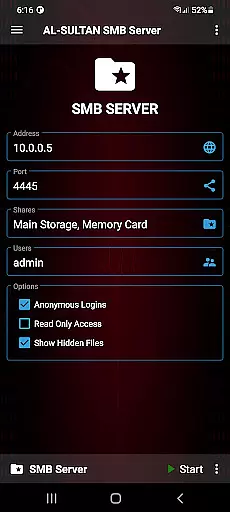
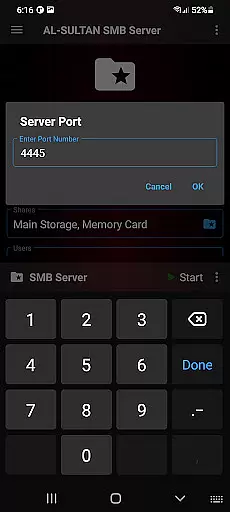
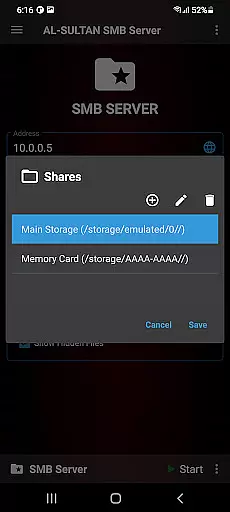
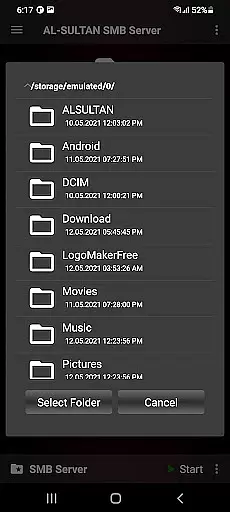
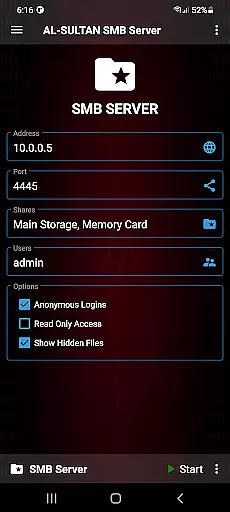
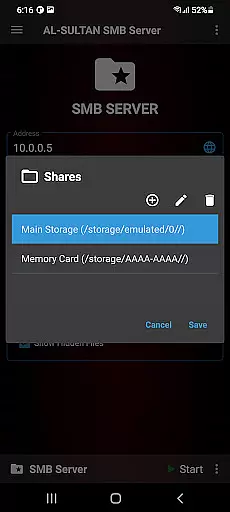
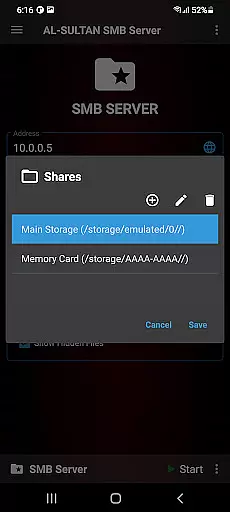
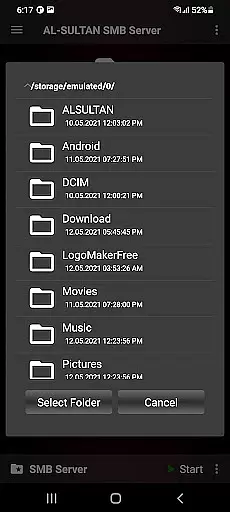
This communication app stands out with its extensive customization options. Users can fine-tune server settings to match their specific requirements, including creating multiple shares (mount points) with distinct read/write permissions.
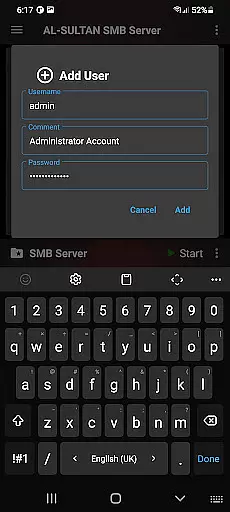
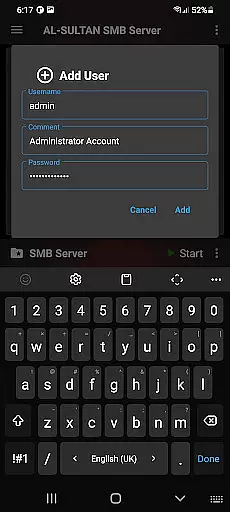
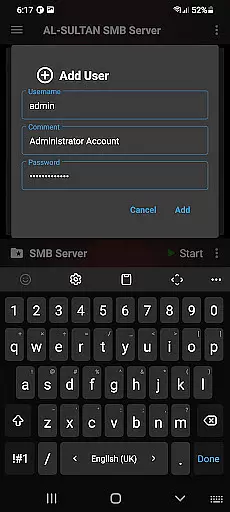
A key advantage of SMB/Samba Server Pro is its support for various authentication methods. The app allows administrators to create multiple user accounts with individual access rights, while also offering an anonymous access option for more flexible sharing scenarios.
Advanced features include root support for enhanced functionality, toggle options for showing hidden files, and seamless integration with external storage devices. These capabilities make it an ideal solution for managing complex file-sharing networks across different platforms and devices.
Real-time messaging speed and reliability are crucial for any communication app, ensuring that messages are delivered instantly and without fail. SMB/Samba Server Pro excels in this area by providing a fast and secure connection through its SMBv3 server capabilities.
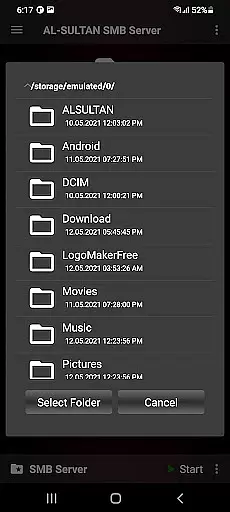
The application supports multiple shares and mount points, allowing users to send and receive files with great efficiency. This means that whether you're sharing documents, media, or other file types, the process is smooth and reliable, thanks to customizable server settings tailored to your network environment.
Moreover, the support for SD cards and attached USB (OTG) enhances the real-time experience by enabling quick access to external storage devices. Users can share files from these sources without delay, making collaboration seamless and efficient.
Media sharing support is an essential feature for communication apps, allowing users to exchange various forms of media effortlessly. SMB/Samba Server Pro offers robust media sharing capabilities with its multiple shares (mount points) and read/write options.
With support for SD cards and attached USB (OTG), users have the flexibility to share media files from different storage locations. This feature ensures that whether you're sharing photos, videos, or music, the process is straightforward and efficient.
In addition, the option to toggle show/hide hidden files adds another layer of convenience, letting users manage their media libraries more effectively. The ability to configure multiple users and anonymous access further enriches the media sharing experience, catering to both personal and professional needs.
Highly customizable server settings
Supports multiple storage options
Advanced user management system
Secure file sharing capabilities
Cross-platform compatibility
Requires technical knowledge
Paid version only
No beginner-friendly mode
Limited customer support
Complex setup process

Call Forwarding is easy and simple application to use.
 3.80
3.80
Radio communication simulator for gaming communities
4.5
Secure Messaging App to Enhance Messenger Texting Experience and Organize SMS.
3.50
Use this Dialer app alone or as a TREK: Total Interface companion.
4.70
SMS & MMS Messaging App to easily send messages or schedule SMS on Chat
4.10
A Browser with powerful ad blocker to help focus on what really matters.
3.00
Fast Dialer & Contact Manager with Caller ID and Spam Protection
4.00
SMS Messenger is a lightning-fast messaging app.
4.20
Group Chat That’s Fun & Games
4.30
Read OBD2 data and DTCs Create custom dashboards Enhanced diagnostics available
4.70
Identify unknown numbers, block spam calls, customize calls with cool themes.
4.60
Faster version of Messages. Messenger for your contacts.
4.50
2nd Phone Number Line for Anonymous Texting, Calling, and Picture Messages
4.30
Use this SMS app standalone or as a TREK: Total Interface companion.
4.30
Google's fast and secure browser
4.10
Messenger app for faster and simpler SMS text messaging, and personalized themes
4.10
WazzapMigrator: transfer your WhatsApp history from iPhone to Android
4.00
Comprehensive and powerful scan tool app with enhanced functions
3.00
Enables Plus features of Quick Search.
4.2


User Reviews