
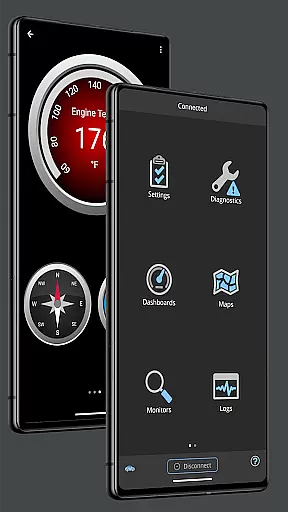
OBD Fusion is a comprehensive vehicle diagnostics tool designed for Android users, enabling direct access to OBD2 vehicle data. This app stands out by offering professional-grade features to car mechanics, DIY enthusiasts, and everyday drivers alike. With capabilities ranging from reading diagnostic trouble codes to monitoring fuel economy, OBD Fusion transforms your Android device into a powerful automotive scanner.
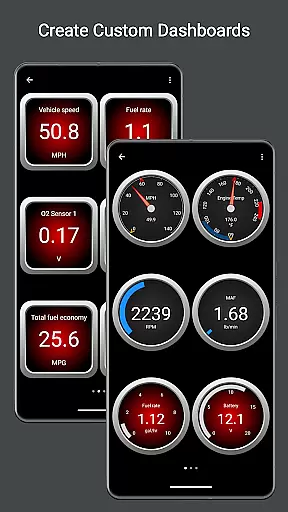
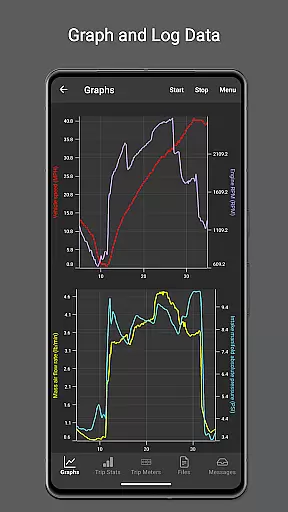
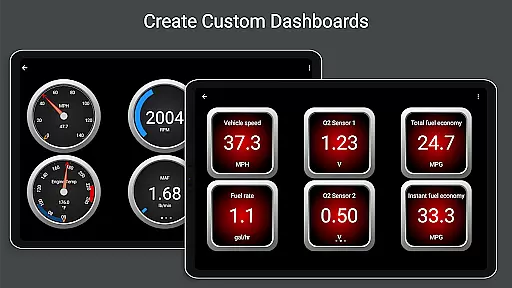
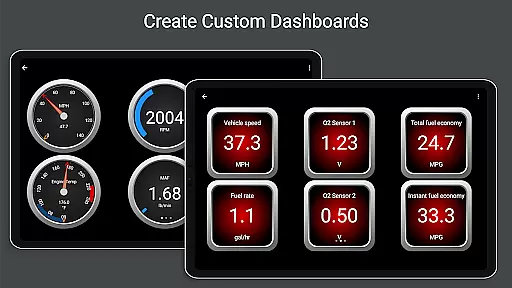
One of the key highlights of OBD Fusion is its customizable dashboard, allowing users to tailor their monitoring experience. The real-time graphing feature provides instant feedback on vehicle sensors, while advanced functions like emission readiness checks and full diagnostic reports cater to more technical users. Whether you're looking to clear your check engine light or create detailed logs for further analysis, this app delivers both depth and usability.
The application's value extends beyond basic diagnostics. It supports multiple connection methods including Bluetooth, USB, and Wi-Fi adapters, making it versatile across different vehicle setups. For those seeking to optimize their driving efficiency or simply monitor their car's health during daily commutes, OBD Fusion offers an unmatched combination of functionality and convenience in a mobile package.
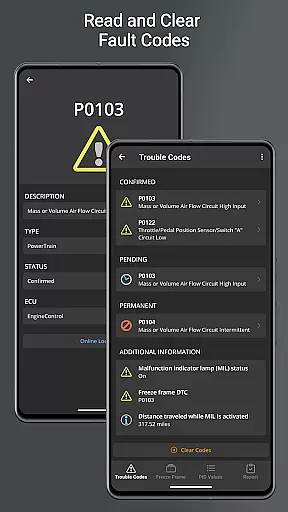
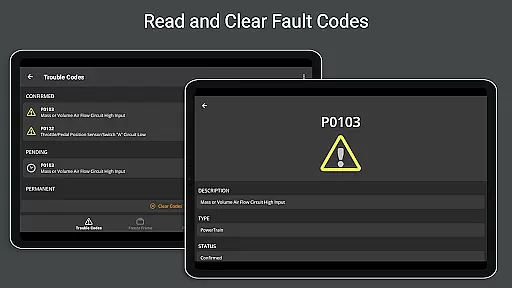
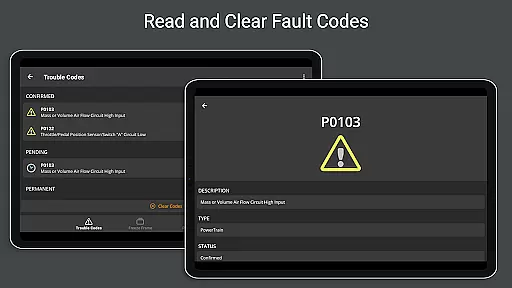
OBD Fusion distinguishes itself through an impressive array of specialized features designed for automotive diagnostics. The app's Android Auto support (excluding dashboard gauges) demonstrates its commitment to modern integration, while its ability to read and clear diagnostic trouble codes gives users control over their vehicle's maintenance alerts.
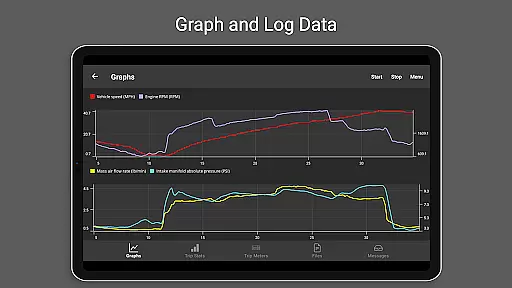
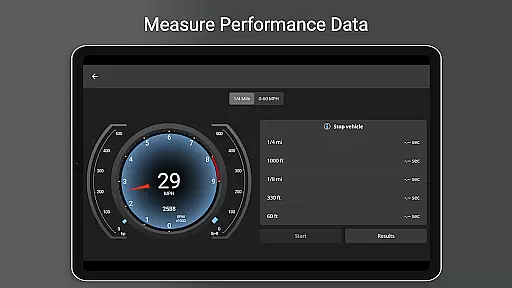
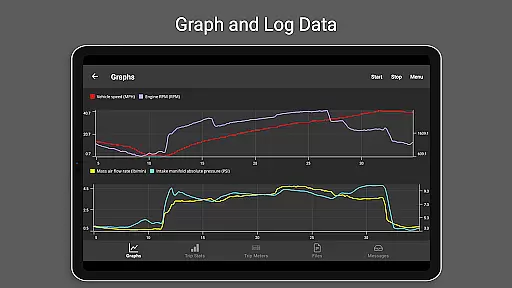
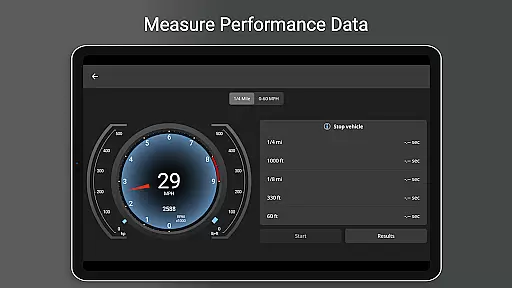
Among its standout capabilities are the real-time dashboard display and graphing functions, which provide immediate visual feedback on crucial vehicle parameters. The app goes beyond standard metrics by calculating fuel economy in various units and supporting custom enhanced PIDs for specific vehicle brands. Its multiple trip meter system allows detailed tracking of fuel usage and EV energy economy, while the comprehensive logging system exports data in CSV format for professional analysis.
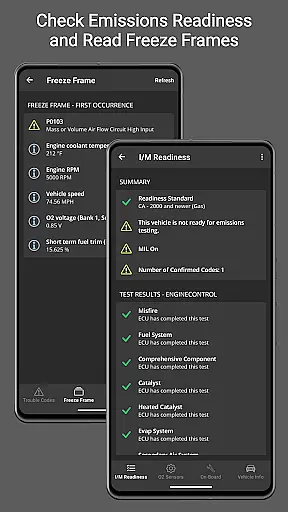
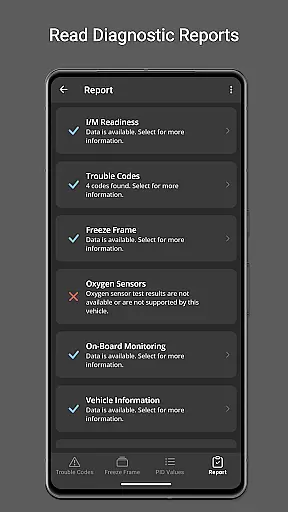
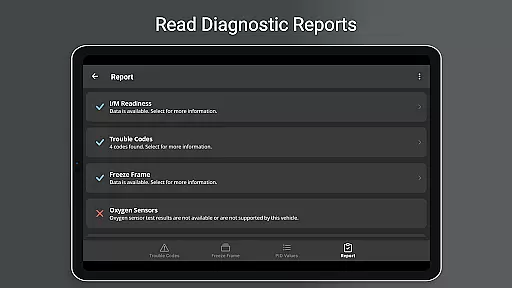
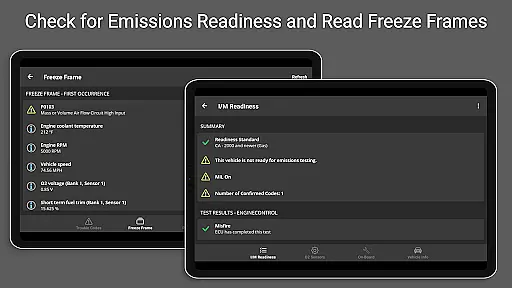
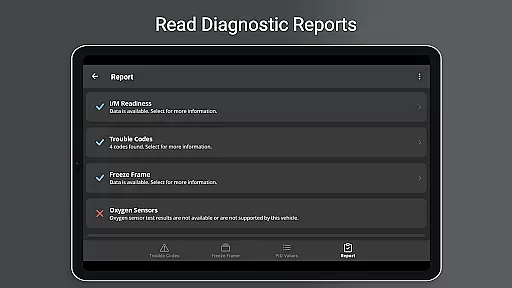
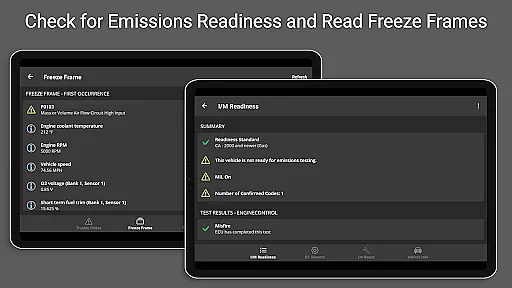
Advanced users will appreciate the app's support for over 150 PIDs, including specialized readings like Engine Torque and Turbo Boost pressure. The inclusion of emissions readiness checks, oxygen sensor results, and on-board monitoring tests makes OBD Fusion particularly valuable for those needing detailed vehicle health assessments. With its built-in fault code database and multi-language support, the app caters to both professional mechanics and international users seeking reliable diagnostic solutions.
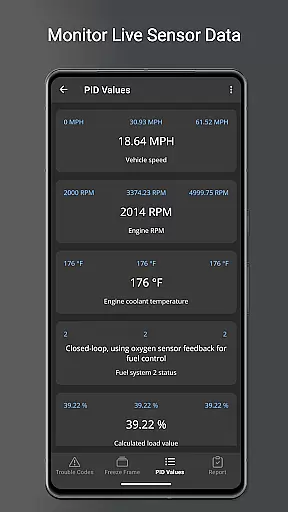
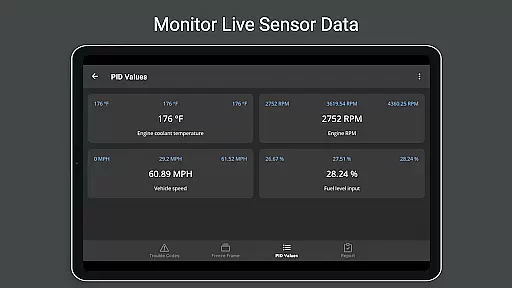
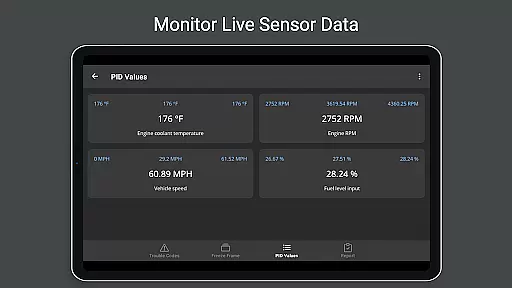
Real-time messaging speed and reliability are crucial for any communication app, ensuring that data is transmitted without delays or interruptions. OBD Fusion excels in this area by providing real-time dashboard displays and graphing of vehicle sensors. This means that users can monitor their vehicle's performance metrics as they happen, allowing for immediate diagnostics and responses.
The app supports multiple connection methods including Bluetooth, Bluetooth LE, USB, and Wi-Fi, which ensures that data transmission remains stable and fast regardless of the user's setup. These connectivity options help maintain a reliable flow of information between the vehicle's onboard diagnostics system and the user's Android device, making sure that critical alerts and updates are received promptly.
For users who need to track specific parameters over time, OBD Fusion offers customizable dashboards with fast switching capabilities. This feature allows users to tailor their monitoring experience to focus on the most relevant data points, enhancing both the speed and reliability of the information presented. By prioritizing key metrics, users can quickly identify issues and make informed decisions about their vehicle's maintenance and performance.
Media sharing support in communication apps facilitates the exchange of various types of data, such as images, videos, and documents. In the context of OBD Fusion, media sharing takes the form of exporting diagnostic data logs in CSV format. This functionality enables users to save and share detailed reports of their vehicle's performance metrics, which can be viewed in any spreadsheet application.
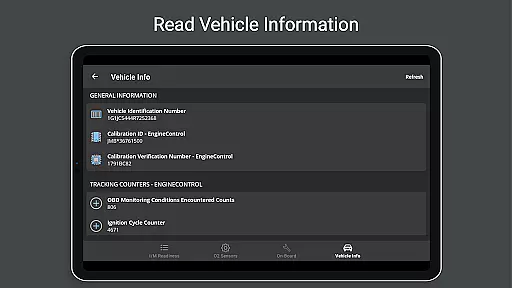
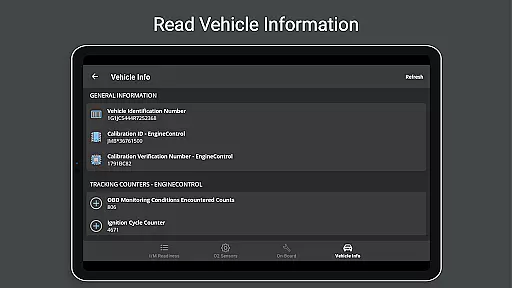
OBD Fusion goes beyond basic media sharing by offering comprehensive diagnostic reports that include fault code definitions, freeze frame data, and emissions readiness statuses. These reports can be stored locally and emailed directly from the app, providing a convenient way to share important vehicle information with mechanics or other stakeholders.
In addition to diagnostic reports, OBD Fusion supports over 150 standard parameter IDs (PIDs), giving users access to a wide array of vehicle data. The ability to log and export this data not only enhances media sharing capabilities but also empowers users to conduct in-depth analyses of their vehicle's health and performance. Whether it's for personal record-keeping or professional consultation, OBD Fusion's robust media sharing features ensure that users have the tools they need to manage their vehicle's diagnostics effectively.
User-friendly interface
Comprehensive diagnostic tools
Multiple connection options
Detailed reporting features
Customizable dashboard views
Requires compatible adapter
Premium features locked
Complex for beginners
Occasional connectivity issues
Advanced functions need expertise

BiP is a fast, secure, free messaging and HD video calling app!
 4.10
4.10
Call Forwarding is easy and simple application to use.
3.80
Pure modern IRC experience for Android
3.70
Enjoy secure messaging & calling. Safe Messenger: group chats, calls, messages.
4.20
Messenger app for faster and simpler SMS text messaging, and personalized themes
4.10
Send SMS and chat messages easily with a fast text messaging app for Android.
4.10
2nd Phone Number Line for Anonymous Texting, Calling, and Picture Messages
4.30
Fun, free app that lets kids video call and message family and close friends.
3.80
A softphone app with seamless SIP calling and an intuitive VoIP dialer
3.50
Messenger, an MMS & SMS messages app with Blockers, Driving mode & Private box
4.60
Say “hello” to privacy.
4.60
Faster version of Messages. Messenger for your contacts.
4.50
An agentic AI browser for Android, built by Perplexity
4.50
Caller ID App! Add names & photos to unknown calls & Call Recording
4.40
Smart and simple anti-wiring application - IMSI-catchers catcher
4.40
WazzapMigrator: transfer your WhatsApp history from iPhone to Android
4.00
SMS Messenger ensures that communication become effortless and accessible.
3.80
This app enables the phone to receive and send FT8 traffic!
3.80
Manage and Fund Calling Accounts and Schedule and Join Video Sessions
3.60


User Reviews