

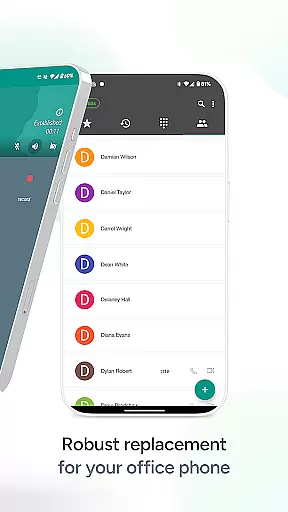
Groundwire by Acrobits is a premier SIP softphone client designed for both personal and professional communication needs. This app elevates your calling experience with crystal-clear voice and HD video calls, supporting formats like Opus, G.729, H.264, and VP8. It ensures top-tier security with military-grade encryption, making it ideal for users who prioritize privacy during their communications.
Beyond basic calling, Groundwire offers advanced features such as seamless call transitions between WiFi and mobile data, battery-efficient push notifications, and extensive customization options for SIP settings, UI, and ringtones. Compatible with major VoIP providers and equipped with business-ready features like instant messaging, attended transfers, and voicemail, this app is perfect for those seeking reliable and high-quality communication tools.
Whether you're managing calls for personal use or business operations, Groundwire provides a future-proof solution with 5G readiness and multi-device support. Its one-time cost and lack of hidden fees make it an excellent choice for anyone looking to leverage SIP technology for improved call quality and secure communication.
Groundwire stands out with its robust feature set tailored for seamless communication. The app supports multiple audio codecs including Opus and G.729, ensuring exceptional voice clarity, while HD video calls up to 720p are powered by H.264 and VP8 codecs. These technologies guarantee that every call delivers professional-grade quality, whether you're connecting with colleagues or loved ones.
Security is a top priority in Groundwire's design. The app employs military-grade encryption protocols to safeguard all conversations, providing peace of mind for users handling sensitive information. Additionally, its battery-efficient architecture uses optimized push notifications, allowing you to stay connected without excessive power consumption. The ability to switch smoothly between WiFi and cellular data further enhances the user experience, preventing dropped calls during network transitions.
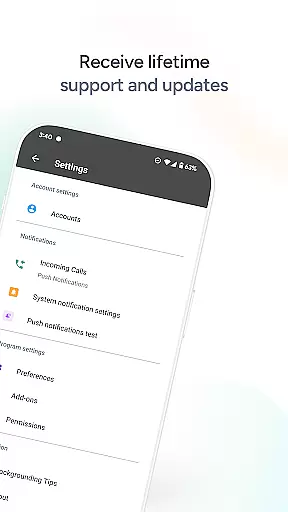
Customization is another key highlight of Groundwire. Users can tailor their SIP accounts, adjust UI settings, and personalize ringtones to suit individual preferences. With added capabilities like instant messaging, group calls, and attended transfers, Groundwire goes beyond traditional softphones to deliver a comprehensive communication tool. Its compatibility with modern standards, including 5G networks, ensures long-term usability across various devices and platforms.
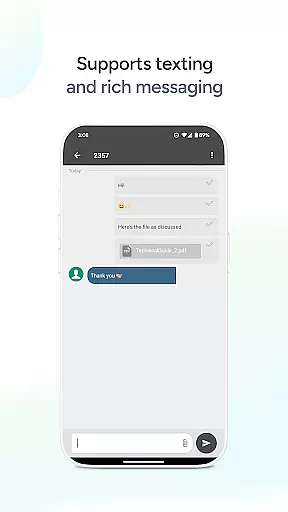
Real-time messaging speed and reliability are crucial for any communication app, ensuring that messages are delivered instantly and without fail. Groundwire by Acrobits excels in this area, providing users with a seamless experience whether they're connecting with friends, family, or colleagues.
The app supports instant messaging alongside its primary voice and video call features, making it a versatile tool for all forms of digital communication. With robust security measures in place, including military-grade encryption, users can trust that their conversations remain private and secure.
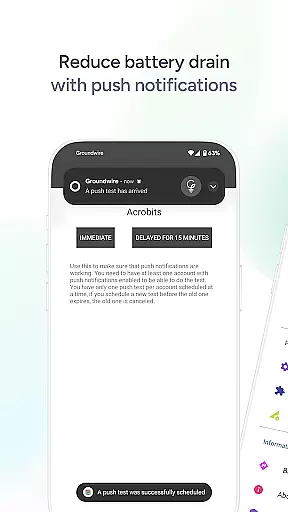
Groundwire's efficient push notifications ensure that you stay connected with minimal battery drain, which is essential for maintaining reliable communication throughout the day. This feature allows users to receive messages promptly without worrying about excessive power consumption.
Furthermore, the appu2019s compatibility with 5G and multiple devices guarantees that users can enjoy fast and dependable messaging regardless of their network conditions or chosen device. This flexibility ensures that Groundwire remains a top choice for those seeking a reliable communication solution.
Media sharing support is an essential feature for modern communication apps, allowing users to exchange photos, videos, and other files effortlessly. Groundwire offers comprehensive media sharing capabilities, enhancing the way individuals and businesses communicate through multimedia content.
With support for high-definition video calls up to 720p using codecs like H.264 and VP8, Groundwire ensures that visual communication is as clear and detailed as possible. This makes it ideal for both personal interactions and professional settings where clarity is paramount.
In addition to video, the app provides exceptional audio quality with support for various formats such as Opus and G.729. Users can expect crystal-clear sound during their calls, which enhances the overall media sharing experience.
Groundwire also includes features like attended and unattended transfers, group calls, voicemail, and extensive customization options for each SIP account. These functionalities make it more than just a VoIP dialer; it's a complete communication tool designed to meet diverse user needs while maintaining ease of use and reliability.
Crystal-clear audio
HD video calls
Military-grade encryption
Battery-efficient design
Seamless network switching
Requires SIP provider
No free version
Complex setup
Limited customer support
Premium price

Manage your data, talk & text - affordable phone plans & data usage made simple
 4.30
4.30
BiP is a fast, secure, free messaging and HD video calling app!
4.10
Call Forwarding is easy and simple application to use.
3.80
Use this Dialer app alone or as a TREK: Total Interface companion.
4.70
Chat on the Jabber network (XMPP protocol); support for SMS and other gateways
2.10
Federated instant messaging for your mobile device (Jabber, XMPP, Snikket)
4.10
An app dedicated solely to marriage, not dating, and supported by a rigorous verification mechanism to ensure seriousness.
4.1
FolderSync enables easy sync of files between cloud storage and Android devices.
4.60
Measure BHP, Torque & 0-60 Clear car OBD faults View engine data in Google Earth
4.00
فیلتر شکن قوی پرسرعت کلید جدید برای اندرویدسریع ترین وی پی ان برای همه اپراتورها
4.70
Welcome to the future of phone service.
4.60
Fast and mini browser with Ad Blocker,Video Downloader and Video Player
4.40
A customizable phone number in the cloud
4.20
WazzapMigrator: transfer your WhatsApp history from iPhone to Android
4.00
A softphone with crystal clear SIP Calling & Reliable VoIP dialer
4.00
Quickly and easily identify and block unknown callers
3.70
Call & Text Anywhere With A Canadian Number.
3.60
Weargram is an unofficial Telegram Client for Wear OS.
3.50
Enables Plus features of Quick Search.
4.4


User Reviews