
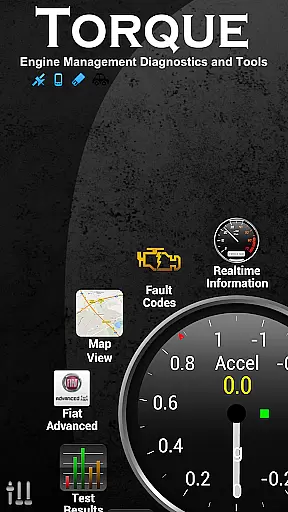
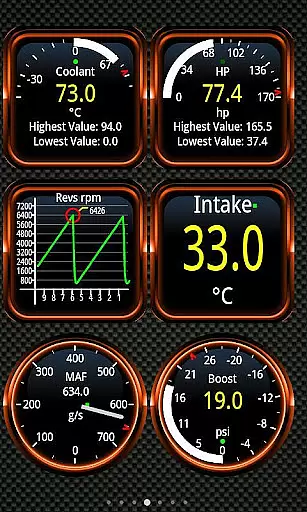
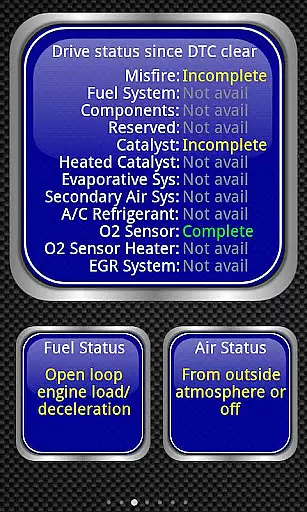
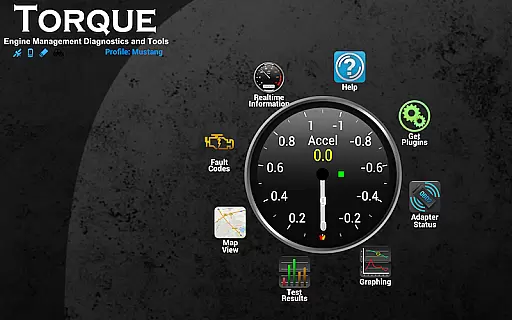
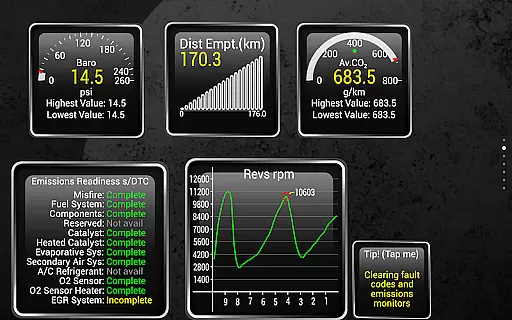
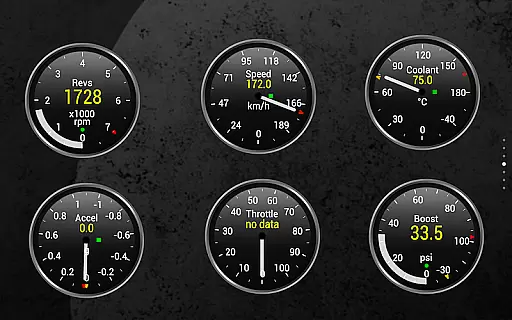
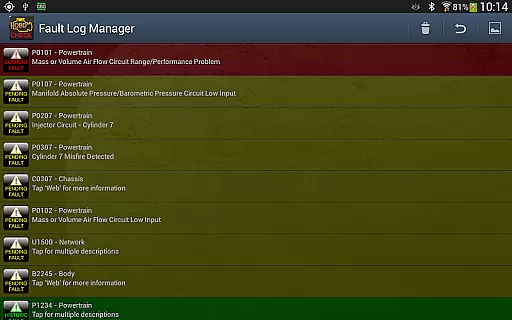
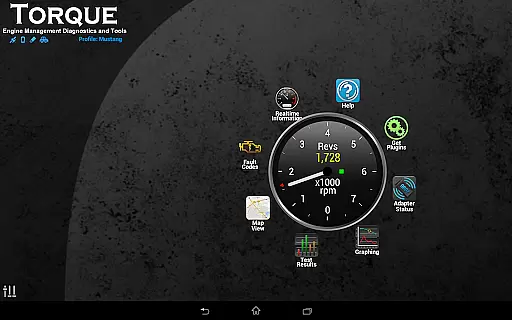
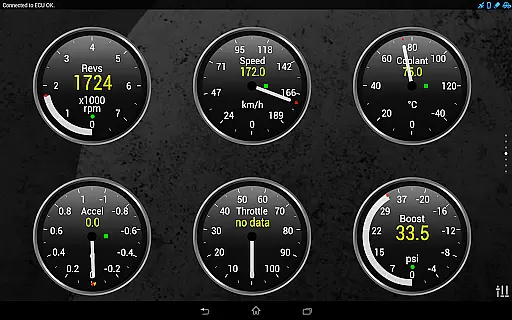
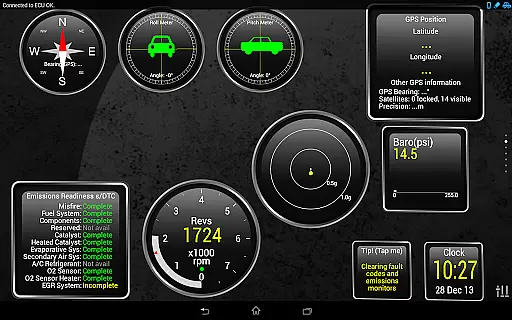
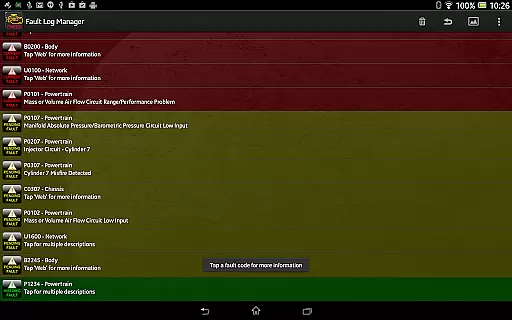
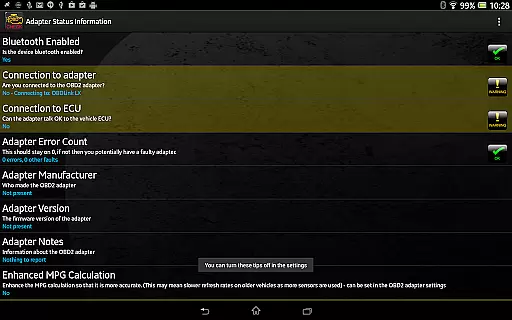
Torque Pro is a comprehensive vehicle diagnostics and performance monitoring tool designed for car enthusiasts and professionals alike. This app utilizes an OBD II Bluetooth adapter to connect to your vehicle's engine management system, providing real-time data on fault codes, car performance, and sensor readings. With its customizable dashboard, users can create personalized layouts with desired widgets and gauges, offering a tailored experience.
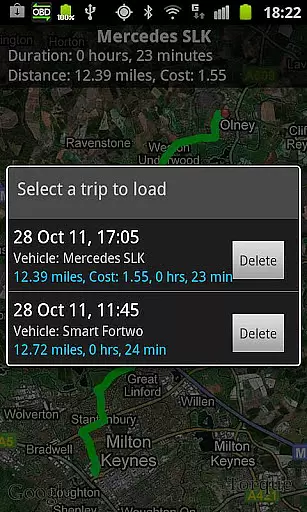
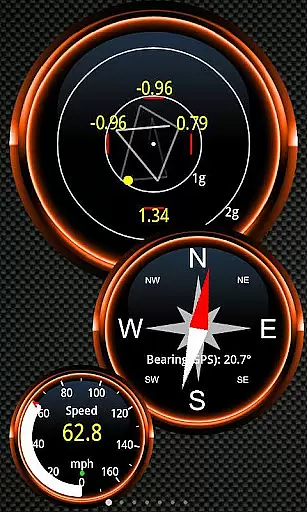
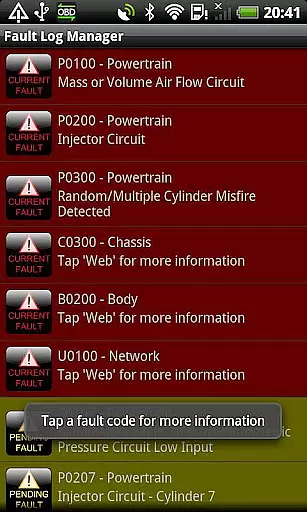
One of the standout features of Torque Pro is its ability to log and track GPS-tagged journeys, allowing users to review their driving history and engine status at any given point in time. Additionally, it functions as a scan tool by displaying and resetting diagnostic trouble codes (DTCs), check engine lights (CELs), and fault codes, which can help users address issues promptly and potentially reduce repair costs. Whether you're looking to monitor transmission temperatures, measure 0-60 speed timings, or assess CO2 emissions, Torque Pro delivers a wide array of functionalities that cater to various automotive needs.
The application also supports advanced features such as dyno testing for horsepower and torque measurements, video recording with OBDII data overlay, and turbo boost monitoring for supported vehicles. Its compatibility extends across numerous vehicle brands and models built after 2000, making it a versatile choice for many drivers. By leveraging Torque Pro's capabilities, users gain valuable insights into their vehicle's health and performance, empowering them to make informed decisions about maintenance and upgrades.
Torque Pro stands out due to its extensive range of features tailored for vehicle diagnostics and performance analysis. The app offers a highly customizable dashboard where users can select from a variety of widgets and gauges to display relevant information such as engine RPM, coolant temperature, and fuel consumption. This flexibility allows users to focus on the metrics that matter most to them, enhancing the overall user experience. Furthermore, the inclusion of GPS tracking enables detailed journey logs, complete with OBD engine data, providing a comprehensive view of both driving habits and vehicle performance over time.
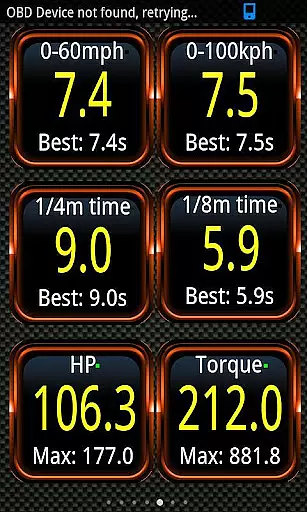
Another significant feature is the app's ability to function as a scan tool, capable of reading and clearing diagnostic trouble codes (DTCs) and check engine lights (CELs). This functionality not only aids in identifying potential issues but also helps users avoid unnecessary trips to the mechanic by addressing minor problems independently. For performance enthusiasts, Torque Pro includes dyno testing capabilities to measure horsepower and torque, along with accurate 0-60 speed timing measurements that surpass traditional GPS-based methods. These tools offer precise evaluations of a vehicle's power and acceleration, appealing to those interested in optimizing their car's performance.
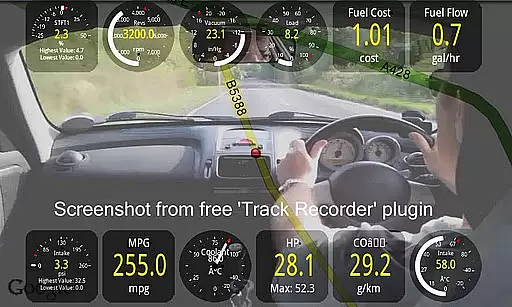
In addition to these core features, Torque Pro supports advanced functionalities like turbo boost monitoring for vehicles equipped with MAP and MAF sensors, CO2 emissions readouts, and alarms for critical parameters such as coolant temperature. Users can also benefit from the app's integration with third-party plugins, enabling video recording with on-screen OBDII data overlays—a feature akin to a black box for cars. Overall, Torque Pro's robust feature set positions it as a leading solution for anyone seeking detailed insights into their vehicle's operation and health.
Real-time messaging speed and reliability are crucial for any communication app, especially in automotive environments where timely information can be vital. Torque Pro excels in this area by providing instantaneous feedback on your vehicle's performance metrics.
The application uses Bluetooth OBD2 adapters to establish a stable connection with the caru2019s engine management system. This ensures that all diagnostic trouble codes (DTCs), sensor data, and performance logs are transmitted without delay. The real-time nature of these updates allows users to make informed decisions quickly.
For instance, if there is an issue detected such as high coolant temperature or transmission problems, Torque Pro sends immediate alerts. These notifications help drivers take corrective actions promptly, potentially preventing further damage and reducing repair costs significantly.
Moreover, the app supports GPS-tagged tweets and logging capabilities which enhance its utility beyond just diagnostics. Users can track their journeys with detailed telemetry overlaid on videos, making it not only a powerful tool but also a reliable companion for road trips and daily commutes.
Media sharing support is another essential feature offered by Torque Pro, enhancing user engagement through various multimedia formats. With this functionality, users can share critical vehicle data along with visual representations directly from the app.
Torque Pro includes options to export logs in CSV/KML formats via email or web services. This enables comprehensive analysis using external tools like Excel or OpenOffice Reader. Additionally, the Track Recorder plugin allows users to capture video footage of their drives while overlaying OBDII data onto the screen. Such features create a 'black box' experience for cars, documenting every aspect of the journey.
Furthermore, social media integration facilitates easy sharing of screenshots and other content across platforms like Facebook, Twitter, Google+, and more. Whether showcasing impressive horsepower figures or highlighting unique dashboard customizations, users have multiple avenues to express themselves creatively.
This robust media sharing ecosystem not only enriches personal experiences but also fosters community building among automotive enthusiasts who rely on Torque Pro for both practical insights and entertainment value.
User-friendly interface
Comprehensive diagnostic tools
Customizable dashboard options
Real-time data monitoring
Wide vehicle compatibility
Requires additional hardware
Some features vehicle-dependent
Premium version costly
Occasional connectivity issues
Steep learning curve

Call Forwarding is easy and simple application to use.
 3.80
3.80
فیلتر شکن قوی پرسرعت کلید جدید برای اندرویدسریع ترین وی پی ان برای همه اپراتورها
4.70
Welcome to the future of phone service.
4.60
Experience real private browsing without tracking, surveillance, or censorship.
4.50
An agentic AI browser for Android, built by Perplexity
4.50
Fast, Simple And Secure Application That Provides SMBv3 Server On Your Device
3.30
Read OBD2 data and DTCs Create custom dashboards Enhanced diagnostics available
4.70
BE PRIVATE
Anonymous. No Trace. Fast.
4.20
Talk & text free with a second phone number plus unlimited 5G data, no fees.
4.50
Enhance browsing with AI-powered features and Copilot.
4.70
Use this Dialer app alone or as a TREK: Total Interface companion.
4.70
Useful. Social. Expressive.
4.70
Build your web browser around you with private search, and more.
4.60
Fast and mini browser with Ad Blocker,Video Downloader and Video Player
4.40
Caller ID App! Add names & photos to unknown calls & Call Recording
4.40
Call Blocker app: Identify unknown callers, block spam calls, fraud & robocalls
4.30
Simplify texting with Messages SMS, offline messaging, themes & smart tools!
4.30
A customizable phone number in the cloud
4.20
At select facilities, you now have an easy way to video visit your loved ones!
3.30


User Reviews