
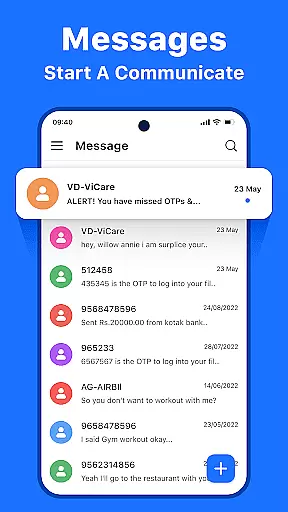



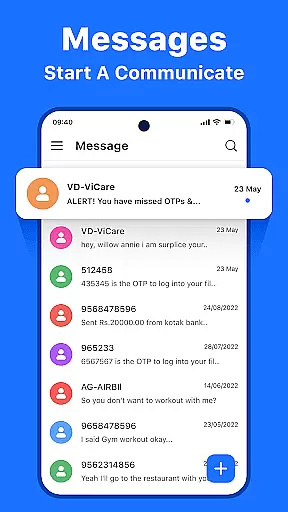



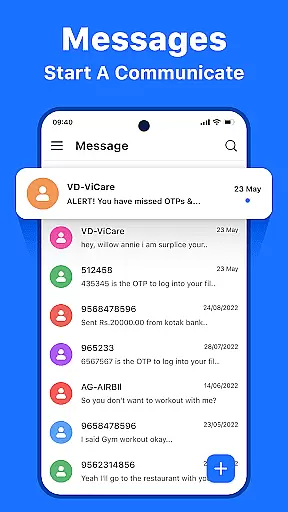



Messenger: Text Messages is a streamlined SMS communication app designed to simplify texting while maintaining reliability. The app offers a clutter-free experience with a modern interface, ensuring seamless conversations for personal and professional use.
Key features include offline access, customizable themes, and smart message management tools. Users can organize their inbox, block spam, and archive messages with ease. With support for multiple languages and advanced search functionality, the app caters to a global audience.
Ideal for individuals seeking an efficient way to manage daily messages, Messenger: Text Messages combines essential texting features with user-friendly design elements, making it a practical choice for staying connected.
Messenger: Text Messages stands out with its comprehensive feature set tailored for efficient communication. The app provides real-time notifications and an intuitive inbox view that organizes all messages in one accessible location.
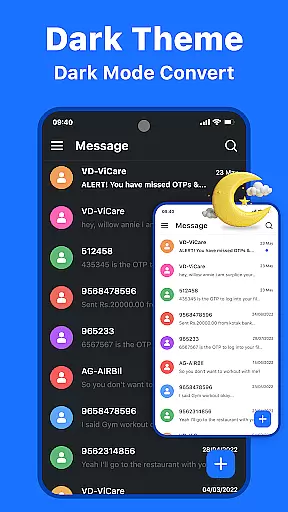
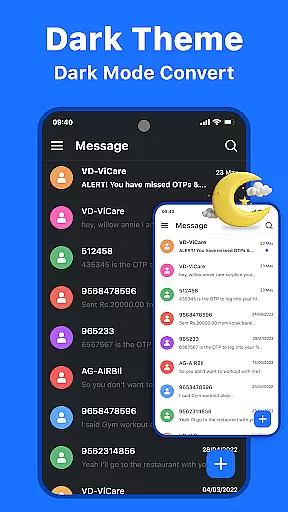
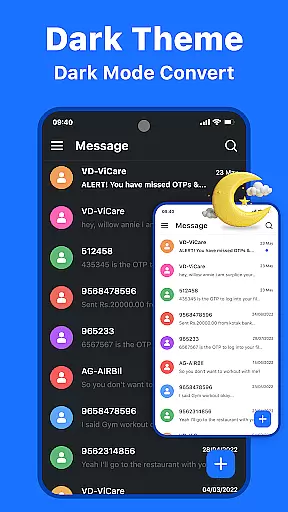
Users benefit from advanced functionalities like customizable themes, allowing them to switch between dark and light modes. The smart message management system includes options to block unwanted contacts, copy, delete, and archive messages, helping maintain an organized inbox.
Additional features include offline access for managing messages without internet, robust search capabilities, and multi-language support. These aspects ensure users can communicate effectively regardless of location or circumstance.
Real-time messaging speed and reliability are crucial for maintaining seamless communication in today's fast-paced world. Messenger: Text Messages excels in this area by ensuring that every text you send is delivered instantly, regardless of your location or network conditions.
The app employs advanced delivery protocols and optimized data transmission methods to guarantee message delivery even under challenging circumstances. This means you can rely on the app for time-sensitive communications, such as urgent work updates or coordinating with family members.
Users benefit from real-time notifications that keep them informed about new messages immediately after they are received. This feature ensures that important conversations never get delayed or missed, allowing users to respond promptly and stay engaged with their contacts.
Moreover, the app's offline access capability complements its reliable messaging system. Even when internet connectivity is unavailable, users can still view and manage their messages, making it a versatile tool for staying connected at all times.
Media sharing support has become an essential feature in modern communication apps, enabling users to exchange photos, videos, and documents seamlessly. Messenger: Text Messages offers robust media sharing capabilities that enhance the texting experience beyond simple text exchanges.
The app supports various file formats, allowing users to share images, videos, PDFs, and other document types effortlessly. Whether you're sending vacation photos to friends or exchanging work-related files with colleagues, the app handles large files efficiently without compromising on speed or quality.
What sets Messenger apart is its smart management tools for handling multimedia content. Users can easily organize their media library, preview files before opening, and manage storage space effectively. These features contribute to a clutter-free inbox while preserving valuable memories and important documents.
Additionally, the app incorporates enhanced privacy measures during media transfers. All shared content is encrypted during transmission, ensuring that personal information remains secure. This combination of convenience, versatility, and security makes media sharing in Messenger: Text Messages a valuable asset for both casual and professional communication needs.
User-friendly interface
Offline messaging
Customizable themes
Smart message management
Multi-language support
Limited advanced features
No built-in calling
Basic encryption
Few customization options
Occasional bugs

Radio communication simulator for gaming communities
 4.3
4.3
فیلتر شکن قوی پرسرعت کلید جدید برای اندرویدسریع ترین وی پی ان برای همه اپراتورها
4.70
Secure Messaging App to Enhance Messenger Texting Experience and Organize SMS.
3.50
Messages: Fast, simple SMS app with scheduling and smart features.
4.00
At select facilities, you now have an easy way to video visit your loved ones!
3.30
A Browser with powerful ad blocker to help focus on what really matters.
3.00
Manage and Fund Calling Accounts and Schedule and Join Video Sessions
3.60
Smart and simple anti-wiring application - IMSI-catchers catcher
4.40
Manage Phone Calls, call history, and contacts easily with Phone Pro.
4.2
Save 10% automatically on your first international mobile top up.
4.60
Manage your mobile phone plan, check unlimited 5g data usage and track rewards
4.50
Manage your data, talk & text - affordable phone plans & data usage made simple
4.30
Call Blocker app: Identify unknown callers, block spam calls, fraud & robocalls
4.30
Chill zone on your phone: relax with fun reels & hype shorts!
4.20
Messenger app for faster and simpler SMS text messaging, and personalized themes
4.10
Telegram is a messaging app with a focus on speed and security.
4.00
Call Forwarding is easy and simple application to use.
3.80
A softphone app with seamless SIP calling and an intuitive VoIP dialer
3.50
Official NDI app: turn your phone into a professional live-streaming IP camera.
3.20


User Reviews