

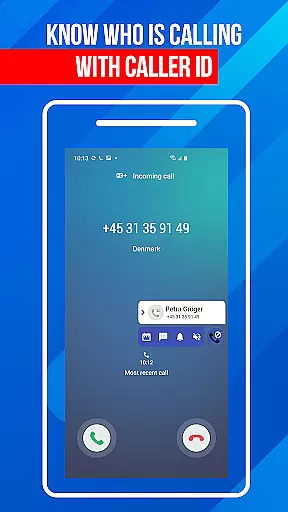
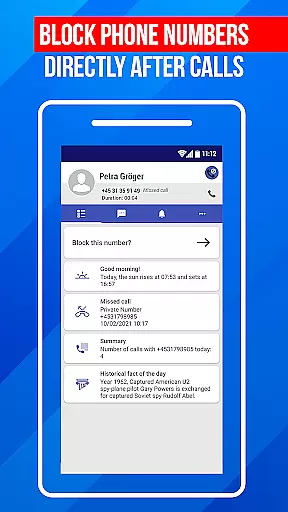
Call Block is a powerful communication app designed to help users take control of their incoming calls. The app's core functionality revolves around blocking spam calls and unwanted numbers, ensuring a more peaceful communication experience. Using advanced call filtering algorithms, it can automatically identify and block robocalls, telemarketers, and potential scams.
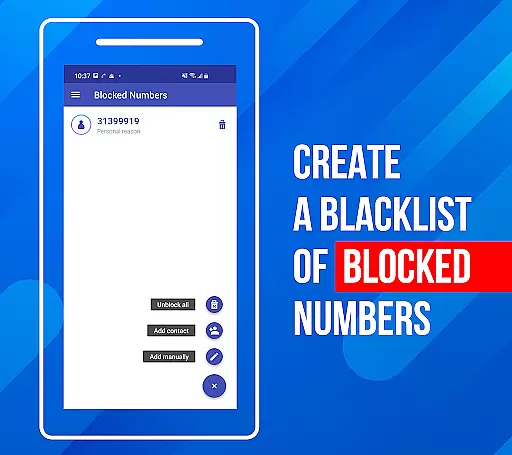
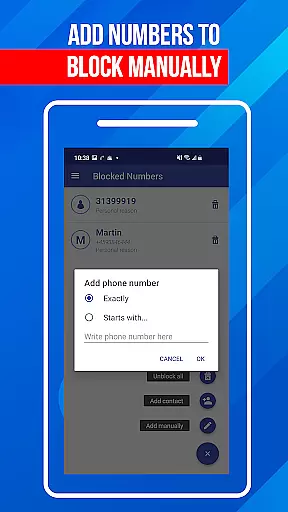
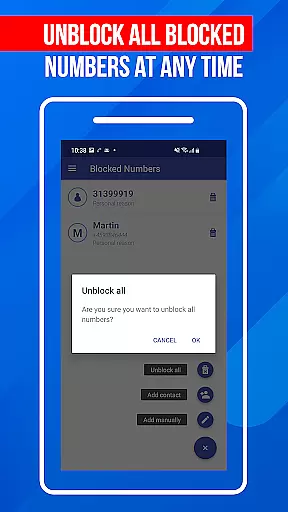
In addition to its automatic filtering capabilities, Call Block allows users to create personalized blacklists. This feature lets you manually add specific numbers or number patterns that you want to block. Whether it's unknown callers or specific digits you wish to avoid, the app provides complete control over your call-blocking preferences. With an intuitive interface and regular database updates, this app ensures you stay protected against evolving spamming techniques.
This app is particularly useful for professionals and individuals who receive frequent sales calls or fraudulent attempts. By blocking these interruptions, users can focus on important communications without unnecessary distractions. The app's comprehensive protection and user-friendly features make it an essential tool for maintaining a hassle-free phone experience.
Call Block offers a robust set of features that make it stand out in the communication category. One of its primary capabilities is the Spam Call Blocker, which uses sophisticated algorithms to detect and prevent unwanted calls from reaching your phone. This includes blocking known spam numbers, telemarketers, and even unidentified callers not listed in your contacts.
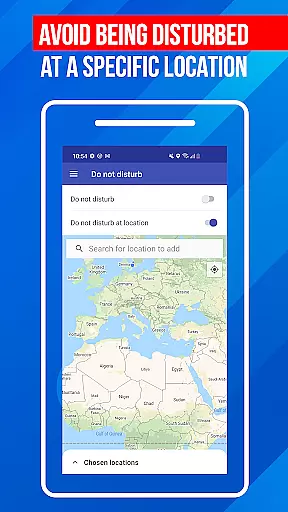
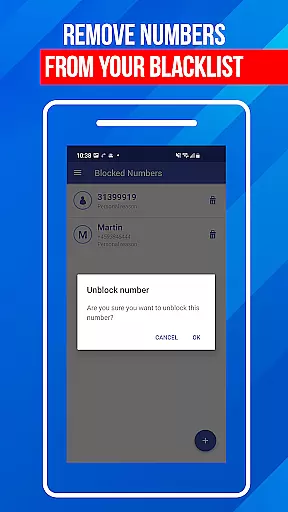
The app also includes a comprehensive blacklist function that gives users granular control over their blocked numbers. You can add entire numbers or just specific digit patterns to ensure maximum flexibility in managing unwanted communications. Additionally, the Don't Disturb function provides situational blocking options - either universally or based on specific locations, giving users enhanced control over when and where they receive calls.
What sets Call Block apart is its commitment to continuous improvement. The app maintains an extensive database of over one billion numbers worldwide, which is regularly updated to combat emerging spamming techniques. Its user-friendly interface makes these powerful features accessible to all users, regardless of technical expertise. The well-organized layout and intuitive navigation system ensure that managing blocked numbers and reviewing call logs remains a seamless experience.
In today's fast-paced digital world, the speed and reliability of real-time messaging are crucial for effective communication. Call Block ensures that every blocked call notification reaches you instantly, providing a seamless experience. The app employs advanced algorithms to filter out spam calls in real time without any delays.
The architecture of Call Block is designed to handle high volumes of call data efficiently. This ensures that even during peak times, users experience minimal latency in receiving notifications about blocked calls. Such performance is vital for individuals who rely on timely communication to manage their personal and professional lives.
Moreover, the reliability of this service means users can trust that no important calls will be missed due to technical failures or system downtimes. With robust infrastructure backing its operations, Call Block guarantees consistent performance day after day. Users can rest assured knowing they have control over which calls get through, enhancing both productivity and peace of mind.
While primarily focused on blocking unwanted calls, Call Block also recognizes the importance of media sharing support in modern communication apps. Although it doesn't directly facilitate media sharing, its integration with your deviceu2019s existing systems allows for uninterrupted use of these features when legitimate calls come through. This indirect support ensures that other forms of communication remain unaffected by the call-blocking process.
For those who frequently share media files via phone calls or messaging apps, maintaining a clutter-free calling environment is essential. By preventing spam calls from reaching you, Call Block helps streamline your communications channels. This enables quicker access to genuine contacts with whom you wish to share media files, thereby improving overall efficiency.
Furthermore, the app's ability to maintain clear lines of communication indirectly enhances multimedia exchanges. When only relevant calls get through, users find it easier to focus on meaningful interactionsu2014including those involving media sharingu2014without distractions from irrelevant sources. Thus, while not directly involved in media transfer processes, Call Block contributes significantly to optimizing them.
Effective spam blocking
User-friendly interface
Customizable blacklist
Regular database updates
Global number recognition
Limited iOS support
Occasional false positives
Premium feature costs
Drains battery slightly
Complex settings for beginners

 3.90
3.90
A web browser that respects your privacy.
4.30
Browse fast on Opera Mini, with Data Saving, News, Football Scores, and Download
4.60
Fun, free app that lets kids video call and message family and close friends.
3.80
HD Video Meeting app is a fast & unlimited video conferencing app across world.
4.30
Comprehensive and powerful scan tool app with enhanced functions
3.00
Watchgram for Telegram: Experience seamless Telegram messaging on your watch
1.80
Read OBD2 data and DTCs Create custom dashboards Enhanced diagnostics available
4.70
SMS Messenger is a lightning-fast messaging app.
4.20
Manage BoostMobile Account
4.60
Connect and browse the internet with a fast VPN proxy server and IP blocker.
4.50
Manage your mobile phone plan, check unlimited 5g data usage and track rewards
4.50
Caller ID App! Add names & photos to unknown calls & Call Recording
4.40
Get through your inbox faster with the mail app designed to simplify your life.
4.40
Our Black Friday sale is here. Unlock special discounts on Proton Mail now.
4.30
Tether to Windows, OS X, Linux PCs or Android tablets. No root. No tether fees.
3.90
Call & Text Anywhere With A Canadian Number.
3.60
Enables Plus features of Quick Search.
4.4
Radio communication simulator for gaming communities
4.2


User Reviews