



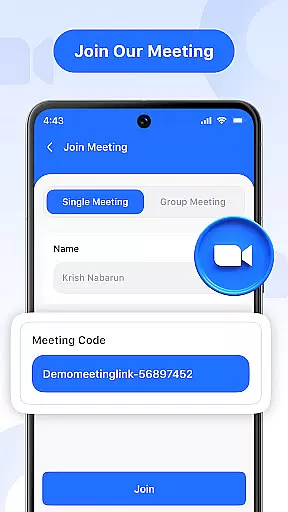
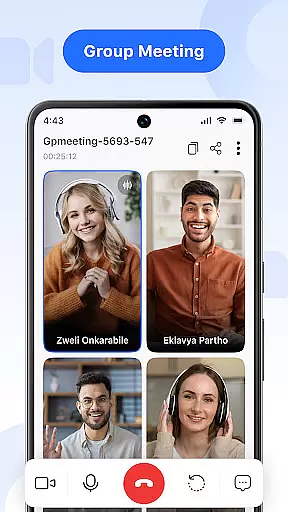


Video Meeting is a cutting-edge video conferencing app designed to enhance virtual communication and collaboration. With features like HD video calls, real-time interaction, and secure meeting access, it ensures seamless connectivity for both professional and personal use. The app supports various meeting formats including one-on-one chats, group hangouts, and large team sessions.
What sets Video Meeting apart is its user-friendly interface combined with powerful functionalities. Users can host meetings instantly, join via secure codes, toggle video and audio settings, share screens, and utilize real-time chat. These capabilities make it ideal for business meetings, educational sessions, or casual catch-ups, providing a productive and secure environment for all communication needs.
Video Meeting offers an impressive array of features that cater to diverse communication requirements. The app allows users to host meetings effortlessly and join them instantly using shared links or secure codes. Its real-time chat functionality enables seamless messaging without disrupting the ongoing call.
Advanced controls include easy audio muting/unmuting and video toggling for privacy. Screen sharing facilitates effective presentations, while multi-language support breaks communication barriers. Whether you're running a webinar, conducting virtual classrooms, or organizing team collaborations, Video Meeting provides the tools needed for successful online interactions.
Real-time messaging speed and reliability are crucial for effective communication in video conferencing. This feature ensures that messages are delivered instantly without delays, maintaining the flow of conversation.
Video Meeting app excels in this area by providing seamless real-time messaging. Users can send text messages during a call that appear immediately to all participants, ensuring everyone stays informed and engaged.
The benefit to users is significant; they experience uninterrupted communication which is essential for dynamic discussions. The app's infrastructure supports quick data transmission, making sure no message is missed or delayed.
This reliable messaging system enhances user interaction by complementing the audio and video components of the meeting, thus creating a comprehensive communication platform.
Media sharing support allows users to share various types of media during a video call, enhancing collaboration and presentation capabilities. It's an important feature for any modern communication tool.
In Video Meeting, media sharing is streamlined and intuitive. Participants can easily broadcast their screens or specific applications, allowing others to view presentations, documents, or other content as if they were in the same room.
Users gain immense value from this feature as it facilitates more interactive and productive sessions. Whether itu2019s for educational purposes, business meetings, or casual catch-ups, screen sharing brings people closer despite physical distances.
With high-quality transmission and minimal lag, Video Meeting ensures that shared media is displayed accurately and promptly, contributing to a professional and efficient virtual environment.
User-friendly interface
HD video and audio quality
Secure meeting access
Real-time chat functionality
Multi-language support
Limited free features
Occasional connectivity issues
High resource consumption
Complex settings for beginners
Inconsistent performance on older devices

Secure Messaging App to Enhance Messenger Texting Experience and Organize SMS.
 3.50
3.50
Use this Dialer app alone or as a TREK: Total Interface companion.
4.70
SMS & MMS Messaging App to easily send messages or schedule SMS on Chat
4.10
WazzapMigrator: transfer your WhatsApp history from iPhone to Android
4.00
Welcome to the future of phone service.
4.60
Fast Dialer & Contact Manager with Caller ID and Spam Protection
4.00
2nd Phone Number Line for Anonymous Texting, Calling, and Picture Messages
4.30
Fast internet with AI, Adblock & VPN. Browse on a safe, incognito web browser.
4.70
Say “hello” to privacy.
4.60
Messenger for SMS - texting message app, faster, simpler & safer, for you.
4.70
Browse fast on Opera Mini, with Data Saving, News, Football Scores, and Download
4.60
Manage BoostMobile Account
4.60
Get through your inbox faster with the mail app designed to simplify your life.
4.40
Our Black Friday sale is here. Unlock special discounts on Proton Mail now.
4.30
Simplify texting with Messages SMS, offline messaging, themes & smart tools!
4.30
Fast and simple walkie talkie app
4.20
A softphone with crystal clear SIP Calling & Reliable VoIP dialer
4.00
SMS Messenger ensures that communication become effortless and accessible.
3.80
Call & Text Anywhere With A Canadian Number.
3.60


User Reviews