

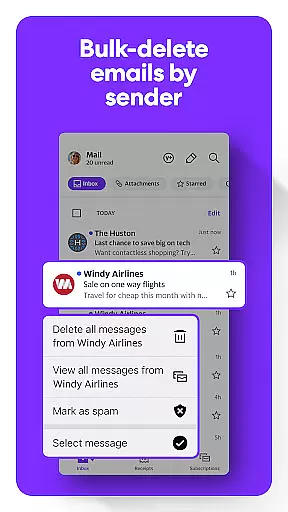
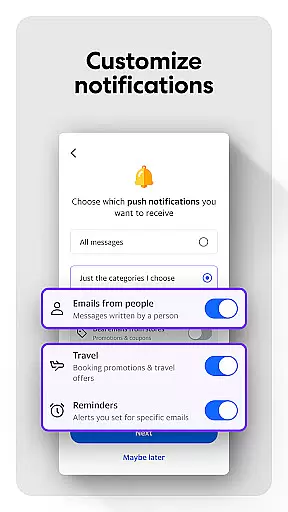
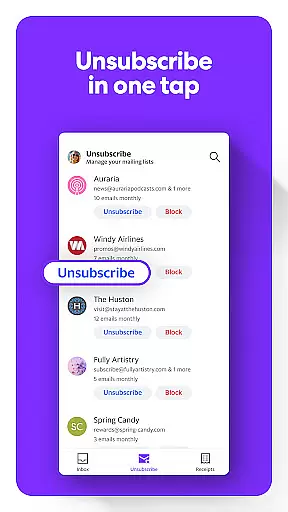
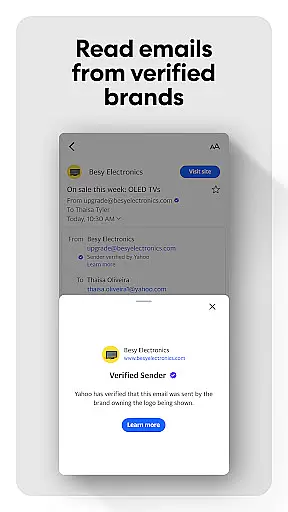
Yahoo Mail is a communication app designed to streamline email management while enhancing user productivity. This app offers a clutter-free experience with advanced features such as sorting unread emails instantly, deleting junk mail by sender, and one-tap unsubscribe options.
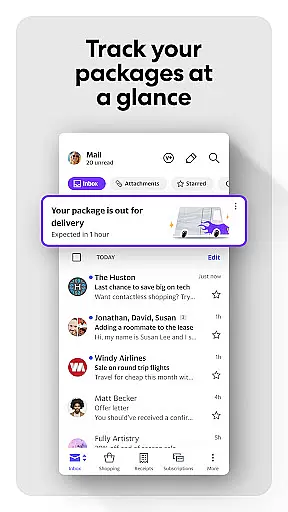
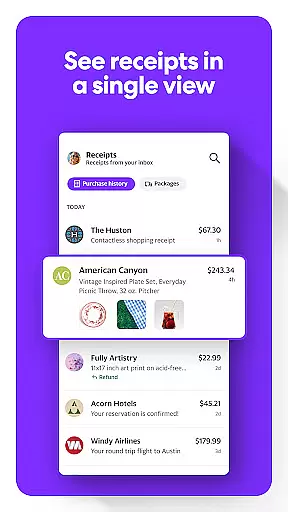
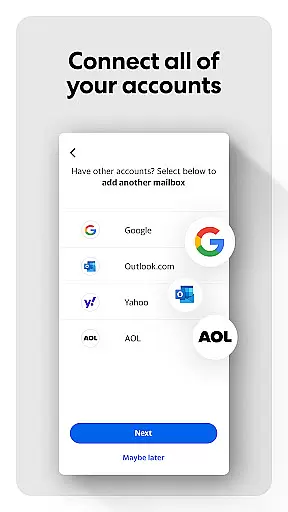
One standout feature is its ability to track packages and find receipts directly from the inbox interface. With enhanced security measures, users are alerted about potentially harmful emails. Additionally, Yahoo Mail supports integration with other email services including Gmail and Outlook, allowing centralized management of multiple accounts.
Accessibility is prioritized with high contrast themes and compatibility with screen readers. For power users, Yahoo Mail+ provides an ad-free experience with added organizational tools and priority customer support, available via a monthly subscription.
Yahoo Mail stands out in the communication category due to its comprehensive feature set tailored for efficiency and ease of use. The app's quick-sort functionality allows users to manage unread emails with minimal effort, presenting a gamified approach to inbox organization.
Advanced decluttering tools enable users to eliminate junk mail effectively. Features like package tracking and receipt management provide practical solutions for everyday needs. Security-conscious users benefit from warnings about suspicious emails, ensuring safer communication.
The app also excels in accessibility, offering dynamic text resizing and compatibility with VoiceOver technology. Integration capabilities extend to popular email platforms, consolidating all communications into a single hub. These robust features collectively enhance the overall email experience.
Real-time messaging speed and reliability are crucial for effective communication in any email application. Yahoo Mail ensures that messages are delivered instantly, providing users with the confidence that their communications are timely and efficient.
The app's infrastructure is designed to handle high volumes of emails without delay, ensuring that users receive their messages as soon as they are sent. This rapid delivery system is supported by robust servers that maintain optimal performance even during peak usage times.
Moreover, Yahoo Mail incorporates advanced syncing technology that guarantees message status updates are reflected across all devices in real time. Whether you're at your desk or on the go, you can trust that your inbox will be up-to-date, allowing for seamless management of your communications.
This dedication to speed and reliability not only enhances user experience but also contributes to productivity, as users can respond to important emails without worrying about delays or missed messages.
Media sharing support is an essential feature for modern email clients, enabling users to easily exchange photos, videos, and documents. Yahoo Mail offers a streamlined process for attaching and sending various media formats, making collaboration and personal sharing hassle-free.
With its intuitive interface, users can quickly browse their device storage to select files for attachment. The app supports a wide range of file types, ensuring compatibility and convenience when sharing content with friends, family, or colleagues.
In addition to traditional attachments, Yahoo Mail provides integrated cloud services that allow for large file transfers without clogging inboxes. Users can send links to files stored in the cloud, which recipients can access and download at their convenience.
This comprehensive approach to media sharing reflects Yahoo Mail's commitment to facilitating rich, multimedia communication experiences while maintaining ease of use and accessibility for all its users.
User-friendly interface
Advanced security alerts
Multi-account support
Efficient inbox management
Accessible design options
Premium features require subscription
Limited offline functionality
Occasional syncing issues
Ads in free version
Complex settings navigation

Fast and simple walkie talkie app
 4.20
4.20
Radio communication simulator for gaming communities
4.3
Block spam calls & scam - no more annoying calls with the call blocker function
4.30
Fast Dialer & Contact Manager with Caller ID and Spam Protection
4.00
Messenger, an MMS & SMS messages app with Blockers, Driving mode & Private box
4.60
Smart and simple anti-wiring application - IMSI-catchers catcher
4.40
Auto Reply SMS, Text Messaging, Away SMS Response, Busy SMS messages, Block Text
3.10
Caller ID, Spam Call & SMS Blocker
3.80
Telegram is a messaging app with a focus on speed and security.
4.00
Use this Dialer app alone or as a TREK: Total Interface companion.
4.70
Useful. Social. Expressive.
4.70
Identify unknown numbers, block spam calls, customize calls with cool themes.
4.60
Welcome to the future of phone service.
4.60
Connect and browse the internet with a fast VPN proxy server and IP blocker.
4.50
Call Blocker app: Identify unknown callers, block spam calls, fraud & robocalls
4.30
2nd Phone Number Line for Anonymous Texting, Calling, and Picture Messages
4.30
Messages is Private SMS Messenger 2023 with text message, instant messaging.
4.00
Message and video call your family and friends in HD!
3.80
An app dedicated solely to marriage, not dating, and supported by a rigorous verification mechanism to ensure seriousness.
4.3


User Reviews