
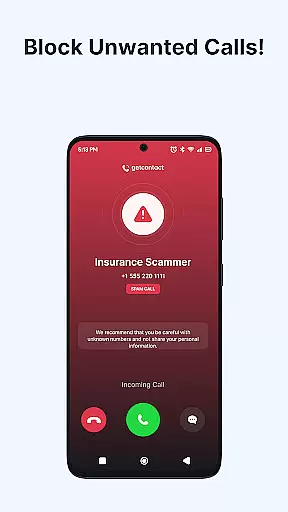
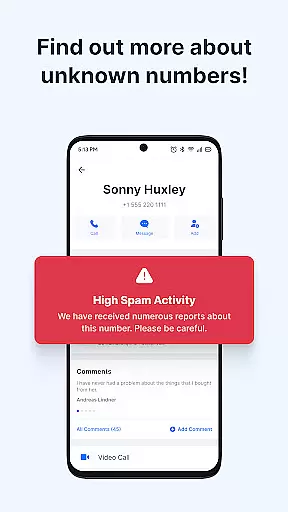
Getcontact is a comprehensive communication protection app designed to safeguard users from unwanted calls and messages. The app's core functionality revolves around its advanced caller ID system and spam call blocker, which uses AI-driven technology to identify and block fraudulent calls in real-time. This ensures users are protected from scams and robocalls before they even reach their devices.
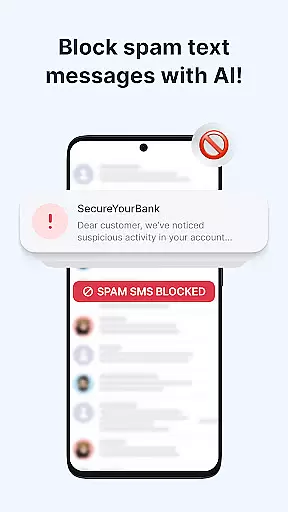
In addition to call protection, Getcontact also offers robust SMS filtering capabilities. By setting it as the default messaging app, users can benefit from automatic filtering of spam, phishing attempts, and promotional texts. The app further enhances privacy with features like Call Assistant, end-to-end encrypted chats and calls, and the option for a second phone number in selected countries. These features collectively provide users with smarter, more secure communication options.
This application is particularly useful for individuals who receive a high volume of unsolicited calls or messages. With millions of users contributing feedback, Getcontact continuously improves its protective capabilities, making it an essential tool for maintaining privacy and security in today's digital communication landscape.
Getcontact stands out with its diverse range of features that cater to various communication protection needs. At its core, the app provides an intelligent caller ID system that instantly identifies unknown callers. This feature is complemented by a powerful spam call blocker that utilizes AI-driven detection to prevent unwanted calls from reaching users. The real-time protection mechanism effectively screens out telemarketers and potential fraud attempts, offering peace of mind to users.
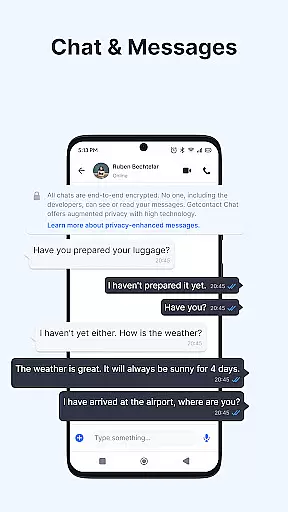
Beyond call management, Getcontact extends its protective capabilities to text messaging through its SMS protection feature. When set as the default SMS app, it automatically filters out potentially harmful messages, including spam and phishing attempts. The app's Call Assistant feature takes this protection a step further by screening unknown numbers and interacting with callers on behalf of users who cannot answer. For enhanced privacy, the app offers secure, end-to-end encrypted communication channels for both individual and group interactions.
One of Getcontact's most innovative features is the option to obtain a second phone number, available in selected countries. This functionality allows users to maintain separate numbers for work, social media, or online transactions without requiring additional SIM cards. The combination of these features demonstrates Getcontact's commitment to providing comprehensive communication protection while maintaining user convenience and privacy.
Getcontact ensures real-time messaging speed and reliability by leveraging advanced AI-driven spam detection. This technology allows users to instantly identify unknown callers and block unwanted communications before they reach the user.
The app's robust infrastructure filters out spam, phishing attempts, and promotional texts, providing a seamless communication experience. By setting Getcontact as the default SMS app, users can enjoy an uninterrupted flow of legitimate messages while malicious content is automatically blocked.
With features like CALL ASSISTANT, users unable to answer calls can rely on an AI-powered assistant to handle communications. This assistant screens unknown numbers and provides insights into the caller's intent, ensuring no important communication is missed due to delayed responses.
Overall, Getcontact's dedication to protecting its users from unauthorized calls and messages worldwide demonstrates its commitment to maintaining high standards of messaging reliability and security.
Beyond protecting against spam calls, Getcontact enhances media sharing support by offering secure chats and calls. Users can engage in private, end-to-end encrypted conversations, including one-on-one or group messaging, voice, and video calls.
This focus on privacy extends to its SECOND NUMBER feature, which provides an additional layer of security for work-related communications, social media interactions, or online transactions without exposing personal contact information.
While the primary function revolves around call and message protection, these features collectively contribute to a safer environment for sharing media. The assurance of encryption means that users can confidently send sensitive information without fear of interception or unauthorized access.
By integrating these comprehensive security measures, Getcontact not only blocks unwanted communications but also facilitates safe and reliable media sharing among its millions of users globally.
Advanced AI-driven spam detection
Real-time call blocking capabilities
Comprehensive SMS filtering system
End-to-end encrypted communication
Optional second phone number feature
Limited availability of premium features
Subscription-based pricing model
Country-specific functionality restrictions
Requires Google Play account
Auto-renewal subscription policy

Pure modern IRC experience for Android
 3.70
3.70
A web browser that respects your privacy.
4.30
Enjoy secure messaging & calling. Safe Messenger: group chats, calls, messages.
4.20
Fast and mini browser with Ad Blocker,Video Downloader and Video Player
4.40
Messages is Private SMS Messenger 2023 with text message, instant messaging.
4.00
Chill zone on your phone: relax with fun reels & hype shorts!
4.20
Federated instant messaging for your mobile device (Jabber, XMPP, Snikket)
4.10
Bringing the functionality of Winlink to your Android device
4.5
Manage your mobile phone plan, check unlimited 5g data usage and track rewards
4.50
Manage BoostMobile Account
4.60
Manage your data, talk & text - affordable phone plans & data usage made simple
4.30
Phone Dialer with Caller ID, Address Book & Contacts Manager.
4.30
Call Blocker app: Identify unknown callers, block spam calls, fraud & robocalls
4.30
HD Video Meeting app is a fast & unlimited video conferencing app across world.
4.30
Google's fast and secure browser
4.10 3.90
3.90
This app enables the phone to receive and send FT8 traffic!
3.80
Fast, Simple And Secure Application That Provides SMBv3 Server On Your Device
3.30
Manage Phone Calls, call history, and contacts easily with Phone Pro.
4.5


User Reviews