
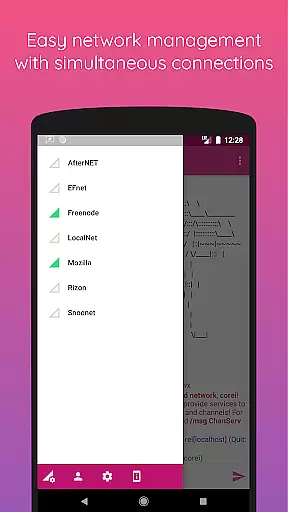
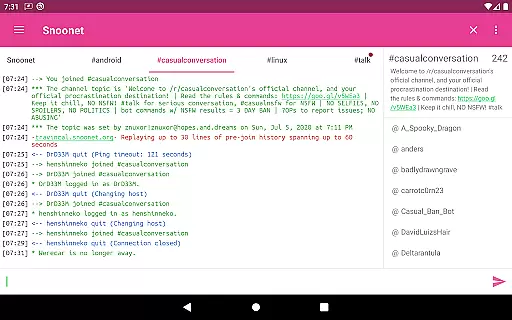
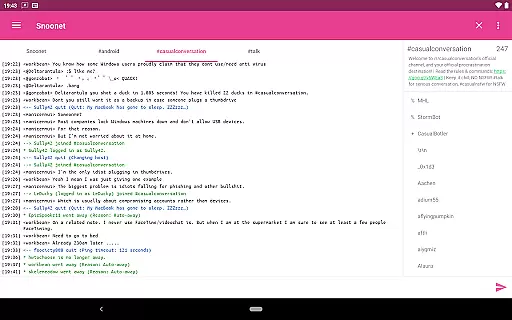
CoreIRC is a feature-rich IRC client designed for secure and seamless communication across multiple IRC networks. The app supports SSL encryption, ensuring your conversations remain private and protected. With advanced authentication options like SASL PLAIN, EXTERNAL, and SCRAM-SHA-256, users can connect to their preferred servers with confidence. Additionally, the robust notification system allows you to customize alerts based on channels, senders, or specific messages, ensuring you never miss important updates.
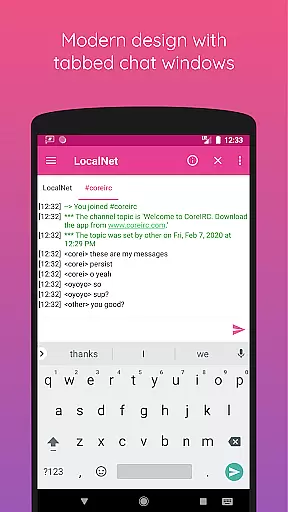
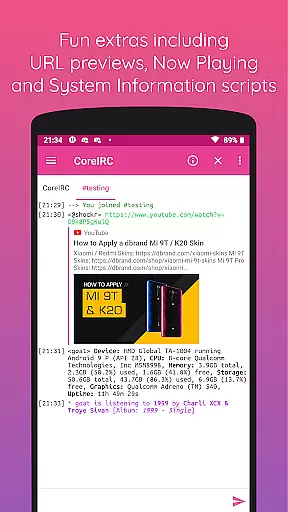
Beyond its core functionality, CoreIRC offers modern design principles optimized for Android devices. It includes fun extras such as inline URL previews, Now Playing scripts for music apps, and System Information scripts that display device details through simple commands. Whether you're managing multiple chat rooms or engaging in one-on-one conversations, CoreIRC provides a reliable and user-friendly experience tailored for both casual users and power users alike.
CoreIRC stands out with its comprehensive set of features designed to enhance the IRC experience. One of its key strengths is the support for modern IRC protocols, including IRCv3 capabilities like account-notify, away-notify, and server-time. These features ensure real-time updates and synchronization across all connected networks. The app also supports CTCP messages, enabling actions like file transfers, pings, and more, making it versatile for various use cases.
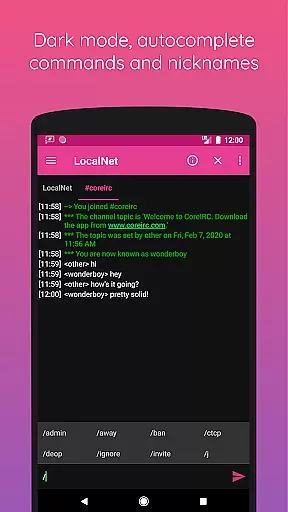
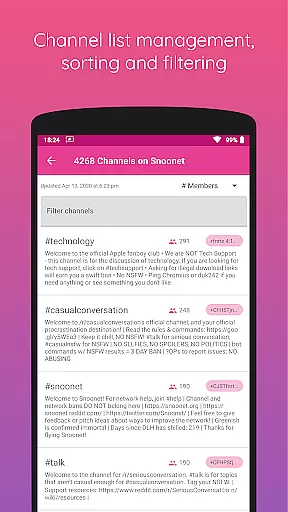
Another notable aspect is the app's customization options. Users can tailor their experience with UI themes, command autocomplete, and ignore lists. The background connectivity feature ensures uninterrupted service even when the app is not actively open. Moreover, the logging and storage functionalities allow users to maintain records of their conversations, while the channel list and network editor simplify server management. These thoughtful additions make CoreIRC an ideal choice for users seeking both security and convenience in their IRC communications.
CoreIRC offers robust real-time messaging capabilities, ensuring that users can communicate instantly and reliably across multiple IRC networks.
The application supports SSL encryption for secure connections, providing not only speed but also peace of mind when it comes to the privacy of your conversations.
With features like background connectivity using Android services, users can stay connected without interruptions, even when multitasking or when the app is running in the background.
This ensures that no message is missed, making CoreIRC a dependable tool for both casual and professional communication environments.
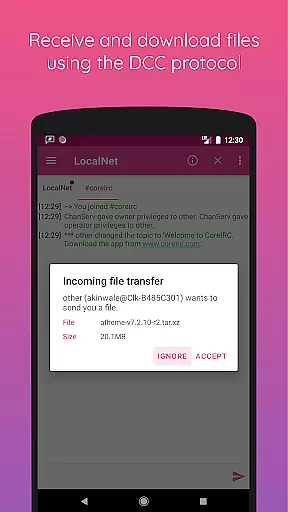
In addition to text-based communication, CoreIRC facilitates media sharing through its support for the DCC protocol, allowing users to send and receive files with ease.
The resume support feature ensures that file transfers can be paused and resumed without losing progress, which is particularly useful for larger files or unstable network conditions.
Users can configure notifications for file transfers, ensuring they are always aware of the status of incoming and outgoing files.
This makes CoreIRC not just a communication tool, but also a versatile platform for sharing various types of media securely and efficiently.
Secure connections
Custom notifications
Modern design
Versatile scripting
Comprehensive logging
Complex for beginners
Limited visual themes
No voice calls
Heavy on resources
Occasional bugs

Phone Dialer with Caller ID, Address Book & Contacts Manager.
 4.30
4.30
Connect and browse the internet with a fast VPN proxy server and IP blocker.
4.50
Send SMS and chat messages easily with a fast text messaging app for Android.
4.10
RemoteHams.com Android RCForb Client Pre-Release
4.30
An app dedicated solely to marriage, not dating, and supported by a rigorous verification mechanism to ensure seriousness.
4.3
Use this SMS app standalone or as a TREK: Total Interface companion.
4.30
Read OBD2 data and DTCs Create custom dashboards Enhanced diagnostics available
4.70
A customizable phone number in the cloud
4.20
Caller ID, Spam Call & SMS Blocker
3.80
We’re taking the yada yada out of wireless—now we’ve taken it out of your app.
4.70
فیلتر شکن قوی پرسرعت کلید جدید برای اندرویدسریع ترین وی پی ان برای همه اپراتورها
4.70
Manage your mobile phone plan, check unlimited 5g data usage and track rewards
4.50
Manage your data, talk & text - affordable phone plans & data usage made simple
4.30
Simplify texting with Messages SMS, offline messaging, themes & smart tools!
4.30
Enjoy secure messaging & calling. Safe Messenger: group chats, calls, messages.
4.20
Messages: Fast, simple SMS app with scheduling and smart features.
4.00
Tether to Windows, OS X, Linux PCs or Android tablets. No root. No tether fees.
3.90
SMS Messenger ensures that communication become effortless and accessible.
3.80
Auto Reply SMS, Text Messaging, Away SMS Response, Busy SMS messages, Block Text
3.10


User Reviews