
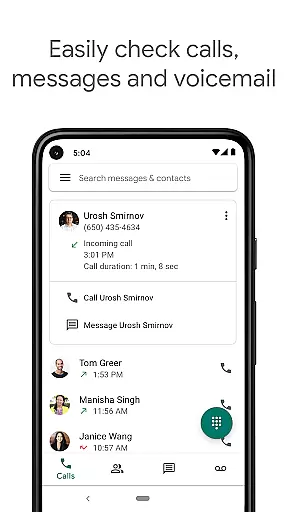
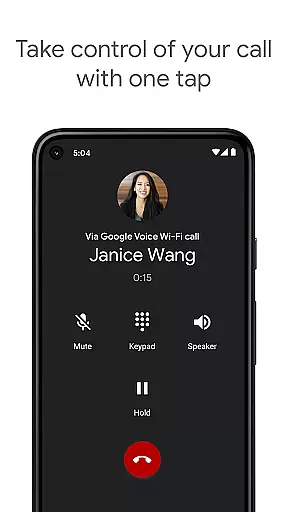
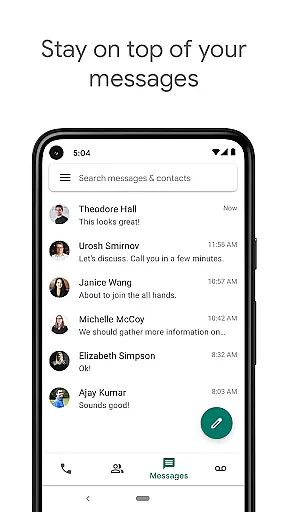
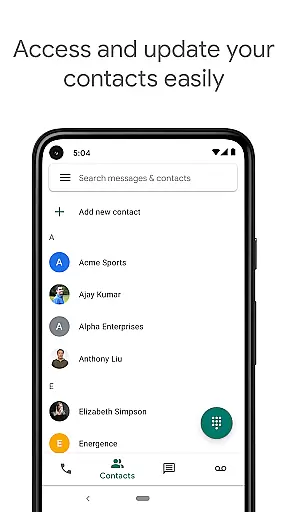
Google Voice is a communication app that provides users with a dedicated phone number for calling, text messaging, and voicemail services. The app seamlessly syncs across multiple devices including smartphones and computers, allowing users to stay connected regardless of location. With features like spam filtering, personalized call settings, and voicemail transcription, it offers a comprehensive communication solution.
The app's standout feature is its ability to store and back up all calls, messages, and voicemails, making them easily searchable. This ensures users never lose important information and can access their communication history at any time. Additionally, Google Voice supports sending and receiving SMS messages from all synced devices, providing flexibility and convenience for managing communications on the go.
For professionals who travel frequently or work remotely, Google Voice presents an ideal tool. It allows users to make international calls at competitive rates without worrying about extra charges from mobile carriers. The app's cross-device functionality and advanced features make it particularly valuable for those needing reliable communication tools across different locations.
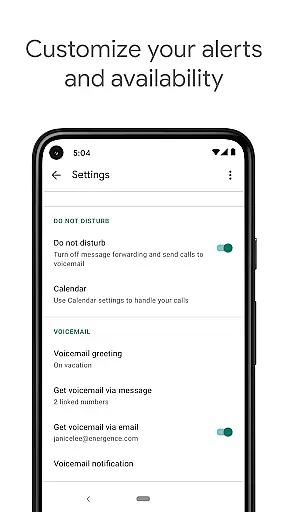
Google Voice stands out with its robust set of features designed to enhance user control over communications. One key feature is automatic spam filtering combined with the ability to block unwanted numbers, ensuring a more streamlined and secure communication experience. Users can also customize their call forwarding, text message, and voicemail settings to suit their specific needs.
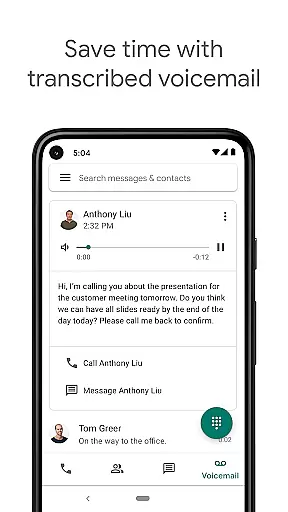
Another significant advantage is the app's voicemail transcription service. Instead of listening to voicemails, users can read transcriptions directly within the app or have them sent to their email. This feature saves time and makes it easier to prioritize important messages. Additionally, the app's support for sending and receiving group SMS messages from any synced device adds another layer of convenience.
Google Voice also helps users save on international calling costs by offering competitive rates. By using a Google Voice access number, users can place calls without incurring additional charges from their mobile carrier. These features collectively provide a powerful and flexible communication platform suitable for both personal and professional use.
Real-time messaging speed and reliability are crucial for effective communication tools like Google Voice. This feature ensures that messages are delivered instantly and consistently, providing users with a seamless experience.
Google Voice achieves this by leveraging Google's robust infrastructure, which supports quick message delivery across multiple devices. Whether you're sending an SMS from your smartphone or responding via your computer, the app maintains synchronization to ensure no message is delayed or missed.
For users, this means they can trust that their communications will be prompt and dependable. Whether it's urgent business messages or casual chats with friends, real-time messaging ensures timely interactions, enhancing productivity and personal connections.
Moreover, the reliability aspect guarantees that even during peak usage times, the service remains stable, preventing disruptions in communication. This stability is vital for maintaining professional relationships and ensuring smooth daily operations.
Media sharing support is an essential feature for modern communication apps, allowing users to send various types of media files effortlessly. In Google Voice, this functionality extends beyond simple text messages to include images, audio clips, and other file formats.
The app facilitates media sharing by integrating with your deviceu2019s storage system, enabling quick attachment and transmission of multimedia content. This capability enhances user interaction as people can share experiences through photos or collaborate using document files directly within their messaging threads.
For businesses, media sharing provides a dynamic way to communicate ideas visually, improving comprehension and engagement among team members. Meanwhile, individuals benefit from enriched conversations that go beyond words, making digital interactions more meaningful and expressive.
Additionally, Google Voice ensures these shared media files are compressed efficiently without losing quality, optimizing data usage while maintaining high standards of visual and auditory fidelity. This balance between performance and quality makes media sharing both practical and enjoyable.
User-friendly interface
Robust spam filtering
Versatile voicemail options
Seamless cross-device syncing
Cost-effective international calls
Limited to US users
No video calling feature
Text messaging not supported everywhere
Dependent on cellular minutes
Email notifications sometimes delayed

Google's fast and secure browser
 4.10
4.10
Our Black Friday sale is here. Unlock special discounts on Proton Mail now.
4.30
Quickly and easily identify and block unknown callers
3.70
Fast Dialer & Contact Manager with Caller ID and Spam Protection
4.00
Messages is Private SMS Messenger 2023 with text message, instant messaging.
4.00
2nd Phone Number Line for Anonymous Texting, Calling, and Picture Messages
4.30
Bringing the functionality of Winlink to your Android device
4.4
Build your web browser around you with private search, and more.
4.60
Enhance browsing with AI-powered features and Copilot.
4.70
Messenger for SMS - texting message app, faster, simpler & safer, for you.
4.70
Adblock & VPN Browser: Blocks banners, pop-ups and video ads, fast downloader!
4.60
Messenger, an MMS & SMS messages app with Blockers, Driving mode & Private box
4.60
A web browser that respects your privacy.
4.30
Block spam calls & scam - no more annoying calls with the call blocker function
4.30
RemoteHams.com Android RCForb Client Pre-Release
4.30 3.90
3.90
SMS Messenger ensures that communication become effortless and accessible.
3.80
This app enables the phone to receive and send FT8 traffic!
3.80
Official NDI app: turn your phone into a professional live-streaming IP camera.
3.20


User Reviews