
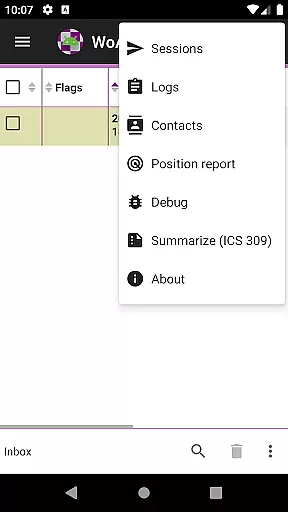
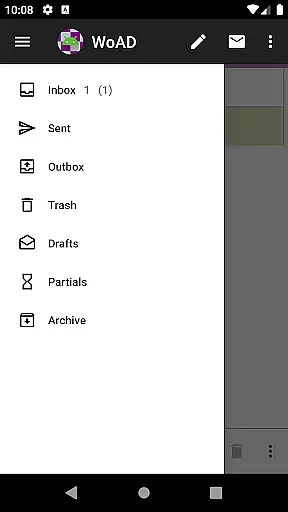
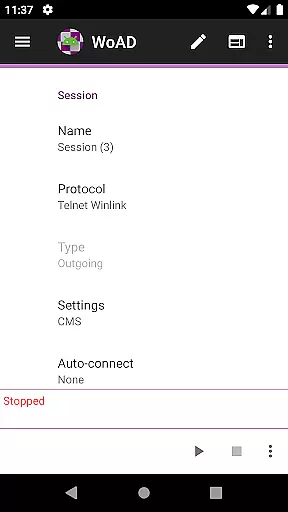
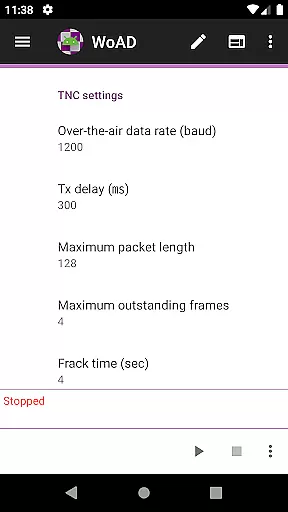
WoAD is a specialized communication application designed for licensed amateur radio operators. This app serves as a client for the Winlink Global Radio Email system, enabling users to send and receive emails through radio waves without relying on traditional internet connectivity. It also supports peer-to-peer (P2P) connections via the internet or VHF/UHF AX.25 packet connection, making it versatile for various communication needs.
One of the key features of WoAD is its ability to function in situations where conventional communication methods may fail, such as during natural disasters or in remote areas. By leveraging packet radio technology, it provides a reliable means of staying connected. The app is highly technical and best suited for experienced ham radio enthusiasts who are familiar with packet radio systems and the Winlink network.
For those new to this type of communication, extensive documentation is available to help get started. Additionally, a supportive user community and various resources like bug reporting and feature request options ensure that users can maximize the app's potential while contributing to its ongoing development.
WoAD offers a comprehensive set of features tailored for amateur radio communication. As a client of the Winlink Global Radio Email system, it allows users to send and receive emails over radio frequencies, providing an essential service when internet access is unavailable. The app supports both internet-based and radio-based peer-to-peer (P2P) connections, ensuring flexibility in different operational environments.
The technical nature of WoAD is one of its standout characteristics. It requires a solid understanding of packet radio and Winlink protocols, which might present a steep learning curve for newcomers. However, for experienced users, this complexity translates into powerful capabilities. The app includes detailed documentation, accessible via the official website, which covers setup instructions, usage guidelines, and troubleshooting tips.
Additional features include integration with support groups, a bug report submission page, and a feature request system. These tools foster a collaborative environment where users can seek assistance, report issues, and suggest improvements, ultimately enhancing the overall functionality and user experience of WoAD.
Real-time messaging speed and reliability are crucial for effective communication, especially in scenarios where immediate information exchange is necessary. WoAD offers a robust platform that ensures messages are delivered promptly and consistently, which is essential for users relying on this service for critical communications.
The app utilizes advanced protocols such as VHF/UHF AX.25 packet connections to maintain high-speed data transfer over radio frequencies. This method not only guarantees swift message delivery but also enhances the dependability of the communication channel, making it suitable for amateur radio operators who require consistent connectivity.
For users with a valid amateur radio license, WoAD's reliable messaging system means they can trust the app during emergencies or important events. The assurance that messages will be conveyed without delay supports seamless coordination and collaboration among peers within the amateur radio community.
Media sharing support is an integral feature for modern communication apps, allowing users to exchange various types of content beyond plain text. WoAD facilitates media sharing through its compatibility with the Winlink Global Radio Emailu24c7 system, enabling users to send attachments and multimedia files via internet or radio connections.
This capability significantly broadens the scope of communication by accommodating images, documents, and other file formats. Whether connecting peer-to-peer or through a network, users can share vital information quickly and efficiently, enhancing their ability to collaborate on projects or respond to incidents requiring detailed data exchange.
By integrating comprehensive media sharing options, WoAD empowers amateur radio enthusiasts to communicate more effectively. This feature enriches user interaction by providing versatile tools for exchanging rich content, thus supporting diverse operational needs within the amateur radio ecosystem.
User-friendly interface
Reliable communication
Versatile connection options
Comprehensive documentation
Active user community
Steep learning curve
Limited to licensed users
Technical expertise required
No instant messaging
Complex setup process

Call Forwarding is easy and simple application to use.
 3.80
3.80
Enjoy secure messaging & calling. Safe Messenger: group chats, calls, messages.
4.20
Phone Dialer with Caller ID, Address Book & Contacts Manager.
4.30
Faster version of Messages. Messenger for your contacts.
4.50
Smart and simple anti-wiring application - IMSI-catchers catcher
4.40
Call & Text Anywhere With A Canadian Number.
3.60
FolderSync enables easy sync of files between cloud storage and Android devices.
4.60
Manage your mobile phone plan, check unlimited 5g data usage and track rewards
4.50
Telegram is a messaging app with a focus on speed and security.
4.00
Fast internet with AI, Adblock & VPN. Browse on a safe, incognito web browser.
4.70
Read OBD2 data and DTCs Create custom dashboards Enhanced diagnostics available
4.70
Talk & text free with a second phone number plus unlimited 5G data, no fees.
4.50
Create a secure hotspot on-the-go with Portable WiFi - Mobile hotspot.
4.40
Chill zone on your phone: relax with fun reels & hype shorts!
4.20
A customizable phone number in the cloud
4.20
Send SMS and chat messages easily with a fast text messaging app for Android.
4.10 3.90
3.90
Enables Plus features of Quick Search.
4.3
An app dedicated solely to marriage, not dating, and supported by a rigorous verification mechanism to ensure seriousness.
4.5


User Reviews