
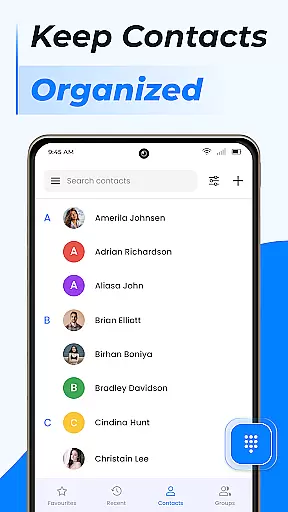
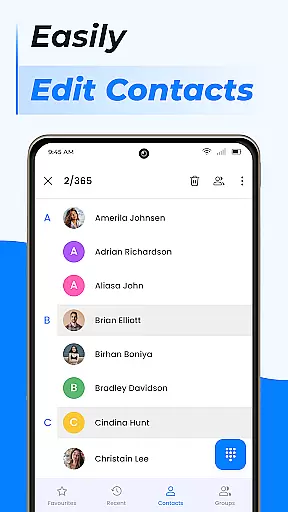
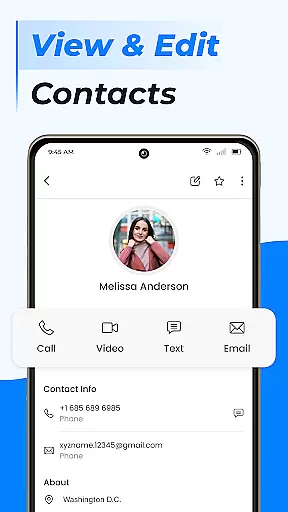
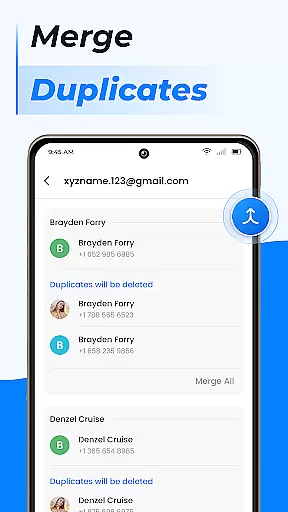
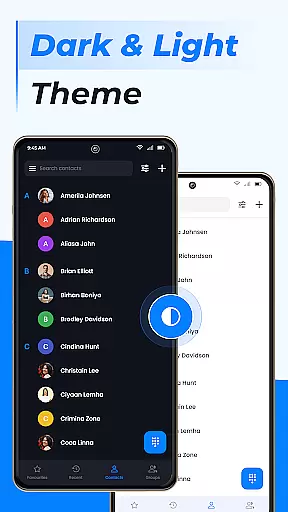
Contacts is a comprehensive communication management app designed specifically for Android users. This application allows you to efficiently manage all your contacts, ensuring that your phone book remains organized and up-to-date. With its intuitive interface, Contacts makes it easy to add new entries, edit existing ones, and manage duplicates by merging them. The app also supports advanced features such as creating contact groups, which is particularly useful for separating personal and professional contacts.
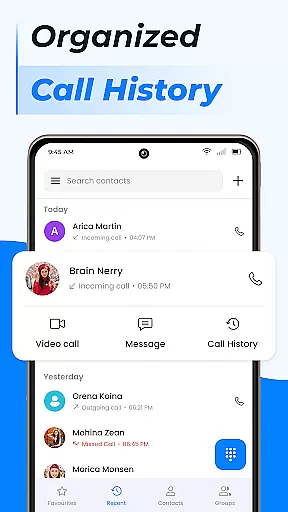
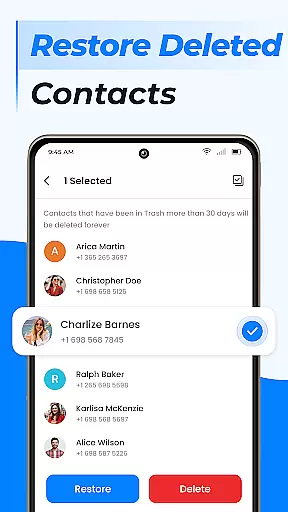
In addition to basic contact management, Contacts offers powerful tools like call blocking, caller ID, and smart contact search. These features enhance your calling experience by providing quick access to frequently contacted numbers and maintaining a detailed call log history. Furthermore, the app facilitates seamless synchronization with cloud services and Google Contacts, allowing you to back up and restore your data effortlessly. Whether you need to share contact information or update your personal profile, Contacts provides a user-friendly solution that simplifies these tasks.
One of the standout features of Contacts is its ability to streamline contact management through various innovative tools. For instance, adding a new contact is straightforward, requiring only a few taps to input the necessary details. Editing contact information is equally simple, enabling users to keep their phone book current without hassle. The app's capability to manage duplicate contacts ensures that your contact list remains clutter-free by linking multiple entries under a single name.
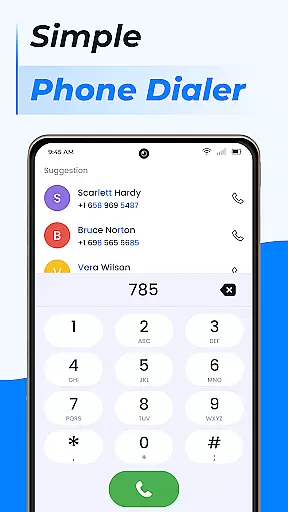
Contacts also excels in offering advanced functionalities that go beyond basic contact handling. Users can create custom groups for more efficient messaging and relationship management, making it easier to organize contacts based on specific criteria. Additionally, the built-in dialer enhances the calling experience with features like call blocking and caller ID. Smart contact search and call log history further augment usability, allowing for swift access to essential information. By integrating with cloud services and Google Contacts, the app ensures that your data is always backed up and synchronized across devices.
Real-time messaging speed and reliability are crucial for any communication app, ensuring that messages are delivered instantly and without fail. The Contacts app excels in this area by providing a seamless experience for users who need to get in touch with their contacts quickly.
This application leverages advanced algorithms to maintain high performance levels even during peak usage times. By optimizing data transmission protocols, it ensures that every message reaches its destination as fast as possible, regardless of network conditions.
For the user, this means no more waiting around wondering if your message has been sent or received. Whether you're reaching out to a colleague for work-related matters or simply checking in with family, you can trust that your communications will be prompt and reliable.
Ultimately, the robust infrastructure supporting real-time messaging within Contacts enhances productivity and peace of mind. Users benefit from an efficient way to stay connected, knowing they won't miss important updates due to technical delays.
Media sharing support is another vital feature offered by the Contacts app, allowing users to effortlessly send photos, videos, and other files directly through their contact list. This capability enriches communication by enabling richer interactions beyond plain text messages.
The app supports various file formats, making it versatile for different types of media exchanges. Whether you want to share vacation pictures with friends or send over a presentation file to your boss, the process is streamlined and hassle-free.
Moreover, the integration with cloud services ensures that large files do not clog up device storage. Instead, they are uploaded to secure servers where recipients can download them at their convenience. This approach not only saves space but also facilitates easier access across multiple devices.
In summary, the comprehensive media sharing functionalities provided by Contacts make it an indispensable tool for modern communicators. With these capabilities, staying connected becomes more engaging and dynamic, catering to both personal and professional needs alike.
User-friendly interface
Advanced contact management
Call blocking and caller ID
Smart contact search
Cloud synchronization
Limited customization options
Occasional sync issues
Ads in free version
Requires account setup
Some features are premium-only

Block spam calls & scam - no more annoying calls with the call blocker function
 4.30
4.30
Connect and browse the internet with a fast VPN proxy server and IP blocker.
4.50
Message and video call your family and friends in HD!
3.80
Manage and Fund Calling Accounts and Schedule and Join Video Sessions
3.60
Comprehensive and powerful scan tool app with enhanced functions
3.00
Read OBD2 data and DTCs Create custom dashboards Enhanced diagnostics available
4.70
Get through your inbox faster with the mail app designed to simplify your life.
4.40
Build your web browser around you with private search, and more.
4.60
Telegram is a messaging app with a focus on speed and security.
4.00
An agentic AI browser for Android, built by Perplexity
4.50
Experience real private browsing without tracking, surveillance, or censorship.
4.50
Simple tool for businesses to talk to their customers.
4.40
Call Blocker app: Identify unknown callers, block spam calls, fraud & robocalls
4.30
RemoteHams.com Android RCForb Client Pre-Release
4.30
BiP is a fast, secure, free messaging and HD video calling app!
4.10
Pure modern IRC experience for Android
3.70
A softphone app with seamless SIP calling and an intuitive VoIP dialer
3.50
Official NDI app: turn your phone into a professional live-streaming IP camera.
3.20
Radio communication simulator for gaming communities
4.4


User Reviews