
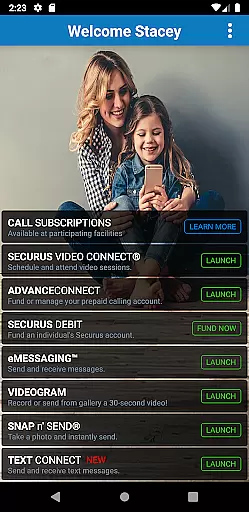


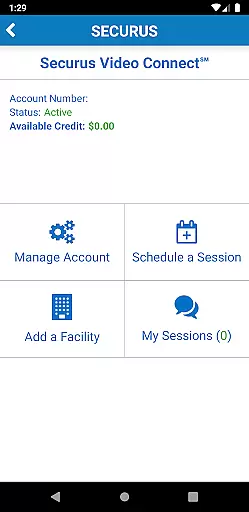

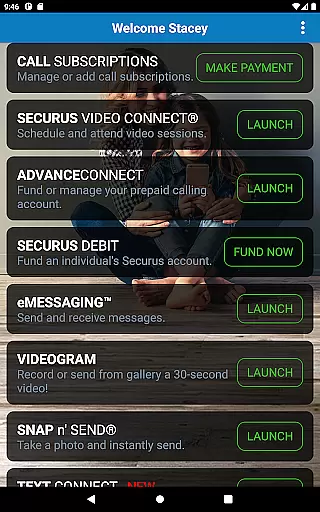


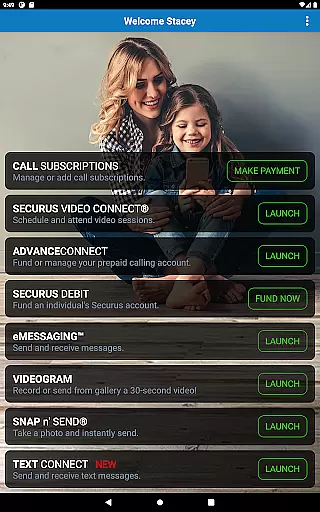



Securus Mobile is a comprehensive communication app designed specifically for staying connected with incarcerated individuals. The app offers multiple ways to maintain contact, including video calls, messaging services, and prepaid calling account management. With features like Video Connect, users can schedule and conduct video sessions from anywhere in the world using Wi-Fi or cellular data. Additionally, the messaging services allow users to send and receive messages, eCards, and even short video messages called VideoGrams.
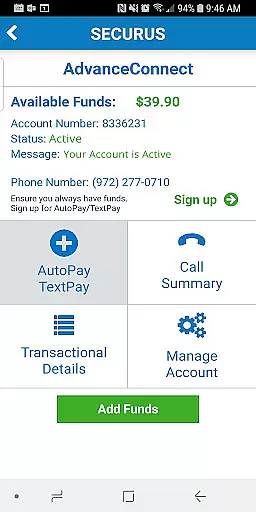
The app also provides robust account management tools. Users can create and manage their Securus Online accounts, update passwords, and set up security questions. For those utilizing the AdvanceConnect feature, funds can be added and managed to ensure seamless communication. Furthermore, Securus Debit allows deposits that incarcerated individuals can use for various purposes, such as making calls or purchasing digital content. This makes Securus Mobile an essential tool for anyone looking to maintain meaningful connections under challenging circumstances.
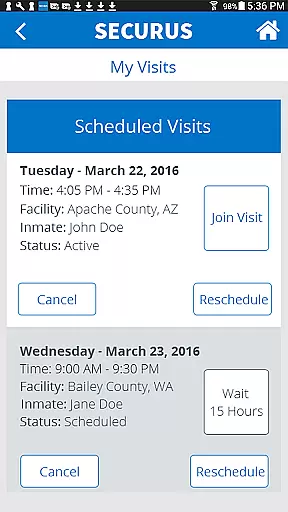
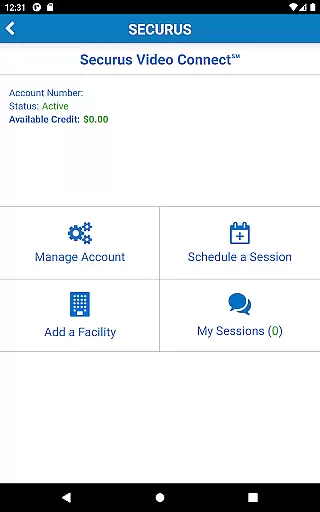
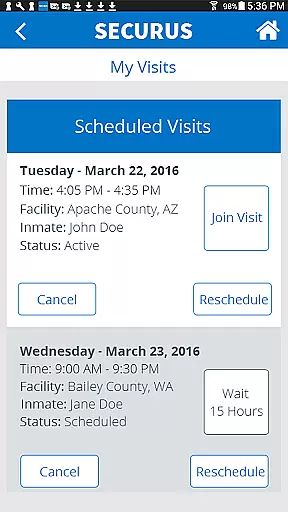
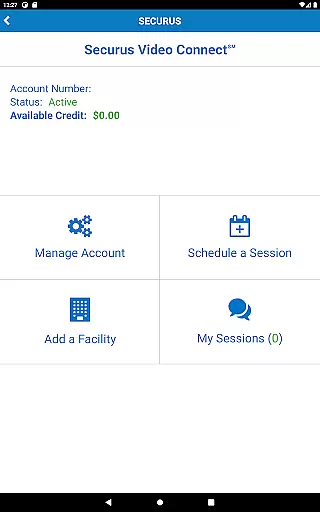
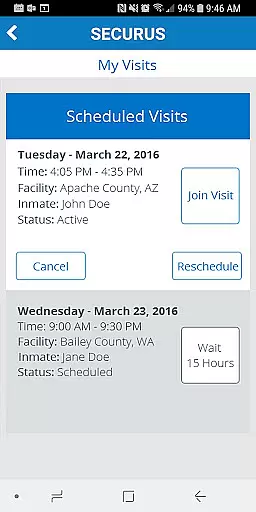
Securus Mobile stands out due to its diverse range of features tailored for communication needs. One of the key highlights is Video Connect, which enables users to enroll, schedule, and manage video sessions with incarcerated individuals. It includes functionalities like syncing session details with personal calendars, receiving notifications for upcoming sessions, and testing Wi-Fi or cellular connections to ensure quality.
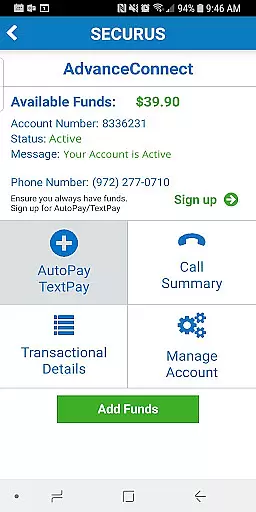
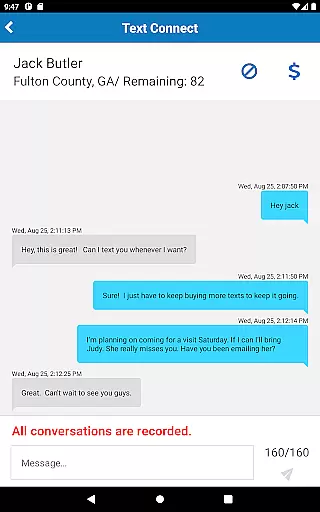
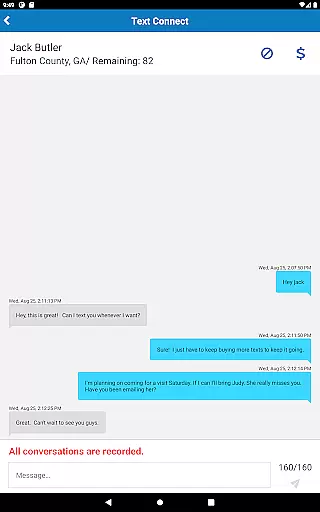
In addition to video capabilities, the app excels in messaging services. Users can send and receive messages, attach photos, and even send digital greeting cards known as eCards. The Securus Text Connect feature facilitates real-time two-way text messaging, allowing users to purchase 'Connects' for ongoing communication. Moreover, the app supports prepaid calling account management through AdvanceConnect and Securus Debit, providing options to fund accounts, manage phone numbers, and view transaction histories. These features collectively ensure a reliable and versatile communication experience.
Real-time messaging speed and reliability are crucial for maintaining seamless communication, especially in environments where timing is essential. Securus Mobile excels in this area by providing robust features that ensure messages are delivered promptly and consistently. The app's infrastructure is designed to handle high volumes of messages without delay, making it ideal for users who require instant communication.
The Securus Mobile app incorporates advanced technology to maintain a reliable connection, even in areas with fluctuating network conditions. By optimizing data transmission protocols, the app minimizes latency and maximizes message throughput. This ensures that whether you're sending an eMessage, eCard, or using Securus Text Connect, your communications reach their destination without unnecessary delays.
For users, this means peace of mind knowing that their important messages will be received in real-time. Whether scheduling a Video Connect session, managing prepaid calling accounts, or engaging in text-based conversations, the speed and reliability of message delivery enhance the overall user experience. This reliability fosters trust and encourages more frequent use of the app's comprehensive communication services.
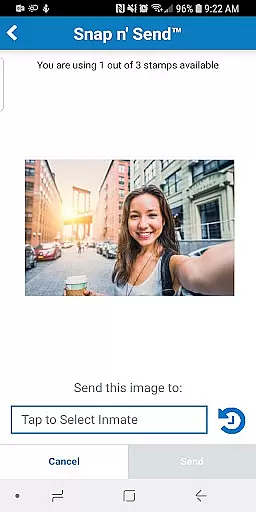
Media sharing support is a vital feature for modern communication apps, enabling users to exchange various forms of digital content seamlessly. Securus Mobile offers extensive media sharing capabilities, allowing users to send photos, videos, and digital greeting cards known as eCards. This functionality enriches the communication experience by letting users express themselves more vividly and personally.
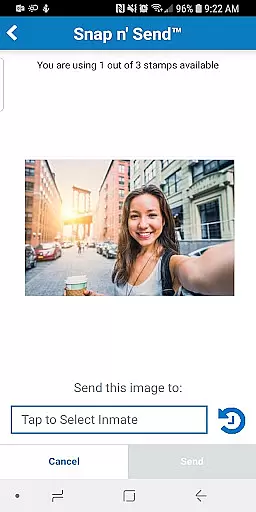
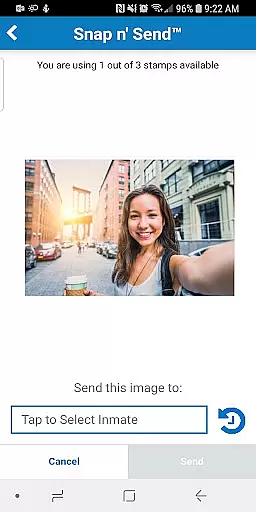
The app provides multiple ways to share media, including attaching up to five eCards and photos to a single message. With Snap nu2019 Sendu2122, users can capture new images or select from their gallery to share instantly. Additionally, the app supports sending 30-second VideoGrams, adding another dynamic layer to personal interactions. These features collectively create a versatile platform for meaningful exchanges.
Moreover, Securus Mobile ensures that media sharing is not only diverse but also secure and efficient. Users can manage their media files, view transaction histories, and update payment methods within the app. This comprehensive approach to media sharing enhances user engagement and satisfaction, making Securus Mobile a preferred choice for those seeking rich, multimedia communication options.
User-friendly interface
Comprehensive account management
Multiple communication methods
Real-time notifications
Secure transaction handling
Requires Android 11.0+
Limited to specific facilities
Additional costs for features
Dependent on facility policies
Occasional connectivity issues

SMS Messenger ensures that communication become effortless and accessible.
 3.80
3.80
The ultimate productivity solution for all your email communication needs.
4.40
Our Black Friday sale is here. Unlock special discounts on Proton Mail now.
4.30
Experience real private browsing without tracking, surveillance, or censorship.
4.50
2nd Phone Number Line for Anonymous Texting, Calling, and Picture Messages
4.30
Comprehensive and powerful scan tool app with enhanced functions
3.00
Auto Reply SMS, Text Messaging, Away SMS Response, Busy SMS messages, Block Text
3.10
Fast internet with AI, Adblock & VPN. Browse on a safe, incognito web browser.
4.70
Simple tool for businesses to talk to their customers.
4.40
Useful. Social. Expressive.
4.70
Messenger for SMS - texting message app, faster, simpler & safer, for you.
4.70
Say “hello” to privacy.
4.60
SMS Messenger is a lightning-fast messaging app.
4.20
Share the moment!
4.10
Measure BHP, Torque & 0-60 Clear car OBD faults View engine data in Google Earth
4.00
Message and video call your family and friends in HD!
3.80
Caller ID, Spam Call & SMS Blocker
3.80
Chat on the Jabber network (XMPP protocol); support for SMS and other gateways
2.10
Enables Plus features of Quick Search.
4.3


User Reviews