

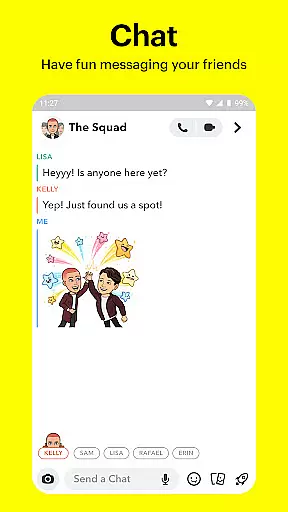
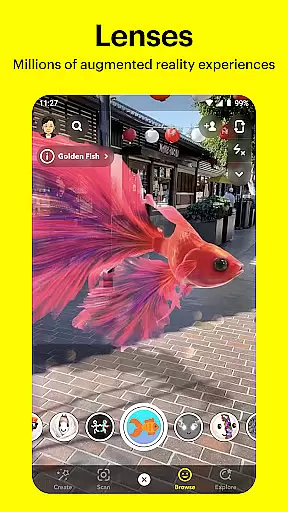



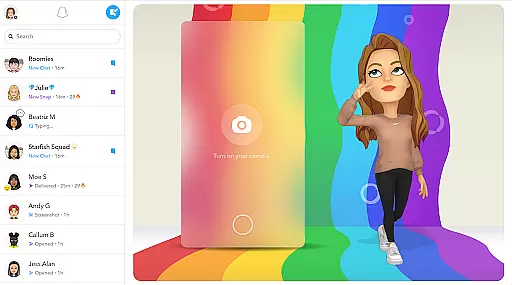
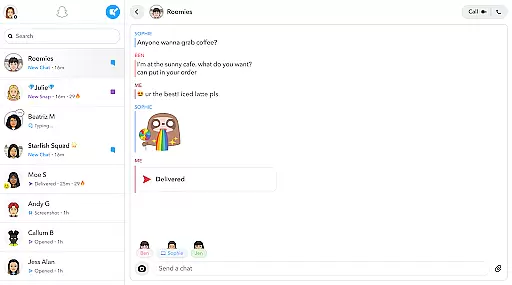

Snapchat is a dynamic communication app that allows users to share moments instantly with friends and family through photos, videos, and live chats. The app opens directly to the camera interface, making it easy to capture and send content quickly. With features like Lenses, Filters, and Bitmoji, users can express themselves in creative ways.
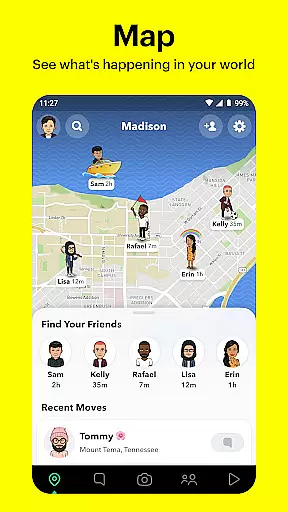
Beyond simple messaging, Snapchat offers Stories and Spotlight for sharing experiences with a wider audience. Users can explore Stories from friends or the broader Snapchat community based on their interests. The app also includes a map feature to see what others are up to, and Memories to save and revisit favorite moments. Snapchat fosters personal connections through its unique Friendship Profiles.
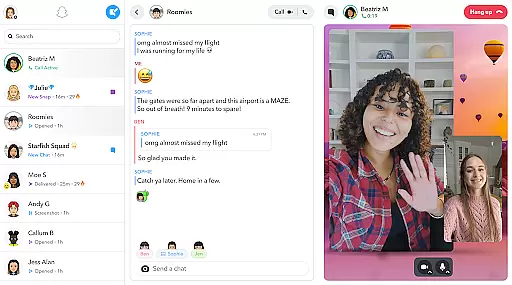
Snapchat's standout feature is its intuitive camera-first design, allowing users to snap photos or record videos instantly. The app provides a rich selection of Lenses and Filters that are updated daily, enabling fun and creative expression. Users can engage in live video chats with up to 16 friends simultaneously, adding a new dimension to group conversations.
The Stories feature lets users compile snaps into a narrative that disappears after 24 hours, while Spotlight highlights the best user-generated content. Snapchat's Map feature offers a personalized view of friends' locations and public stories from around the world. Additionally, the Memories section serves as a private storage space for saved content, which can be edited and reshared anytime.
Real-time messaging speed and reliability are crucial for maintaining seamless communication in any messaging app. Snapchat ensures that messages are delivered instantly, allowing users to stay connected without delays.
The app employs advanced server infrastructure and optimized data transmission protocols to guarantee that texts, images, and videos are sent and received in real time. This infrastructure supports live messaging, video chats, and the sharing of day-to-day moments without interruptions.
For users, this means they can engage in fluid conversations, share spontaneous moments, and react to events as they happen. The immediacy of communication enhances the sense of presence and connection with friends and family, making interactions more dynamic and engaging.
Overall, Snapchat's commitment to real-time messaging ensures that users enjoy a reliable and fast communication experience, which is essential for keeping up with the fast pace of today's digital world.
Media sharing support is a vital feature for any modern communication platform, enabling users to express themselves and share experiences through various formats. Snapchat excels in this area by offering extensive options for sharing photos, videos, and other media types.
With just a tap, users can capture and send multimedia messages enriched with Lenses, Filters, and Bitmoji. This flexibility allows for creative expression and personalized interaction. Additionally, the Memories feature lets users save and manage an unlimited number of photos and videos, which can be edited and shared at any time.
The ability to share media effortlessly enhances user engagement and satisfaction. Friends can watch each other's Stories to see their day unfold, fostering a deeper connection through visual storytelling. Moreover, the Discover section provides professionally produced content, further enriching the media landscape within the app.
In summary, Snapchat's robust media sharing capabilities empower users to communicate more vividly and meaningfully, setting it apart as a versatile tool for modern communication.
User-friendly interface
Creative lens options
Real-time video chat
Engaging story features
Personalized friendship profiles
Privacy concerns
Short-lived content
Limited search function
High data usage
Complex settings

 3.90
3.90
Block spam calls & scam - no more annoying calls with the call blocker function
4.30
Quickly and easily identify and block unknown callers
3.70
Fast and mini browser with Ad Blocker,Video Downloader and Video Player
4.40
Chat on the Jabber network (XMPP protocol); support for SMS and other gateways
2.10
Call & Text Anywhere With A Canadian Number.
3.60
Threema is the messenger with the most consistent focus on security and privacy.
4.00
Manage your mobile phone plan, check unlimited 5g data usage and track rewards
4.50
Enhance browsing with AI-powered features and Copilot.
4.70
Use this Dialer app alone or as a TREK: Total Interface companion.
4.70
Messenger for SMS - texting message app, faster, simpler & safer, for you.
4.70
A browser that does more than load page, like keeping your privacy safe.
4.70
Useful. Social. Expressive.
4.70
Say “hello” to privacy.
4.60
An agentic AI browser for Android, built by Perplexity
4.50
Google's fast and secure browser
4.10
Measure BHP, Torque & 0-60 Clear car OBD faults View engine data in Google Earth
4.00
A Browser with powerful ad blocker to help focus on what really matters.
3.00
Radio communication simulator for gaming communities
4.1


User Reviews