




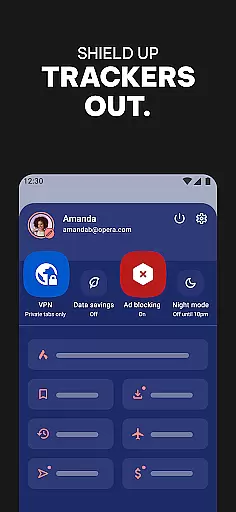




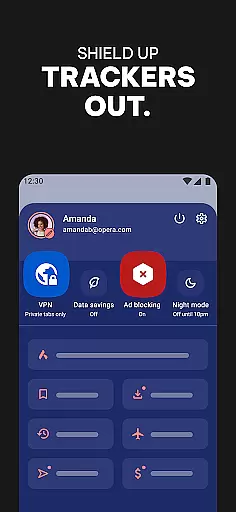
Opera is a feature-rich communication app designed to enhance your browsing experience. At its core, it functions as a high-performance web browser that prioritizes speed, security, and user control. The app includes an integrated free VPN service, ensuring your online activities remain private without additional costs. Its advanced ad-blocking and tracker-blocking capabilities create a cleaner, faster browsing environment by eliminating intrusive ads and protecting your personal data from third-party trackers.
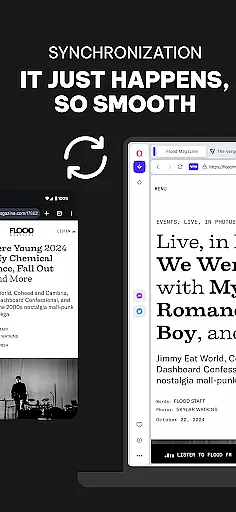
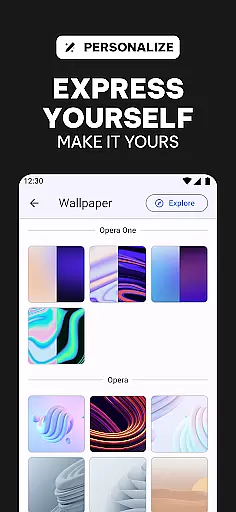
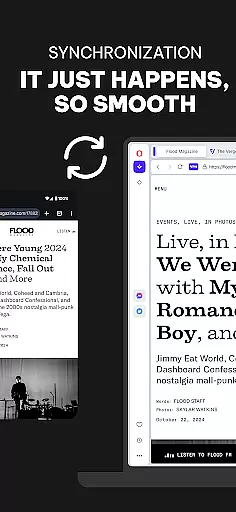
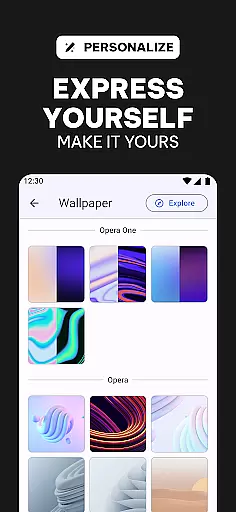
Another standout feature of Opera is its extensive customization options. Users can personalize their browsing experience with themes, wallpapers, and layout adjustments, including a popular Dark Mode. The browser also supports cross-device syncing, allowing you to maintain consistent bookmarks, tabs, and settings across multiple devices. Whether you're looking to optimize your daily browsing or need advanced privacy features, Opera delivers a comprehensive solution that goes beyond basic web navigation.
Opera distinguishes itself through a combination of innovative tools and user-centric features. One of its most notable aspects is the built-in free VPN, which provides users with enhanced privacy protection without requiring additional subscriptions or hidden fees. This feature is particularly valuable for those who frequently connect to public Wi-Fi networks or wish to mask their IP addresses while browsing. Additionally, the browser incorporates a powerful ad-blocking system powered by uBlock Origin, which effectively removes not only advertisements but also various types of web trackers.
The app's customization capabilities are equally impressive. Opera allows users to modify nearly every aspect of their browsing interface, from visual themes and wallpapers to functional elements like icon placement and navigation layouts. Its data-saving technology compresses web pages, making it an excellent choice for users with limited data plans. Furthermore, the cross-device sync functionality ensures that your browsing preferences, bookmarks, and open tabs are always available regardless of which device you're using. These features collectively create a browsing experience that is both highly functional and deeply personalized.
Real-time messaging speed and reliability are crucial for seamless communication in any browser. Opera ensures that messages sent through its integrated platforms are delivered instantly without delays.
The browser leverages advanced network protocols and optimized data transmission to maintain high-speed messaging. This guarantees that users experience minimal latency even during peak usage times.
Opera's infrastructure is designed to offer consistent performance, ensuring that every message reaches its destination reliably. This robust system supports both casual conversations and critical communications without fail.
Users benefit from uninterrupted real-time interactions, making Opera a dependable choice for those who prioritize swift and reliable messaging capabilities.
Media sharing support in a browser enhances user interaction by allowing seamless exchange of images, videos, and other files. Opera excels in this area by providing comprehensive media sharing features that cater to diverse user needs.
The browser supports various file formats, ensuring compatibility across different devices and platforms. Whether you're sharing high-resolution photos or large video files, Opera handles them efficiently without compromising on quality.
Opera also integrates with cloud services and social media platforms, streamlining the process of uploading and sharing media. This integration simplifies content distribution, making it accessible to a broader audience effortlessly.
With these capabilities, Opera empowers users to share media conveniently and effectively, enriching their online communication experience.
Fast browsing speed
Free integrated VPN
Effective ad-blocking
Extensive customization
Cross-device syncing
Occasional bugs
High memory usage
Limited mobile features
Complex interface
Frequent update prompts

BiP is a fast, secure, free messaging and HD video calling app!
 4.10
4.10
SMS Messenger ensures that communication become effortless and accessible.
3.80
SMS & MMS Messaging App to easily send messages or schedule SMS on Chat
4.10
Manage BoostMobile Account
4.60
Messenger app for faster and simpler SMS text messaging, and personalized themes
4.10
A softphone with crystal clear SIP Calling & Reliable VoIP dialer
4.00
Manage your mobile phone plan, check unlimited 5g data usage and track rewards
4.50
A customizable phone number in the cloud
4.20
Fast internet with AI, Adblock & VPN. Browse on a safe, incognito web browser.
4.70
We’re taking the yada yada out of wireless—now we’ve taken it out of your app.
4.70
Enhance browsing with AI-powered features and Copilot.
4.70
Identify unknown numbers, block spam calls, customize calls with cool themes.
4.60
Save 10% automatically on your first international mobile top up.
4.60
Create a secure hotspot on-the-go with Portable WiFi - Mobile hotspot.
4.40
Threema is the messenger with the most consistent focus on security and privacy.
4.00
Message and video call your family and friends in HD!
3.80
Fun, free app that lets kids video call and message family and close friends.
3.80
Pure modern IRC experience for Android
3.70
At select facilities, you now have an easy way to video visit your loved ones!
3.30


User Reviews