
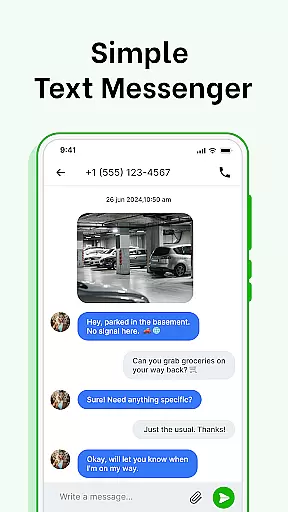
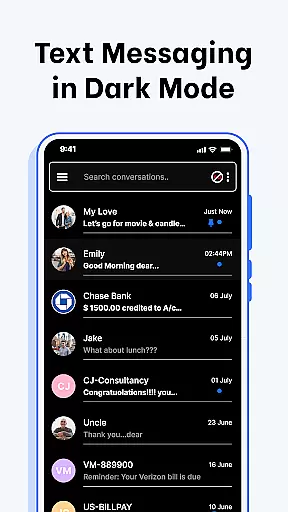

Messenger SMS - Text Messages is a feature-rich communication app that combines traditional SMS functionality with advanced messaging tools. The app allows users to send quick text messages, schedule future deliveries, and organize their inbox automatically into categories like Personal, Transactions, OTPs, and Offers.
With its user-friendly interface, the app ensures secure and efficient messaging while offering customization options such as notification alerts, chat bubble colors, and swipe actions. Whether you're looking to block unwanted contacts or make voice calls directly from the app, Messenger SMS provides a comprehensive solution for all your texting needs.
This app is particularly useful for individuals who want to stay organized and connected without compromising on privacy or personalization. By integrating emojis, stickers, GIFs, and delivery confirmation features, it enhances both the functionality and expressiveness of traditional SMS messaging.
Messenger SMS offers an array of innovative features designed to enhance the texting experience. One standout capability is the ability to customize notification alerts for individual contacts, allowing users to tailor ringtones, vibration patterns, and Do Not Disturb settings. This level of personalization ensures that each conversation feels unique and manageable.
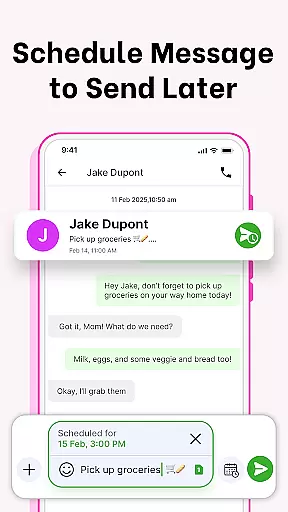
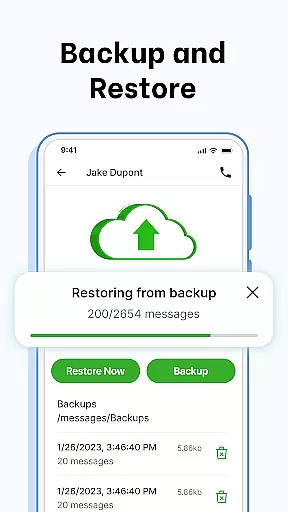
The app also includes practical tools such as message scheduling, which lets users plan birthday wishes or work reminders in advance. Additionally, the SMS Backup and Restore feature provides peace of mind by securely saving conversations to internal storage, making it easy to recover data when needed. Swipe Actions further streamline inbox management by enabling users to archive, delete, or mark messages with simple gestures.
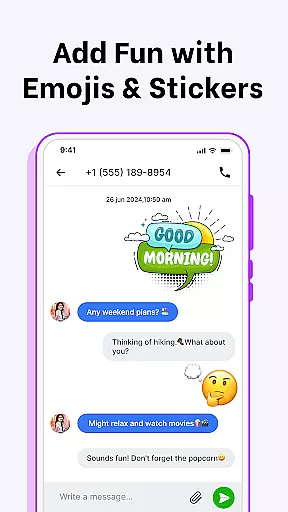
For those seeking more expressive communication, Messenger SMS supports a wide variety of emojis, stickers, and GIFs. These elements allow users to convey emotions effectively while keeping conversations engaging. The inclusion of voice calls and aftercall SMS access makes this app a versatile choice for modern communicators.
Real-time messaging speed and reliability are crucial for maintaining seamless communication in any messaging app. Messenger SMS - Text Messages excels in this area by ensuring that your text messages are delivered instantly and reliably every time.
The app's advanced infrastructure is designed to handle high volumes of messages without compromising speed or performance. Whether you're sending a quick text or engaging in an extended conversation, the app maintains consistent delivery speeds, making sure no message is delayed.
Moreover, the Delivery Confirmation feature provides peace of mind by notifying you when your message has been successfully sent and received. This ensures that your communications are not only fast but also dependable, allowing you to focus on what matters mostu2014staying connected with friends, family, and colleagues.
In addition to speed and confirmation features, the app supports crystal-clear voice calls directly from the interface. This integration of voice communication with traditional texting enhances the overall reliability of your interactions, making Messenger SMS - Text Messages a comprehensive solution for all your communication needs.
Media sharing support is an essential feature for modern messaging apps, enabling users to share various types of content seamlessly. Messenger SMS - Text Messages offers robust media sharing capabilities, allowing you to send images, videos, audio files, and documents effortlessly.
The app supports a wide range of file formats, ensuring compatibility and convenience when sharing multimedia content. Whether you need to send high-resolution photos, important PDF documents, or entertaining GIFs, Messenger SMS - Text Messages handles it all with ease.
Enhance your messaging experience with expressive emojis, stickers, and GIFs. These elements not only make your conversations more lively but also provide additional ways to express emotions and reactions, enriching your communication beyond plain text.
Furthermore, the app's efficient organization tools help manage your media-rich conversations effectively. With automatic categorization into Personal, Transactions, OTPs, and Offers, you can easily locate and retrieve shared media files whenever needed. This combination of versatile media sharing and smart organization makes Messenger SMS - Text Messages a powerful tool for staying connected in today's digital world.
User-friendly interface
Customizable notifications
Secure backup options
Voice call integration
Wide device compatibility
Limited iOS support
Occasional bugs reported
Ads in free version
Heavy on storage
Learning curve for new users

Messenger for SMS - texting message app, faster, simpler & safer, for you.
 4.70
4.70
Welcome to the future of phone service.
4.60
Simplify texting with Messages SMS, offline messaging, themes & smart tools!
4.30
Chill zone on your phone: relax with fun reels & hype shorts!
4.20
An agentic AI browser for Android, built by Perplexity
4.50
Auto Reply SMS, Text Messaging, Away SMS Response, Busy SMS messages, Block Text
3.10
Manage your mobile phone plan, check unlimited 5g data usage and track rewards
4.50
A browser that does more than load page, like keeping your privacy safe.
4.70
Enhance browsing with AI-powered features and Copilot.
4.70
Fast internet with AI, Adblock & VPN. Browse on a safe, incognito web browser.
4.70
Identify unknown numbers, block spam calls, customize calls with cool themes.
4.60
Connect and browse the internet with a fast VPN proxy server and IP blocker.
4.50
Caller ID App! Add names & photos to unknown calls & Call Recording
4.40
Simple tool for businesses to talk to their customers.
4.40
A customizable phone number in the cloud
4.20
Google's fast and secure browser
4.10
Messages is Private SMS Messenger 2023 with text message, instant messaging.
4.00
A softphone with crystal clear SIP Calling & Reliable VoIP dialer
4.00
SMS Messenger ensures that communication become effortless and accessible.
3.80


User Reviews