
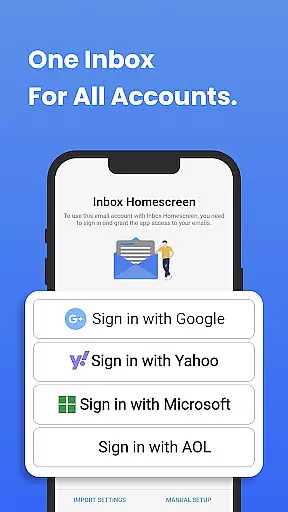
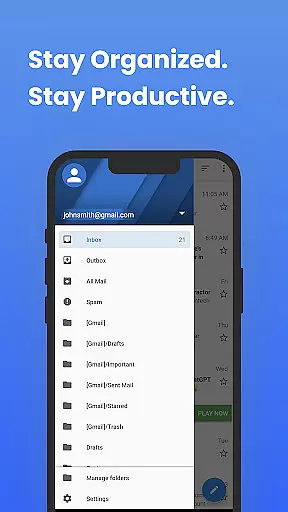
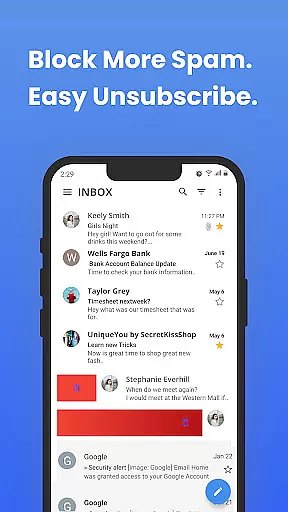
Inbox Homescreen is a powerful email management solution that consolidates all your email accounts into a single, user-friendly interface. Designed for efficiency, this app supports seamless integration with popular services like Gmail, Outlook, and Yahoo, allowing users to send, receive, and organize emails effortlessly.
One of the standout features of Inbox Homescreen is its advanced organizational tools. Users can set up filters to categorize emails, prioritize critical messages, and even schedule emails for later delivery. Additionally, the app offers extensive customization options, enabling users to personalize themes and layouts to match their preferences.
Whether you're managing multiple inboxes for work or personal use, Inbox Homescreen provides a streamlined experience that enhances productivity. Its intuitive design ensures that navigating through emails is simple and efficient, making it an ideal tool for anyone looking to optimize their communication workflow.
Inbox Homescreen stands out with its robust feature set tailored for both casual users and professionals. The app's ability to integrate multiple email accounts into one dashboard eliminates the need to switch between different platforms, saving time and reducing complexity.
Advanced filtering options allow users to automatically sort emails into categories such as work, personal, or promotions. This ensures that important emails are prioritized and easily accessible. The scheduling feature enables users to compose emails at their convenience and have them sent at optimal times, enhancing communication efficiency.
Customization is another key aspect of Inbox Homescreen. With various themes and layout options, users can tailor the interface to suit their aesthetic preferences and workflow needs. The app also includes utility features accessible directly from the homescreen, further boosting productivity by providing quick access to commonly used functions.
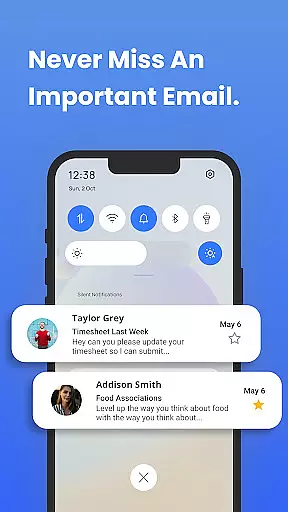
In the realm of digital communication, the speed and reliability of message delivery are paramount. Inbox Homescreen excels in providing real-time messaging capabilities that ensure users never miss an important update or conversation.
The application achieves this through seamless integration with major email services such as Gmail, Outlook, and Yahoo. This allows for instantaneous synchronization of messages across devices, ensuring that whether you're at your desk or on the go, your inbox is always up to date.
Furthermore, the app employs advanced algorithms to prioritize critical emails, making sure that urgent matters are brought to your attention without delay. With features like scheduled emails and automated sorting, staying organized has never been easier or more efficient.
Sharing media files is a common requirement in today's fast-paced world, and Inbox Homescreen rises to the occasion by offering robust support for various file formats. Whether it's documents, images, or videos, users can effortlessly attach and send these files from their preferred email accounts.
The app's intuitive interface simplifies the process of media sharing, allowing users to drag and drop files directly into their email drafts. Compatibility with multiple email services ensures that regardless of the recipient's platform, the shared media will be delivered without issues.
Additionally, Inbox Homescreen provides options for optimizing file sizes before sending, which helps in reducing loading times and conserving bandwidth. This feature is particularly useful when dealing with large attachments, ensuring smooth and swift transmission of even the heaviest files.
User-friendly interface
Multi-account support
Advanced filtering
Email scheduling
Highly customizable
Limited offline functionality
Occasional sync issues
Ads in free version
Learning curve for new users
Privacy concerns with search settings

فیلتر شکن قوی پرسرعت کلید جدید برای اندرویدسریع ترین وی پی ان برای همه اپراتورها
 4.70
4.70
WazzapMigrator: transfer your WhatsApp history from iPhone to Android
4.00
Message and video call your family and friends in HD!
3.80
Welcome to the future of phone service.
4.60
Fast Dialer & Contact Manager with Caller ID and Spam Protection
4.00
Messenger, an MMS & SMS messages app with Blockers, Driving mode & Private box
4.60
Create a secure hotspot on-the-go with Portable WiFi - Mobile hotspot.
4.40
Threema is the messenger with the most consistent focus on security and privacy.
4.00
Manage your mobile phone plan, check unlimited 5g data usage and track rewards
4.50
Messenger for SMS - texting message app, faster, simpler & safer, for you.
4.70
Read OBD2 data and DTCs Create custom dashboards Enhanced diagnostics available
4.70
Manage BoostMobile Account
4.60
Stay in touch with the people who matter most.
4.60
Manage your data, talk & text - affordable phone plans & data usage made simple
4.30
Simplify texting with Messages SMS, offline messaging, themes & smart tools!
4.30
2nd Phone Number Line for Anonymous Texting, Calling, and Picture Messages
4.30
A softphone with crystal clear SIP Calling & Reliable VoIP dialer
4.00
Caller ID, Spam Call & SMS Blocker
3.80
Chat on the Jabber network (XMPP protocol); support for SMS and other gateways
2.10


User Reviews