
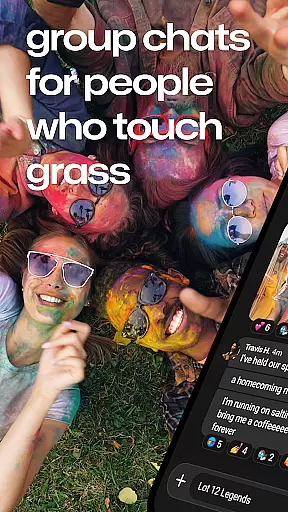
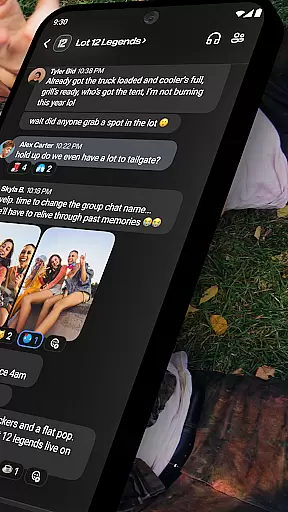
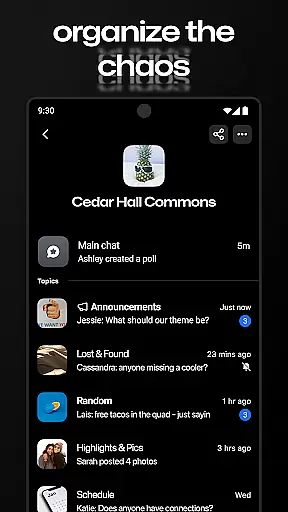


GroupMe is a free communication app designed to help users stay connected with important people in their lives. Whether it's family, friends, coworkers, or other groups, this app makes group messaging simple and efficient. Available on both mobile devices and computers, GroupMe allows users to create group chats, send texts, images, GIFs, and even share web content directly within the chat.
One of the standout features of GroupMe is its ability to integrate various forms of media into conversations. Users can enjoy exclusive emoji, view shared URLs as embedded content, and access a gallery that stores all shared photos and videos. Additionally, the app offers direct messaging for one-on-one conversations, providing a texting-like experience but with enhanced functionality. With customizable notifications and the option to mute specific chats, GroupMe ensures users have full control over their messaging experience.
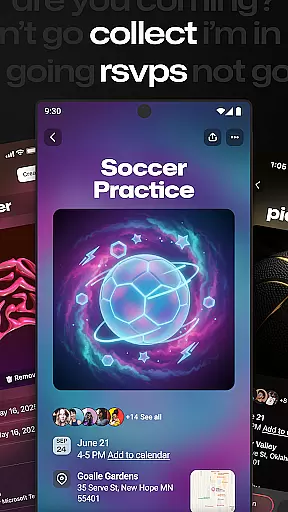
This app is particularly useful for those who need to manage multiple group conversations across different areas of life, such as work teams, social groups, or event planning. By bringing together all these connections in one place, GroupMe helps users maintain meaningful relationships regardless of distance.
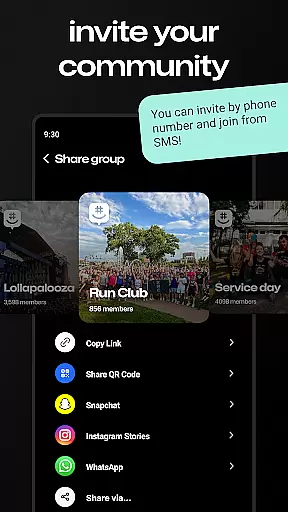
GroupMe stands out with its rich set of features tailored for seamless communication. The app allows users to add anyone to a group chat via phone number or email address, enabling SMS-based chatting for those new to the platform. This inclusive approach ensures no one is left out of important conversations.
Notifications are highly customizable, allowing users to choose when and how they receive alerts. You can mute specific chats or the entire app, leave or end group chats, and even pause notifications during busy times. The app also includes an array of exclusive emoji, adding fun and personality to every message.
Beyond basic text, GroupMe supports multimedia sharing, including meme images, GIFs, and URL previews. The built-in gallery saves all shared media, making it easy to revisit memories. Direct messages offer a private chat option with all the beloved group features, creating a superior alternative to traditional texting. These capabilities make GroupMe a versatile tool for staying connected in both personal and professional contexts.
Real-time messaging is a critical feature for any communication app, and GroupMe excels in this area. The app ensures that messages are delivered instantly, allowing users to maintain seamless conversations without delays.
GroupMe's infrastructure is designed to handle high volumes of messages efficiently. Whether you're chatting with a single friend or engaging in a lively group conversation, the app maintains consistent performance, ensuring that every message appears in real-time.
Users benefit from this reliability by being able to stay connected with their important contacts effortlessly. Whether coordinating with family members, roommates, coworkers, or event participants, GroupMe's real-time messaging keeps everyone on the same page.
The app also provides notifications that complement its real-time capabilities. Users can customize their notification preferences to ensure they never miss an important message while avoiding unnecessary interruptions. This balance enhances the overall user experience, making communication both efficient and enjoyable.
Media sharing is an essential aspect of modern communication, and GroupMe offers robust support for exchanging various types of content. Users can easily share photos, videos, GIFs, and even links within their chats, enriching conversations with visual and interactive elements.
The app includes a built-in gallery feature that automatically saves shared media, allowing users to revisit memories at any time. This functionality not only preserves important moments but also makes it easy to find specific content shared within a group chat.
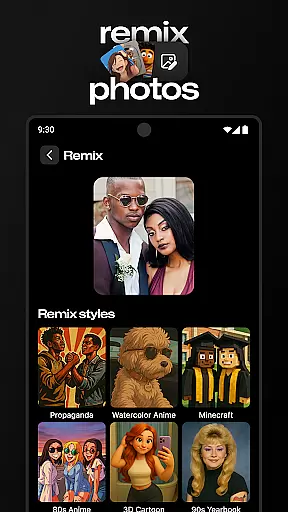
GroupMe goes beyond basic media sharing by integrating popular internet services. Users can search for and send GIFs directly from the app, ensuring that conversations remain engaging and fun. Additionally, when URLs are shared, the app displays the linked content within the chat, streamlining the viewing process.
This comprehensive media support enhances the way people communicate, enabling more expressive and dynamic interactions. Whether planning events, collaborating on projects, or simply staying in touch, GroupMe's media sharing capabilities help users connect in meaningful ways.
User-friendly interface
Customizable notifications
Exclusive emoji collection
Multimedia sharing options
Cross-platform availability
SMS limited to US
No video calls
Occasional bugs
Limited file sharing
Ads in free version

 3.90
3.90
SMS Messenger ensures that communication become effortless and accessible.
3.80
Browse fast on Opera Mini, with Data Saving, News, Football Scores, and Download
4.60
This app enables the phone to receive and send FT8 traffic!
3.80
Welcome to the future of phone service.
4.60
Caller ID App! Add names & photos to unknown calls & Call Recording
4.40
RemoteHams.com Android RCForb Client Pre-Release
4.30
Use this SMS app standalone or as a TREK: Total Interface companion.
4.30
Weargram is an unofficial Telegram Client for Wear OS.
3.50
Adblock & VPN Browser: Blocks banners, pop-ups and video ads, fast downloader!
4.60
Manage your mobile phone plan, check unlimited 5g data usage and track rewards
4.50
Get through your inbox faster with the mail app designed to simplify your life.
4.40
A web browser that respects your privacy.
4.30
Chill zone on your phone: relax with fun reels & hype shorts!
4.20
SMS Messenger is a lightning-fast messaging app.
4.20
Messenger app for faster and simpler SMS text messaging, and personalized themes
4.10
Federated instant messaging for your mobile device (Jabber, XMPP, Snikket)
4.10
Messages: Fast, simple SMS app with scheduling and smart features.
4.00
Bringing the functionality of Winlink to your Android device
4.2


User Reviews