
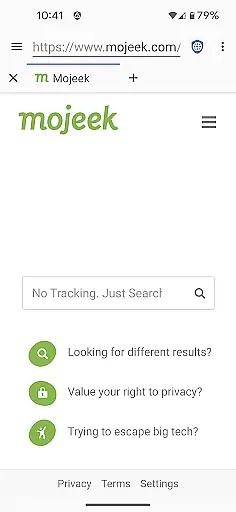
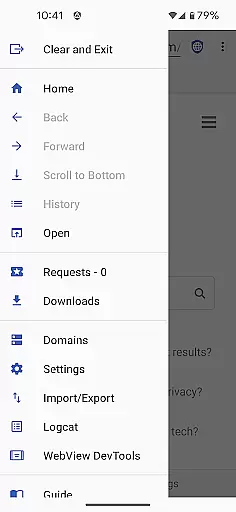
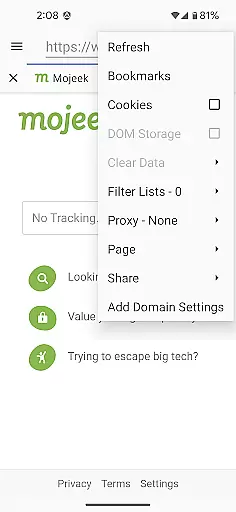
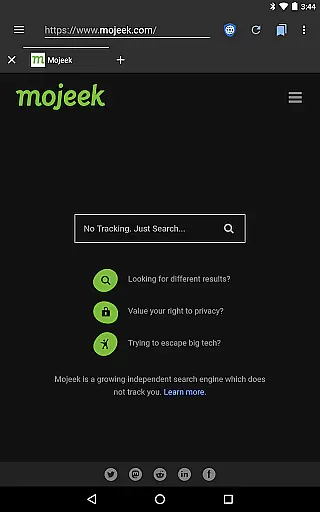
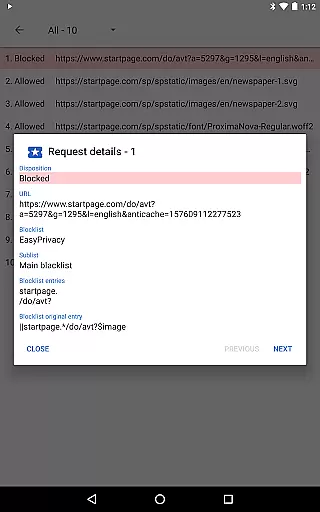
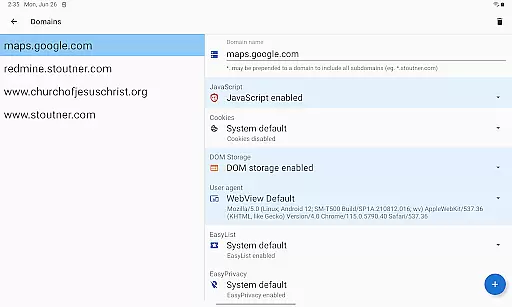
Privacy Browser is a communication app designed to protect user privacy by minimizing data collection both online and locally. Its core functionality revolves around disabling privacy-invasive features like JavaScript, cookies, and DOM storage by default, allowing users to enable them temporarily when needed. This selective approach ensures websites cannot easily track or compromise user data.
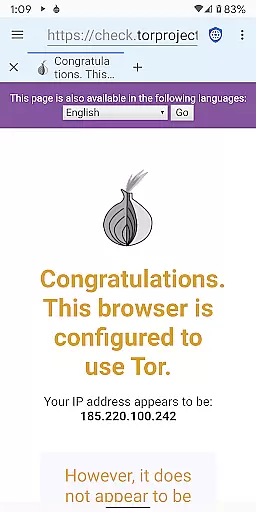
In addition to its privacy-focused architecture, the app supports advanced features such as Tor Orbot proxy integration, SSL certificate pinning, and ad blocking via EasyList. These tools further enhance security while maintaining usability for specific websites through customizable domain settings. Privacy Browser is ideal for users seeking secure browsing on Android devices without sacrificing essential web functionalities.
Privacy Browser offers several standout features that cater to privacy-conscious users. One of its key innovations is the ability to toggle privacy-sensitive technologies on a per-visit basis, ensuring minimal exposure of personal data. For frequently visited sites requiring certain features, users can configure domain-specific settings to automate this process seamlessly.
The app also integrates advanced protection mechanisms, including Tor Orbot proxy support for anonymous browsing and SSL certificate pinning to prevent man-in-the-middle attacks. Furthermore, it leverages Android's WebView engine but plans to transition to Privacy WebView in future updates, enabling even more robust privacy controls. With built-in ad blocking and comprehensive import/export options for settings and bookmarks, Privacy Browser combines convenience with cutting-edge security measures.
Privacy Browser excels in providing real-time messaging speed and reliability by minimizing the data sent to the internet. This ensures that your communications remain fast and uninterrupted while maintaining a high level of privacy protection.
The browser disables privacy-invasive features by default, allowing users to enable specific functionalities only when necessary. This selective enabling of features contributes to faster browsing and messaging speeds as fewer resources are used for tracking and data collection.
Additionally, Privacy Browser supports SSL certificate pinning and Tor Orbot proxy, which not only enhance security but also ensure reliable message delivery without the risk of interception or tampering.
Privacy Browser offers robust media sharing support while adhering to its core principle of minimizing data storage on the device. Users can share media files confidently, knowing that their personal information is not being unnecessarily stored or shared with third parties.
With integrated EasyList ad blocking and advanced privacy settings, the browser provides a secure environment for media sharing. These features prevent unwanted tracking and ads, ensuring that your shared content remains private and secure.
Furthermore, the ability to import/export settings and bookmarks allows users to maintain their preferred privacy configurations across devices, making media sharing a seamless and secure experience.
Enhanced privacy controls
Tor proxy compatibility
Built-in ad blocker
Customizable domain settings
Secure SSL handling
Limited WebView capabilities
No iOS version available
Advanced setup required
Performance may vary
Steep learning curve

Pure modern IRC experience for Android
 3.70
3.70
We’re taking the yada yada out of wireless—now we’ve taken it out of your app.
4.70
فیلتر شکن قوی پرسرعت کلید جدید برای اندرویدسریع ترین وی پی ان برای همه اپراتورها
4.70
Adblock & VPN Browser: Blocks banners, pop-ups and video ads, fast downloader!
4.60
Manage BoostMobile Account
4.60
Message and video call your family and friends in HD!
3.80
Fast, Simple And Secure Application That Provides SMBv3 Server On Your Device
3.30
Fast internet with AI, Adblock & VPN. Browse on a safe, incognito web browser.
4.70
Share the moment!
4.10
Fast and mini browser with Ad Blocker,Video Downloader and Video Player
4.40
Use this SMS app standalone or as a TREK: Total Interface companion.
4.30
Chill zone on your phone: relax with fun reels & hype shorts!
4.20
BE PRIVATE
Anonymous. No Trace. Fast.
4.20
Google's fast and secure browser
4.10
Federated instant messaging for your mobile device (Jabber, XMPP, Snikket)
4.10
Fast Dialer & Contact Manager with Caller ID and Spam Protection
4.00
SMS Messenger ensures that communication become effortless and accessible.
3.80
A Browser with powerful ad blocker to help focus on what really matters.
3.00
Radio communication simulator for gaming communities
4.5


User Reviews