
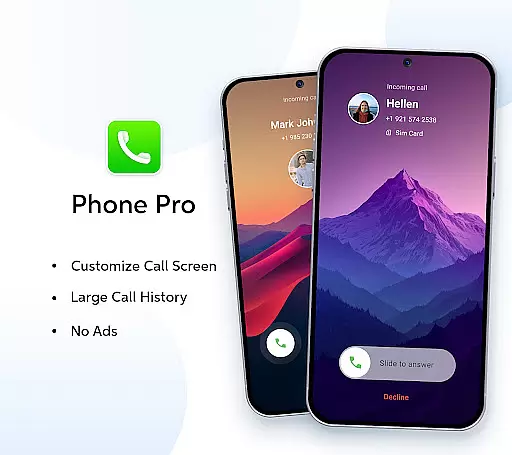

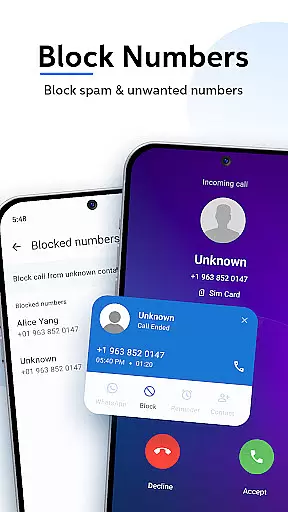
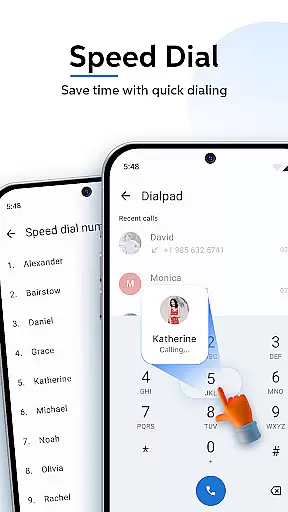

Phone Pro is a premium communication app that combines a powerful dialer with an intuitive contact manager, offering users complete control over their calling experience. Designed for seamless functionality, this app provides an ad-free environment with customizable features such as unique call screen backgrounds and personalized themes including Dark, Light, and Auto modes.
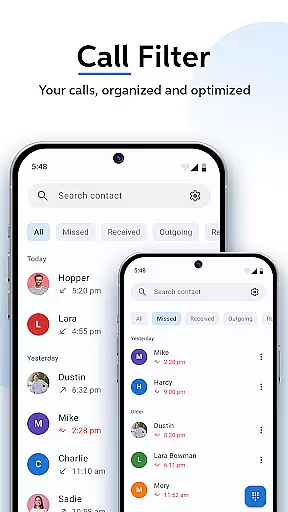
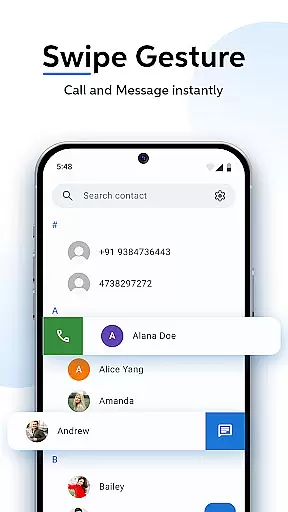
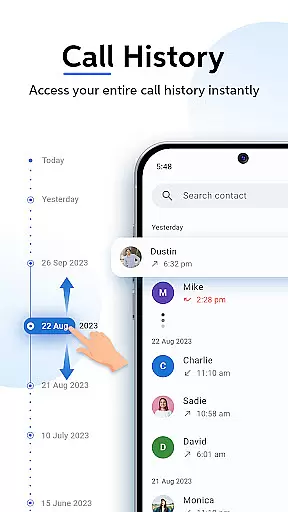
The app's core strength lies in its advanced call and contact management capabilities. Users can easily add, edit, and organize contacts, access a comprehensive call history, and utilize smart call filters to categorize missed, received, and outgoing calls. With swipe-to-call functionality and T9 quick search, Phone Pro ensures effortless navigation and efficient call handling, making it an essential tool for anyone seeking enhanced productivity in their daily communications.
Phone Pro stands out with its exclusive pro features designed to elevate the calling experience. The app offers an uninterrupted, ad-free interface allowing users to focus solely on their conversations. One of its key highlights is the highly customizable call screen where users can modify response buttons and set personalized backgrounds from their phone gallery.
In addition to customization, Phone Pro excels in practical functionality. It includes a robust T9 predictive search feature that works even with irregularly formatted numbers, ensuring quick access to contacts and call history. The app also supports smart call filters and favorites management, enabling users to streamline their most important connections. These innovative features collectively deliver a communication solution that is both powerful and user-friendly.
Real-time messaging speed and reliability are crucial for any communication app, ensuring that messages are delivered instantly and without fail. Phone Pro excels in this area by providing a seamless calling experience with features like Smart Call Filters and Swipe-to-Call.
The app's architecture is designed to handle high volumes of call data efficiently, sorting missed, received, and outgoing calls almost instantaneously. This ensures users can access their call history and manage contacts without any lag, contributing to an overall reliable performance.
For users, this means no dropped calls or delayed message delivery. Whether you're managing personal contacts or handling business communications, Phone Pro's real-time capabilities ensure you stay connected at all times.
Furthermore, the appu2019s T9 Quick Search feature allows for rapid contact retrieval, even if phone numbers contain spaces or special characters. This enhances the user experience by making it easy to find and connect with contacts swiftly, reinforcing the app's commitment to speed and reliability.
Media sharing support is an essential feature for modern communication apps, allowing users to share various types of media effortlessly. Phone Pro offers robust media sharing capabilities, enhancing the way users exchange information through calls and messages.
With Phone Pro, users can send images, videos, and audio files directly from their gallery or file manager. The app supports multiple file formats, ensuring compatibility across different devices and platforms. This versatility makes it easier for users to share media without worrying about format restrictions.
In addition to basic media sharing, Phone Pro provides options for customizing call screens with images from your phone gallery. This level of personalization not only enriches the user experience but also adds a unique touch to each call interaction.
Overall, Phone Pro's comprehensive media sharing support empowers users to communicate more effectively and creatively, whether they're connecting with friends and family or collaborating on professional projects.
Ad-free experience
Customizable themes
Powerful T9 search
Smart call filters
Swipe-to-call function
Premium version cost
Limited free features
Requires storage space
No video calling
Gallery integration issues

Use this Dialer app alone or as a TREK: Total Interface companion.
 4.70
4.70
Messenger for SMS - texting message app, faster, simpler & safer, for you.
4.70
Block spam calls & scam - no more annoying calls with the call blocker function
4.30
Messenger app for faster and simpler SMS text messaging, and personalized themes
4.10
WazzapMigrator: transfer your WhatsApp history from iPhone to Android
4.00
Chat on the Jabber network (XMPP protocol); support for SMS and other gateways
2.10
Simplify texting with Messages SMS, offline messaging, themes & smart tools!
4.30
Smart and simple anti-wiring application - IMSI-catchers catcher
4.40
Share the moment!
4.10
Fast internet with AI, Adblock & VPN. Browse on a safe, incognito web browser.
4.70
Save 10% automatically on your first international mobile top up.
4.60
Experience real private browsing without tracking, surveillance, or censorship.
4.50
Create a secure hotspot on-the-go with Portable WiFi - Mobile hotspot.
4.40
A web browser that respects your privacy.
4.30
Call Blocker app: Identify unknown callers, block spam calls, fraud & robocalls
4.30
2nd Phone Number Line for Anonymous Texting, Calling, and Picture Messages
4.30 3.90
3.90
Auto Reply SMS, Text Messaging, Away SMS Response, Busy SMS messages, Block Text
3.10
Enables Plus features of Quick Search.
4.2


User Reviews