
NordVPN is a premier virtual private network application designed to provide users with fast, secure, and private internet access. This app caters to Android smartphone, tablet, and TV users who seek an effortless way to protect their online activities. With millions of users globally, NordVPN stands out as the most advanced VPN solution recommended by top tech authorities like CNET, TechRadar, and PCMag.
At its core, NordVPN ensures safer browsing by encrypting your connection and hiding your online activities from prying eyes. It employs a strict no-log policy, ensuring that your data remains confidential. The app's standout feature, NordLynx, built on WireGuard®, delivers high-speed connections without compromising security. Additionally, Threat Protection shields users from malicious websites, making it an essential tool for daily internet use.
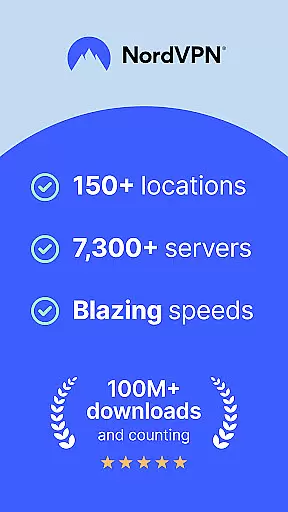
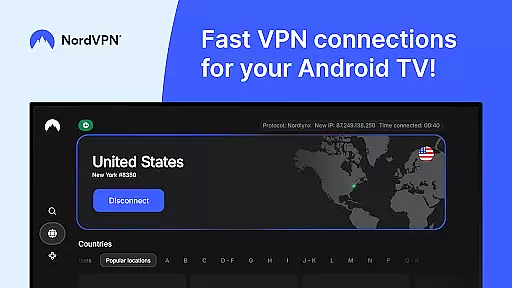
For Android TV users, NordVPN offers specialized benefits such as securing streaming sessions, avoiding ISP throttling, and accessing home devices remotely via the Meshnet feature. Whether you're at home or traveling, NordVPN provides robust encryption, unlimited data, and access to over 7,000 servers worldwide, ensuring uninterrupted and secure connectivity.
NordVPN boasts an array of sophisticated features tailored to enhance user privacy and security. One of its key highlights is the powerful encryption technology that safeguards your data against unauthorized access. Coupled with advanced protocols like OpenVPN and NordLynx based on WireGuard®, NordVPN ensures both speed and security are optimized for every user.
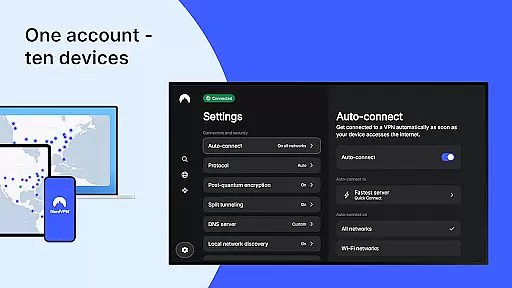
The app supports unlimited VPN data usage, allowing unrestricted internet freedom while maintaining top-grade security. With over 7,000 servers spread across the globe, NordVPN guarantees turbocharged speeds regardless of your location. Users can protect up to ten devices simultaneously under one account, making it a cost-effective solution for families or small teams.
Additional functionalities include Double VPN for enhanced privacy, auto-connect for seamless protection, and split tunneling to exclude specific apps from the encrypted connection. The inclusion of specialty servers caters to individual needs, whether it's streaming, gaming, or torrenting. Moreover, NordVPN's award-winning customer support team is available 24/7 to assist with any issues, ensuring a smooth and secure user experience.
NordVPN excels in providing accurate and effective core functionalities that users expect from a top-tier VPN service. At its heart, the application ensures that your internet connection is not only fast but also private and secure, thanks to advanced encryption protocols.
The NordLynx protocol, built on WireGuardu00ae, offers blazing speeds without compromising security, making it ideal for streaming and browsing. This protocol is specifically optimized to deliver high-speed performance while maintaining robust protection against online threats.
Additionally, features like Threat Protection actively block access to malicious websites, safeguarding users from potential cyber dangers. With a strict no-log policy, NordVPN guarantees that no one, including the company itself, can monitor your online activities.
Overall, these core functions collectively enhance user experience by delivering reliable privacy and security solutions, ensuring that you can browse, stream, and download with confidence.
The interface of NordVPN is designed to be simple and intuitive, allowing users of all technical backgrounds to easily navigate and utilize its features. Upon launching the app, users are greeted with a clean and straightforward layout that emphasizes ease of use without sacrificing functionality.
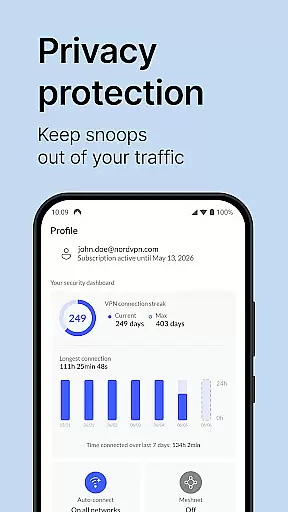
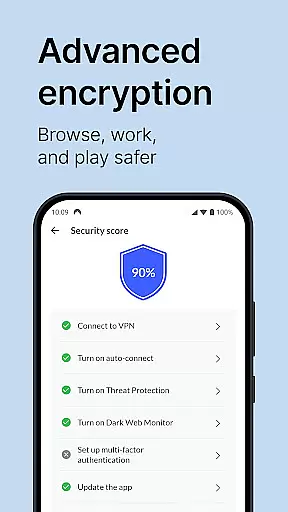
Key features such as the auto-connect function can be effortlessly configured, enabling users to automatically connect to a VPN server when they're on an unknown Wi-Fi network or whenever they launch the app. This seamless integration helps maintain constant protection without requiring manual intervention.
Moreover, the app provides clear options for selecting servers, setting preferences, and managing additional security features like Double VPN and split tunneling. These settings are presented in an accessible manner, ensuring that even novice users can customize their experience according to their needs.
In summary, NordVPN's interface stands out for its simplicity and intuitiveness, empowering users to take control of their online privacy with minimal effort and confusion.
Top-tier encryption
Extensive server network
User-friendly interface
Advanced threat protection
Multi-device compatibility
Premium subscription required
Occasional server congestion
Limited free trial availability
No lifetime purchase option
Resource-intensive on older devices

A recovery soft,it features photo recovery, video recovery, file recovery.
 3.40
3.40
PDF Reader - Document Viewer: Read, Manage & Organize Your Documents
3.10
Save any video in HD - paste the link, download fast and watch offline.
4.4
Canon PRINT is a companion app for your Canon printer.
4.60
Enjoy smooth gameplay with Game Booster
4.90
Keep track of your Palia friendships, tasks, and inventory with Palia Notebook
4.60
Create your own live wallpaper or check out thousands already made presets
3.90
The one-and-only remote control for PC, Mac, and Linux
4.70
Mirror your screen to Fire TV - Super fast and simple
4.40
Unit and currency converter with easy and simple UI.
4.80
Excellent scientific calculator with symbolic algebra, integrals, derivatives
4.80
Bedrock Together: Join any bedrock server on Xbox/PS
4.80
Head tracking for PC sim games such as MSFS 2024 or Elite:Dangerous. No headset!
4.50
Fluid navigation gestures for all of us!
4.30
Making emulation easy for everyone!
4.30
Detect hidden spy camera with advanced scanning {{ Premium version }}
4.00
Family Locator, Share location, StayConnect with your family in real time
3.90
Amateur Radio app for APRS: Track friends, exchange messages, get tactical info.
3.90
Smart and comfortable browsing experience.
3.80


User Reviews