
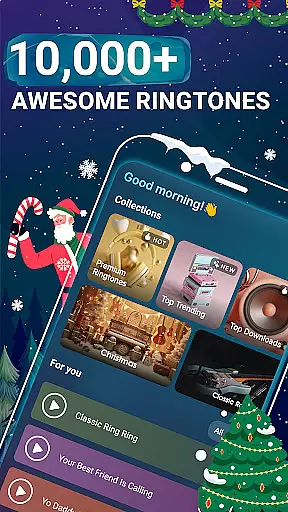
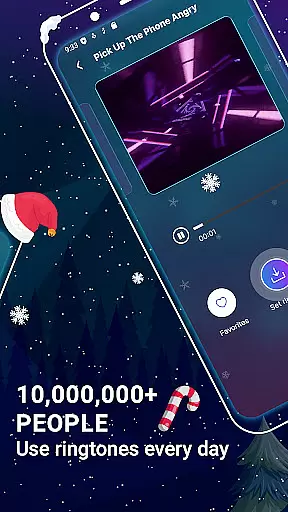
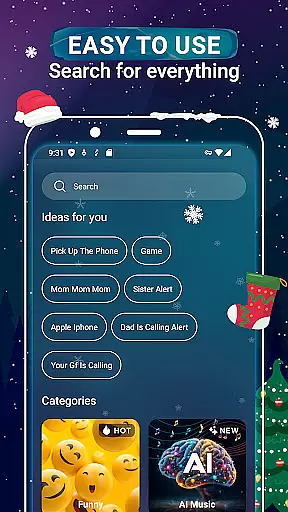
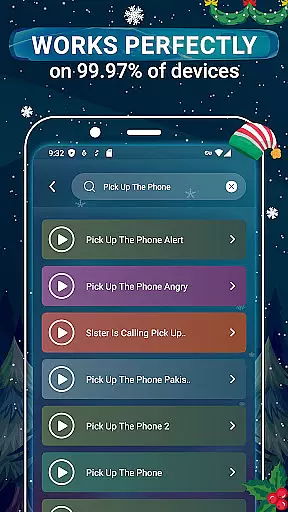
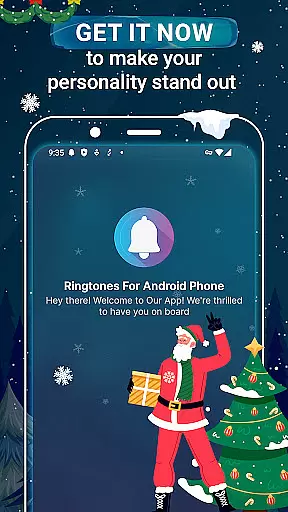
Music Ringtones for Android is a feature-rich personalization app that allows users to enhance their smartphone experience by choosing from an extensive collection of over 10,000 ringtones. This includes popular genres such as Pop, R&B, Hip-hop, and more, catering to diverse musical tastes.
The app's standout feature is its easy-to-use interface that lets users customize ringtones for various functions including calls, messages, alarms, and notifications. Additionally, it supports contact-specific ringtones, enabling users to identify callers without looking at their phones.
Whether you're searching for trending tones or timeless classics, Music Ringtones for Android provides categories like Top Downloads and New Ringtones, ensuring your device always has the latest sounds. This makes it an ideal tool for those wanting to personalize their phone's auditory identity.
One of the key features of Music Ringtones for Android is its vast library, offering a wide variety of ringtones across multiple genres. From Funny Ringtones to Bollywood hits, the app ensures there's something for everyone. The intuitive search function allows users to quickly find specific songs or explore new ones.
Another notable feature is the customization capability. Users can assign unique ringtones to different contacts, enhancing convenience and personalization. The app also categorizes ringtones into sections like Trending and New Ringtones, making it easy to stay updated with current trends.
Furthermore, setting a ringtone is straightforward thanks to the app's user-friendly design. With just a few taps, any song can be assigned as a ringtone, message tone, alarm, or notification sound, providing both functionality and personal flair to your device.
Customization is at the heart of Music Ringtones for Android, offering users an extensive selection to tailor their device's auditory experience. With over 10,000 ringtones available, this app caters to diverse tastes and preferences, ensuring that every user can find something that resonates with their personal style.
The app includes a wide range of genres such as Pop, R&B, Hip-hop, and more, allowing users to assign unique sounds not only as ringtones but also as message tones, alarm tones, or notification alerts. This level of customization empowers users to differentiate between various types of notifications intuitively through sound alone.
Moreover, Music Ringtones for Android enhances personalization by enabling users to allocate specific ringtones to individual contacts. This feature allows for immediate caller identification without needing to glance at the phone, streamlining communication and adding a personalized touch to each interaction.
With additional categories like Funny Ringtones, Baby Ringtones, and even K-pop, users are spoiled for choice when it comes to refreshing their device's sound profile. The app ensures that personalizing your Android device is both comprehensive and straightforward, making it easy for anyone to create a customized and enjoyable auditory environment.
Music Ringtones for Android excels in theme compatibility, ensuring that all chosen sounds work seamlessly across different devices and operating systems. Whether you're using the latest Android model or an older version, the app provides consistent performance and quality, maintaining the integrity of each ringtone's sound.
This application has been designed with adaptability in mind, meaning that regardless of your device's specifications, you can expect clear, high-quality audio playback. Users won't have to worry about distorted sounds or incompatible file formats; Music Ringtones guarantees crisp and clean audio output every time.
In addition to supporting various devices, the app also integrates smoothly with different themes and settings on your phone. Whether you prefer a minimalist interface or a vibrant, colorful display, the ringtones and notification sounds will match your aesthetic without compromising functionality.
By prioritizing theme compatibility, Music Ringtones for Android ensures that users enjoy a cohesive and harmonious smartphone experience. This attention to detail elevates the app beyond mere utility, transforming it into an integral part of your device's personalized setup.
User-friendly interface
Extensive ringtone library
Contact-specific customization
Regular updates with new content
Cross-genre music selection
Limited advanced editing tools
Occasional ads in free version
No offline mode available
Some features require in-app purchases
Interface may feel cluttered

A Colorful and Minimal icon pack in an Outline Style - Over 13,600 icons!
 4.70
4.70
Shimeji adds cute animated characters to your screen, lively and fun.
4.70
Interactive Miniature Painting Catalogue
3.30
Ultimate widget creator. Design custom widgets for a truly unique home screen!
3.90
The definitive Icon pack maker and editor
4.30
App Icon Changer & Shortcut Creator. Customize your icons without any watermarks
4.30
Customize your home screen with stunning themes, blur, widgets & icons.
4.60
HappyLighting is a Bluetooth lamp control software.
3.40
Fast SMS & group chat - use GIFs and emojis from your home screen launcher.
4.50
Gun Chase - Let the chase begin.
4.80
Vertically oriented rectangular icons
4.70
Nothing Icon pack with more than 3750+ highly crafted icons.
4.70
400+ Beautifully crafted widgets inspired by NOTHING.
4.70
Add cute Shimeji pets to screen, interact with them and relax with cute motions
4.60
Customizable flower power digital watch face for Wear OS watches.
4.00
Customize glowing edges, wallpapers, and caller screen with EdgeAura.
3.50
Struggling to find apps? Use this app to locate and open any app on your phone!
2.20
Capture moments that pass like a storm, second by second.
4.5
⭐ OneUI inspired Fluffy Icon Pack – Soft. Stylish. Standout. ⭐
4.0


User Reviews