
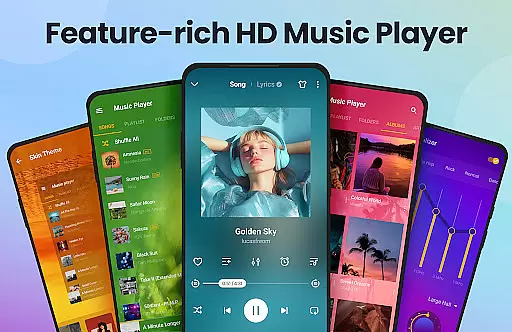
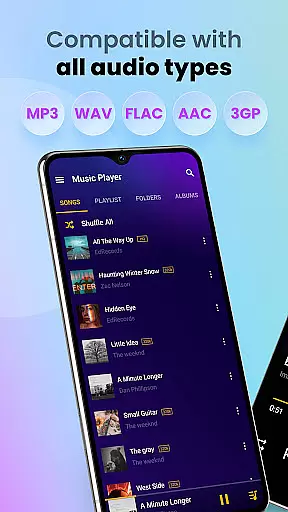
Music Player & MP3 Player is a premier audio playback application designed for Android users who appreciate high-quality sound and an elegant user interface. This app supports all major audio formats including MP3, MIDI, WAV, FLAC, AAC, and APE, ensuring that you can enjoy your entire music library without compatibility issues. The built-in equalizer with bass boost and reverb effects enhances the listening experience, making it ideal for audiophiles.
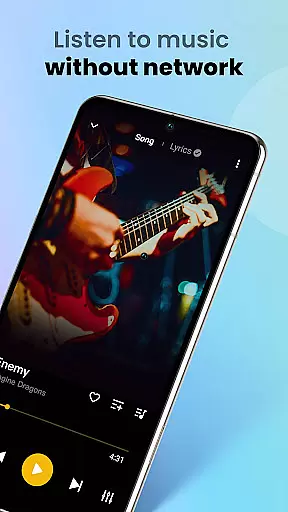
In addition to its core functionality as an offline music player, Music Player offers advanced features such as automatic scanning of audio files, playlist management, and the ability to share songs. Its stylish UI allows users to customize themes and colors, providing a personalized touch. Whether you're commuting, working out, or relaxing at home, this app provides a seamless way to access and enjoy your favorite tracks.
The app's value extends beyond just playing music; it includes practical utilities like sleep timers, lock screen controls, and the option to set songs as ringtones. With its comprehensive feature set and intuitive design, Music Player & MP3 Player stands out as a versatile tool for managing and enjoying your digital music collection on Android devices.
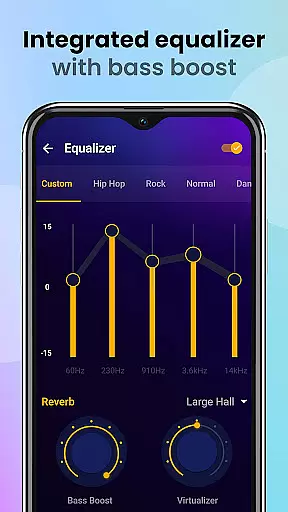
Music Player & MP3 Player boasts a rich array of features that cater to both casual listeners and audio enthusiasts. One of its standout capabilities is the powerful equalizer, which includes bass boost and reverb effects. These tools allow users to fine-tune their audio experience, ensuring that every track sounds as good as possible. Additionally, the app supports a wide range of audio formats, from common ones like MP3 and WAV to more specialized types such as FLAC and APE, guaranteeing high-quality playback regardless of file type.
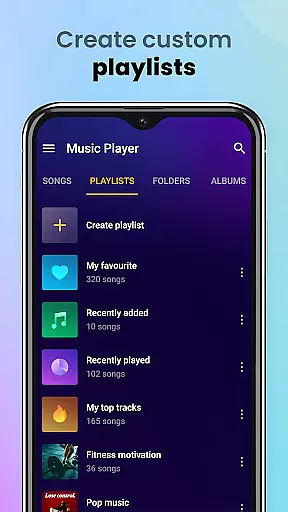
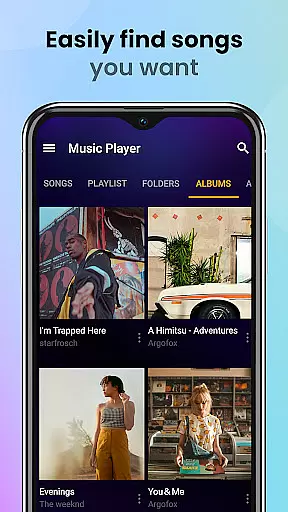
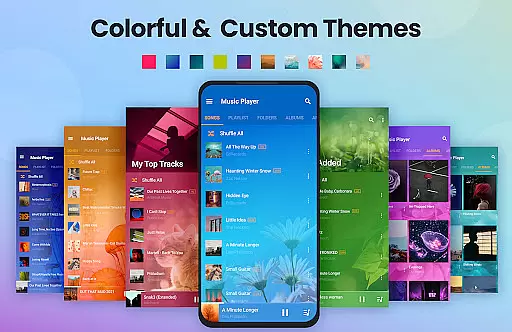
Beyond its audio prowess, the app excels in usability and customization. Users can browse their music library by songs, artists, albums, folders, or playlists, making it easy to find exactly what they're looking for. The app also offers robust playlist management, enabling users to create custom playlists and mark favorite songs. Furthermore, the sleek and modern user interface is fully customizable, allowing users to choose from various color themes and player themes to suit their personal style.
Practical features like automatic file scanning, lock screen controls, and notification bar playback enhance the overall user experience. The inclusion of widgets and the ability to set songs as ringtones add further convenience. Whether you need a reliable music player for daily commutes or a feature-rich app for managing extensive music libraries, Music Player & MP3 Player delivers exceptional performance and versatility.
Music Player offers an extensive music library that supports all major audio formats including MP3, MIDI, WAV, FLAC, AAC, and APE. This ensures that users can enjoy a vast range of music genres and styles without worrying about format compatibility.
The application focuses on playing local files, which means users have full control over their music collection's copyright authenticity. By managing your own music files, you ensure that all content is legally owned and properly licensed.
With the ability to automatically scan and organize all audio files on your device, Music Player makes it easy to maintain a comprehensive and personalized music library. This feature enhances user experience by providing quick access to your entire music collection.
Furthermore, the app allows for advanced music management such as creating custom playlists and setting songs as ringtones, giving users even more ways to personalize their listening experience while respecting copyright laws.
Featuring a powerful equalizer with bass boost and reverb effects, Music Player delivers an enhanced audio quality that significantly improves the listening experience. Users can customize sound profiles to match their preferences or the genre of music they are enjoying.
The high-quality audio playback supports various formats, ensuring that the original sound integrity is preserved. Whether you're listening to lossless FLAC files or compressed MP3s, this player maintains excellent sound clarity and depth.
In addition to superior sound quality, Music Player provides several playback modes including shuffle, order, and loop. These options allow listeners to tailor their music sessions according to their mood or activity, whether it's for focused work or energetic workouts.
Moreover, the lock screen controls and notification bar playback ensure seamless control over your music, offering convenience without compromising on audio fidelity. This combination of features makes Music Player a top choice for audiophiles seeking both functionality and quality in their music applications.
User-friendly interface
High-quality audio playback
Customizable themes
Powerful equalizer
Comprehensive format support
No built-in music downloader
Limited cloud integration
Occasional bugs reported
Ads in free version
Advanced features may overwhelm beginners

Simply convert wav to mp3. Clear. Reliable. Safe.
 4.2
4.2
Visualize the guitar fretboard, master scales & play through changes like a pro!
4.50
USB audio recording and playback finally possible on Android 3.1 or higher!
3.90
Enjoy singing any song, no matter how high or low it is
4.30
Play your hearts out on TouchTunes jukeboxes & connect with fellow music lovers.
4.80
The original SP-1200 experience on your iPad
4.20
Versatile MP3 recorder with auto-backup to Dropbox and Google Drive
4.10
Get alarms that fit your lifestyle and wake up to the sounds you love.
4.80
Listen to offline music and sounds from all categories
4.70
SqueezePlayer turns your Android phone or tablet into a SqueezeBox on its own!
4.60
Bass Booster & Volume Equalizer Pro improves your music and video sound quality
4.60
A complete sound package for the sound engineer or enthusiast
4.60
Reverse your voice & songs instantly! Fun singing challenge with cool effects.
4.60
The Music Journey in Your Hands
4.30
Powerful 10-Band equalizer pro with sound booster improves Android audio quality
4.30
Next generation modular control surface
4.10
Offline Tunes, Unlimited Vibes
3.90
Background pads for your band
3.80
Learn to play the piano using falling notes!
3.80


User Reviews