
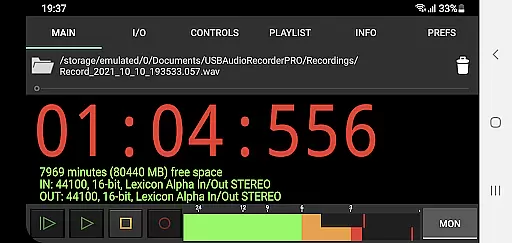
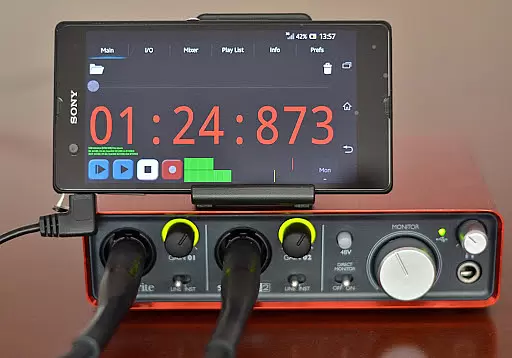
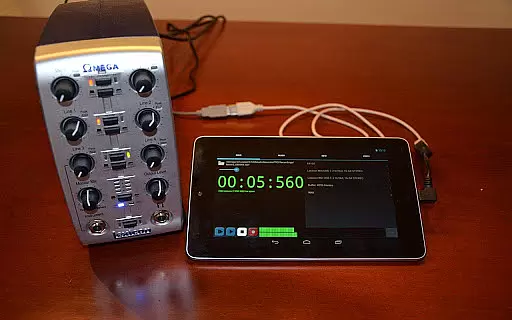
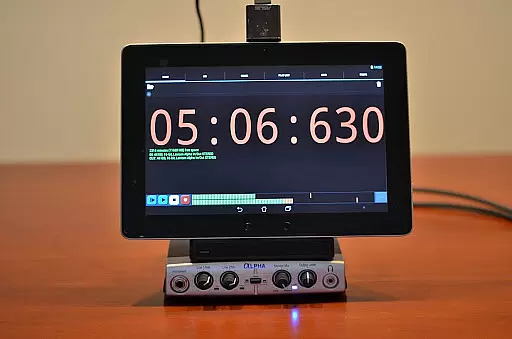
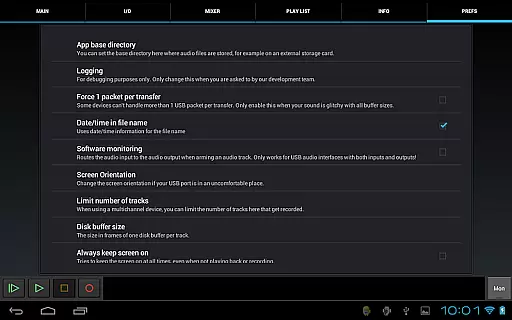
USB Audio Recorder PRO is a specialized audio recording and playback application designed for users who require high-quality audio processing directly through their USB audio interface. The app offers an extensive range of functionalities including mono, stereo, and multichannel recording options, supporting bit depths of 16-, 24-, and 32-bit depending on the connected device. With sample rates reaching up to 384 kHz, it ensures professional-grade audio capture.
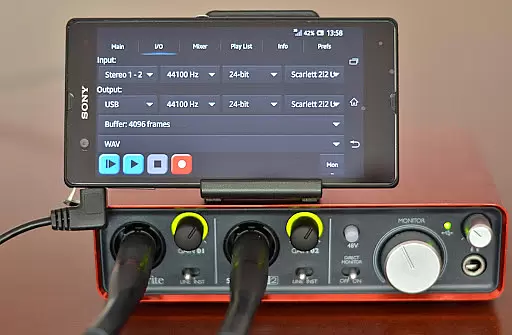
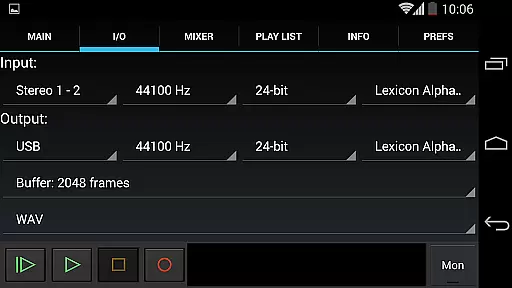
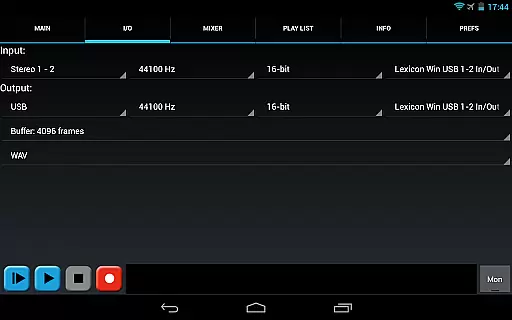
The app's unique selling point lies in its custom-built USB audio driver, which bypasses the need for rooting Android devices while delivering superior audio performance. It supports both USB 1.1 and USB 2.0 class-compliant devices adhering to USB audio specifications 1.0 or 2.0. Additionally, users can enjoy advanced features like input/output selection, buffer size adjustments, and various recording formats such as WAV, FLAC, OGG, and AIFF.
Designed with practicality in mind, this app caters to musicians, podcasters, and audio engineers who need reliable tools for capturing pristine audio. By integrating seamlessly with compatible hardware, it provides a streamlined solution for recording sessions without compromising on quality or flexibility.
USB Audio Recorder PRO stands out due to its comprehensive feature set tailored specifically for audiophiles and professionals alike. One notable aspect is its ability to handle different types of audio streams - from simple stereo playback using the first two outputs of multichannel devices to more complex configurations involving multiple inputs and outputs.
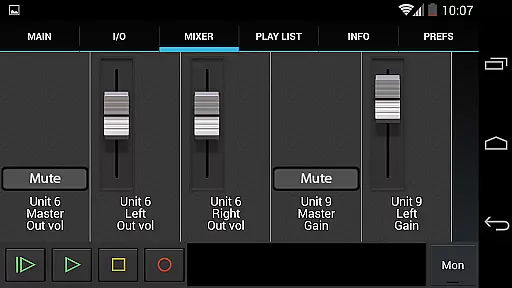
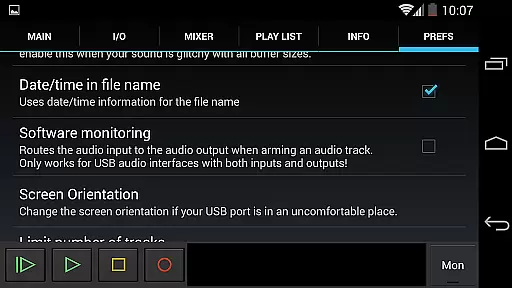
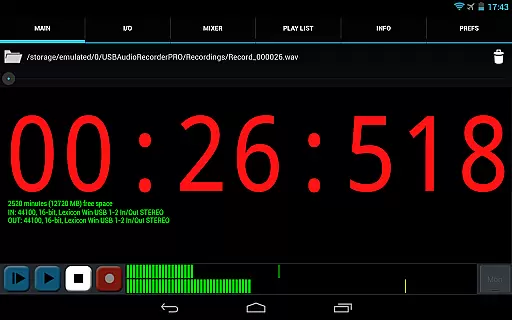
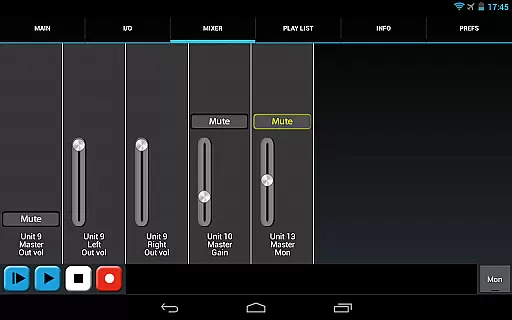
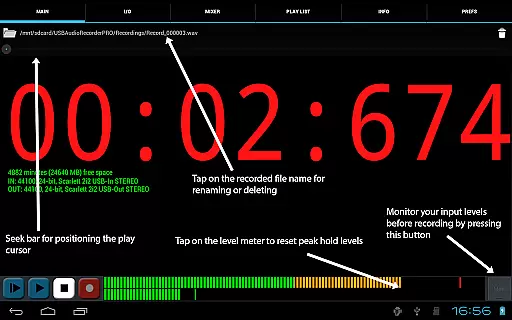
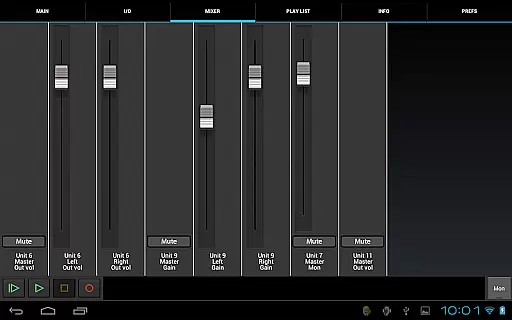
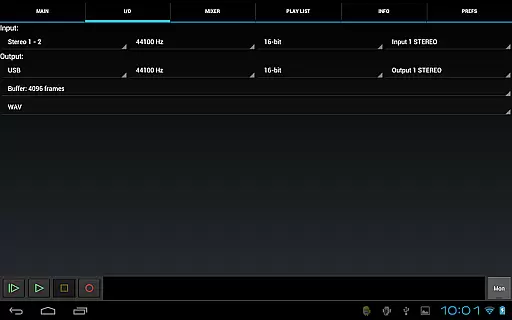
The app allows users to fine-tune their experience by selecting buffer sizes between 1024 to 16384 frames, ensuring optimal performance based on individual requirements. Furthermore, level meters equipped with peak hold functionality enable precise monitoring during recordings. This attention to detail extends to internal controls presented on the mixer screen, where available gain, volume, and mute settings empower users to manage their audio environment effectively.
Another significant advantage is the flexibility offered in terms of file management and sharing capabilities. Users can rename or delete recordings, choose specific folders for saving files (including external SD cards), and even share finished projects via platforms like GMail or SoundCloud. These features collectively enhance productivity while maintaining ease of use throughout the entire workflow process.
USB Audio Recorder PRO offers a comprehensive set of features for high-quality audio recording and playback directly from a USB audio interface. While the app itself does not provide an extensive music library, it allows users to record, save, and manage their audio files in various formats such as WAV, FLAC, OGG, and AIFF. These formats ensure that users can maintain high standards of audio quality and authenticity.
The app supports both mono, stereo, and multichannel recording, catering to a wide range of audio production needs. With sample rates of up to 384 kHz and bit depths of 16-, 24-, and 32-bit depending on the connected device, users are assured of professional-grade recordings. This level of detail guarantees that the integrity of the original audio is preserved, which is crucial for those who prioritize copyright authenticity and sound precision.
Moreover, the ability to rename or delete recordings and choose specific folders for saving filesu2014such as external SD cardsu2014enhances the management of one's personal music library. The app also includes basic playlist functionality, allowing directory playback of recorded files. This ensures that users can organize and access their collections efficiently, maintaining a structured and authentic music repository.
One of the standout features of USB Audio Recorder PRO is its robust support for superior audio quality options. The app accommodates various high-resolution audio formats including WAV, FLAC, OGG, and AIFF, ensuring that users can capture every nuance of their audio input with remarkable clarity. By avoiding lossy formats like MP3, the app preserves the purity of the sound, offering an uncompromised auditory experience.
In addition to supporting multiple file formats, USB Audio Recorder PRO provides extensive control over recording parameters. Users can select sample rates of up to 384 kHz and choose between 16-, 24-, and 32-bit depths based on their device's capabilities. Such flexibility empowers users to tailor each recording session according to their specific requirements, whether they need standard quality for general use or ultra-high-definition audio for professional projects.
The app further enhances audio quality through its monitoring functionalities. It includes level meters with peak hold indicators, enabling users to set optimal recording levels and avoid clipping. Additionally, internal controls for gain, volume, and mute are accessible via the mixer screen if supported by the connected USB audio device. These tools collectively contribute to achieving pristine audio quality, making USB Audio Recorder PRO a reliable choice for audiophiles and professionals alike.
High-quality audio recording
Custom USB audio driver
Wide range of supported formats
Flexible buffer size options
Comprehensive level monitoring
Limited device compatibility
No MP3 support
Requires OTG cable
Basic playlist functionality
Device-specific issues may arise

10-Band Audio Equalizer, Sound / Bass Booster for Spotify Users & Music Players
 4.40
4.40
Your song collections with lyrics and chords on Android smartphones and tablets.
4.80
Visualize the guitar fretboard, master scales & play through changes like a pro!
4.50
Unleash your creativity! Turn simple prompts into full fledged songs.
4.70
Offline Music Player & MP3 Player.Powerful equalizer, Lyrics, Themes, Tag Editor
4.80
Powerful 10-Band equalizer pro with sound booster improves Android audio quality
4.30
Listen to offline music and sounds from all categories
4.70
Customize Your Favorite Songs and Videos with booster.
4.70
Play your music offline without limits
4.80
Tune in to the greatest hits on UK Radio | The home of Capital, Smooth & Heart.
4.90
Make songs with AI! Any genre, custom lyric, song generator for music creation!
4.80
Gorgeous UI, Powerful music Search and Equalizer, the great choice for you!
4.70
Enhance the sound quality of your devices, listen to what you want
4.50
Formerly known as Spotistats! View your top tracks, artists, albums and more!
4.40
Time Guru will strengthen your internal sense of musical time via random muting.
4.30
Equalizer, Bass Booster and Volume Booster (Eq & Bass) improve sound quality
4.30
Versatile MP3 recorder with auto-backup to Dropbox and Google Drive
4.10
The ultimate media player for Android devices
3.90
Powerful beat maker & DJ mixer to remix tracks, make music, & perform DJ mix
3.70


User Reviews