
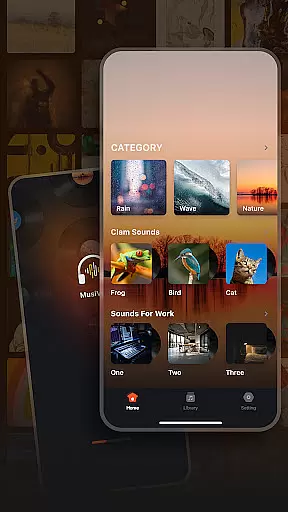
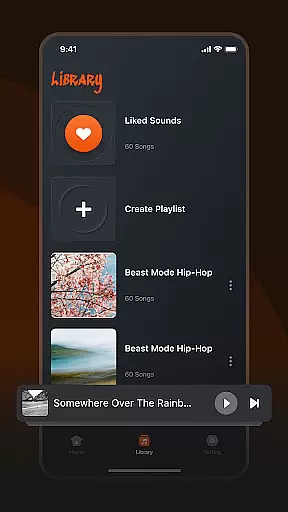
Musivibe is a feature-rich offline music player designed to enhance your listening experience. This app categorizes songs and sounds into distinct themes such as Rain, Ocean Waves, and Nature, allowing users to enjoy music anytime, anywhere without an internet connection. With its user-friendly interface and powerful customization options, Musivibe provides a seamless way to organize and play your favorite tracks.
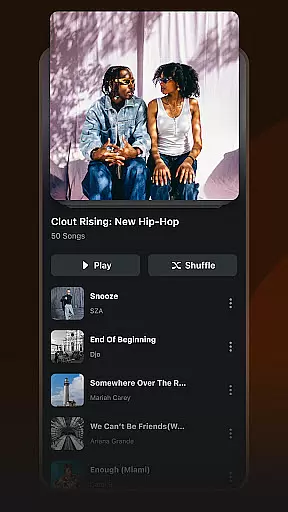
One of the standout features is the ability to create personalized playlists that match your mood or activity. Whether you need background music for work or calming sounds for relaxation, Musivibe delivers a tailored audio experience. The app's intuitive design ensures easy navigation while offering advanced functionalities like playlist editing and sharing, making it suitable for both casual listeners and music enthusiasts.
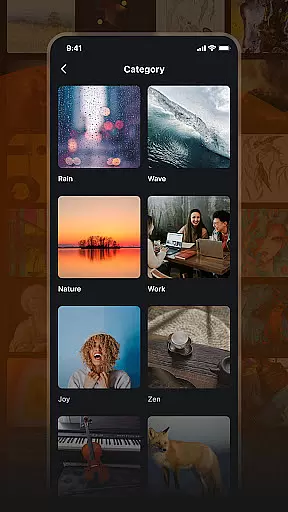
Musivibe stands out with its diverse sound categories, including Rain, Ocean Waves, Zen, and more. These pre-set categories help users quickly find the perfect soundtrack for any situation. Additionally, the app allows you to create and organize custom playlists, giving you full control over your music library. Its sleek and modern UI design enhances usability, ensuring that even first-time users can navigate effortlessly.
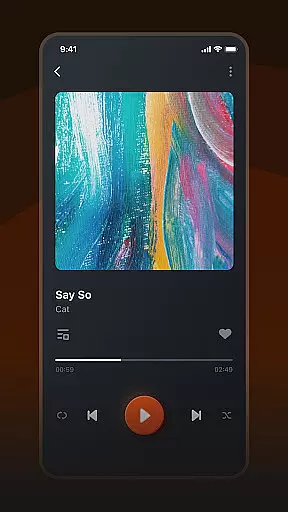
The app also supports advanced features like playlist streaming and sharing, enabling users to collaborate with friends or distribute their creations across social platforms. With Musivibe, you can edit metadata, reorder tracks, and manage playback settings with ease. These capabilities make it an ideal choice for those seeking a versatile music player that combines functionality with aesthetic appeal.
When it comes to music applications, the size and authenticity of the music library are crucial factors. Musivibe offers an extensive collection of categorized sounds including Rain, Ocean Waves, Nature, Work, Cheerful, Zen, Instruments, and Animals. This diverse range ensures that users have access to a wide variety of audio experiences tailored to different moods and settings.
The application emphasizes copyright authenticity, ensuring that all tracks are properly licensed. This commitment to legal compliance provides peace of mind for users who want to enjoy their music without concerns about copyright infringement. By prioritizing legitimate content, Musivibe establishes itself as a trustworthy platform for music enthusiasts.
Moreover, Musivibe allows users to create and organize personalized playlists. This feature not only enhances user engagement but also ensures that listeners can curate collections that resonate with their personal tastes while respecting copyright laws. The ability to share these playlists further enriches the community experience within the app.
Audio quality is a pivotal aspect of any music player, determining the richness and clarity of sound output. Musivibe excels in this area by offering multiple audio quality options, catering to audiophiles and casual listeners alike. Whether you're using high-end headphones or standard speakers, the app adjusts to deliver optimal sound performance.
In addition to superior audio quality, Musivibe features a user-friendly interface design that simplifies navigation through its vast music library. Users can easily find their favorite tracks or explore new sounds across various categories such as Rain, Ocean Waves, and more. This seamless browsing experience complements the high-quality audio playback, enhancing overall satisfaction.
Musivibe also supports streaming and sharing of custom playlists, allowing users to enjoy uninterrupted music sessions even on the go. With these robust features combined, Musivibe delivers an unparalleled auditory experience that meets the demands of modern music lovers who value both convenience and exceptional sound fidelity.
User-friendly interface
Customizable playlists
Offline playback support
Diverse sound categories
Advanced playlist management
Limited genre variety
No lyrics display feature
Occasional bugs reported
Premium version required
Ads in free version

Fun & Easy Voice Changer – Record, Edit & Add Hilarious Effects!
 4.50
4.50
A synth that really lets you shape your sounds!
4.50
Brian Eno and Peter Chilvers’ acclaimed music app Bloom, radically reinvented.
4.80
Next generation modular control surface
4.10
The original SP-1200 experience on your iPad
4.20
Slow music down without changing pitch.
3.70
Play KORG’s revolutionary touch-based instrument on a variety of devices.
4.40
Responsive piano with great sounds, graphics, and songs
4.80
Melody Beat: Great for travel, workouts, offline vibes, play your tunes anytime.
4.10
Your song collections with lyrics and chords on Android smartphones and tablets.
4.80
Record, Mix & Master with all n-Track effects, 64-bit audio and Stem Separation.
4.70
Taal player that lets you sing any Indian & Western song with Tabla & Tanpura
4.60
AI Music Maker: Generate And Compose AI Tunes & AI Songs & AI Music & AI Melody!
4.60
Formerly known as Spotistats! View your top tracks, artists, albums and more!
4.40
Bass Booster Pro takes auto-equalizing to the next level!
4.30
The official Sonos app
4.10
USB audio recording and playback finally possible on Android 3.1 or higher!
3.90
Simple mp3 and mp4 player with advanced features.
3.40
The Skullcandy App Experience
3.20


User Reviews