
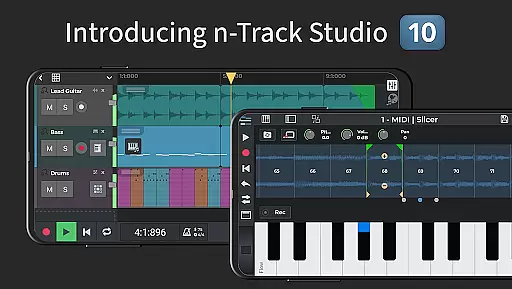
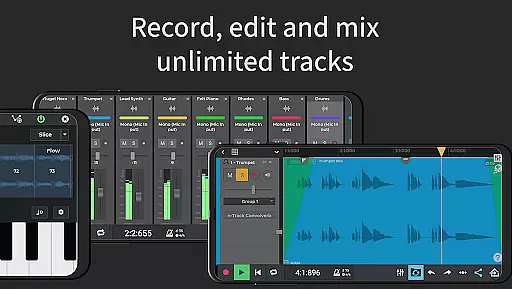
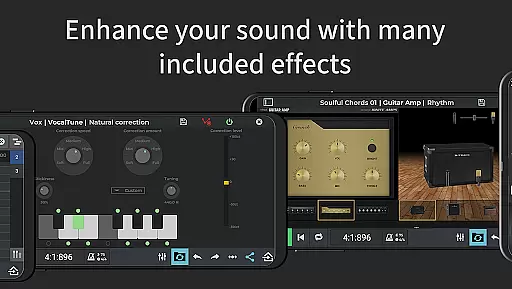
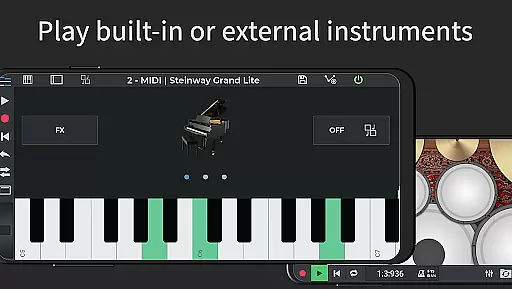
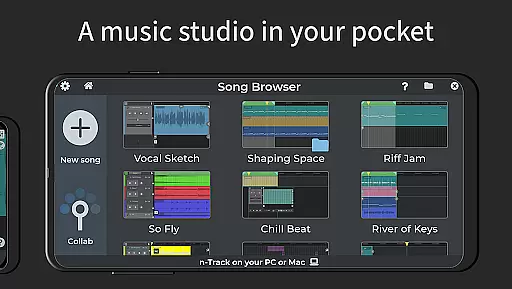
n-Track Studio Pro is a comprehensive music production suite that transforms your Android device into a professional recording studio. The app allows users to record unlimited audio, MIDI, and drum tracks with precision. It features an array of built-in effects such as guitar amps, vocal tuning, and reverb, enabling detailed mixing and mastering during playback. Whether you're creating complex compositions or simple beats, n-Track Studio Pro provides the tools needed for high-quality music production.
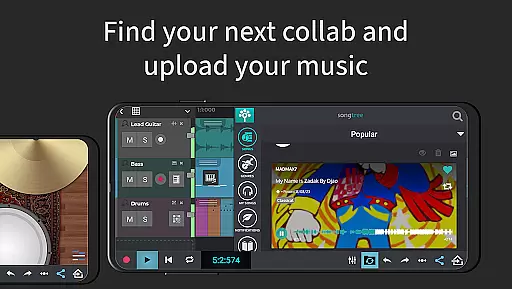
One of the standout features is its compatibility with external audio interfaces, making it ideal for musicians on the go. The app also supports advanced editing capabilities like pitch correction and EQ adjustments through its 2D and 3D spectrum analyzer. Additionally, users can collaborate with others via the Songtree community, fostering creativity and innovation in music production. This makes n-Track Studio Pro not just a tool, but a platform for artistic expression.
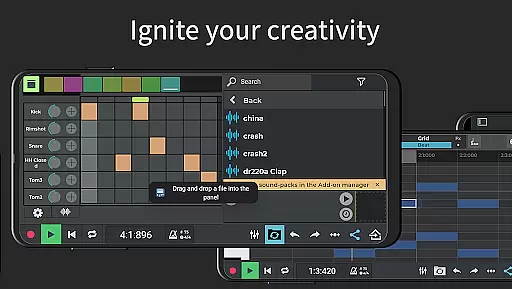
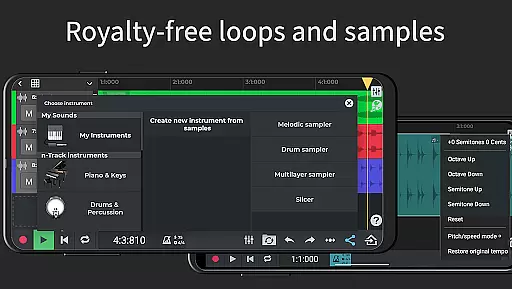
n-Track Studio Pro offers a robust set of features designed for both amateur and professional music producers. The app includes a step sequencer beat maker, MIDI tracks with built-in synths, and a loop browser with royalty-free sample packs. These features allow users to create intricate beats and melodies with ease. Furthermore, the virtually unlimited number of tracks ensures that even the most complex projects can be managed efficiently.
The mixer interface provides precise control over levels, pan, EQ, and effects, including reverb, echo, chorus, and flanger. Advanced functionalities such as 64-bit double precision floating point audio engine and multi-channel USB audio support cater to audiophiles seeking pristine sound quality. With options to export in various formats and resolutions, including 24-bit and 32-bit WAV files, n-Track Studio Pro stands out as a versatile tool for all your music production needs.
When it comes to music production applications like n-Track Studio Pro, the size and authenticity of the music library are crucial factors. This app offers an extensive collection of royalty-free sample packs and loops that users can incorporate into their projects. The availability of such a vast array of audio resources ensures that creators have the freedom to experiment with different sounds and styles without worrying about copyright infringement.
The app's integration with Songtree, an online community for music collaboration, further expands access to shared tracks and projects. This feature not only enriches the user's music library but also fosters a creative environment where musicians can contribute to each other's work while respecting intellectual property rights. With these tools at hand, n-Track Studio Pro stands out as a comprehensive solution for both amateur and professional music producers looking to expand their sound palette legally and efficiently.
Moreover, n-Track Studio Pro allows importing existing tracks and grooves, which means users can bring in their personal collections or licensed content. This flexibility in managing one's music library within the app is essential for maintaining originality and legal compliance in music creation. By providing these capabilities, n-Track Studio Pro empowers artists to focus on their creativity while ensuring all musical elements are properly authorized for use.
Audio quality is paramount in music production, and n-Track Studio Pro excels in delivering top-notch sound fidelity. The application supports exporting audio files in 16, 24, or 32-bit formats, allowing users to choose the level of detail and clarity that best suits their project requirements. This flexibility in bit depth selection ensures that whether you're creating a demo or mastering a final track, the output will meet professional standards.
In addition to bit depth options, n-Track Studio Pro boasts a 64-bit double precision floating point audio engine. This advanced feature provides an incredibly clean and dynamic sound processing environment, minimizing digital distortion and preserving the nuances of your recordings. Such high-quality audio processing is vital when applying effects like reverb, echo, chorus, and pitch correction, as it maintains the integrity of the original sound throughout complex mixing sessions.
Furthermore, the ability to set sampling frequencies up to 192 kHz (with compatible external devices) gives audiophiles and professionals the control they need over their audio projects. High sampling rates capture more detail from recorded instruments and vocals, resulting in richer, more lifelike playback. With these robust audio quality options, n-Track Studio Pro positions itself as a go-to choice for discerning musicians who demand nothing less than pristine sound reproduction in their digital audio workstations.
User-friendly interface
Extensive effect library
Unlimited track capability
Advanced audio routing
Collaborative Songtree feature
High system requirements
Steep learning curve
Additional in-app purchases
Limited free version
Occasional bugs

Equalizer, Bass Booster and Volume Booster (Eq & Bass) improve sound quality
 4.30
4.30
Pay Once, no monthly payment
4.60
Listen to live FM radio stations, sports, music and news on global radios online
4.70
Powerful beat maker & DJ mixer to remix tracks, make music, & perform DJ mix
3.70
Bass Booster Pro takes auto-equalizing to the next level!
4.30
The alternative folder based music player.
4.20
Enjoy singing any song, no matter how high or low it is
4.30
Help you quickly get started with Shokz headphones
4.40
PowerAudio is a powerful offline music player.
4.20
Make songs with AI! Any genre, custom lyric, song generator for music creation!
4.80
Performance-Synthesizer & Multi-Track-Sequencer, polyphonic + multi timbral!
4.70
The best music and audio player, with beautiful UI, music search and equalizer.
4.60
Super Sound Editor, Song Maker & Mixer, Vocal Remover, Voice Recorder & Changer!
4.60
A complete sound package for the sound engineer or enthusiast
4.60
A synth that really lets you shape your sounds!
4.50
10-Band Audio Equalizer, Sound / Bass Booster for Spotify Users & Music Players
4.40
Your HD audio recorder on the go for music, meetings, ambience, animal sounds…
4.30
Time Trainer: accurate metronome w tools to help you develop your internal time!
4.20
Turn your Android phone into a professional audio analyser with up to 120 bands.
4.00


User Reviews