
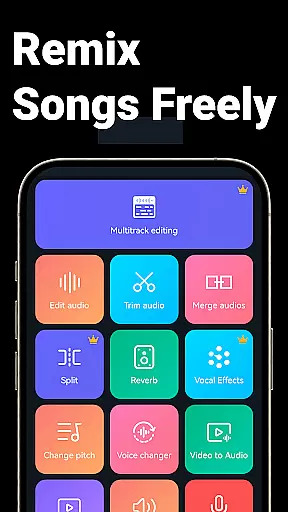
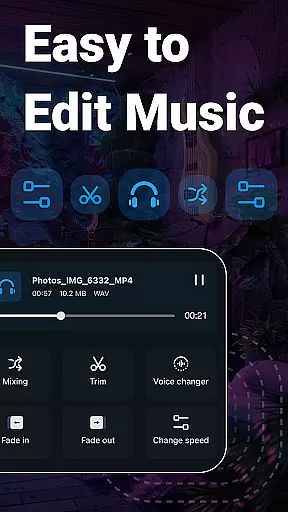
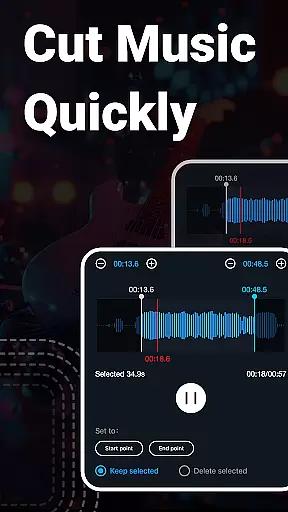
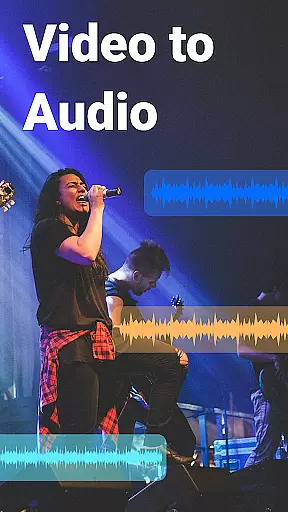
Super Sound is a comprehensive audio editing tool designed for both casual users and professionals on Android. This app allows you to cut, splice, mix, and convert audio formats with precision. It also offers advanced features like voice changing, vocal removal, and video-to-audio conversion.
With its user-friendly interface, Super Sound makes audio editing accessible to everyone. Whether you're creating ringtones, editing music tracks, or experimenting with sound effects, this app provides all the necessary tools in one place. Its versatility ensures that users can complete most audio-related tasks without needing multiple apps.
The app's standout feature is its multitrack editing capability, allowing complex audio projects to be managed easily. Additionally, the inclusion of a voice recorder and royalty-free music library adds to its value, making it an all-in-one solution for audio enthusiasts.
Super Sound boasts an impressive array of features that cater to various audio editing needs. The app's cutting tool allows millisecond-accurate edits, enabling users to trim audio files precisely. It supports multiple cuts and saves, giving flexibility in project management.
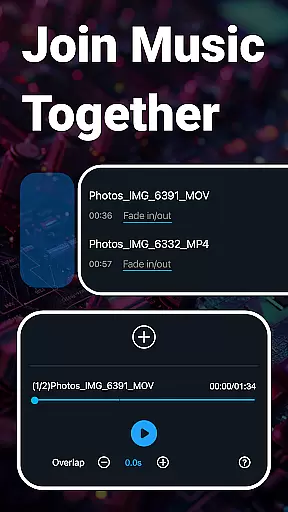
Beyond basic cutting, Super Sound offers rich editing functions such as fade-in/out effects, volume adjustment, and tempo changes. Users can also mix multiple audio tracks, add background music, and adjust equalizer settings to refine their audio projects.
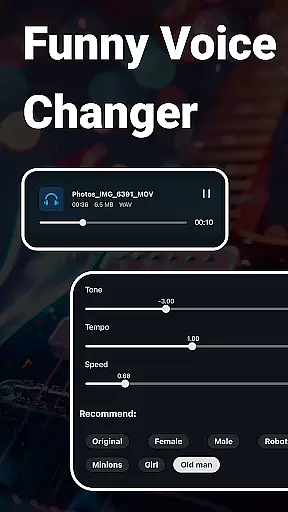
Unique features include voice changing, which transforms audio into different tones, and vocal removal, perfect for creating karaoke tracks. The app also facilitates format conversion and compression, ensuring compatibility and ease of sharing across platforms.
When it comes to music editing applications, the size and authenticity of the music library are crucial factors. Super Sound provides an extensive collection of over 2000 royalty-free tracks that users can download and incorporate into their projects. This vast library ensures that creators have a diverse selection of music genres and styles at their disposal.
The app guarantees copyright authenticity by offering only legally distributable tracks. This means users can confidently use these audio files without worrying about copyright infringement issues. The availability of such a comprehensive and legal music library significantly enhances the creative possibilities for users.
Moreover, Super Sound supports multiple audio formats including MP3, AAC, WAV, FLAC, M4A, and AMR. This versatility in format compatibility allows users to work with various types of audio files, making it easier to integrate music from different sources into their projects seamlessly.
Audio quality is paramount when editing music or other sound files. Super Sound offers advanced features that allow users to manipulate audio quality with precision. Users can adjust sound volume, change music tone and tempo, and even modify playback speed to achieve the desired audio output.
In addition to basic editing functions, the app includes specialized tools like a music equalizer with various preset parameters. These options enable users to fine-tune their audio files according to specific requirements or preferences, ensuring professional-grade results every time they edit.
Furthermore, Super Sound provides options for compressing audio files while maintaining high-quality standards. Users can choose output settings such as sound channels, sample rates, and bit rates during compression. This flexibility ensures that final audio products are optimized for sharing or uploading across different platforms without compromising on quality.
User-friendly interface
Comprehensive editing tools
Multitrack capabilities
Voice changing feature
Royalty-free music library
Occasional bugs reported
Advanced features may overwhelm beginners
Interface could be more visually appealing
Limited customer support options
Some features require technical knowledge

Your HD audio recorder on the go for music, meetings, ambience, animal sounds…
 4.30
4.30
Equalizer, Bass Booster and Volume Booster (Eq & Bass) improve sound quality
4.30
DJ Music Mixer Pro is a real DJ controllers and DJ Music Studio to remix DJ.
4.40
Listen radio AM / FM Stations. Live AM / FM Radio App Station. Radio Com.
4.70
Make songs with AI! Any genre, custom lyric, song generator for music creation!
4.80
The official Sonos app
4.10
Manage your Sonos system directly from your home-screen!
4.40
Master Salsa Rhythm quickly and with a lot of fun!
4.30
Be a true music maker: create beats, mix and make music like a real DJ!
4.30
More downloads than any other metronome. Includes drum machine & tempo trainer.
4.80
Responsive piano with great sounds, graphics, and songs
4.80 4.70
4.70
Performance-Synthesizer & Multi-Track-Sequencer, polyphonic + multi timbral!
4.70
SqueezePlayer turns your Android phone or tablet into a SqueezeBox on its own!
4.60
Learn the notes on the guitar fretboard fast with this easy and fun app
4.60
A synth that really lets you shape your sounds!
4.50
The alternative folder based music player.
4.20
VB-AUDIO Software / VBAN-Receptor allows listening to any VBAN Streams
4.10
The only true audiophile music player with Hi-Fi audio rendering and DSP engine
3.90


User Reviews