
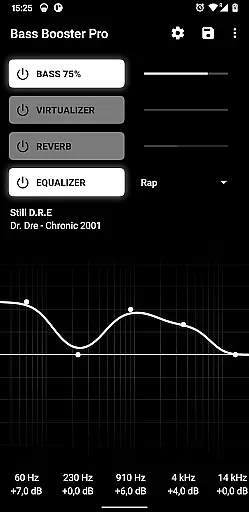
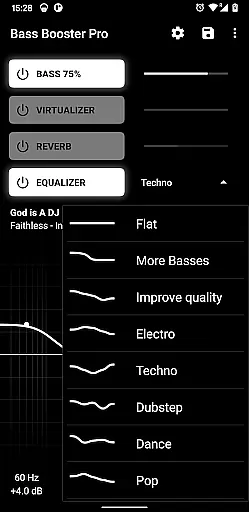
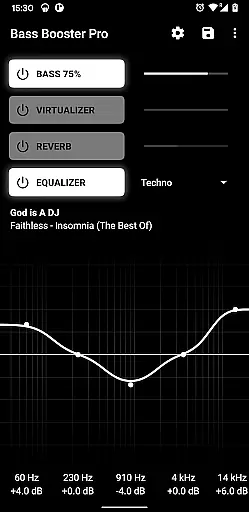
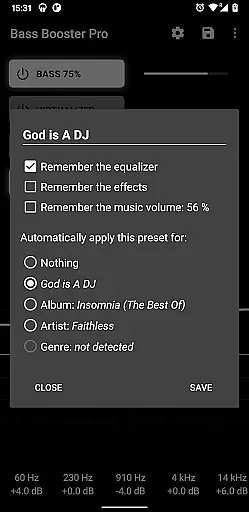
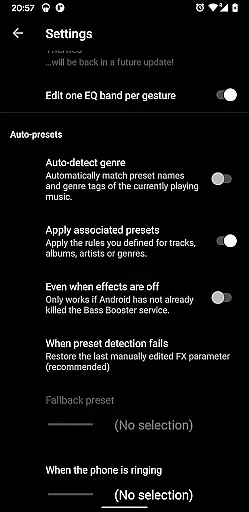
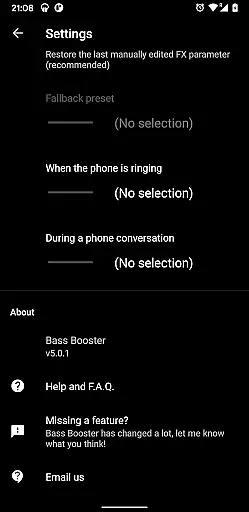
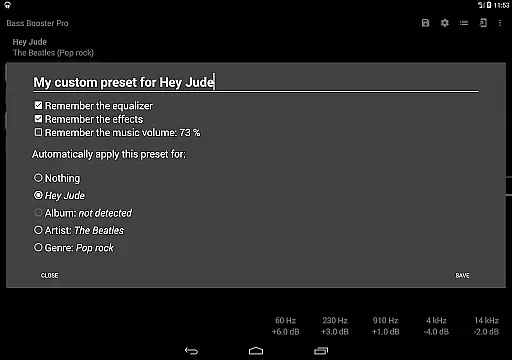
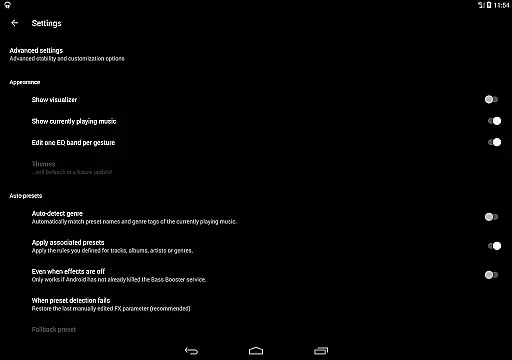
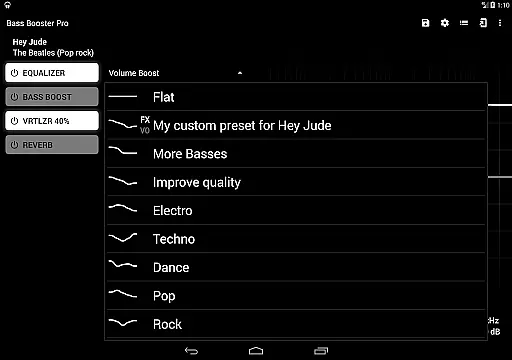
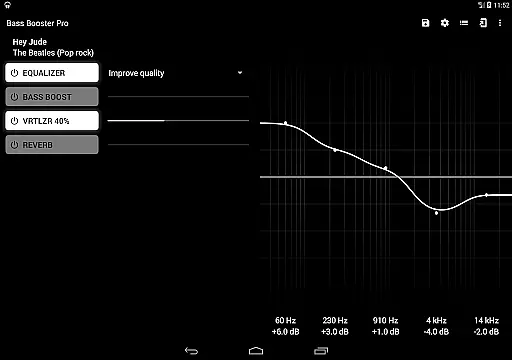
Bass Booster Pro is a powerful audio enhancement application designed for music enthusiasts who seek to elevate their listening experience. This app offers advanced features such as unlimited custom presets, a homescreen widget, and automatic preset detection based on the genre of music being played.
With support for a wide range of compatible media players and the ability to create shortcuts for one-click access to settings, Bass Booster Pro provides users with seamless control over their audio environment. Whether you're enjoying rock, jazz, or electronic music, this app ensures optimal sound quality tailored to your preferences.
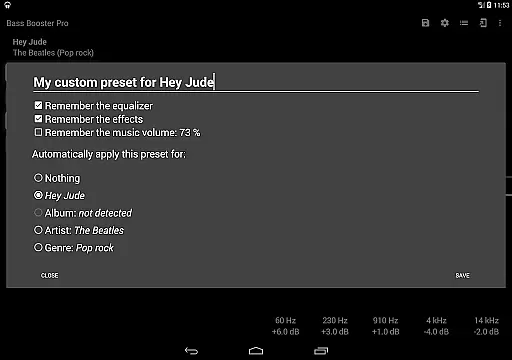
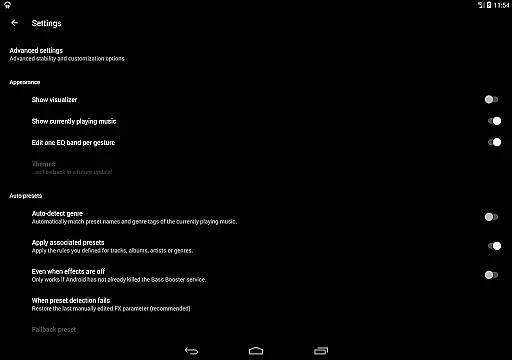
The app's standout feature is its preset auto-detection, which intelligently adjusts audio settings based on the music genre or even specific songs. This functionality, combined with additional tools like a music visualizer and reverb effects, makes Bass Booster Pro an indispensable tool for audiophiles looking to maximize their device's audio potential.
Bass Booster Pro stands out with its comprehensive suite of audio customization tools. The app allows users to create unlimited custom presets, ensuring personalized sound profiles for different music genres. These presets can be automatically detected and applied based on the audio content, providing a dynamic listening experience.
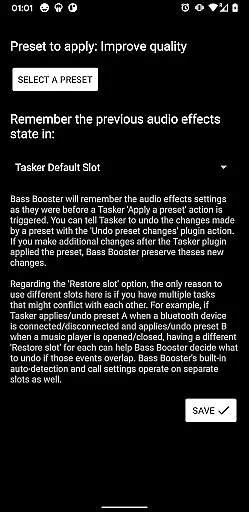
In addition to its robust preset system, Bass Booster Pro includes practical features like a 2x1 widget for quick access to settings and homescreen shortcuts that enable instant adjustments without opening the app. The inclusion of a Tasker plugin further enhances usability by allowing integration with automation apps.
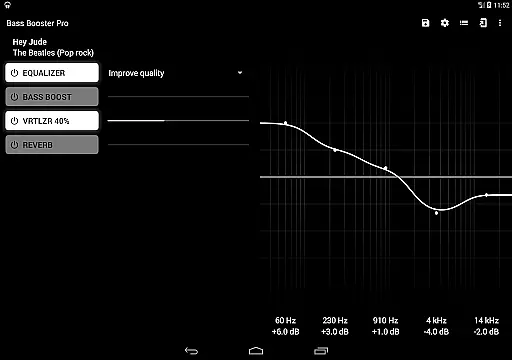
Advanced functionalities such as a virtualizer, music visualizer, and reverb effects (in beta) cater to users seeking professional-grade audio manipulation. With support for over 20 built-in presets and compatibility with various media players, Bass Booster Pro delivers a versatile and high-quality audio enhancement solution.
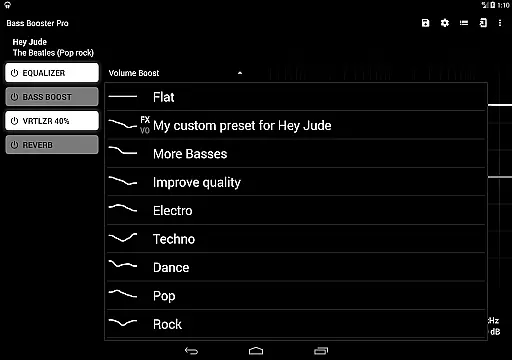
Bass Booster Pro offers an extensive music enhancement experience with its 20 built-in presets, catering to a wide variety of music genres. These include popular styles such as Pop, Rock, Jazz, and even niche categories like Dubstep and Reggae. This vast selection ensures that users can find the perfect audio profile for their preferred music type.
In addition to the built-in options, the app allows for unlimited custom presets, giving users the freedom to create personalized sound profiles tailored to their unique tastes. The ability to save and switch between these presets makes it easy to optimize audio settings depending on the genre of music being played.
While Bass Booster Pro doesn't directly manage a music library, its compatibility with various media players ensures that users can apply its powerful audio enhancements across different music sources. This versatility is crucial for maintaining consistent sound quality regardless of where the music is coming from.
All audio processing features are developed with proper licensing and authorization, ensuring that users receive legitimate and high-quality audio enhancement without any legal concerns. The app's commitment to copyright compliance gives users peace of mind while enjoying their enhanced music experience.
The app provides numerous features that significantly enhance audio quality, starting with its core bass boosting capabilities. Users can intensify low-frequency sounds through multiple levels of bass enhancement, creating a richer and more immersive listening experience across all music genres.
Beyond basic bass control, Bass Booster Pro includes advanced audio features such as a virtualizer and reverb effects (in beta). The virtualizer creates a surround sound effect, making listeners feel as though they're experiencing live performances, while the reverb adds depth and space to the audio, although this feature may not work on all devices.
For audiophiles seeking precise control, the app offers detailed equalizer settings through its custom preset system. Users can fine-tune every aspect of their audio output, adjusting frequencies to achieve their desired sound profile. This level of customization ensures optimal audio quality for different types of headphones and speakers.
The inclusion of a music visualizer adds another dimension to audio quality assessment, allowing users to see their music's frequency patterns in real-time. Combined with the app's automatic preset detection based on currently playing tracks, these features work together to deliver consistently high-quality audio experiences across various music sources and genres.
Unlimited custom presets
Preset auto-detection
Wide player compatibility
Tasker plugin included
Ads-free experience
No free version available
Reverb feature unstable
Requires Last.FM scrobbling
May conflict with free version
Not all devices supported

Make music anywhere. Turn your device into an instrument.
 4.4
4.4
Offline and always ad-free - stream in the highest quality available.
4.10
Powerful beat maker & DJ mixer to remix tracks, make music, & perform DJ mix
3.70
Save hundreds of dollars for a physical strobe tuner and instead use this app.
4.50
24,000 free audio books and no ads!
4.90
Smart piano keyboard, Classical to Pop, Real-time multiplayer connection!
4.20
Learn and play 2M+ music tabs & chords on guitar, ukulele, bass, and more
4.30
MilkDrop for Android TV
3.00
Play your music offline without limits
4.80
Responsive piano with great sounds, graphics, and songs
4.80
Offline Music Player&MP3 Player with themes, equalizer, lyrics, music play mode
4.60
AI Music Maker: Generate And Compose AI Tunes & AI Songs & AI Music & AI Melody!
4.60
DJ Music Mixer Pro is a real DJ controllers and DJ Music Studio to remix DJ.
4.40
Enjoy singing any song, no matter how high or low it is
4.30
A sleek, no-frills player designed for true music lovers.
4.20
The only true audiophile music player with Hi-Fi audio rendering and DSP engine
3.90
The ultimate media player for Android devices
3.90
Learn to play the piano using falling notes!
3.80
Simply convert wav to mp3. Clear. Reliable. Safe.
4.1


User Reviews