
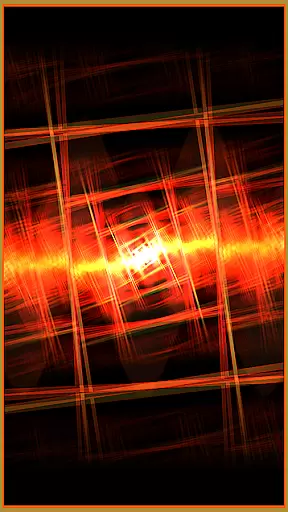


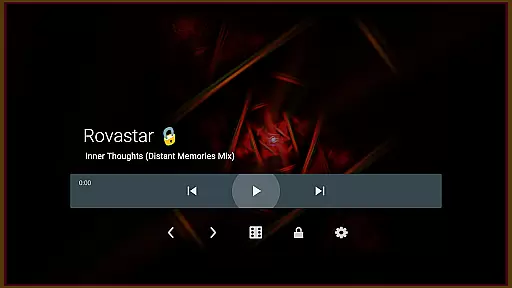

projectM Music Visualizer TV is a cutting-edge music visualization application designed specifically for Android TV. This app transforms your audio experience by generating stunning visual effects that are perfectly synchronized with the music you play. With over 200 visual presets and advanced rendering capabilities, projectM delivers smooth 60 FPS visuals that elevate your listening sessions.
The application supports integration with popular music players like Spotify, Pandora, and Google Music, allowing users to control playback directly from the app interface. Whether you're enjoying a curated playlist or exploring new tracks, projectM enhances the experience with its sophisticated graphics engine. The app also offers customizable settings for texture size and mesh quality, ensuring optimal performance on various devices.
Ideal for home entertainment setups, projectM Music Visualizer TV brings professional-grade visualizations to your living room. Its compatibility with MilkDrop presets makes it a versatile tool for both casual listeners and audio enthusiasts who want to create immersive audio-visual environments.
projectM Music Visualizer TV stands out with its comprehensive feature set tailored for music visualization enthusiasts. The app boasts an impressive library of over 200 unique visual effects, each carefully crafted to respond dynamically to audio input. These presets utilize modern pixel-shaded rendering techniques, delivering fluid animations at a consistent 60 frames per second.
A key innovation is the integrated music player control system, which supports multiple streaming services including Spotify, Pandora, and PowerAMP. This unified interface eliminates the need to switch between apps, providing seamless control over playback functions such as play/pause and track skipping. The application's advanced graphics engine allows users to fine-tune visual quality through adjustable texture sizes and mesh configurations.
Additional technical features include support for legacy MilkDrop (.milk) presets, making it compatible with a vast collection of existing visualizations. The developers have optimized the rendering pipeline to ensure smooth performance even on lower-end Android TV devices, while still offering high-quality options for more powerful hardware configurations.
projectM Music Visualizer TV offers an extensive library of over 200 visual effects, ensuring a rich and diverse audio-visual experience. This vast collection provides users with a wide array of visually stunning presets that cater to every musical genre and personal preference.
The application is not just about quantity but also quality and legality. Each preset is crafted with attention to detail, ensuring high-quality visuals that are copyright-authentic. Users can enjoy these visualizations with peace of mind, knowing they are experiencing content that respects intellectual property rights.
This expansive and authentic library empowers users to explore different visual styles, from classic MilkDrop presets to modern pixel-shaded effects. The compatibility with MilkDrop (.milk) presets further extends the creative possibilities, allowing for a personalized and immersive music visualization journey.
One of projectM's standout features is its ability to deliver 60 FPS Pixel Shaded Rendering, providing ultra-smooth and responsive visualizations that perfectly sync with your music. This high frame rate ensures that even the most complex visual effects are rendered seamlessly, creating an unparalleled audio-visual experience.
Users have the flexibility to customize their experience through configurable graphics quality settings. By adjusting texture size and mesh size under settings, you can fine-tune the visualizer to match your device's capabilities and your personal preferences.
The application supports various music players including Stock Player, Google Music, Spotify, Pandora, and PowerAMP, allowing for consistent high-quality visualization across different audio sources. This versatility in audio quality options ensures that projectM remains the top choice for music visualization on Android TV platforms.
Stunning visual effects
Seamless music integration
High frame rate rendering
Customizable graphics settings
Wide preset compatibility
Requires compatible hardware
May consume significant resources
Limited mobile device support
Complex settings for beginners
Premium feature availability

Full-featured, High-Quality Groovebox Workstation, perfect for Live Performance!
 4.80
4.80
A High-Precision Audio Spectrum Analysis App
4.20
Permanently backup Now Playing. Maps, filters & listening stats.
4.00
Record, Mix & Master with all n-Track effects, 64-bit audio and Stem Separation.
4.70
Unleash your creativity! Turn simple prompts into full fledged songs.
4.70
Slow music down without changing pitch.
3.70
Versatile MP3 recorder with auto-backup to Dropbox and Google Drive
4.10
The iconic iOS metronome app is now on Android.
3.70
Be a true music maker: create beats, mix and make music like a real DJ!
4.30
JBL PartyBox APP works with 110/310/710/120/320/520/Encore/Encore 2/Encore Ess 2
4.80
Play your hearts out on TouchTunes jukeboxes & connect with fellow music lovers.
4.80
A complete sound package for the sound engineer or enthusiast
4.60
The Music Journey in Your Hands
4.30
Powerful 10-Band equalizer pro with sound booster improves Android audio quality
4.30
No wifi music app. Mp3 offline. Tuner radio, young radio music. Music downloader
4.20
The original SP-1200 experience on your iPad
4.20
Turn your phone into a musical instrument from the future!
3.90
The only true audiophile music player with Hi-Fi audio rendering and DSP engine
3.90
Sheet music reader, piano & music note player. Play music score & learn to read.
3.90


User Reviews