
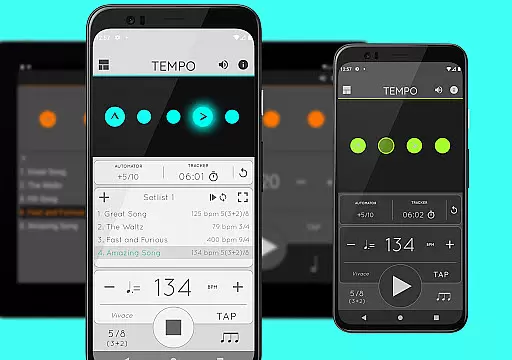
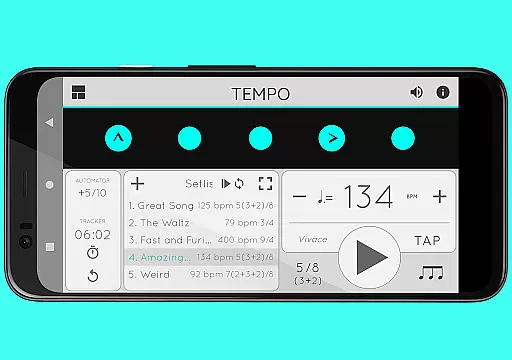
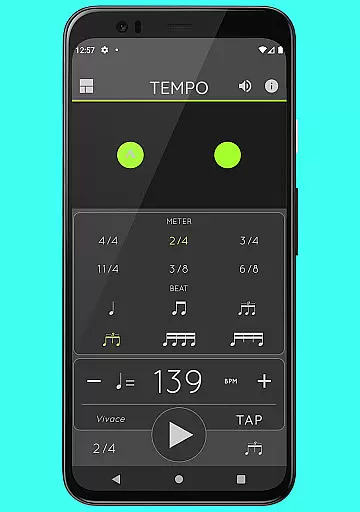
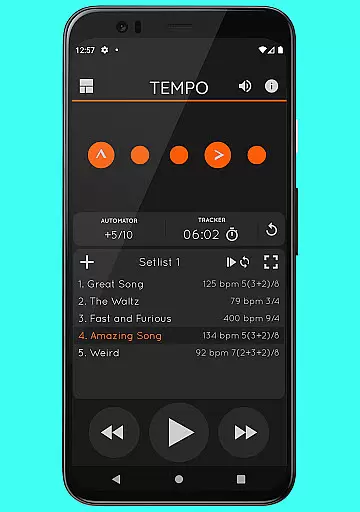
Tempo is a premier mobile metronome app designed for performing artists, teachers, students, and even athletes. It offers high accuracy and stability with an attractive, comprehensive single-screen interface. The app allows users to customize beats through flashing LEDs that double as buttons, enabling the creation of complex rhythms. Users can save configurations as songs in setlists and share them with friends, including those using iOS devices.
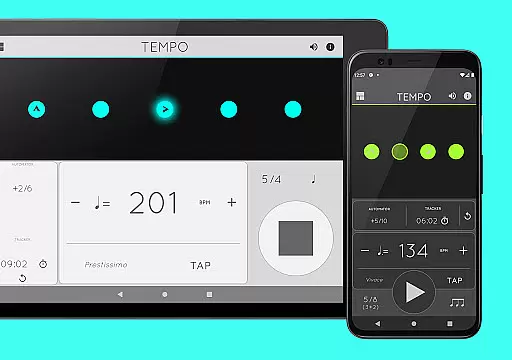
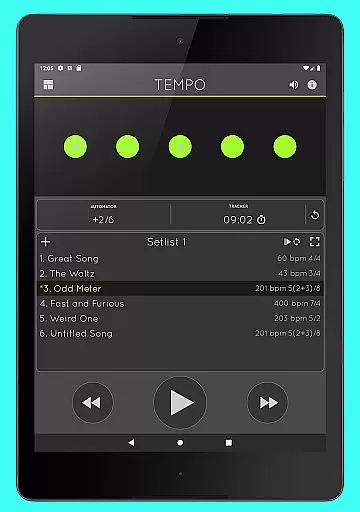
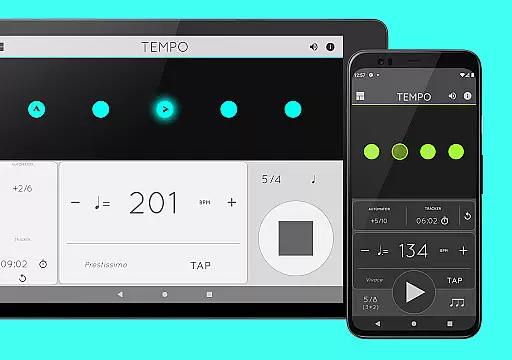
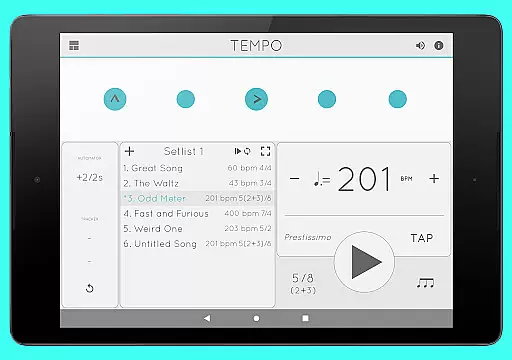
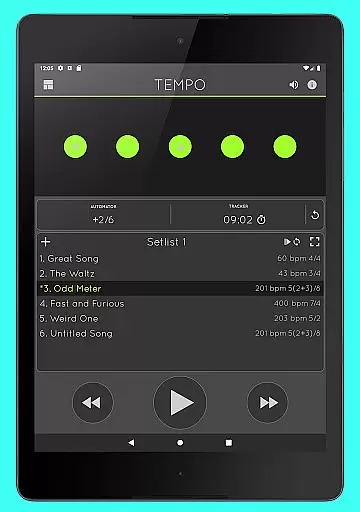
Tempo stands out with its innovative interface that morphs between five modes: Basic, Preset, Setlist, Practice, and Gig. Each mode presents a different combination of functionalities optimized for specific tasks, making it versatile for various musical needs.
Tempo provides a rich set of features tailored for musicians and performers. It supports 30 different time signatures and offers 6 rhythm patterns for simple meters and 3 for compound meters. Users can customize accents or turn beats off to create more complex rhythms. The tap tempo function and tempo range from 10 to 400 ensure precise control over timing.
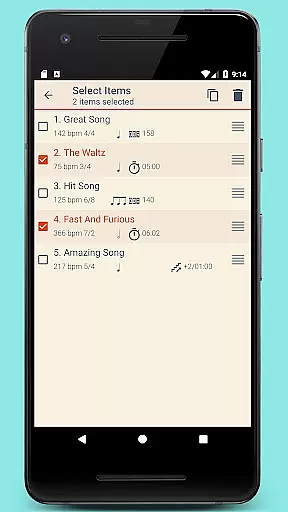
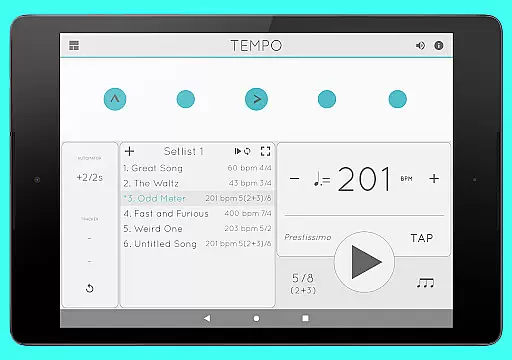
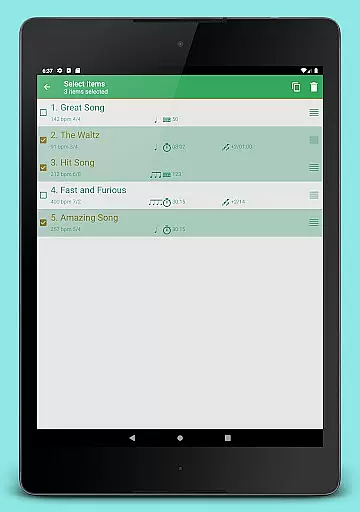
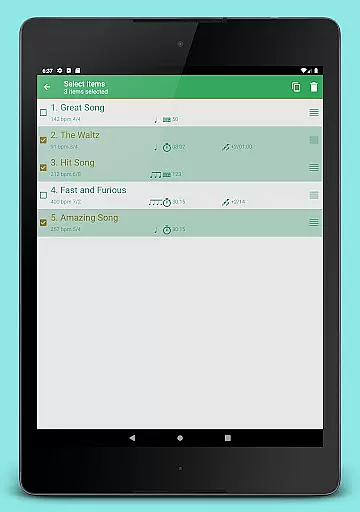
The app's setlist management is advanced, allowing users to store presets in multiple setlists, search, overwrite, copy between setlists, and perform multi-deletion. Quick editing and sharing setlists via email are also supported. Additionally, Tempo includes tracker and automator features, sound options with 12 sound sets, volume control, and multi-tasking support.
When it comes to music and audio applications, the size and authenticity of the music library are crucial factors. Tempo offers an impressive collection of 30 different time signatures, ranging from simple meters like 1-13/2 and 1-13/4 to compound meters such as 3/8, 6/8, 9/8, and 12/8. This extensive library allows musicians and performers to find the exact rhythm they need for their practice or performance.
The app also provides six rhythm patterns for simple meters and three for compound meters, ensuring that users can customize their beats with precision. The ability to adjust accents or turn beats off further enhances the creation of complex rhythms, making it a versatile tool for both beginners and professionals in various musical genres.
Tempo's commitment to copyright authenticity is evident in its offering of 12 distinct sound sets. These include options optimized for live drumming click tracks, ensuring that users have access to high-quality, legally sound audio resources. This dedication not only supports artists legally but also enriches the user experience by providing diverse and rich soundscapes.
Audio quality is paramount in music applications, and Tempo excels in providing users with multiple options to enhance their auditory experience. With 12 different sound sets available, users can choose the perfect audio backdrop for their practice sessions or performances. Each sound set is crafted to deliver clear and precise audio feedback, which is essential for maintaining rhythm and timing.
In addition to diverse sound options, Tempo includes a volume control feature, allowing users to adjust the audio levels according to their preferences or environment. Whether you're practicing alone or performing on stage, this flexibility ensures that you can always achieve the optimal sound balance.
Furthermore, Tempo supports multi-tasking, meaning playback continues even when using other apps. This seamless integration guarantees uninterrupted audio quality, enabling users to stay focused on their music without technical distractions. Such comprehensive audio support underscores Tempo's dedication to delivering a superior musical experience.
User-friendly interface
Highly customizable
Accurate tempo control
Versatile rhythm patterns
Comprehensive setlist management
Limited free features
Complex for beginners
Occasional bugs
Subscription required
Heavy on resources

Fun & Easy Voice Changer – Record, Edit & Add Hilarious Effects!
 4.50
4.50
Equalizer, Bass Booster and Volume Booster (Eq & Bass) improve sound quality
4.30
Simple & Intuitive Metronome
4.70
The alternative folder based music player.
4.20
Play your hearts out on TouchTunes jukeboxes & connect with fellow music lovers.
4.80
Make songs with AI! Any genre, custom lyric, song generator for music creation!
4.80
Offline Music Player & MP3 Player.Powerful equalizer, Lyrics, Themes, Tag Editor
4.80
Sheet music reader, piano & music note player. Play music score & learn to read.
3.90
Uninterrupted Tunes, Unmatched Vibes
3.90
Music, News & Sports Radio Tuner App. Tune in Live FM & AM Radio Stations.
4.80
The best music and audio player, with beautiful UI, music search and equalizer.
4.60
Taal player that lets you sing any Indian & Western song with Tabla & Tanpura
4.60
A complete sound package for the sound engineer or enthusiast
4.60
Your HD audio recorder on the go for music, meetings, ambience, animal sounds…
4.30
Bass Booster Pro takes auto-equalizing to the next level!
4.30
No wifi music app. Mp3 offline. Tuner radio, young radio music. Music downloader
4.20
Permanently backup Now Playing. Maps, filters & listening stats.
4.00
The Cubase remote control app
3.60
Music Streaming suite for Ampache, Nextcloud Music and compatible backends.
4.0


User Reviews