
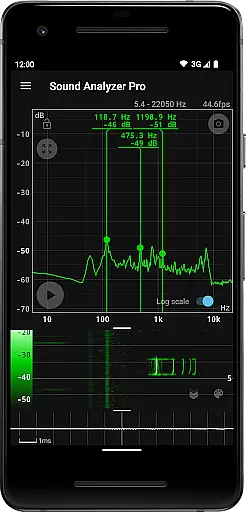
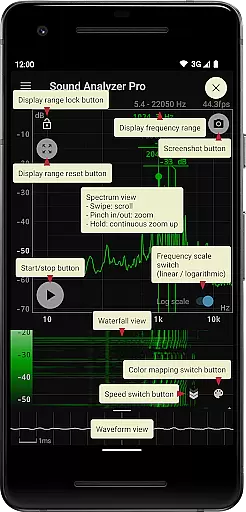
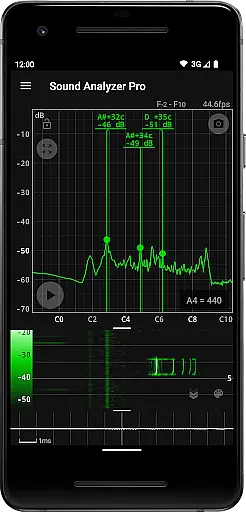
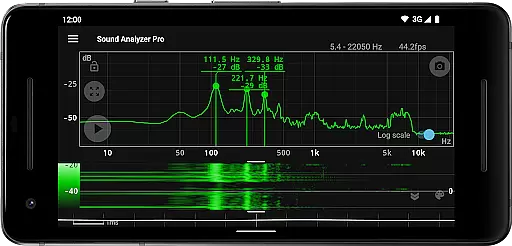
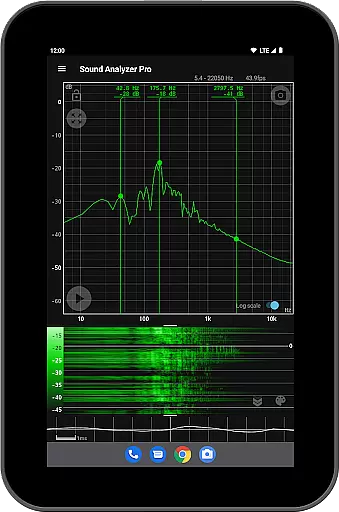
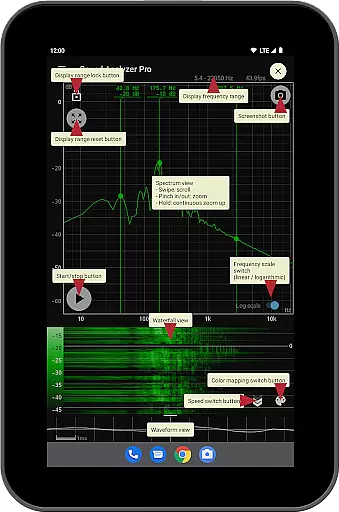
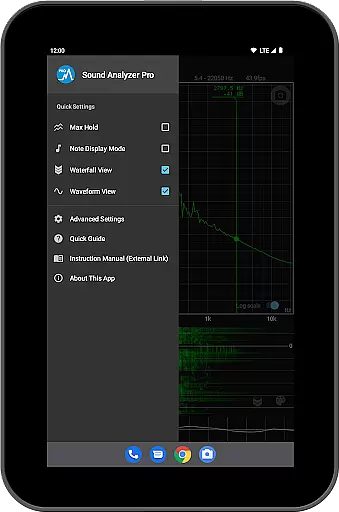
Sound Analyzer is a powerful audio analysis tool designed for both audio professionals and enthusiasts. This application allows users to analyze audio signals directly on their mobile devices with exceptional precision. The app's core functionality lies in its ability to display real-time frequency (Hz) and amplitude (dB) spectra, providing detailed insights into audio characteristics. Additionally, it offers advanced features such as waterfall and waveform views, making it an indispensable tool for in-depth audio signal examination.
One of the standout capabilities of Sound Analyzer is its high measurement accuracy. In environments with minimal noise, the frequency measurement error is impressively low, generally within 0.1 Hz under default settings. This makes the app suitable for tasks that require exactness, such as tuning musical instruments or conducting acoustic research. Whether you're an audio engineer, musician, or simply an audiophile, Sound Analyzer equips you with the tools needed to understand and manipulate sound effectively.
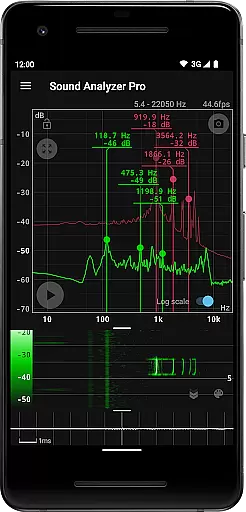
Sound Analyzer boasts a comprehensive suite of features tailored for detailed audio analysis. Among its notable functionalities is the peak frequency display, which showcases prominent spectral components in real time, complete with their corresponding frequencies and amplitudes. Users can easily adjust the display range through intuitive touch operations and switch between logarithmic and linear scales on the frequency axis, catering to different analytical needs.
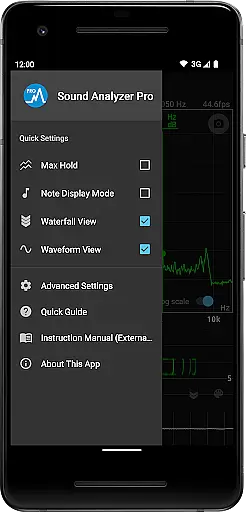
The app also includes practical tools like the max hold function, which retains peak values for analysis, and dual-view options such as waterfall and waveform displays. These allow users to observe changes in spectra over time and visualize sound waveforms simultaneously. Additional features include a note display mode for pitch identification, a screenshot function with timer, and an ad-free experience, ensuring uninterrupted and precise audio examination.
Sound Analyzer does not focus on providing a vast music library but rather emphasizes real-time audio signal analysis. The app allows users to analyze any audio input, making it versatile for various sound sources.
The application ensures that all analyzed data is processed with high accuracy and integrity, maintaining the authenticity of the original audio content. This means users can trust the reliability of frequency and amplitude measurements when using the app for audio analysis.
While it doesn't offer a traditional music library, its ability to display detailed spectral information and waveform views provides an in-depth understanding of audio signals. This feature is particularly useful for professionals who require precise audio analysis without concerns about copyright infringement.
By focusing on live audio processing, Sound Analyzer sidesteps issues related to copyrighted material storage and distribution, ensuring a clean, legal, and highly functional user experience.
Sound Analyzer excels in delivering top-notch audio quality options by offering real-time spectrum analysis with exceptional precision. Users can measure frequencies with an impressive accuracy of within 0.1 Hz error in low-noise environments, ensuring reliable and clear results.
The app supports advanced features like switchable frequency axis scales between logarithmic and linear, catering to different analytical needs and preferences. Such flexibility allows users to customize their viewing experience based on specific audio quality metrics they wish to explore.
Additionally, the inclusion of a waterfall view and waveform view enhances the depth of audio quality assessment by visually representing changes over time and displaying sound waveforms respectively. These tools empower users to scrutinize every aspect of their audio signals thoroughly.
With settings that allow the highest frequency to reach up to 96 kHz, Sound Analyzer provides options suitable for high-performance devices, further underlining its commitment to delivering comprehensive and high-quality audio analysis capabilities.
High measurement accuracy
Real-time spectrum analysis
Ad-free experience
User-friendly interface
Comprehensive feature set
Limited high-frequency data
Advanced features may overwhelm beginners
Requires high-performance device for optimal use
No cloud synchronization
Interface could be more visually appealing

Taal player that lets you sing any Indian & Western song with Tabla & Tanpura
 4.60
4.60
Remove ads permanently from Music Visualizer
4.5
Simple & Intuitive Metronome
4.70
Offline Music Player & MP3 Player.Powerful equalizer, Lyrics, Themes, Tag Editor
4.80
Sheet music reader, piano & music note player. Play music score & learn to read.
3.90
Versatile MP3 recorder with auto-backup to Dropbox and Google Drive
4.10
One-tap booster for max volume - enjoy powerful sound with this audio booster
4.50
Customize Your Favorite Songs and Videos with booster.
4.70
Be a true music maker: create beats, mix and make music like a real DJ!
4.30
Your song collections with lyrics and chords on Android smartphones and tablets.
4.80
Responsive piano with great sounds, graphics, and songs
4.80
Bass Booster & Volume Equalizer Pro improves your music and video sound quality
4.60
Super Sound Editor, Song Maker & Mixer, Vocal Remover, Voice Recorder & Changer!
4.60
DJ Music Mixer Pro is a real DJ controllers and DJ Music Studio to remix DJ.
4.40
Ringtone Maker is free app create ringtone from music files or your recording.
4.40
Powerful 10-Band equalizer pro with sound booster improves Android audio quality
4.30
No wifi music app. Mp3 offline. Tuner radio, young radio music. Music downloader
4.20
PowerAudio is a powerful offline music player.
4.20
The iconic iOS metronome app is now on Android.
3.70


User Reviews