
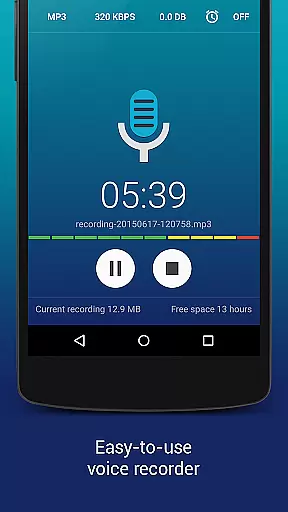
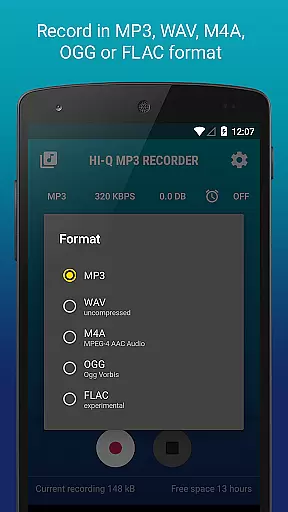
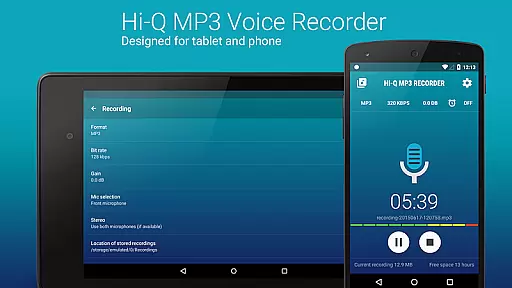
Hi-Q MP3 Voice Recorder (Pro) is a premier mobile application designed for high-quality audio recording. This app stands out with its professional-grade features, including 320 kbps recordings and multiple format support such as MP3, WAV, OGG, M4A, and FLAC. It offers users the ability to record in stunning clarity with up to 44 kHz audio sampling.
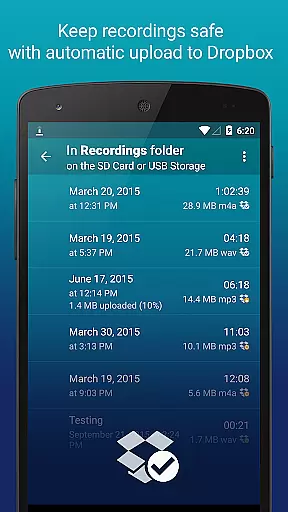
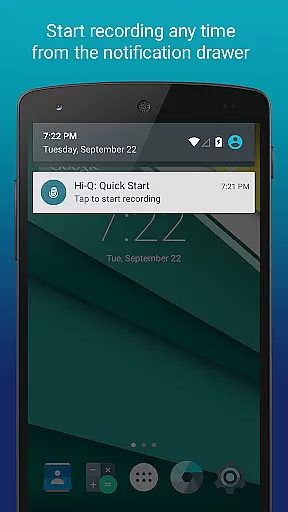
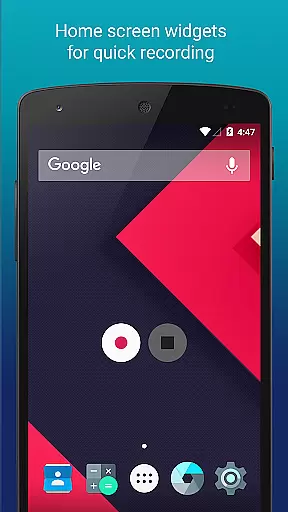
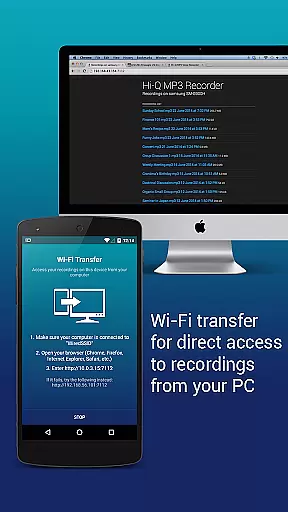
The app provides versatile functionality suitable for various scenarios like lectures, music sessions, or meetings. With options like Google Drive or Dropbox auto-upload, Wi-Fi transfer, and home screen widgets, it ensures convenience and safety of your recordings. Whether you're capturing personal voice notes or managing complex audio projects, Hi-Q MP3 Voice Recorder (Pro) delivers an exceptional user experience.
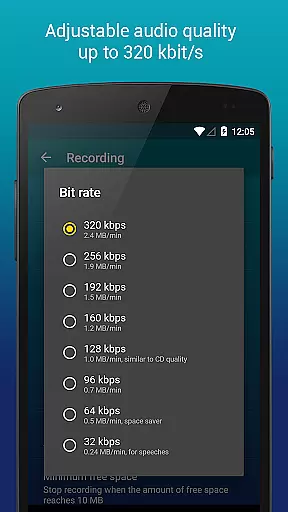
Hi-Q MP3 Voice Recorder (Pro) boasts an array of sophisticated features tailored for both casual and professional use. The Discretion Mode allows discreet recording while customizable gain levels ensure optimal audio capture in any environment. Its quality settings enable bit rates up to 320 kbps, providing superior sound fidelity.
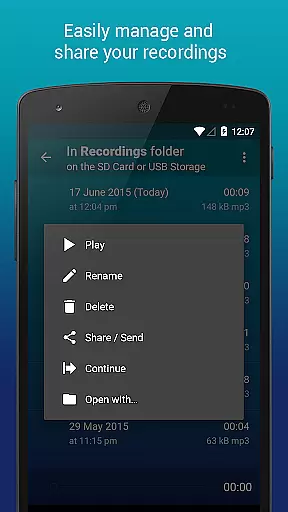
Additional functionalities include easy clip management, allowing users to share, sort, rename, and delete recordings effortlessly. The app also supports input selection between front and back microphones based on sensitivity needs. Moreover, the built-in Wi-Fi transfer feature facilitates seamless file sharing across devices without cables, enhancing user accessibility and convenience.
Hi-Q MP3 Voice Recorder (Pro) offers an impressive capacity for managing and storing your audio library. With the ability to record in multiple formats including MP3, WAV, OGG, M4A, and FLAC, users can build a diverse and extensive collection of audio files. The app's support for high-fidelity 44 kHz audio sampling ensures that recordings maintain professional-grade quality.
The application emphasizes copyright authenticity by allowing users to create original content while providing options to customize audio settings. Users can adjust bit rates up to 320 kbps, ensuring that their recordings are both compact and widely compatible. This feature is crucial for creators who need to ensure their work is original and properly documented.
Additionally, Hi-Q MP3 Voice Recorder (Pro) integrates seamlessly with cloud services like Google Drive and Dropbox. This not only helps in keeping recordings safe but also makes it easier to manage and share original content without concerns about unauthorized use or copyright infringement.
One of the standout features of Hi-Q MP3 Voice Recorder (Pro) is its robust set of audio quality options. Users have the flexibility to choose from various recording formats such as MP3, WAV, OGG, M4A, and FLAC. This versatility allows users to tailor their recording experience based on their specific needs, whether they require compressed files for easy sharing or lossless formats for archival purposes.
The app supports high-fidelity 44 kHz audio sampling, which significantly enhances the clarity and richness of recordings. By offering customizable bit rates up to 320 kbps, users can fine-tune the balance between file size and audio quality. These options ensure that recordings are clear and professional, suitable for a wide range of applications from personal notes to band practices.
Moreover, Hi-Q MP3 Voice Recorder (Pro) includes advanced features like input gain control and microphone selection. These tools empower users to optimize recording levels and select the most appropriate microphone for different environments, further enhancing the overall audio quality. Such precision and adaptability make this app a top choice for anyone serious about capturing high-quality audio.
User-friendly interface
High-fidelity recordings
Versatile format support
Auto cloud upload
Discreet recording mode
No phone call recording
Limited widget functionality
Premium price tag
Advanced settings may overwhelm beginners
Requires main storage installation

A synth that really lets you shape your sounds!
 4.50
4.50
Walkout Song DJ is the most intuitive app to manage your sports music.
4.70
A High-Precision Audio Spectrum Analysis App
4.20
Network/Cloud Streaming, Visualization, Graphic Equalizer and Sound Effects.
4.20
Visualize the guitar fretboard, master scales & play through changes like a pro!
4.50
Slow music down without changing pitch.
3.70
Offline Tunes, Unlimited Vibes
3.90
Customize Your Favorite Songs and Videos with booster.
4.70
Play your music offline without limits
4.80
Full-featured, High-Quality Groovebox Workstation, perfect for Live Performance!
4.80
Your song collections with lyrics and chords on Android smartphones and tablets.
4.80
More downloads than any other metronome. Includes drum machine & tempo trainer.
4.80
Brian Eno and Peter Chilvers’ acclaimed music app Bloom, radically reinvented.
4.80
The best music and audio player, with beautiful UI, music search and equalizer.
4.60
Offline Music Player&MP3 Player with themes, equalizer, lyrics, music play mode
4.60
Help you quickly get started with Shokz headphones
4.40
Equalizer, Bass Booster and Volume Booster (Eq & Bass) improve sound quality
4.30
The original SP-1200 experience on your iPad
4.20
USB audio recording and playback finally possible on Android 3.1 or higher!
3.90


User Reviews