
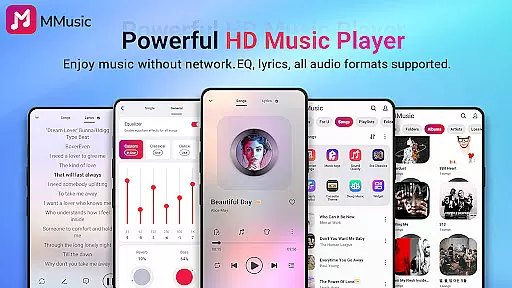
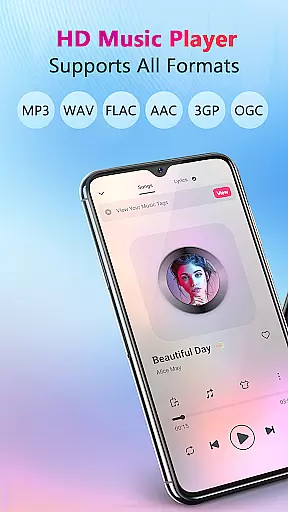
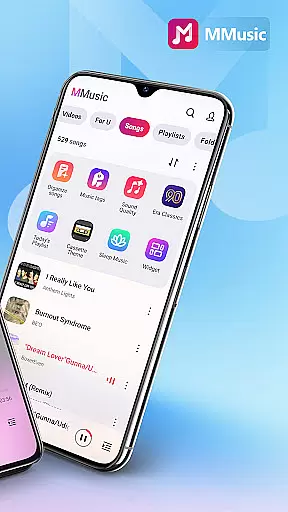
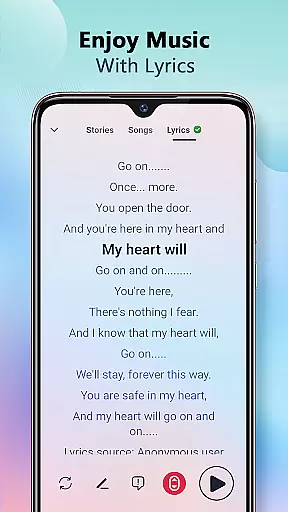
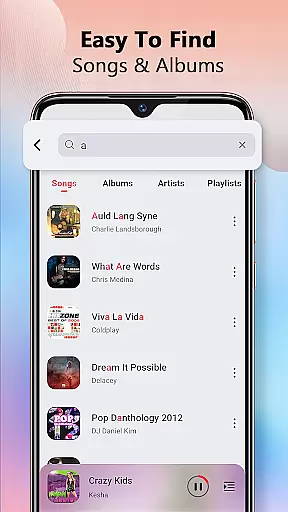
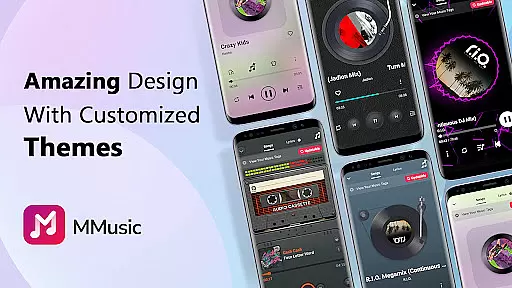
MMusic is a versatile offline music player for Android, offering high-definition sound quality and full format compatibility. This professional-grade app supports MP3, FLAC, WAV, MIDI, AAC, APE, and more, ensuring every song sounds its best. With an intuitive interface featuring retro tape and vinyl record styles, it delivers an immersive music experience without requiring Wi-Fi.
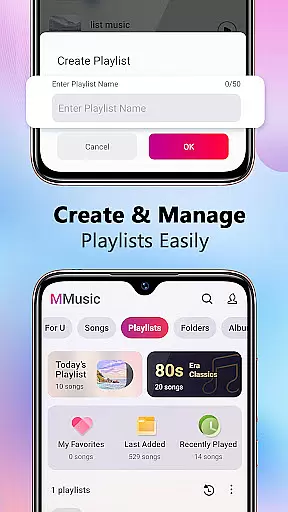
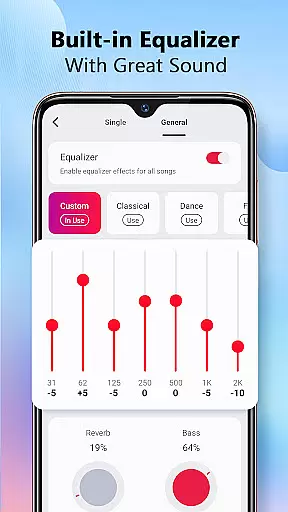
The app includes a powerful equalizer with presets for various music genres, allowing users to customize their listening experience. Whether you want bass boosting or reverb effects, MMusic caters to your preferences. Its intelligent management system automatically scans and organizes audio files, making it easy to create playlists and manage your music library efficiently.
Perfect for audiophiles, MMusic combines exceptional sound quality with stylish themes, providing a perfect fusion of aesthetics and functionality. Enjoy your favorite tracks anytime, anywhere, with this ultimate music player.
MMusic stands out with its comprehensive feature set tailored for music enthusiasts. The app's powerful equalizer offers presets for classical, dance, folk, rock, and more, enabling users to enhance their music with bass boosts and reverb effects. This customization ensures an unparalleled listening experience that adapts to individual preferences.
One of the key highlights is the diverse theme options, including retro tape and vinyl record styles, alongside modern minimalist designs. These themes make listening to music visually appealing while maintaining ease of use. Additionally, MMusic provides robust music management capabilities, such as automatic scanning, sorting by artists or albums, and creating custom playlists.
With support for background playback, Bluetooth, and wired headphones, MMusic ensures seamless integration into daily life. Its deep scan feature refreshes your music library, keeping everything up-to-date. Overall, these features combine to offer a sophisticated yet user-friendly music player that meets the needs of discerning listeners.
MMusic offers an extensive music library that supports all mainstream audio formats including MP3, FLAC, WAV, MIDI, AAC, APE, and more. This ensures full compatibility and the best possible sound quality for every song in your collection.
The app's deep scan feature automatically refreshes and organizes your music library, making sure that all your files are up-to-date and easily accessible. With such comprehensive format support, users can enjoy an unlimited music experience without worrying about format incompatibility.
Regarding copyright authenticity, MMusic respects user-loaded content and does not provide or distribute music files itself. Instead, it focuses on giving users tools to manage and play their legally acquired music files with exceptional sound quality and presentation.
One of MMusic's standout features is its exceptional sound quality, achieved through advanced audio technology and a robust built-in equalizer. The equalizer comes with presets for various music genres like classical, dance, folk, and rock, enhancing the listening experience according to personal preferences.
Users can further customize their audio experience with bass boosting, reverb effects, and a music virtualizer. These options ensure that whether you're using Bluetooth or wired headphones, the sound output remains clear, immersive, and tailored to individual tastes.
This high-definition sound quality, combined with diverse audio customization options, makes MMusic a top choice for audiophiles seeking an unparalleled music listening experience on their Android devices.
High-definition sound quality
Full format compatibility
Intuitive user interface
Powerful equalizer presets
Intelligent music management
Limited social sharing
No cloud sync
Heavy on storage
Occasional bugs
Ads in free version

A synth that really lets you shape your sounds!
 4.50
4.50
VB-AUDIO Software / VBAN-Receptor allows listening to any VBAN Streams
4.10
Most Advanced AI Song Generator and Music Creator. Rap, Pop, Rock, Gospel & more
4.70
JBL PartyBox APP works with 110/310/710/120/320/520/Encore/Encore 2/Encore Ess 2
4.80
Powerful beat maker & DJ mixer to remix tracks, make music, & perform DJ mix
3.70
Save hundreds of dollars for a physical strobe tuner and instead use this app.
4.50
Make songs with AI! Any genre, custom lyric, song generator for music creation!
4.80
Manage your Sonos system directly from your home-screen!
4.40
The iconic iOS metronome app is now on Android.
3.70
Full-featured, High-Quality Groovebox Workstation, perfect for Live Performance!
4.80
Listen radio AM / FM Stations. Live AM / FM Radio App Station. Radio Com.
4.70
AI Music Maker: Generate And Compose AI Tunes & AI Songs & AI Music & AI Melody!
4.60
Learn the notes on the guitar fretboard fast with this easy and fun app
4.60
Let your Android device with the sound effects you want
4.50
DJ Music Mixer - DJ Remix: remix songs, make beat music & record mix of DJ.
4.40
Powerful 10-Band equalizer pro with sound booster improves Android audio quality
4.30
Next generation modular control surface
4.10
The Skullcandy App Experience
3.20
Music Streaming suite for Ampache, Nextcloud Music and compatible backends.
4.4


User Reviews