

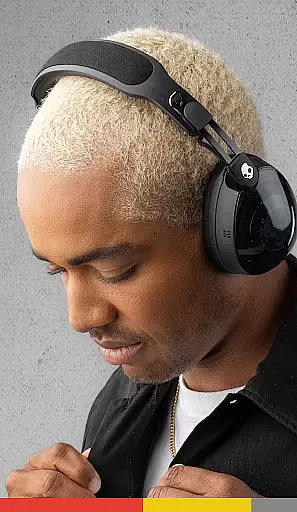

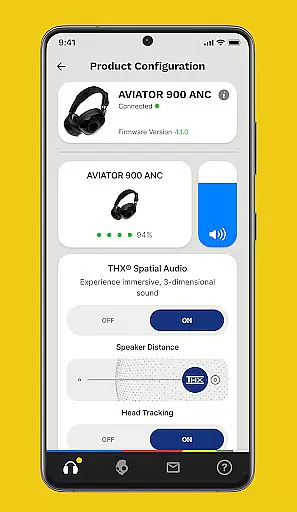
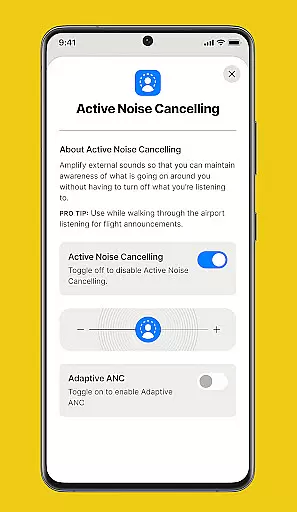
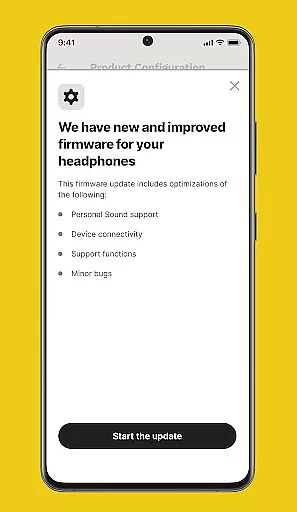

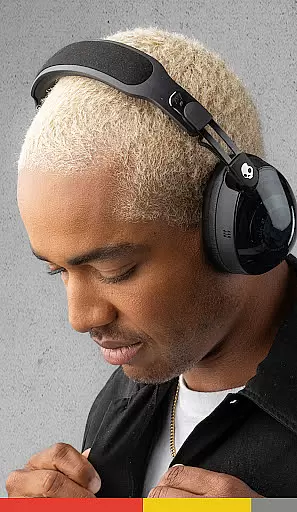

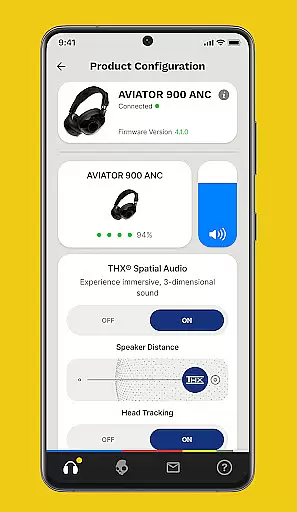
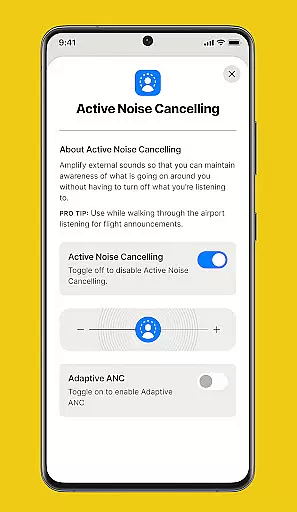
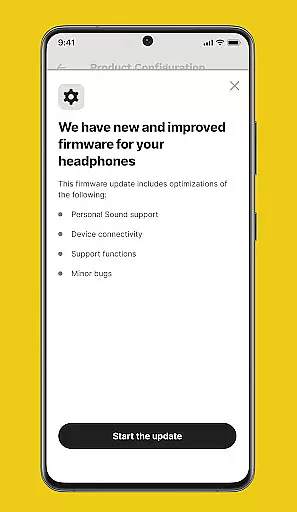

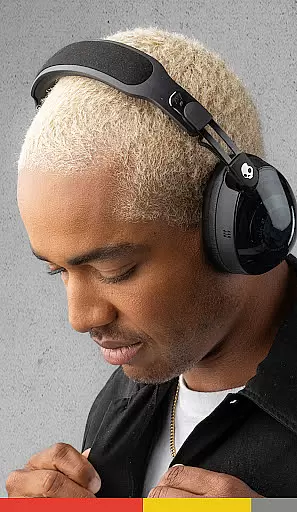

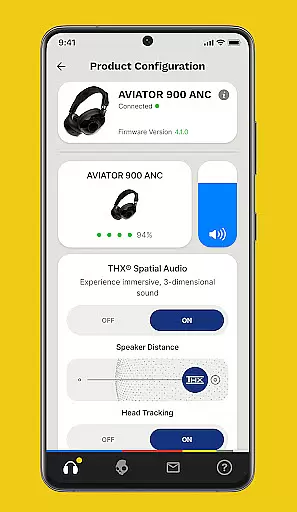
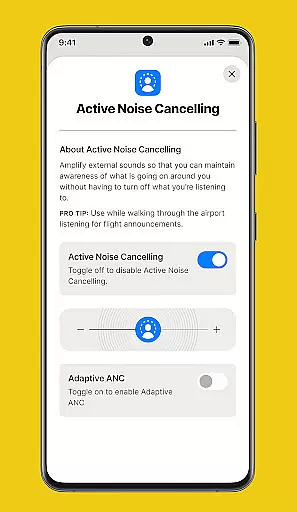
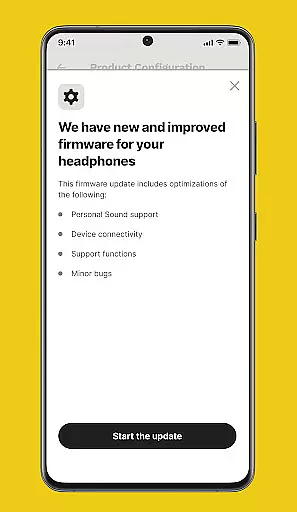
The Skullcandy App is designed to enhance and customize your audio experience. It allows users to control product features, adjust settings, and access user guides. Additionally, the app provides firmware updates for select Skullcandy products, ensuring you always have the latest features and improvements.
One of the standout features is Personal Sound, which creates a unique sound profile based on a simple hearing assessment. This ensures that every user experiences music tailored specifically to their hearing. The app also offers equalizers and hearing modes that adapt to different environments, providing an optimal listening experience in any situation.
The Skullcandy App boasts several key features that set it apart. Firstly, its Personal Sound functionality uses a hearing assessment to create a customized audio profile, allowing users to hear music as never before. This personalized approach enhances the overall listening experience significantly.
In addition to personalization, the app includes adjustable equalizers and hearing modes. These can be toggled on or off and selected based on changing noise environments and listening preferences. Users can also benefit from regular firmware updates, which bring new features and improvements directly to their devices. Push notifications ensure users are alerted to these updates promptly.
For added convenience, the Skullcandy App provides detailed user guides and support. These resources help users maximize their product's potential and offer easy access to customer service assistance when needed.
The Skullcandy app offers a unique audio experience by focusing on personalized sound profiles rather than maintaining an extensive music library. This approach emphasizes quality over quantity, ensuring users receive authentic and high-quality audio experiences.
While the app itself does not boast a large internal music library, it enhances the audio from your existing music collections through advanced equalizer settings and personalized hearing profiles. This ensures that every track you own sounds as good as possible, respecting the original artist's intent and copyright.
Skullcandy's commitment to copyright authenticity is evident in its firmware updates, which keep products aligned with industry standards. These updates ensure that all digital rights management protocols are respected, providing peace of mind for both content creators and listeners.
Skullcandy stands out in the crowded audio market by offering exceptional audio quality options tailored to individual users. The app's Personal Sound feature creates a customized listening profile after a simple hearing assessment, allowing users to experience their music exactly as intended by the artists.
The app provides multiple equalizer settings and hearing modes that can be adjusted based on different environments and preferences. Whether you're in a noisy street or a quiet room, these adaptive audio options ensure optimal sound quality in any situation.
Furthermore, Skullcandy maintains its devices' top-notch audio performance through regular firmware updates. These updates not only improve existing features but also introduce new audio enhancement technologies, keeping your listening experience at the cutting edge of audio technology.
User-friendly interface
Personalized sound profiles
Regular firmware updates
Comprehensive user guides
Adaptive equalizer settings
Limited device compatibility
Occasional connectivity issues
Firmware update delays
Basic design aesthetics
Customer support response time

A synth that really lets you shape your sounds!
 4.50
4.50
DJ Music Mixer Pro is a real DJ controllers and DJ Music Studio to remix DJ.
4.40
Advanced 10-Band Audio Graphic Equalizer Sound Booster Pro
4.30
The best music and audio player, with beautiful UI, music search and equalizer.
4.60
Bass Booster & Volume Equalizer Pro improves your music and video sound quality
4.60
The alternative folder based music player.
4.20
Offline Tunes, Unlimited Vibes
3.90
Listen to offline music and sounds from all categories
4.70
Be a true music maker: create beats, mix and make music like a real DJ!
4.30
24,000 free audio books and no ads!
4.90
Tune in to the greatest hits on UK Radio | The home of Capital, Smooth & Heart.
4.90
Your song collections with lyrics and chords on Android smartphones and tablets.
4.80
Performance-Synthesizer & Multi-Track-Sequencer, polyphonic + multi timbral!
4.70
Over 100 million tracks available for high quality streaming and download
4.60
Fun & Easy Voice Changer – Record, Edit & Add Hilarious Effects!
4.50
Help you quickly get started with Shokz headphones
4.40
Bass Booster Pro takes auto-equalizing to the next level!
4.30
The only true audiophile music player with Hi-Fi audio rendering and DSP engine
3.90
The ultimate media player for Android devices
3.90


User Reviews