
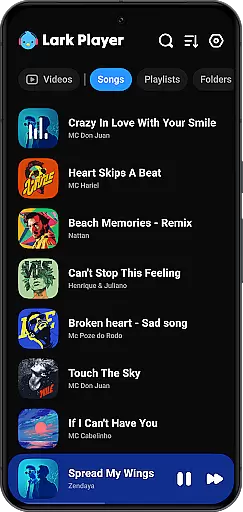
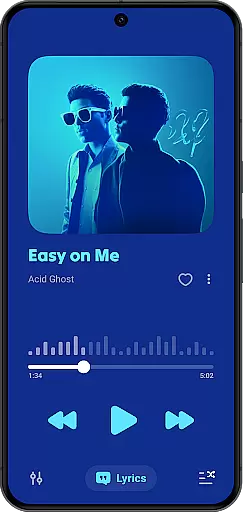
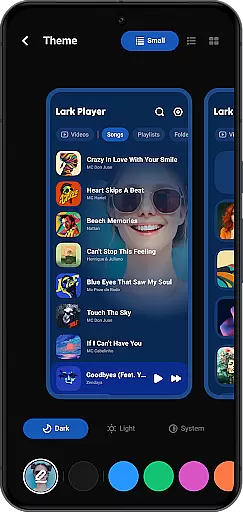
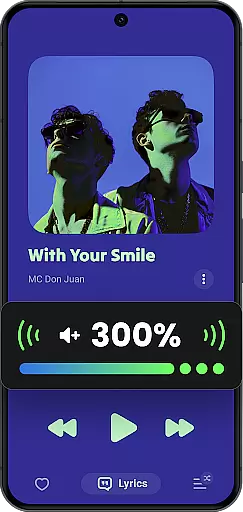
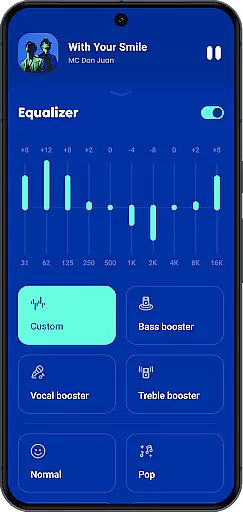
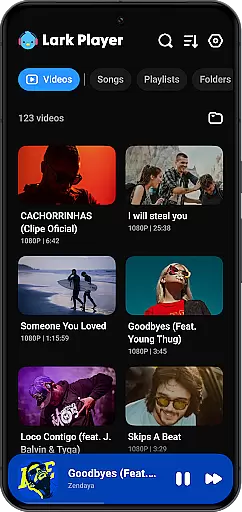
Lark Player is a versatile offline music and video player for Android devices, supporting all major audio and video formats. This free application features a powerful equalizer, customizable sound effects, and an intuitive user interface that has garnered over 100 million users worldwide.
With dedicated modes for various music genres and advanced file management capabilities, Lark Player allows users to organize their media library efficiently. The floating window feature enables multitasking while enjoying media, making it an essential tool for music enthusiasts who want high-quality playback without internet dependency.
Lark Player stands out with its comprehensive format support, including MP3, MIDI, WAV, FLAC, AC3, AAC, M4A, ACC for audio and MP4, 3GP, WEBM, MOV, MKV for video files. The built-in equalizer offers bass enhancement, reverb settings, and sound field adjustments, delivering an immersive listening experience.
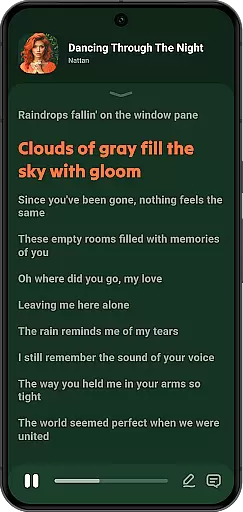
Beyond playback, the app provides robust file management tools. Users can create playlists, browse by song details, and even set local music as ringtones. Additional features like sleep timer, background play, and lyric synchronization enhance the overall usability, while the day/night theme option ensures comfortable viewing in any lighting condition.
Lark Player offers an extensive music library that supports all major audio formats including MP3, MIDI, WAV, FLAC, AC3, AAC, M4A, and ACC. This ensures users have the flexibility to play any offline music file on their Android devices without compatibility issues.
While Lark Player does not provide music downloading capabilities, it emphasizes copyright authenticity by allowing users to manage and play their legally acquired music files. The app respects intellectual property rights while offering a seamless playback experience.
The application's support for various audio formats highlights its commitment to delivering high-quality sound. Users can enjoy their personal music collection with enhanced audio features like powerful equalizers and bass enhancement, ensuring an immersive listening experience.
With over 100 million users worldwide, Lark Player demonstrates its ability to handle large music libraries efficiently. The app's intuitive interface allows easy navigation through albums, artists, genres, and playlists, making music management both convenient and enjoyable.
Lark Player stands out in the Music & Audio category by providing exceptional audio quality options. The app includes a powerful equalizer with preset modes for different music genres such as Classical, Jazz, Pop, and Rock, allowing users to customize their listening experience according to their preferences.
In addition to basic equalizer settings, Lark Player offers advanced audio features like bass enhancement, reverb setting, and sound field adjustment. These options enable users to fine-tune their audio experience, achieving professional-level sound quality on their mobile devices.
The player supports high-fidelity audio formats, ensuring that users can enjoy their music in the best possible quality. Whether listening to FLAC or WAV files, users can appreciate the nuances of their favorite tracks with crystal-clear clarity and depth.
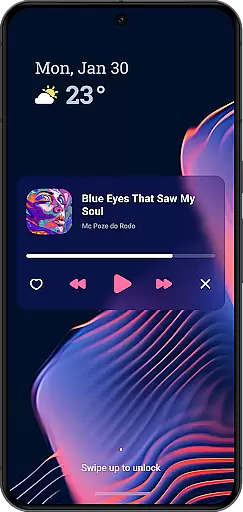
Furthermore, Lark Player's ability to play music in the background and through the notification bar enhances user convenience without compromising audio quality. This feature, combined with the sleep timer function, makes it an ideal choice for both casual listeners and audiophiles who value superior sound reproduction.
User-friendly interface
Extensive format compatibility
Powerful equalizer settings
Efficient file organization
Multitasking floating window
No music downloading capability
Occasional playback issues
Limited social sharing options
Ads in free version
Complex for beginners

Simply convert wav to mp3. Clear. Reliable. Safe.
 4.0
4.0
Make music anywhere. Turn your device into an instrument.
4.1
Control your MIDI USB or Bluetooth devices in app and avoid some trampling
3.30
Full-featured, High-Quality Groovebox Workstation, perfect for Live Performance!
4.80
Let your Android device with the sound effects you want
4.50
Simple mp3 and mp4 player with advanced features.
3.40
A complete sound package for the sound engineer or enthusiast
4.60
Play KORG’s revolutionary touch-based instrument on a variety of devices.
4.40
Sheet music reader, piano & music note player. Play music score & learn to read.
3.90
Brian Eno and Peter Chilvers’ acclaimed music app Bloom, radically reinvented.
4.80
Save hundreds of dollars for a physical strobe tuner and instead use this app.
4.50
DJ Music Mixer Pro is a real DJ controllers and DJ Music Studio to remix DJ.
4.40
DJ Music Mixer - DJ Remix: remix songs, make beat music & record mix of DJ.
4.40
Equalizer, Bass Booster and Volume Booster (Eq & Bass) improve sound quality
4.30
Network/Cloud Streaming, Visualization, Graphic Equalizer and Sound Effects.
4.20
Smart piano keyboard, Classical to Pop, Real-time multiplayer connection!
4.20
The official Sonos app
4.10
Slow music down without changing pitch.
3.70
The Skullcandy App Experience
3.20


User Reviews