
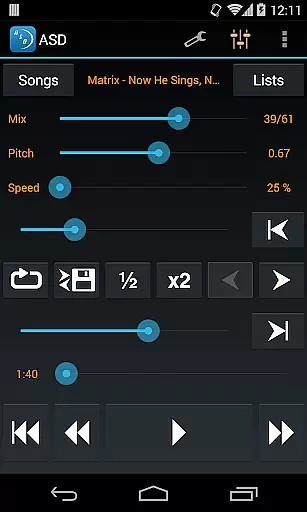
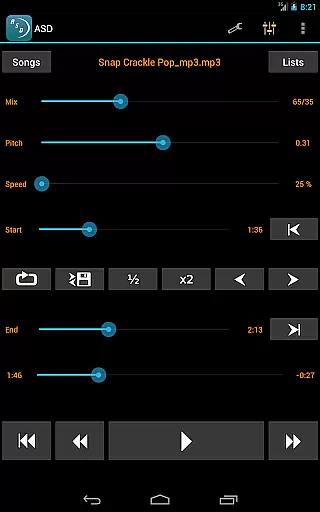
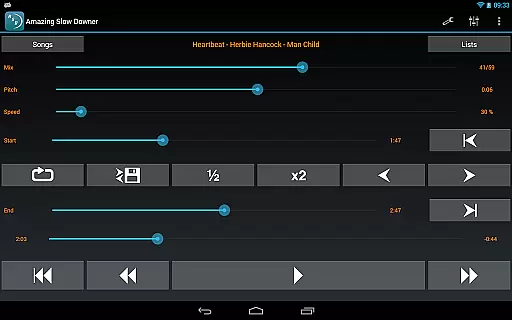
Amazing Slow Downer is a professional music practice tool designed for musicians. The core function is to slow down music playback without changing the pitch.
This app allows users to repeat any section of a song at different speeds, ranging from 25% to 200% of the original speed. It also enables changing the musical key and setting seamless loops.
Whether you are a musician, transcriber, or dancer, Amazing Slow Downer provides the tools needed to improve your skills effectively. Its outstanding sound quality makes it a reliable choice for music practice.
Amazing Slow Downer offers powerful tools for musicians. It allows you to change music playback speed from 25% to 200% without affecting the pitch.
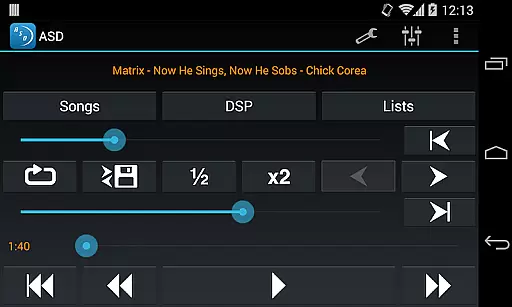
The app supports setting seamless loops during playback. This feature is perfect for practicing and mastering difficult sections of a song.
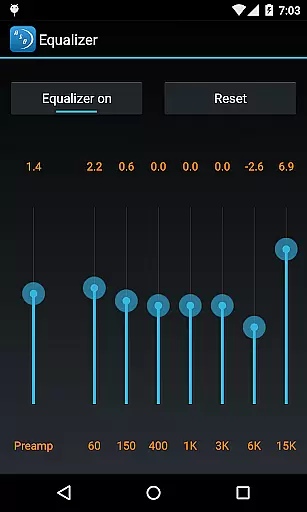
With outstanding sound quality and the ability to change tuning or musical key, it is an ideal choice for musicians, transcribers, and dancers looking to enhance their skills.
When evaluating a music application like Amazing Slow Downer, the size and authenticity of its music library are crucial factors. This app allows musicians to import and manipulate their own music files, ensuring that users can work with a vast array of copyrighted material legally owned by them.
The app does not provide a built-in library but focuses on delivering high-quality tools for manipulating audio files. This approach ensures that all music used is legally sourced from the user's collection, thus maintaining copyright authenticity.
Amazing Slow Downer supports various file formats, making it versatile for different user needs. Musicians can slow down or speed up tracks without affecting the pitch, which is essential for practice and transcription purposes.
By focusing on user-provided content, the app avoids legal issues associated with unauthorized music distribution while offering powerful features for personal music manipulation.
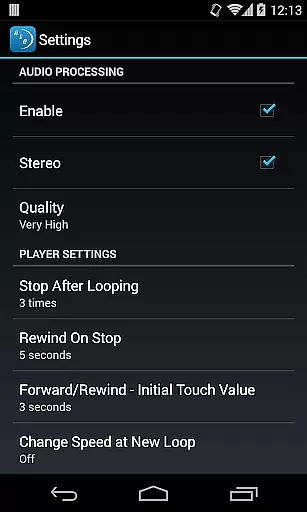
Audio quality is paramount when dealing with music applications, especially for professionals and enthusiasts who require the best sound fidelity. Amazing Slow Downer excels in this area by providing outstanding sound quality even when altering playback speeds.
The app allows users to change the speed of audio tracks between 25% and 200% of the original without changing the pitch, ensuring that the integrity of the sound remains intact. This feature is particularly beneficial for musicians who need to learn complex pieces at slower tempos.
In addition to speed adjustments, Amazing Slow Downer offers seamless loop creation and tuning modifications. These features help maintain consistent audio quality throughout different sections of a track, enhancing the overall listening and learning experience.
With its robust processing capabilities, Amazing Slow Downer stands out as an ideal tool for anyone looking to improve their musical skills without compromising on audio quality.
Speed adjustment
Pitch preservation
Seamless looping
High-quality audio
User-friendly interface
Subscription required
No Spotify support
Limited free features
Interface not intuitive
Occasional bugs

Time Guru will strengthen your internal sense of musical time via random muting.
 4.30
4.30
Performance-Synthesizer & Multi-Track-Sequencer, polyphonic + multi timbral!
4.70
Walkout Song DJ is the most intuitive app to manage your sports music.
4.70
The only true audiophile music player with Hi-Fi audio rendering and DSP engine
3.90
Simple mp3 and mp4 player with advanced features.
3.40
The iconic iOS metronome app is now on Android.
3.70
Reverse your voice & songs instantly! Fun singing challenge with cool effects.
4.60
Turn Every Moment into Music
3.60
One-tap booster for max volume - enjoy powerful sound with this audio booster
4.50
Fun & Easy Voice Changer – Record, Edit & Add Hilarious Effects!
4.50
Help you quickly get started with Shokz headphones
4.40
The Music Journey in Your Hands
4.30
Enjoy singing any song, no matter how high or low it is
4.30
Offline and always ad-free - stream in the highest quality available.
4.10
Versatile MP3 recorder with auto-backup to Dropbox and Google Drive
4.10
The ultimate media player for Android devices
3.90
Offline Tunes, Unlimited Vibes
3.90
MilkDrop for Android TV
3.00
Make music anywhere. Turn your device into an instrument.
4.5


User Reviews