
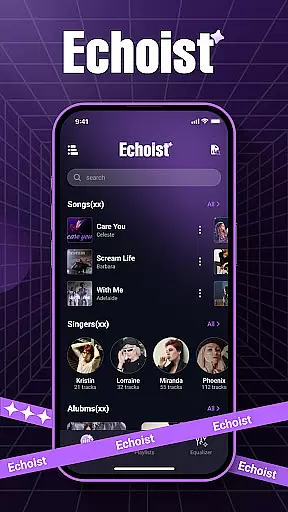
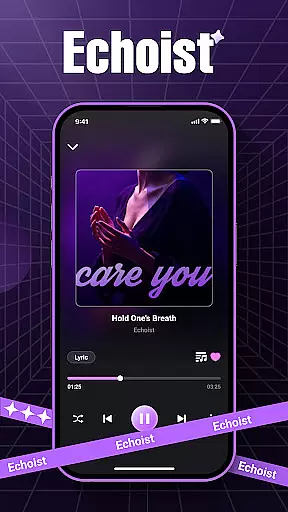
Echoist is a premium offline music player designed to bring your personal music collection to life. This app supports all major audio formats including MP3, FLAC, WAV, and AAC, allowing users to access their entire library without an internet connection. With its powerful scanning capabilities, Echoist quickly loads your music files and organizes them into a smart library.
The app's standout feature is its intuitive user interface that combines sleek design with practical functionality. Users can enjoy background playback, customizable equalizer settings, and a sleep timer for uninterrupted listening sessions. Whether you're commuting or relaxing at home, Echoist provides a seamless music experience tailored to your preferences.
Echoist distinguishes itself through a combination of advanced features and user-friendly design. The app's smart library automatically categorizes your music by artist, album, and genre, making it easy to find exactly what you're looking for. Its powerful search function allows for quick navigation through even the largest music collections.
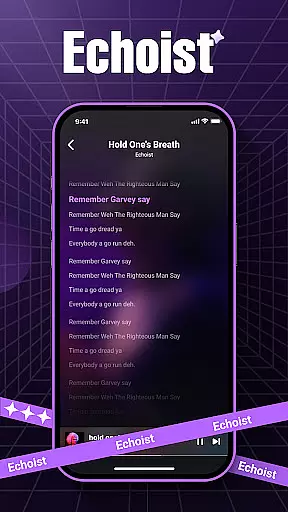
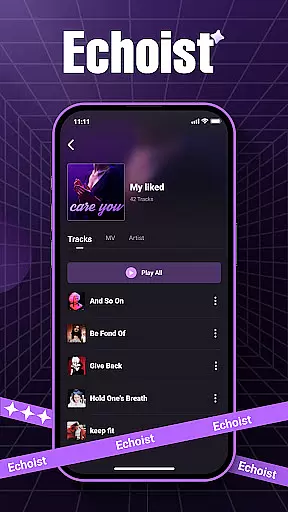
For those who value customization, Echoist offers a range of personalization options. Users can create custom playlists for different moods and occasions, while the built-in equalizer lets you fine-tune audio output to your preference. Additional features include lyrics display (when available), favorites section for quick access, and background playback that keeps your music going while using other apps.
The app's offline functionality sets it apart from streaming services, allowing users to enjoy their music library without worrying about data usage or network connectivity. This makes Echoist particularly valuable for travelers and commuters who need reliable music access on the go.
When it comes to music applications like Echoist, the size and authenticity of the music library are crucial factors for users. Echoist allows you to access your entire offline music collection, supporting a wide range of formats including MP3, FLAC, WAV, and AAC.
The application ensures that all your music files are genuine copies from your personal library, eliminating concerns about unauthorized or pirated content. This guarantees that every track you listen to is exactly as the artist intended, preserving both audio quality and legal integrity.
With Echoist, you can easily organize thousands of tracks by artist, album, or genre, making it simple to manage even the largest music libraries. The powerful search functionality ensures you can find any song in seconds, regardless of your library's size.
Audio quality is at the heart of any music player, and Echoist excels in delivering pristine sound through its advanced features. The app supports high-quality audio formats like FLAC and WAV, ensuring lossless playback for audiophiles who demand the best listening experience.
In addition to supporting superior file formats, Echoist offers a customizable equalizer. This feature allows users to fine-tune their audio output according to personal preferences or specific genres, enhancing the depth and clarity of each track.
Whether you're using high-end headphones or standard speakers, Echoist optimizes sound performance across all devices. Background playback and a sleep timer further enrich the user experience, providing uninterrupted enjoyment of high-fidelity music anytime, anywhere.
User-friendly interface
Comprehensive format support
Offline playback capability
Customizable equalizer
Smart library organization
No streaming service integration
Limited social sharing options
Basic playlist management
Occasional scanning issues
No cloud backup feature

Fun & Easy Voice Changer – Record, Edit & Add Hilarious Effects!
 4.50
4.50
Offline and always ad-free - stream in the highest quality available.
4.10
Pay Once, no monthly payment
4.60
Performance-Synthesizer & Multi-Track-Sequencer, polyphonic + multi timbral!
4.70
Most Advanced AI Song Generator and Music Creator. Rap, Pop, Rock, Gospel & more
4.70
Powerful 10-Band equalizer pro with sound booster improves Android audio quality
4.30
Turn Every Moment into Music
3.60
One-tap booster for max volume - enjoy powerful sound with this audio booster
4.50
Be a true music maker: create beats, mix and make music like a real DJ!
4.30
Make songs with AI! Any genre, custom lyric, song generator for music creation!
4.80
Gorgeous UI, Powerful music Search and Equalizer, the great choice for you!
4.70
Simple & Intuitive Metronome
4.70
Over 100 million tracks available for high quality streaming and download
4.60
Recording studio w/ 10k beats, pro vocal FX and a network of 20M rappers & fans!
4.60
10-Band Audio Equalizer, Sound / Bass Booster for Spotify Users & Music Players
4.40
DJ Music Mixer Pro is a real DJ controllers and DJ Music Studio to remix DJ.
4.40
The official Sonos app
4.10
Simple mp3 and mp4 player with advanced features.
3.40
MilkDrop for Android TV
3.00


User Reviews