
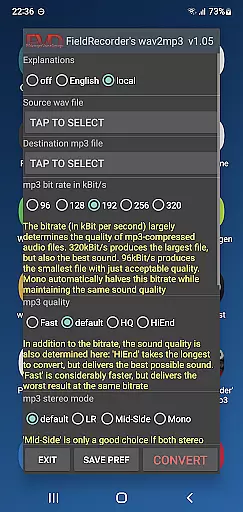
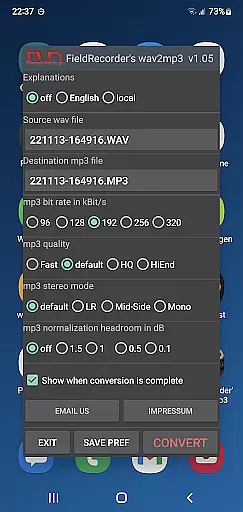
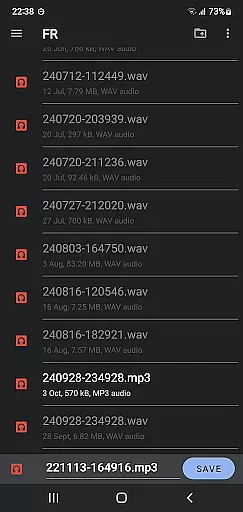
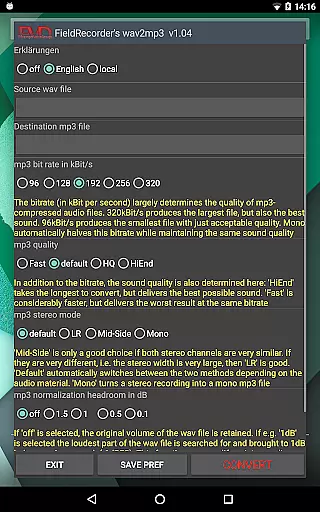
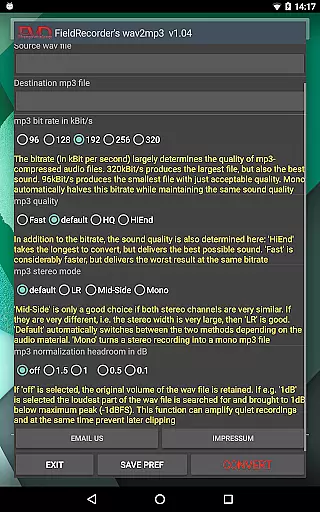
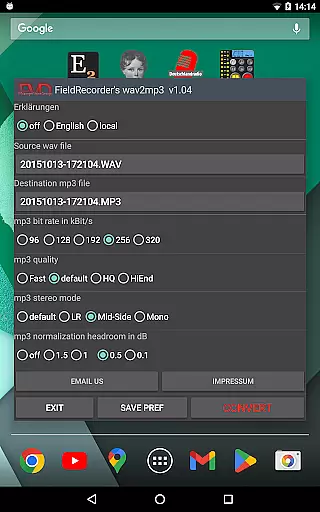
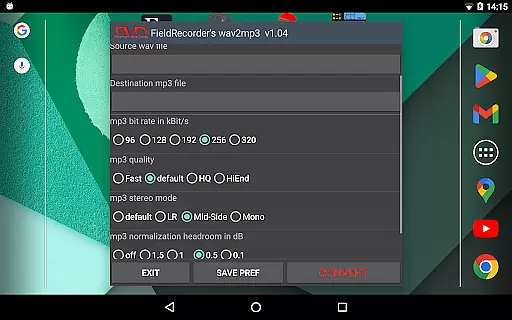
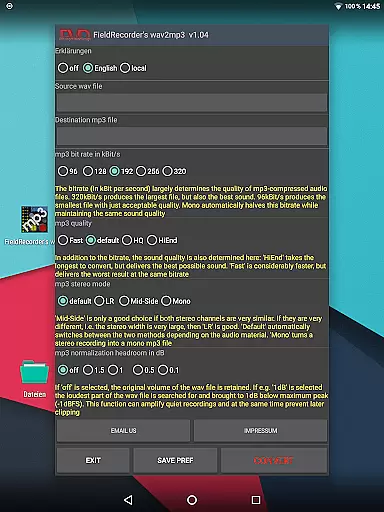
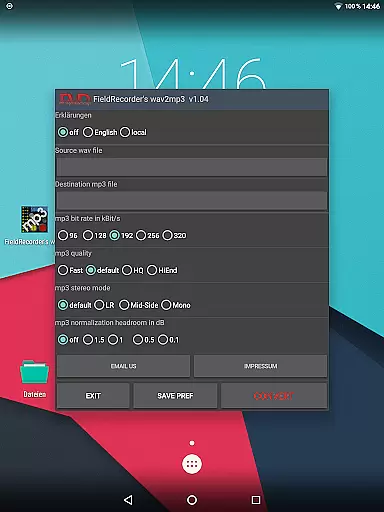
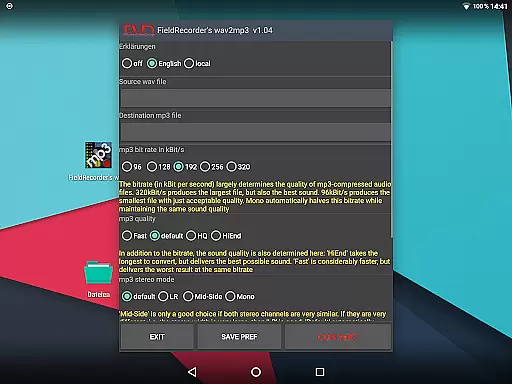
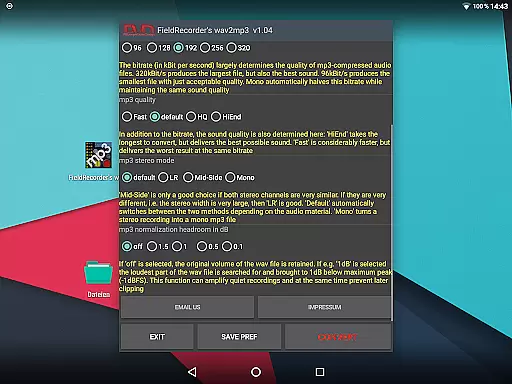
FieldRecorder's wav2mp3 is a streamlined audio conversion tool designed specifically for users who need to convert WAV files to MP3 format without any hassle. The app eliminates common frustrations such as intrusive ads, unnecessary rating prompts, and confusing options that often clutter similar applications. With its minimalist one-screen interface, users can effortlessly select source and destination files, then initiate the conversion process with a single tap.
What sets this app apart is its commitment to user privacy and efficiency. It operates invisibly in the background, ensuring no data collection or spying occurs. Additionally, the app offers advanced customization options for bit rate, encoding complexity, stereo mode, and volume normalization, allowing users to tailor the output to their specific needs. Whether you're an audio professional or simply looking for a reliable converter, FieldRecorder's wav2mp3 delivers both simplicity and power in a compact 1.3MB package.
FieldRecorder's wav2mp3 stands out with its array of practical features tailored for seamless audio file conversions. One of the key highlights is its incredibly lightweight design, occupying just under 1.3MB, which is significantly smaller than most competitors averaging around 20MB. This efficiency ensures quick downloads and smooth performance even on older devices.
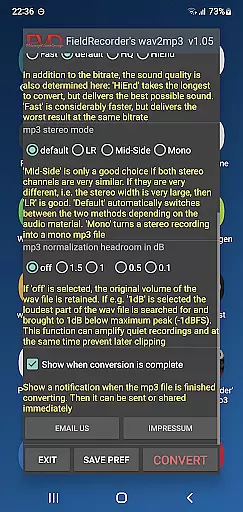
The app provides several customizable settings, empowering users to fine-tune their conversion experience. Options include selecting from five preset bit rates (which are halved when converting to mono), choosing between different encoding complexities, and deciding on stereo modes like LR, Mid-Side, or Default. Users can also adjust volume levels and opt to receive notifications upon completion, enabling immediate sharing or further processing of the converted files. These features make FieldRecorder's wav2mp3 not only versatile but also highly user-centric.
FieldRecorder's wav2mp3 may not boast an extensive music library, but it excels in providing a streamlined and focused experience for audio file conversion. The app ensures that each conversion is authentic and true to the original file, maintaining the quality and integrity of your audio content.
The application does not collect data or infringe on user privacy, which speaks volumes about its respect for copyright laws and authenticity. This means that when you convert your WAV files to MP3, you can be confident that the output is both legally compliant and free from any unwanted alterations.
With this app, users are assured of a hassle-free conversion process without hidden fees or advertisements, ensuring that their focus remains solely on their audio files. The absence of ads and rating requests also indicates that there is no underlying motive to mislead users regarding the authenticity of their converted files.
When it comes to audio quality options, FieldRecorder's wav2mp3 offers several customizable settings that allow users to tailor the conversion process to their specific needs. You have control over bit rates, complexity, stereo mode, volume levels, and even receive notifications upon completion for immediate sharing or further processing.
The app provides five common bit rates for quick selection, with the option to halve them when working with mono audio files. Users can choose how complex the MP3 file should be created; more complexity results in longer conversion times but potentially better sound quality.
Stereo mode settings give you the choice between encoding channels separately or together based on similarity, allowing software optimization during the material. Additionally, you can decide whether the volume remains as in the original or is maximized while specifying decibel levels below full level to prevent clipping during playback.
User-friendly interface
No ads or data collection
Highly customizable settings
Lightweight and efficient
Background operation
Limited to WAV to MP3
No batch conversion
Basic UI design
Fewer advanced features
Paid app

Save hundreds of dollars for a physical strobe tuner and instead use this app.
 4.50
4.50
Ultimate Sonos Controller
4.70
Unleash your creativity! Turn simple prompts into full fledged songs.
4.70
Enjoy singing any song, no matter how high or low it is
4.30
Help you quickly get started with Shokz headphones
4.40
Responsive piano with great sounds, graphics, and songs
4.80
Travel To The Music Universe
3.40
Get alarms that fit your lifestyle and wake up to the sounds you love.
4.80
Customize Your Favorite Songs and Videos with booster.
4.70
Make songs with AI! Any genre, custom lyric, song generator for music creation!
4.80
Offline Music Player & MP3 Player.Powerful equalizer, Lyrics, Themes, Tag Editor
4.80
Simple & Intuitive Metronome
4.70
Over 100 million tracks available for high quality streaming and download
4.60
Taal player that lets you sing any Indian & Western song with Tabla & Tanpura
4.60
Manage your Sonos system directly from your home-screen!
4.40
Time Trainer: accurate metronome w tools to help you develop your internal time!
4.20
Versatile MP3 recorder with auto-backup to Dropbox and Google Drive
4.10
Remove ads permanently from Music Visualizer
4.2
Music Streaming suite for Ampache, Nextcloud Music and compatible backends.
4.0


User Reviews