
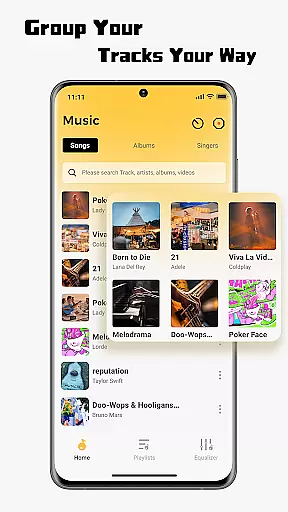
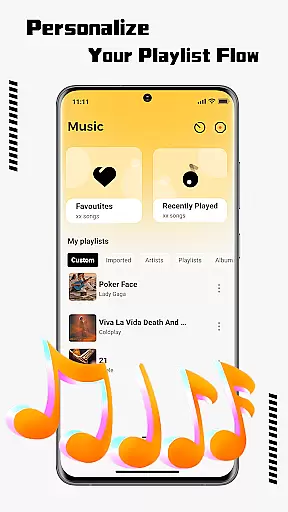
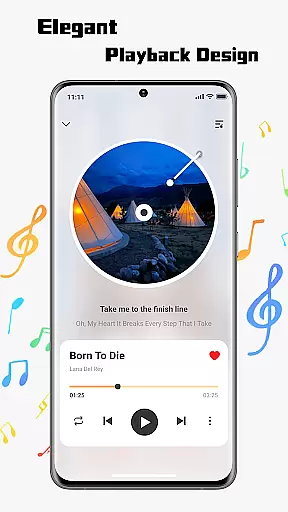
SonicNest is a premium music player app designed to enhance your audio experience through advanced features and intuitive design. The app allows seamless import of local music files, making it easy to consolidate your entire music library in one place. With smart management tools, users can organize tracks by albums, artists, or custom playlists tailored to specific moods and activities.
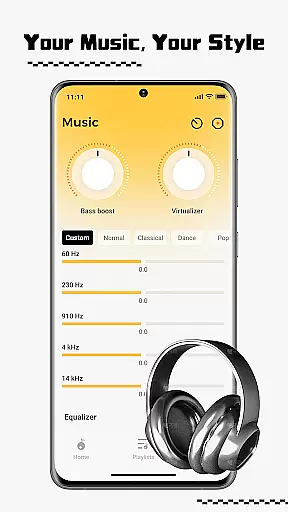
One standout feature is the built-in equalizer, which offers both presets and manual customization options for precision sound control. Whether you're an audiophile seeking detailed audio adjustments or simply looking for a richer listening experience, SonicNest delivers professional-grade tools to fine-tune every track. This makes it ideal for users who value both functionality and audio quality in their music player.
SonicNest stands out with its comprehensive suite of features that cater to all aspects of music management and playback. First, the app provides effortless local music import, allowing users to browse device storage and add tracks directly into the app. This eliminates the need for multiple apps and streamlines the listening process.
The app also excels in organization, offering powerful tools to edit track details, sort libraries, and create custom folders. These features ensure your music collection remains tidy and accessible. Additionally, the advanced equalizer is a game-changer, providing expertly crafted presets as well as manual controls for bass, vocals, and more. This combination of convenience, organization, and audio precision ensures SonicNest meets the needs of casual listeners and audiophiles alike.
When it comes to music applications, the size and authenticity of the music library are crucial factors. SonicNest offers a seamless local music import feature that allows users to effortlessly bring their personal music library into the app. This ensures that all your tracks are centralized in one location, eliminating the need to switch between different apps.
SonicNest doesn't just stop at aggregating your music; it provides smart local music management tools. These tools help keep your library perfectly organized by allowing you to edit track details, sort by album or artist, and create custom folders for different moods or activities. This meticulous organization ensures that your music collection remains both extensive and authentic.
The application's dedication to copyright authenticity is evident through its ability to preserve the integrity of your imported music files. By ensuring that metadata and file information remain intact, SonicNest guarantees that your music library is not only vast but also respects the originality and legality of each track.
Audio quality is paramount for an immersive listening experience, and SonicNest excels in this domain with its precision sound and built-in equalizer. The advanced equalizer allows users to fine-tune every track to perfection, catering to individual preferences whether itu2019s boosting bass for workout sessions or enhancing vocals for lyrical focus.
For audiophiles, SonicNest offers manual customization options that let you dial in the exact sound profile you desire. With expertly crafted presets available as well, users can easily select a configuration that suits their current activity or mood, ensuring a consistently high-quality audio output.
This attention to audio detail highlights SonicNest's commitment to providing superior sound quality options. By integrating cutting-edge features like the built-in equalizer, SonicNest ensures that every listening session is rich, immersive, and tailored to deliver the best possible auditory experience.
Intuitive user interface
Advanced equalizer settings
Seamless music import
Smart library organization
Customizable sound profiles
Limited streaming options
No cloud sync feature
Heavy on system resources
Few social sharing tools
Occasional bugs reported

Your HD audio recorder on the go for music, meetings, ambience, animal sounds…
 4.30
4.30
Make music anywhere. Turn your device into an instrument.
4.5
Taal player that lets you sing any Indian & Western song with Tabla & Tanpura
4.60
Visualize the guitar fretboard, master scales & play through changes like a pro!
4.50
USB audio recording and playback finally possible on Android 3.1 or higher!
3.90
Bass Booster & Volume Equalizer Pro improves your music and video sound quality
4.60
24,000 free audio books and no ads!
4.90
Recording studio w/ 10k beats, pro vocal FX and a network of 20M rappers & fans!
4.60
Responsive piano with great sounds, graphics, and songs
4.80
Ultimate Sonos Controller
4.70
A synth that really lets you shape your sounds!
4.50
DJ Music Mixer Pro is a real DJ controllers and DJ Music Studio to remix DJ.
4.40
Help you quickly get started with Shokz headphones
4.40
Learn and play 2M+ music tabs & chords on guitar, ukulele, bass, and more
4.30
A sleek, no-frills player designed for true music lovers.
4.20
The original SP-1200 experience on your iPad
4.20
Permanently backup Now Playing. Maps, filters & listening stats.
4.00
Turn your Android phone into a professional audio analyser with up to 120 bands.
4.00
The Minimalistic Premium Music Player. Handmade with passion for music
2.20


User Reviews