
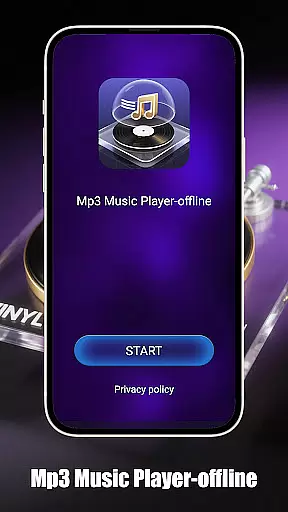
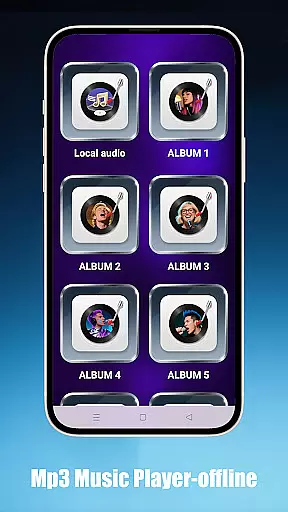
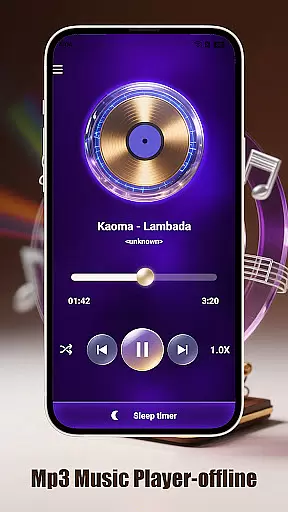
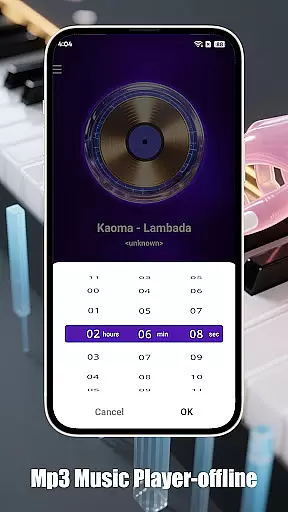
Mp3 Music Player - Offline is a dedicated music player for audiophiles who prefer local MP3 playback. This app offers powerful playback controls without requiring an internet connection, making it perfect for users who want uninterrupted access to their music library.
With features like adjustable playback speed, sleep timer, and multiple playback modes, the app caters to various listening preferences. Its minimalist design ensures a distraction-free experience while the landscape-optimized UI provides an immersive full-screen interface.
Whether you're commuting or studying, Mp3 Music Player - Offline delivers a seamless music experience that helps you stay focused and entertained.
This app stands out with its versatile playback options including loop, shuffle, and single-track modes. The adjustable playback speed from 0.5x to 2.0x makes it ideal for both casual listeners and those using audio for learning purposes.
Organization is effortless as users can browse music by folders, artists, or albums. The ultra-fast search function allows quick access to any track in your library. Designed with focus in mind, the app's landscape mode and minimalist interface ensure an engaging and ad-free experience.
Additionally, the lightweight build preserves device resources, offering smooth performance without draining the battery, which is crucial for on-the-go music enjoyment.
When it comes to music players, the size and authenticity of the music library are crucial factors. Mp3 Music Player - Offline focuses on allowing users to play their local MP3 files without the need for internet connectivity. This ensures that users have complete control over their music collection while maintaining copyright compliance.
The app supports a wide range of local music files, enabling users to organize and access their entire library effortlessly. By playing files directly from the user's device, it eliminates concerns about copyright infringement that often accompany streaming services. The absence of ads and distractions further enhances the experience, ensuring that users can enjoy their personal music collections without interruptions.
With features like folder, artist, and album browsing, users can easily navigate through vast music libraries. The ultra-fast search functionality allows for quick access to specific tracks, making large collections manageable. This focus on local content guarantees that users can enjoy their legally acquired music without limitations or legal issues.
Audio quality is paramount for any music enthusiast, and Mp3 Music Player - Offline delivers an exceptional auditory experience. The player offers adjustable playback speeds ranging from 0.5x to 2.0x, catering to diverse listening preferences such as podcast learning or casual music enjoyment. This flexibility in speed control allows users to customize their listening sessions according to their needs.
The minimalist interface of the app ensures that nothing comes between the listener and their music. Its lightweight nature not only preserves battery life but also maintains high audio fidelity during playback. The landscape-optimized UI provides an immersive full-screen experience, perfect for users who prefer a visually engaging music player.
Additionally, the sleep timer feature automatically stops music playback to conserve battery power, which indirectly helps maintain audio quality by preventing unnecessary battery drain. These combined features ensure that users can enjoy their music at optimal quality settings, whether they're relaxing at home or on the go.
User-friendly interface
Offline playback
Customizable speed
Efficient organization
Battery efficient
Limited format support
No cloud integration
Basic equalizer
No lyrics display
Ads in free version

A synth that really lets you shape your sounds!
 4.50
4.50
Walkout Song DJ is the most intuitive app to manage your sports music.
4.70
Brian Eno and Peter Chilvers’ acclaimed music app Bloom, radically reinvented.
4.80
The ultimate media player for Android devices
3.90
Smart piano keyboard, Classical to Pop, Real-time multiplayer connection!
4.20
Learn and play 2M+ music tabs & chords on guitar, ukulele, bass, and more
4.30
Offline Music Player&MP3 Player with themes, equalizer, lyrics, music play mode
4.60
Play KORG’s revolutionary touch-based instrument on a variety of devices.
4.40
Be a true music maker: create beats, mix and make music like a real DJ!
4.30
JBL PartyBox APP works with 110/310/710/120/320/520/Encore/Encore 2/Encore Ess 2
4.80
Responsive piano with great sounds, graphics, and songs
4.80 4.70
4.70
Over 100 million tracks available for high quality streaming and download
4.60
Bass Booster & Volume Equalizer Pro improves your music and video sound quality
4.60
Time Guru will strengthen your internal sense of musical time via random muting.
4.30
A High-Precision Audio Spectrum Analysis App
4.20
USB audio recording and playback finally possible on Android 3.1 or higher!
3.90
The Minimalistic Premium Music Player. Handmade with passion for music
2.20
Remove ads permanently from Music Visualizer
4.4


User Reviews