
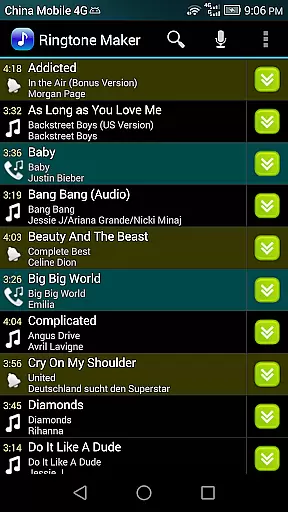
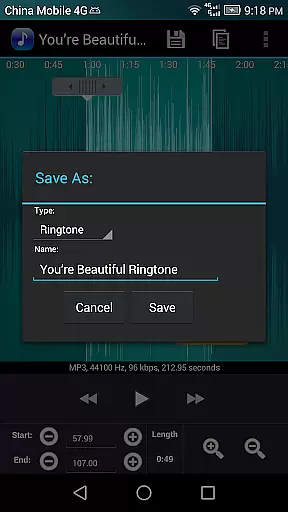
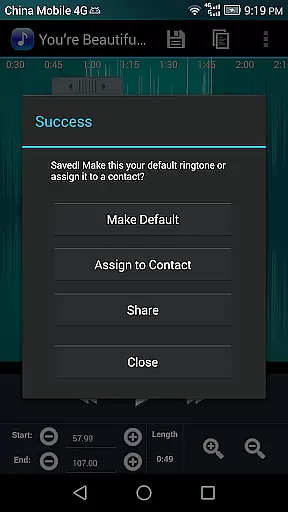
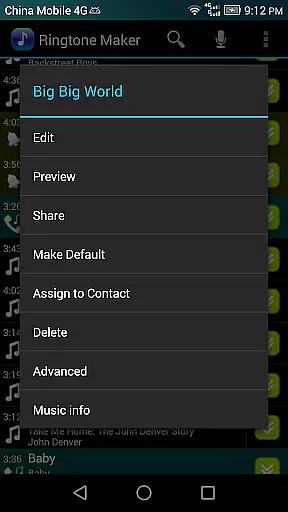
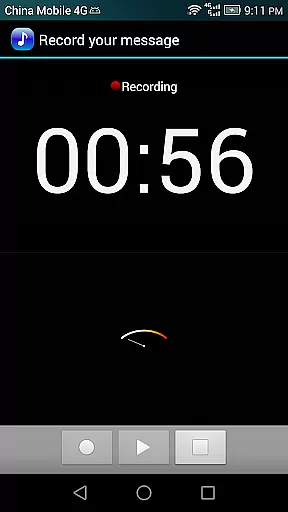
Ringtone Maker Pro is a versatile audio editing application designed for creating personalized ringtones, alarms, and notifications. This app supports multiple audio formats including MP3, WAV, AAC/MP4, and 3GPP/AMR files, allowing users to customize their audio experience on Android devices.
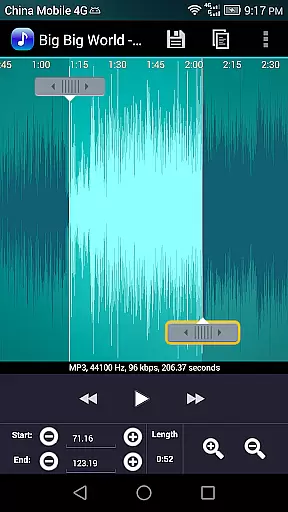
The app's intuitive timeline interface enables precise editing through start and end point selection. Users can employ various methods to define these points - by sliding arrows along the timeline, pressing Start and End buttons, or manually entering timestamps. Beyond basic ringtone creation, the application offers advanced features such as fade in/out effects, volume adjustment, and waveform visualization at five zoom levels.
Whether you're looking to create unique ringtones from your favorite songs or need to edit audio files for practical purposes, Ringtone Maker Pro provides a comprehensive solution. The app's ability to preview edits, assign ringtones to specific contacts, and save files in designated system folders makes it an essential tool for personalizing your mobile audio experience.
Ringtone Maker Pro distinguishes itself through its comprehensive feature set that caters to both casual users and audio enthusiasts. The app's core functionality revolves around its powerful audio editing capabilities, which include precise copy, cut, and paste functions alongside sophisticated fade in/out effects specifically designed for MP3 files.
One of the app's standout features is its multi-level waveform visualization, offering five distinct zoom levels for detailed audio examination. The touch interface allows users to intuitively set clip boundaries while the playback cursor automatically scrolls through the waveform during preview sessions. This visual-audio synchronization enhances the editing precision significantly.
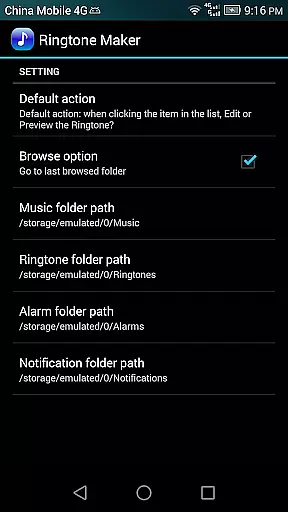
The application extends its utility beyond basic ringtone creation by incorporating practical tools such as contact assignment, notification management, and alarm customization. Additional professional-grade features include volume adjustment controls, audio recording capabilities, and comprehensive file management options that allow sorting by tracks, albums, or artists. The app's robust permission system ensures secure handling of contact information while maintaining user privacy.
Ringtone Maker Pro offers an extensive music library that allows users to create ringtones, alarms, and notifications from a variety of audio file formats including MP3, WAV, AAC/MP4, and 3GPP/AMR. This vast compatibility ensures that users can utilize their personal audio collection without limitations.
The app's commitment to copyright authenticity is evident through its encouragement of using personal files for ringtone creation. By focusing on user-provided content, it avoids the distribution of copyrighted material, thus maintaining legal integrity while offering creative freedom.
Users benefit from the assurance that all created ringtones are derived from legally owned audio files. The ability to edit and assign these custom sounds to contacts enhances personalization without infringing on copyright laws.
With Ringtone Maker Pro, audio quality is prioritized through precise editing features such as fade in/out effects for MP3s and volume adjustments. These tools ensure that the outputted ringtones retain high-quality sound even after customization.
The app provides a waveform representation at five zoom levels, allowing detailed edits with accuracy. Users can set exact start and end points for their ringtones, which contributes to maintaining the original audio quality during clipping.
This precision in editing empowers users to produce professional-sounding ringtones. Whether assigning a ringtone to a contact or saving it as an alarm, the audio remains clear and crisp, enhancing the overall auditory experience on the device.
User-friendly interface
Multi-format support
Precise editing tools
Comprehensive feature set
Intuitive waveform display
Requires storage permission
Contact access needed
Pro version costs
Learning curve present
Ads in free version

JBL PartyBox APP works with 110/310/710/120/320/520/Encore/Encore 2/Encore Ess 2
 4.80
4.80
Your song collections with lyrics and chords on Android smartphones and tablets.
4.80
More downloads than any other metronome. Includes drum machine & tempo trainer.
4.80
Visualize the guitar fretboard, master scales & play through changes like a pro!
4.50
Guzheng Master supports many playing techniques as an acoustic Guzheng
4.50
Make songs with AI! Any genre, custom lyric, song generator for music creation!
4.80
PowerAudio is a powerful offline music player.
4.20
Versatile MP3 recorder with auto-backup to Dropbox and Google Drive
4.10
Turn Every Moment into Music
3.60
Responsive piano with great sounds, graphics, and songs
4.80
Listen radio AM / FM Stations. Live AM / FM Radio App Station. Radio Com.
4.70
Most Advanced AI Song Generator and Music Creator. Rap, Pop, Rock, Gospel & more
4.70
Pay Once, no monthly payment
4.60
Enjoy singing any song, no matter how high or low it is
4.30
Learn and play 2M+ music tabs & chords on guitar, ukulele, bass, and more
4.30
Network/Cloud Streaming, Visualization, Graphic Equalizer and Sound Effects.
4.20
Offline and always ad-free - stream in the highest quality available.
4.10
VB-AUDIO Software / VBAN-Receptor allows listening to any VBAN Streams
4.10
Permanently backup Now Playing. Maps, filters & listening stats.
4.00


User Reviews