
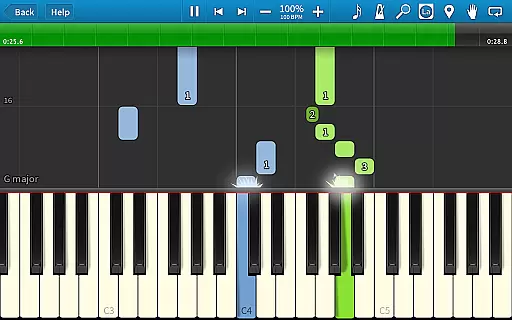
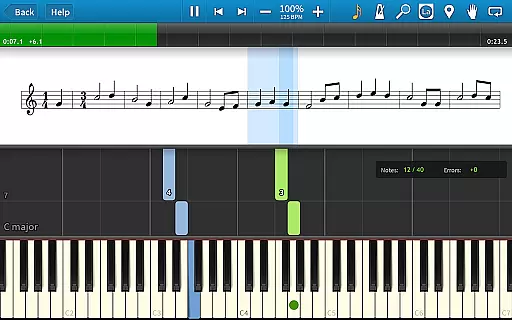
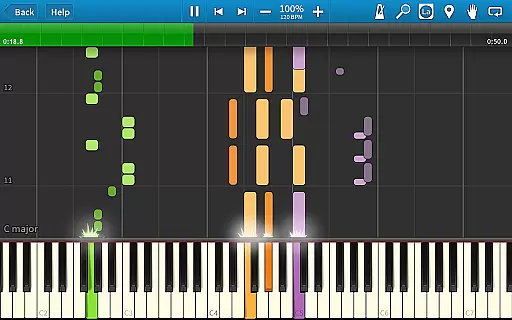
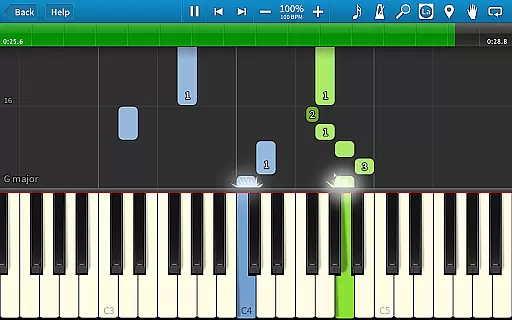
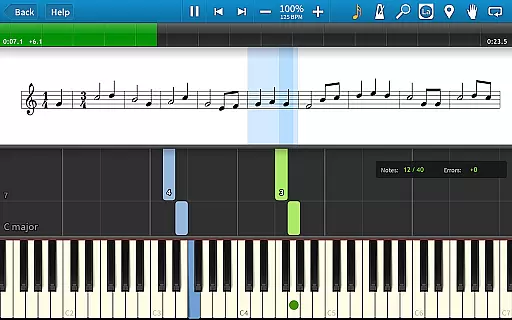
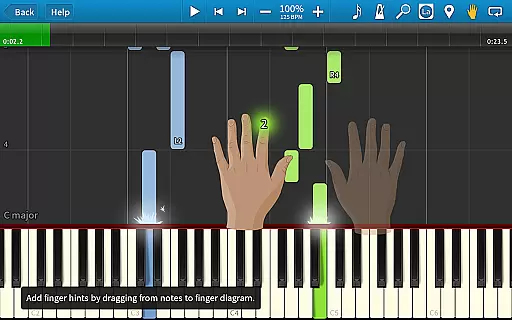
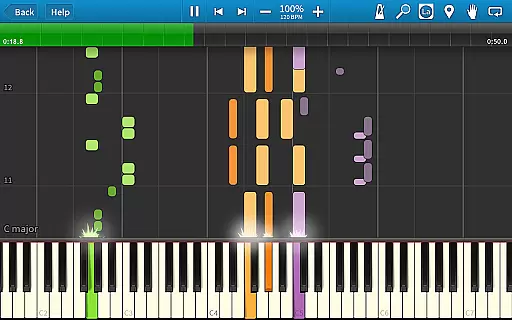
Synthesia is an innovative music learning application designed to help users play the piano immediately, even without prior knowledge of reading sheet music. The app offers a unique interactive experience by allowing users to connect their digital keyboard and follow falling note blocks or traditional sheet music on the screen.
With features like Melody Practice mode that waits for correct notes, compatibility with lighted keyboards, and integrated finger hints, Synthesia makes learning both fun and effective. Whether you're a beginner or an experienced musician, this app provides valuable tools such as loops, bookmarks, and a built-in metronome to enhance practice sessions.
The free version includes over 20 songs, while the premium unlock offers access to 150+ included songs and any MIDI file ever created. With its user-friendly interface and comprehensive learning aids, Synthesia is perfect for anyone looking to learn piano in an engaging way.
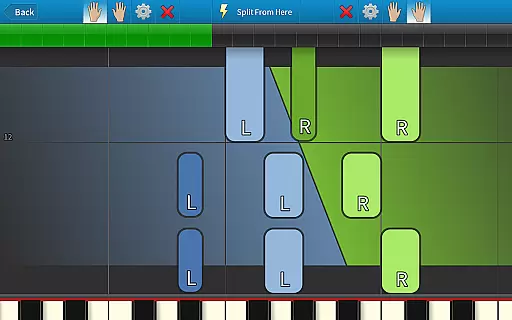
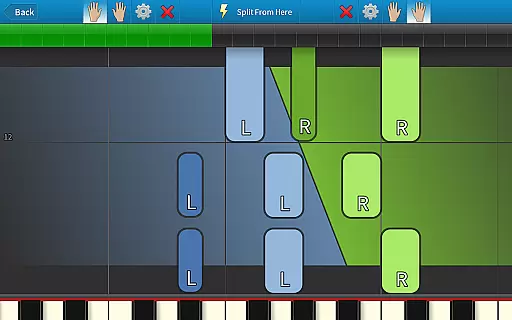
Synthesia stands out with its versatile feature set tailored for music learners. One of its key features is the ability to play using either hand separately or together, providing flexibility in practice routines. The app's Melody Practice mode ensures users hit the correct note before proceeding, reinforcing proper technique.
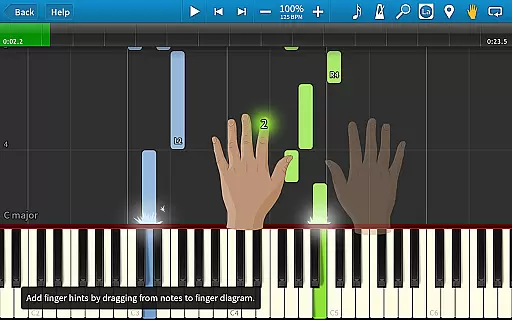
For those with digital pianos, Synthesia supports integration with most lighted keyboards, enhancing the visual learning experience. Users can choose between viewing traditional sheet music, falling note blocks, or both, catering to different learning preferences. Additionally, every song comes with built-in finger hints, guiding users on which fingers to use for optimal performance.
Beyond basic playback, Synthesia includes advanced functionalities like loops for repetitive practice, bookmarks for saving progress, and a built-in metronome for rhythm training. These features collectively create a robust learning environment suitable for all skill levels.
Synthesia offers an extensive music library that caters to users of all skill levels. With over 150 included songs, the app provides a rich selection of MIDI compositions that range from beginner to advanced difficulty.
One of the standout features is the ability to play any MIDI song ever created, giving users access to virtually unlimited musical content. This ensures that learners and experienced musicians alike will always find new pieces to practice and enjoy.
The app takes copyright seriously, ensuring that all included songs are properly licensed and authorized for use. This commitment to copyright authenticity gives users peace of mind knowing they are working with legitimate musical material.
Additionally, Synthesia's free version offers more than 20 songs, allowing potential users to explore the app's capabilities before making a purchase decision. The one-time purchase option unlocks the full library without recurring subscription fees.
Synthesia delivers exceptional audio quality through its integration with digital pianos and keyboards. The app supports high-fidelity sound output, ensuring that every note played sounds clear and authentic.
Users can connect their own digital piano to experience professional-grade audio quality. This feature allows musicians to hear their performances exactly as they would sound on a real instrument, enhancing the learning experience.
The app offers various audio settings that let users customize their listening experience. These options include adjusting volume levels, choosing different instrument sounds, and fine-tuning audio parameters to match personal preferences.
Furthermore, Synthesia's compatibility with lighted keyboards ensures synchronized visual feedback while maintaining excellent audio standards. This combination of visual cues and high-quality sound creates an immersive learning environment for aspiring musicians.
User-friendly interface
Interactive learning tools
Wide song selection
Compatibility with MIDI devices
Comprehensive practice aids
Limited free content
Requires external hardware
Premium unlock cost
No real-time feedback
Occasional sync issues

Your HD audio recorder on the go for music, meetings, ambience, animal sounds…
 4.30
4.30
Tune in to the greatest hits on UK Radio | The home of Capital, Smooth & Heart.
4.90
The Music Journey in Your Hands
4.30
DJ Music Mixer Pro is a real DJ controllers and DJ Music Studio to remix DJ.
4.40
VB-AUDIO Software / VBAN-Receptor allows listening to any VBAN Streams
4.10
Enhance the sound quality of your devices, listen to what you want
4.50
USB audio recording and playback finally possible on Android 3.1 or higher!
3.90
Simple mp3 and mp4 player with advanced features.
3.40
Play your music offline without limits
4.80
Make songs with AI! Any genre, custom lyric, song generator for music creation!
4.80 4.70
4.70
Unleash your creativity! Turn simple prompts into full fledged songs.
4.70
A complete sound package for the sound engineer or enthusiast
4.60
Visualize the guitar fretboard, master scales & play through changes like a pro!
4.50
Guzheng Master supports many playing techniques as an acoustic Guzheng
4.50
Play KORG’s revolutionary touch-based instrument on a variety of devices.
4.40
Time Trainer: accurate metronome w tools to help you develop your internal time!
4.20
Sing, record, and create music together — enhanced by smart voice tools.
4.00
MilkDrop for Android TV
3.00


User Reviews